Sagoh
Sagoh
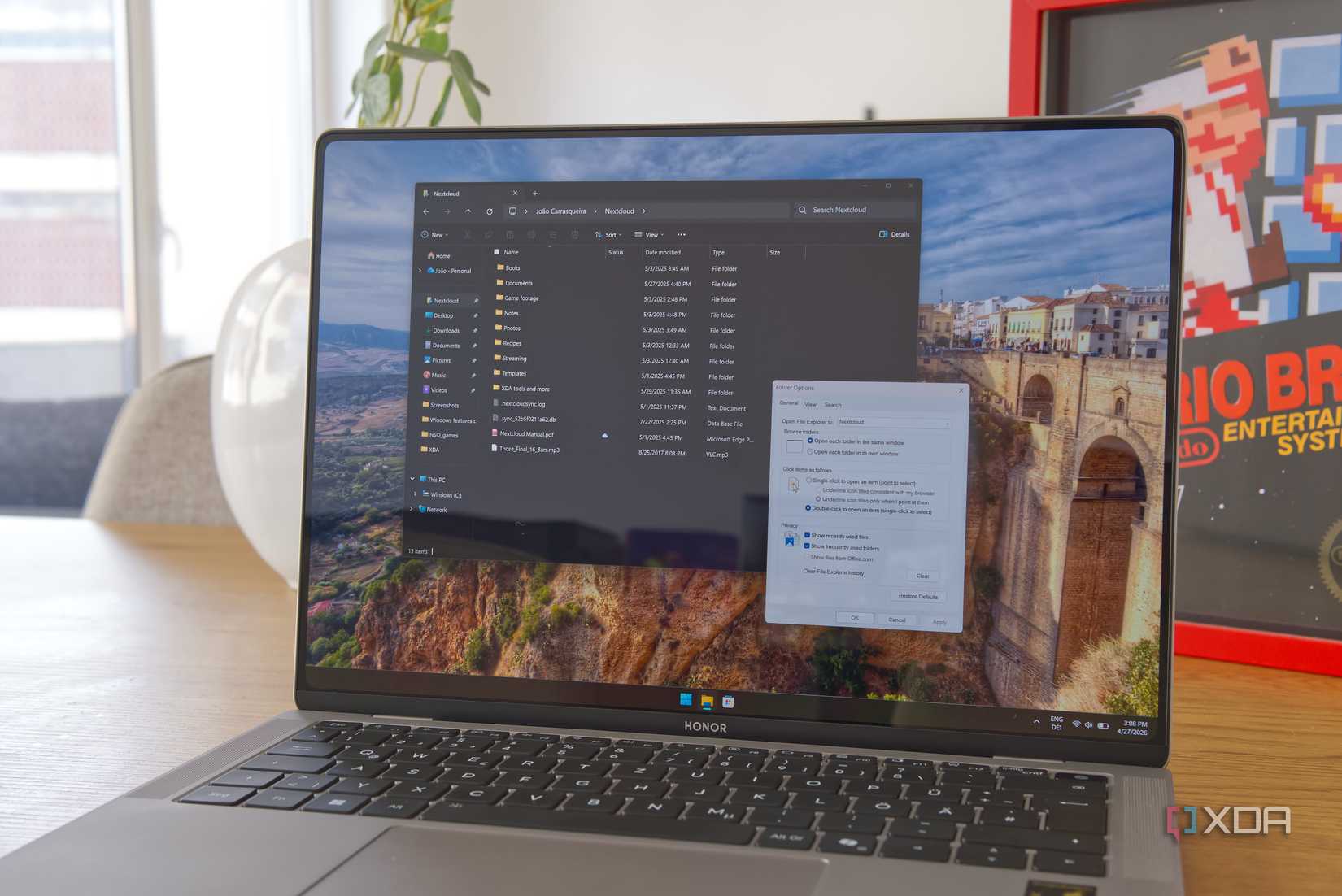
Since the initial release of Windows 11, one of the most persistent points of contention among power users and casual enthusiasts alike has been the overhaul of the File Explorer right-click context menu. While Microsoft’s design team aimed for a cleaner, more streamlined aesthetic, the reality for many was a workflow hindered by extra clicks and buried commands. Now, new evidence from the latest Experimental builds suggests that Microsoft is finally listening to the feedback, potentially restoring much-needed functionality to the primary context menu.
The Evolution of the Context Menu: A Historical Perspective
To understand why these upcoming changes are so significant, it is essential to look at the progression of the Windows interface. For decades, the context menu—the small box that appears when you right-click a file or folder—was a reliable, predictable tool. It was a "catch-all" where every application could register its own commands, from cloud storage synchronization to file compression tools.
By the time Windows 10 matured, this menu had become notoriously cluttered. It was not uncommon for a user to install a few creative or productivity suites and find their right-click menu spanning the entire height of their screen, filled with redundant or rarely used options.
When Windows 11 launched in late 2021, Microsoft took a drastic approach to solving this "clutter" problem. They introduced a new, simplified context menu that prioritized common actions—Cut, Copy, Paste, Rename, and Delete—and relegated everything else to a secondary, legacy menu hidden behind a "Show more options" button. While visually pleasing, this design choice effectively added a mandatory second click for almost every third-party application interaction, as well as several native system functions that users relied on daily.
New Findings: What’s Changing in the Experimental Build?
The latest discovery, brought to light by noted Windows enthusiast and data miner @PhantomOfEarth, reveals that Microsoft is quietly testing the reintegration of two highly requested features into the primary context menu: the "Refresh" command and the "Print" command.
The Return of the Refresh Button
For years, the "Refresh" button has been a staple for users troubleshooting file synchronization issues or waiting for a network drive to update its view. In the current iteration of Windows 11, this option is largely absent from the File Explorer right-click menu, leaving users to navigate to the top-level menu bar or use keyboard shortcuts.
According to the latest experimental build, Microsoft is testing the inclusion of a native "Refresh" option directly within the context menu. This change effectively bridges the gap between the desktop environment—where "Refresh" has always existed—and the file system. It is a small but impactful quality-of-life improvement that addresses a common grievance regarding the perceived sluggishness of the File Explorer in updating folder contents.
Streamlining the Print Workflow
Perhaps even more significant is the movement of the "Print" option. Currently, if a user wants to print a document directly from File Explorer, they are forced to click "Show more options" first, then locate the Print command. In a professional or office environment where time efficiency is paramount, this additional click represents unnecessary friction.

The new experimental changes pull the Print command out of its "Show more options" limbo and place it prominently in the primary menu. This suggests a shift in Microsoft’s philosophy: moving away from a strictly minimalist design toward one that acknowledges the practical, multi-step workflows of its user base.
Chronology of User Feedback and Microsoft’s Response
The timeline of this transition highlights a classic "push-and-pull" between design ideals and user utility.
- October 2021: Windows 11 launches with the new, simplified "modern" context menu. Initial reviews praise the aesthetic but highlight immediate frustration regarding the hidden "Show more options" menu.
- 2022–2024: Microsoft receives consistent feedback via the Feedback Hub and social media channels. During this period, the company focuses on performance improvements for the context menu rather than UI changes, as users report that the modern menu is significantly faster to load than the legacy version.
- Late 2025: As Windows 11 matures, Microsoft begins testing more granular control over the UI, including the ability for users to customize parts of the Start menu and Taskbar, signaling a broader pivot toward user-centric design adjustments.
- May 2026: The current discovery of the hidden "Refresh" and "Print" buttons in Experimental builds indicates that the design team is actively revisiting the "minimalism vs. functionality" debate.
Supporting Data: Why "More Clicks" Matter
From a Human-Computer Interaction (HCI) perspective, the "extra click" is not just a minor inconvenience; it is a measurable decrease in productivity. Studies on mouse-based navigation show that adding a single layer of depth to a menu structure increases the cognitive load and the time required to complete a task by approximately 15% to 20%.
For a user working with hundreds of files per day, the decision to hide common functions like "Print" or "Refresh" creates a cumulative productivity loss. By restoring these functions to the primary menu, Microsoft is likely aiming to reduce the "interaction cost" of using Windows 11, making the OS feel faster and more responsive to the user’s intent.
Implications for Future Windows Updates
While these features are currently hidden in an Experimental build, their presence suggests several key implications for the future of Windows 11 and beyond:
1. A Shift Toward Pragmatic Design
Microsoft appears to be moving past the "blank slate" phase of Windows 11. The company is now in a position to refine the UI based on real-world usage data. Expect to see more "legacy" features return to the modern UI as the design team identifies which functions are most essential to the average user.
2. Reduced Reliance on the "Show More Options" Menu
If the Print and Refresh commands are successfully integrated, it serves as a proof-of-concept for other tools. We may eventually see more third-party application support or additional native system tools appearing in the primary menu, potentially shrinking the "Show more options" menu to only the most obscure or rarely used commands.
3. Increased Customization Options
The inclusion of these hidden flags also points to a future where Windows might offer more native control over the context menu. Instead of a one-size-fits-all approach, users might eventually be able to "pin" their most used actions to the primary menu, creating a personalized workspace that balances clean design with high utility.
Conclusion
The potential return of the "Refresh" and "Print" options to the Windows 11 right-click menu is a positive development that demonstrates Microsoft’s evolving approach to user experience. By acknowledging that minimalism should not come at the expense of functionality, the company is taking a meaningful step toward reconciling its modern design language with the practical needs of power users.
While we wait for these features to migrate from the Experimental builds to the public release, the message is clear: the community’s voice is being heard. As Windows 11 continues to evolve, these incremental changes—while seemingly small—are the building blocks of a more efficient, user-friendly operating system. For those who have felt frustrated by the current state of the File Explorer, the future looks significantly more accessible.

 Ammar Sabilarrohman
 Ali Ikhwan