

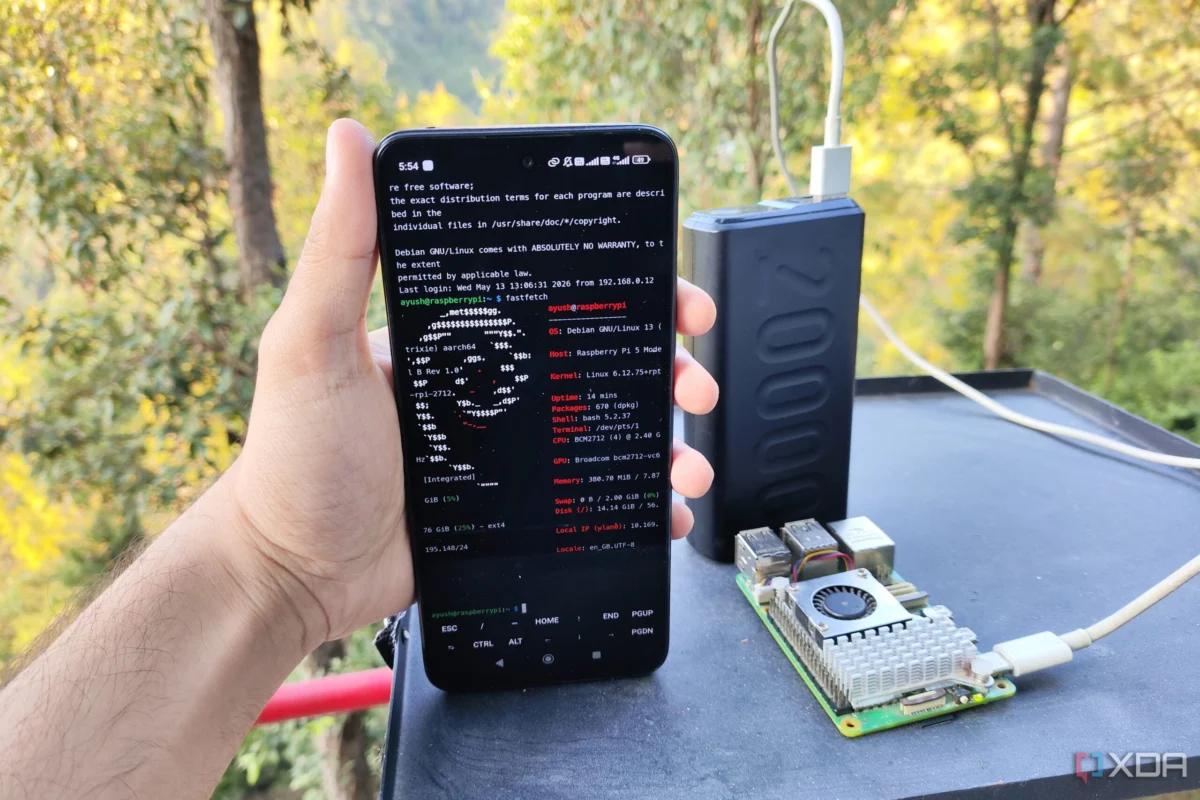
In the landscape of modern computing, we are often tethered to high-powered workstations or complex cloud infrastructure. However, for enthusiasts and systems engineers alike, the allure of "edge computing"—processing data as close to the source as possible—remains a compelling frontier. Recently, while looking for a way to break free from the constraints of stationary home labs, I embarked on an experiment that blurred the lines between a single-board computer (SBC) and a truly portable, power-bank-driven Linux server.
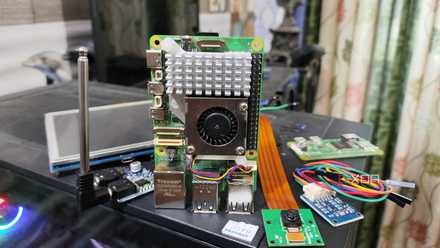
The subject of this project was the Raspberry Pi 5, a device that has redefined expectations for ARM-based hobbyist boards. By pairing this compact powerhouse with a standard 20,000mAh portable power bank, I successfully created a functional, Docker-containerized server that fits comfortably in a jacket pocket.
The Main Facts: Defining the "Pocket Server"
The core objective was to build a server that required no external power grid and no pre-existing Wi-Fi infrastructure. The setup relied on three pillars: the Raspberry Pi 5, a high-capacity power bank, and a smartphone acting as a mobile gateway.
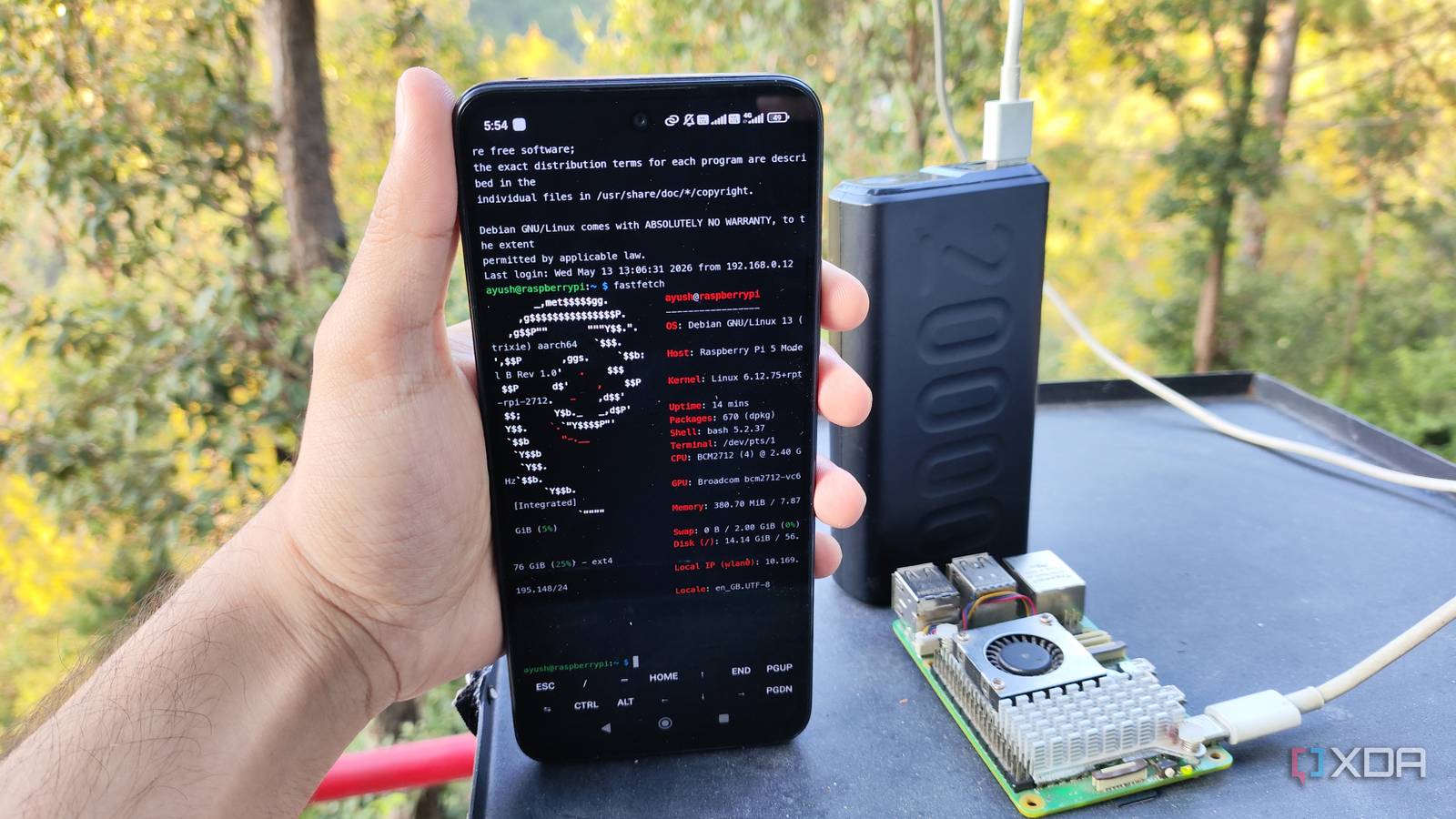
Contrary to the common belief that the Raspberry Pi 5’s power-hungry nature would prevent it from running reliably on standard consumer power banks, the device proved surprisingly resilient. While the Raspberry Pi Foundation officially recommends a 5V/5A power supply for optimal performance, my testing confirmed that a standard 5V/3A power bank is sufficient for most lightweight server tasks. By stripping away GUI-heavy operating systems and focusing on headless, containerized workflows, the device operated with remarkable stability.
Chronology: Building the Portable Infrastructure
The process of constructing this mobile server was methodical, focusing on power efficiency and ease of deployment.
Phase 1: OS Selection and Power Management
My first hurdle was the operating system. While distributions like DietPi are excellent for resource-constrained environments, I opted for the Raspberry Pi OS Lite (64-bit). The official support and the availability of streamlined configuration tools made it the most efficient choice for a project where troubleshooting in the field needed to be as simple as possible.

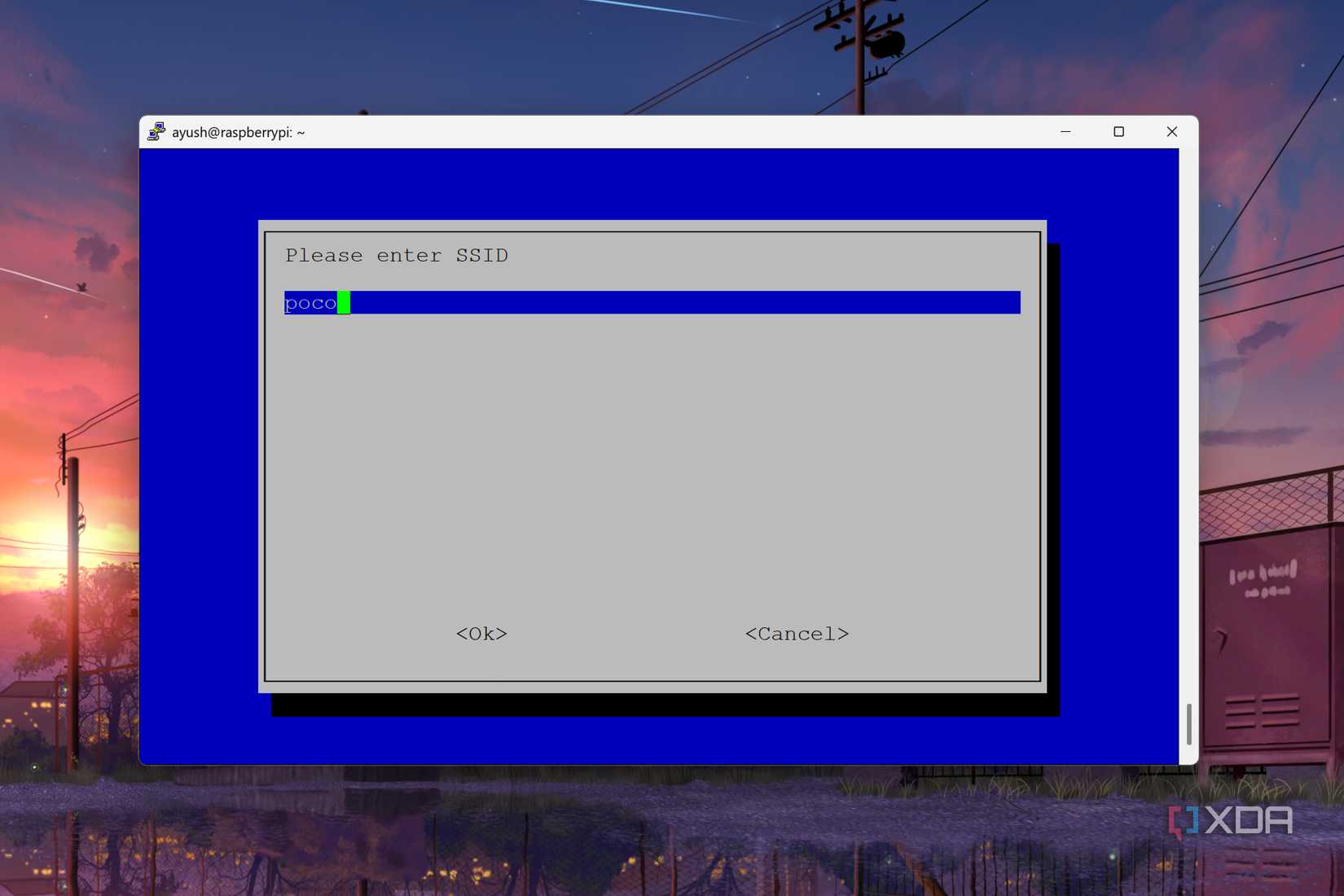
Once the OS was flashed, I enabled the OpenSSH server. This allowed me to bypass the need for a dedicated monitor, keyboard, or mouse, turning the SBC into a truly "headless" machine.
Phase 2: Containerization with Docker
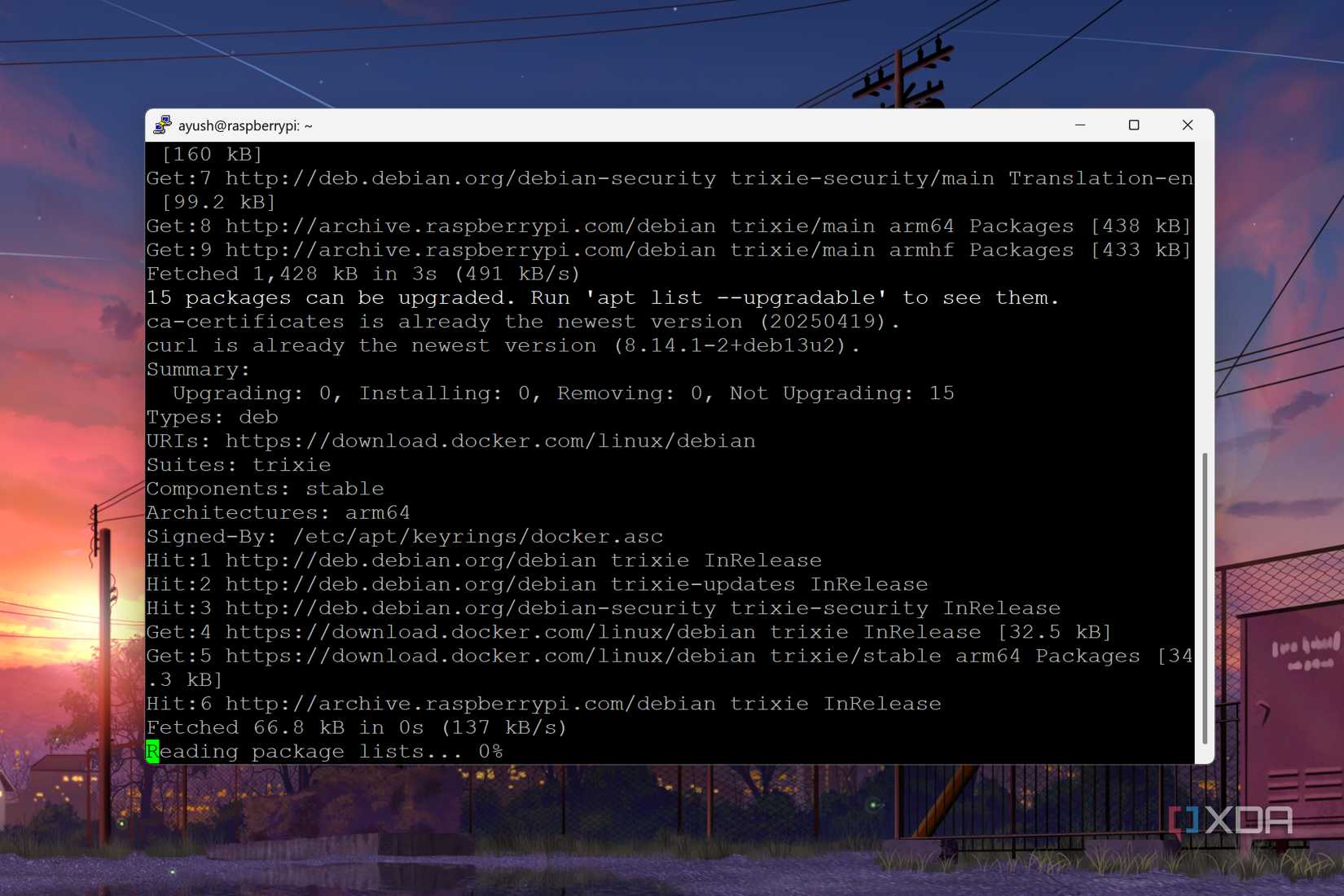
With the base OS operational, I turned my attention to the software stack. I chose Docker over more complex virtualization platforms like Canonical’s MicroCloud. While MicroCloud is a brilliant tool, it is better suited for clustering; for a single-node, battery-powered device, the overhead of virtual machines was unnecessary.
I implemented Docker in "rootless" mode to enhance security, ensuring that even if a container was compromised, the core system would remain isolated. I then deployed a suite of essential FOSS (Free and Open Source Software) utilities, including:
- Pairdrop: For seamless local file sharing.
- IT-Tools: A collection of handy developer utilities.
- BentoPDF and Vert: For document and media processing on the fly.
- Dockhand: To maintain a clean, containerized management environment.
Phase 3: The Mobile Gateway
The final piece of the puzzle was connectivity. Without a fixed network, I utilized my smartphone’s mobile hotspot. To ensure I could manage the server, I installed Termux on my phone. By installing the OpenSSH client within Termux, my phone effectively became a mobile control terminal. If a service went down or a container needed a restart, I could perform the operation using nothing but my smartphone’s touchscreen and a terminal interface.
Supporting Data: Efficiency and Performance
The performance of the Raspberry Pi 5 under this configuration was surprisingly robust. Despite the limited power delivery compared to the official desktop kit, the device handled multiple Docker containers without showing signs of thermal throttling or system instability.
Power Longevity:
In a stress test where the server was running a standard suite of containers (Pairdrop, IT-Tools, and a few Debian-based testing environments), the system remained operational for over seven hours on a single 20,000mAh power bank. This endurance effectively makes the device a "set-and-forget" server for a full workday or a long-distance commute.
Thermal Considerations:
One might assume that running a server in a confined space would lead to overheating. However, because the tasks were primarily background processes rather than high-load computational tasks, the internal temperature remained well within the safe operational range.
Official Context: The Raspberry Pi 5’s Evolution
The Raspberry Pi 5 represents a significant jump in performance over its predecessors. With its quad-core Arm Cortex-A76 processor clocked at 2.4GHz and up to 8GB of LPDDR4X SDRAM, it is uniquely positioned to handle more than just simple blinking LEDs.
The Raspberry Pi Foundation has marketed the board as a high-performance desktop replacement, but its underlying architecture—which includes PCIe Gen 2.0 and improved USB 3.0 throughput—is what truly makes it a candidate for mobile server projects. The ability to handle high-speed I/O while maintaining a relatively low power envelope is exactly why this experiment succeeded where older iterations of the Pi might have struggled.
Implications for Edge Computing and Portability
The success of this project carries several implications for the future of mobile and edge computing:
1. The Democratization of Private Clouds
Historically, hosting your own services required a dedicated server rack or a permanent home setup. This project demonstrates that one can carry a personalized, private cloud in a pocket. Whether it is secure file storage, a private VPN endpoint, or a suite of developer tools, the barrier to entry for self-hosting has been lowered significantly.
2. Resilience and Redundancy
For professionals who work in remote areas with unstable internet, having a "portable server" means you are never truly without your environment. By using a smartphone as the bridge, you decouple your work from the reliability of local Wi-Fi, turning any location with cellular service into a potential office.
3. Energy Efficiency as a Design Philosophy
This project highlights the necessity of "lean" computing. By choosing Docker over VMs and Lite OS versions over full desktop environments, we minimize the digital footprint. This is not just a benefit for battery life; it is a philosophy that can be applied to large-scale data centers to reduce energy consumption and hardware wear.
4. Security Benefits
Running a localized server in your pocket is inherently more secure than relying on public cloud providers for every minor task. Your data stays on your hardware, under your control, and behind your personal encryption keys. When combined with a mobile hotspot, you create a "trusted" network environment that follows you wherever you go.
Final Reflections
My experiment with the Raspberry Pi 5 and a power bank was more than just a hobbyist’s curiosity; it was a proof of concept for a new way to interact with our digital tools. The fact that I can now carry a fully functional, containerized Linux server, powered by a mobile battery, is a testament to how far ARM-based computing has come.
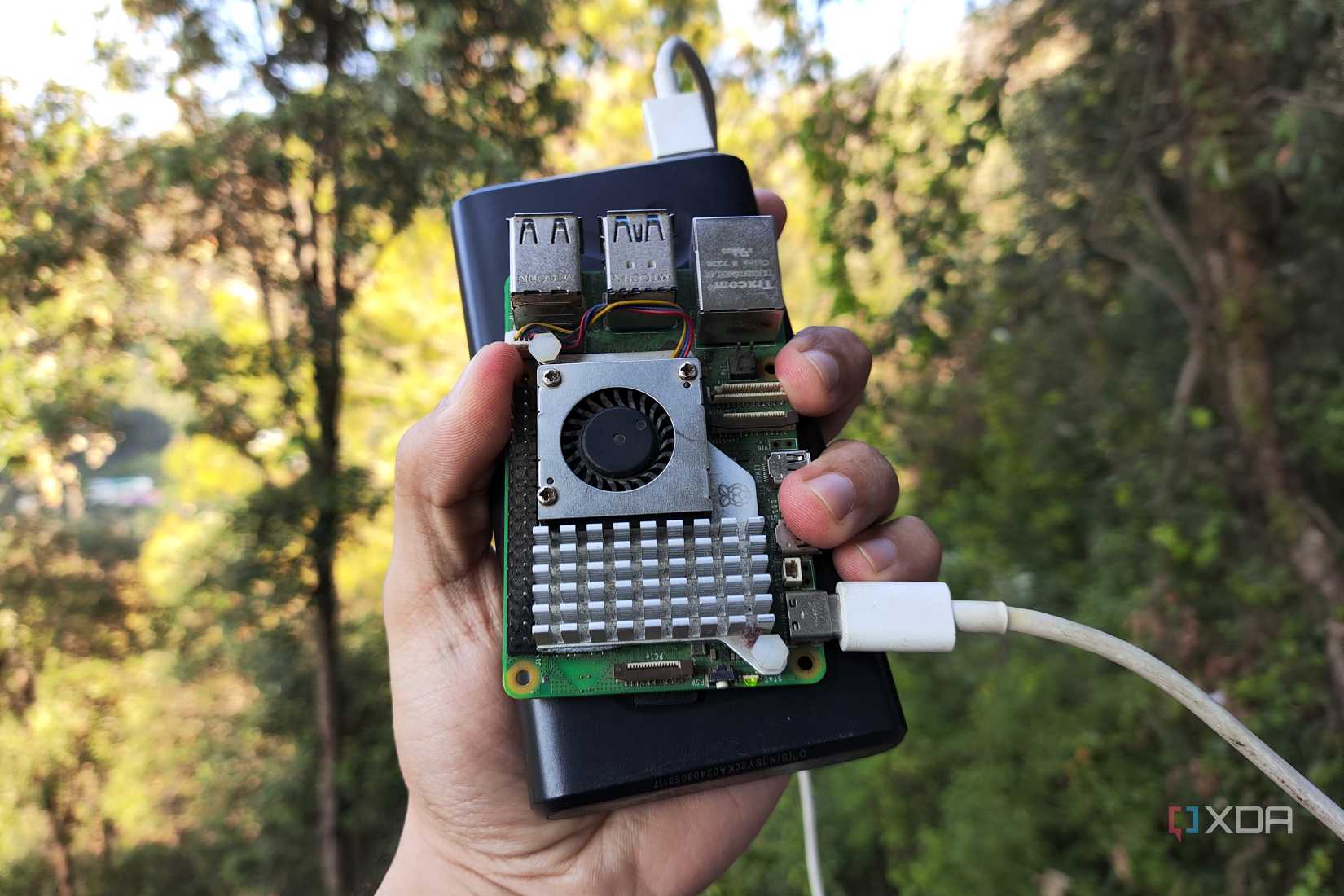
While I will still rely on my home lab for heavy lifting, the "pocket server" has secured its place in my daily carry. It provides a level of autonomy that is rare in an era of constant cloud connectivity. Whether I am troubleshooting a network in a coffee shop or experimenting with new software while on the move, this pint-sized server ensures that my workspace is wherever I choose to be.
The Raspberry Pi 5 has proven, once again, that it is the ultimate blank canvas for the modern engineer. Whether you are building an AI-powered home automation system or, like me, a mobile Linux box, the limitations are no longer in the hardware—they are only in our imagination.












No comments yet. Be the first to join the conversation!