

For the modern smartphone user, the digital photo library has become both a treasure trove of memories and a chaotic, unmanageable landfill. With the average user now holding thousands of images—many of them redundant screenshots, blurry test shots, or accidental captures—the simple act of locating a specific photo has evolved from a quick task into a chore.
My personal camera roll recently surpassed the 8,000-photo mark. It is a digital archive of life’s mundane and meaningful moments, yet it is trapped behind the friction of manual navigation. When a friend asks for a specific portrait from last weekend or a colleague needs that photo of a whiteboard I took months ago, the experience is universally frustrating. You find yourself mindlessly scrolling, thumb flicking past hundreds of images, hoping to catch a glimpse of the file you need.
However, with the arrival of iOS 27, Apple is finally addressing this friction with a sophisticated, AI-driven solution: voice-activated, natural-language photo search.

The Evolution of Search: From Keywords to Intent
Apple’s journey toward intelligent photo management has been iterative. While the introduction of natural-language photo search in iOS 18.1 was a commendable attempt to simplify the process, it often felt like a "near-miss." The feature allowed for some level of semantic search, but it lacked the conversational fluidity and deep integration required to make it truly intuitive.
iOS 27, currently in its beta testing phase, bridges this gap. By empowering Siri with advanced AI capabilities, Apple has shifted the paradigm from "searching for metadata" to "asking for context." Instead of relying on rigid, keyword-based queries, users can now communicate with their iPhone as they would with a personal assistant, asking for specific memories by description, object, or even temporal association.
Chronology: A New Way to Query Your Memories
The shift in how we interact with our data is best understood by looking at the progression of the technology.
- Pre-iOS 18: Searching for photos was largely manual. Users relied on albums, dates, or basic, often unreliable, object recognition.
- iOS 18.1: The integration of limited natural-language processing allowed for some semantic searching (e.g., "show me photos of a dog"), but the accuracy and range of the search were often limited by the system’s inability to understand complex requests.
- iOS 27 (The Present): The introduction of AI-powered Siri allows for complex, multi-layered queries. During my testing, I put this to the test with photos ranging from a few days old to over a year old.
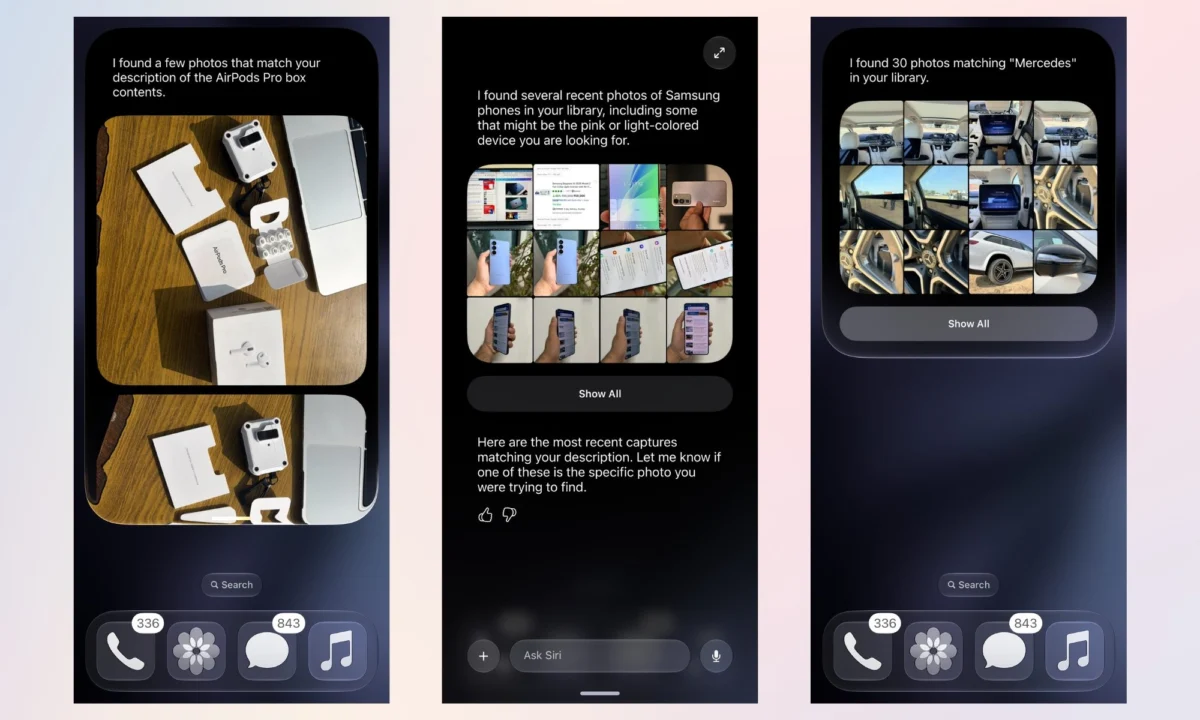
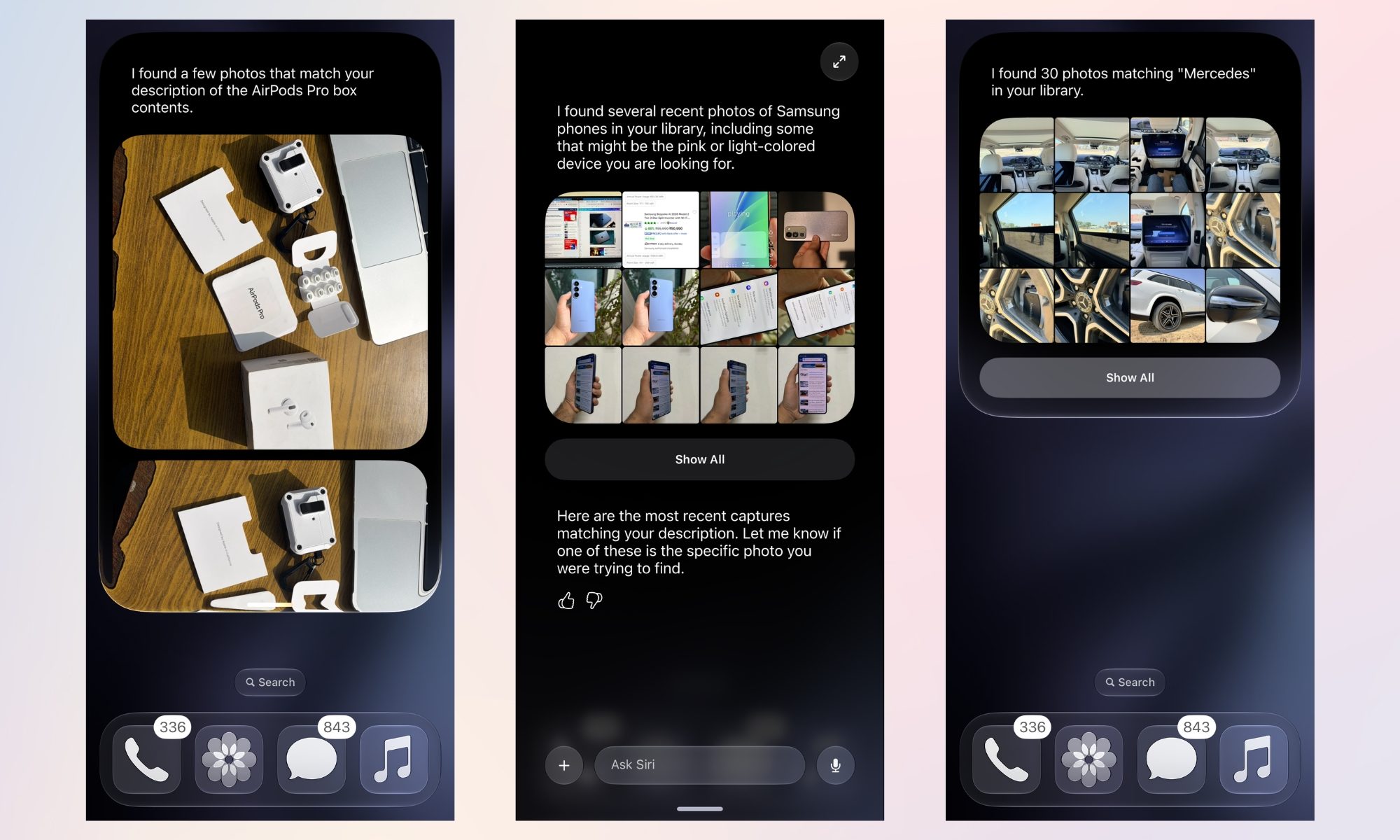
When I asked Siri to find pictures of "AirPods Pro box contents from January 2026," the system didn’t just filter by date; it cross-referenced the visual data of the objects with the timestamp. The result was instantaneous. I repeated this for disparate topics—Samsung phones, specific car models, and even clothing textures—and the accuracy remained high, even for images buried deep in the archive.
Putting Siri to the Test: Real-World Performance
To truly evaluate the efficacy of this feature, I moved beyond simple object identification. I wanted to see if the AI could handle more abstract or personal requests.
During a conversation with a friend regarding my wardrobe, I found myself trying to recall the fabric texture of a specific orange and beige shirt I had worn months prior. Rather than opening the Photos app and guessing the date, I simply asked Siri to "find the pictures where I am wearing my orange and beige shirts."
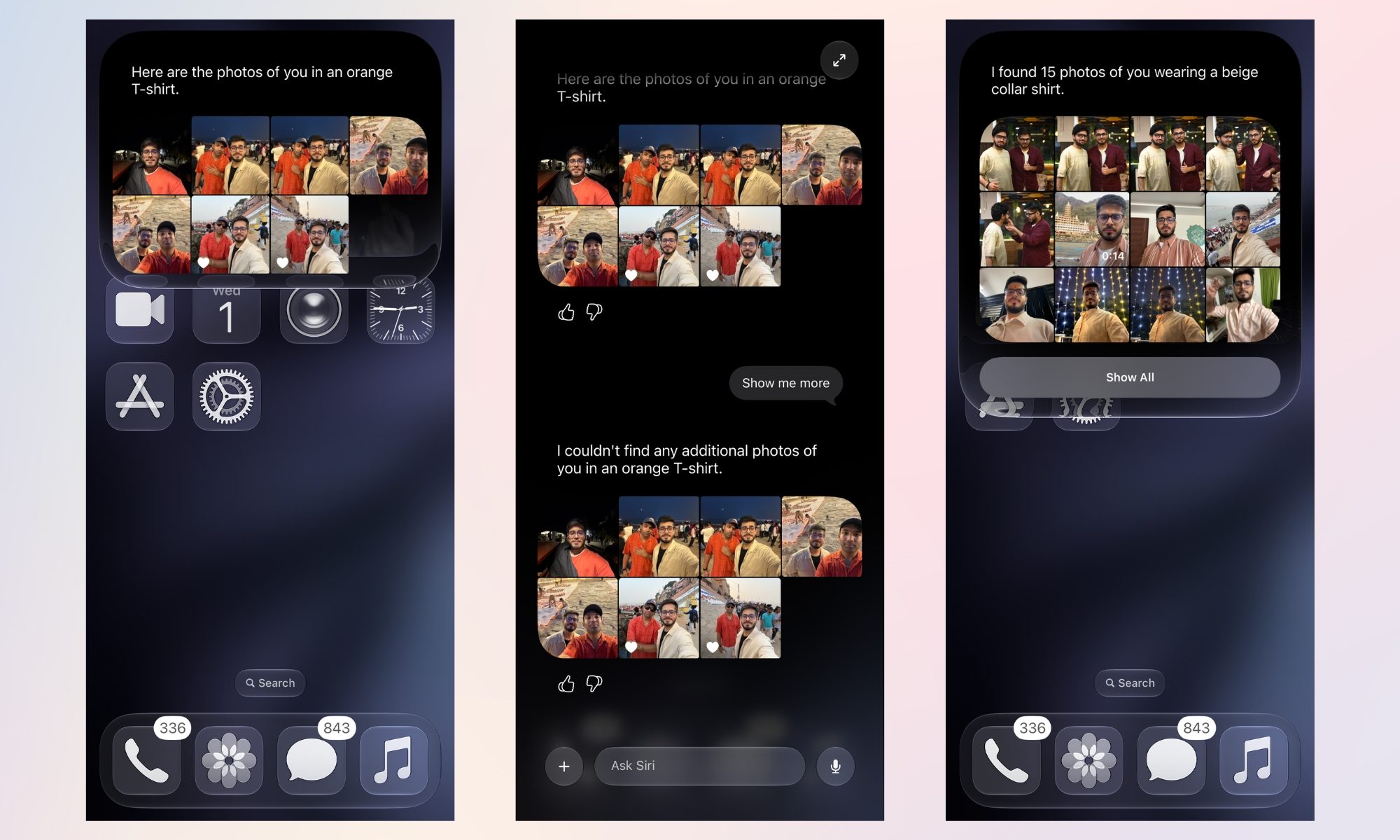
The results were revealing. The AI correctly identified me in a variety of settings. While the primary search results were not exclusively the specific shirt in question—the AI included photos of a friend who happened to be standing next to me in similar colors—the intended photo appeared within the first eight results. Given that the photo dated back to November 2025, finding it in seconds via voice command is a massive improvement over the traditional "scroll and pray" method.
The "Show All" Integration
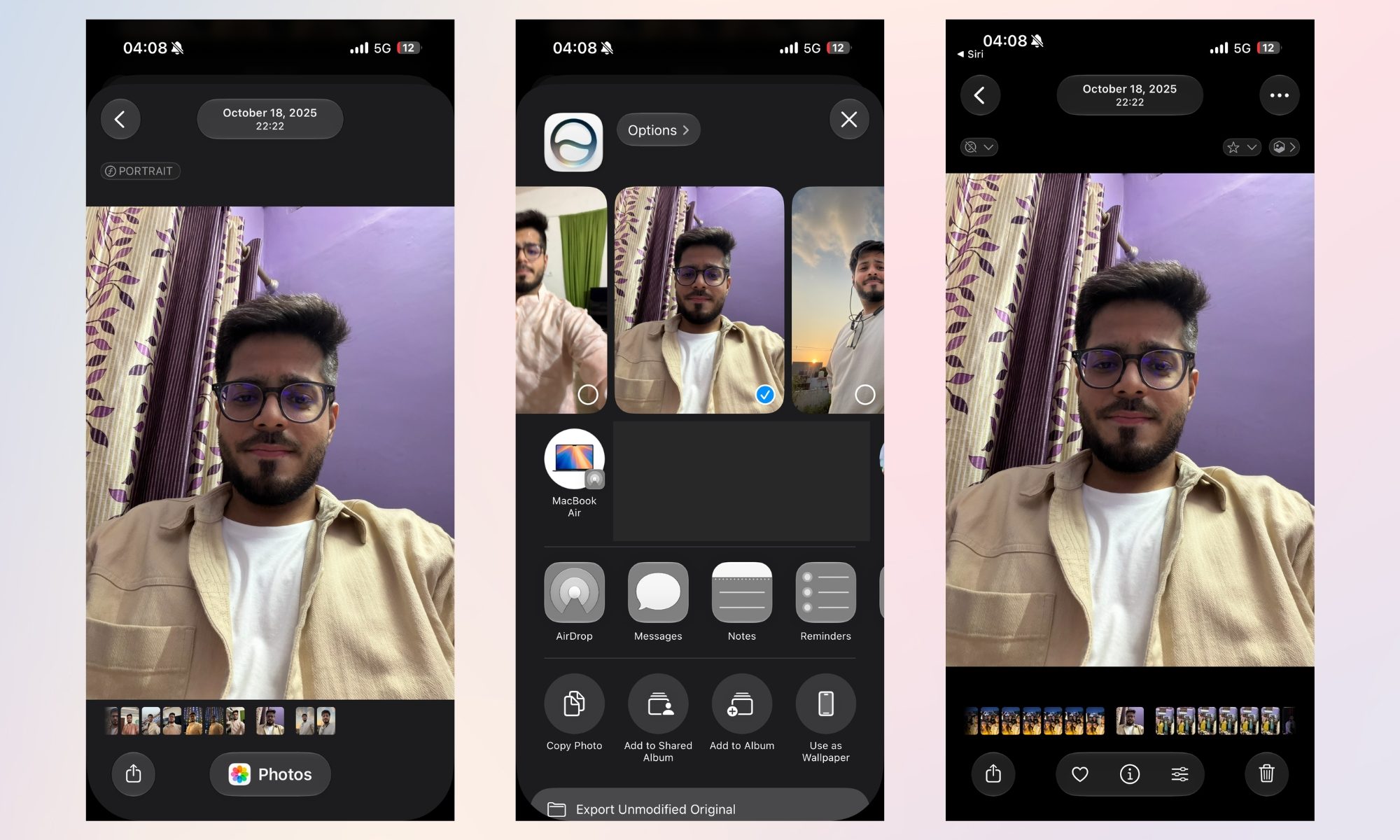
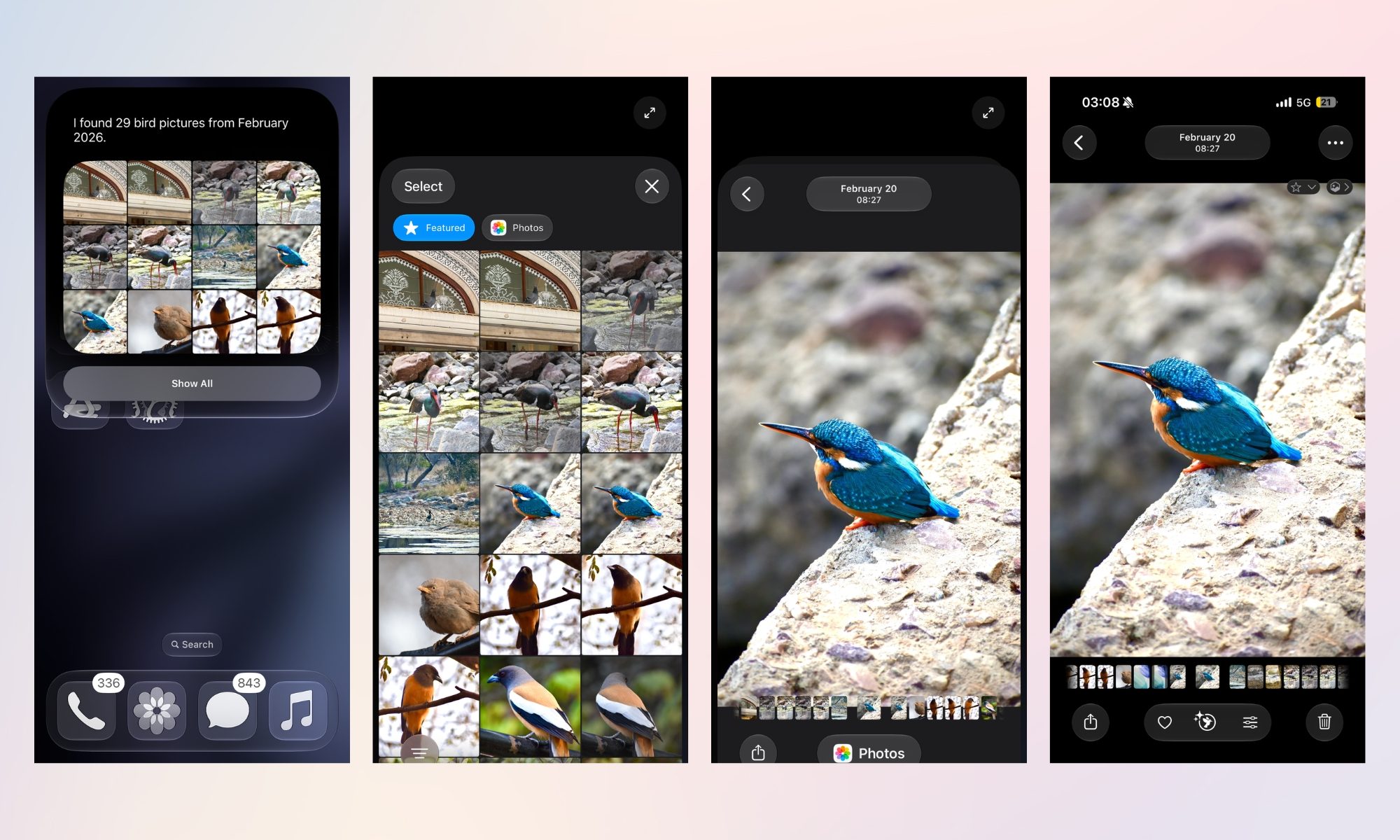
One of the most user-friendly aspects of this update is how the UI handles the results. When Siri retrieves a set of images, it provides a curated preview. Tapping any of these images opens a full-screen view with the standard share sheet (for AirDrop, Messages, or social platforms). More importantly, the inclusion of a "Show in All Photos" button allows the user to jump directly from the search result into the larger, chronological library, effectively using the AI as a "gateway" into the rest of your files.
Supporting Data: When the AI Stumbles
Despite the brilliance of the system, it is important to acknowledge that AI, especially in its beta phase, is not infallible. In my testing, I attempted to locate the first time I captured a photo of a robotic vacuum cleaner I purchased.
Initially, Siri was confused by the complexity of the query. It informed me that it could not find a specific receipt or order confirmation but offered to show me photos of the device in my gallery. When I refined the request to "the first time I captured a picture of a robotic vacuum cleaner," it pointed to an image from March 31, 2026. However, I knew I had photos from October 2025.
It was only after a follow-up clarification that the AI was able to re-index the request and pull the correct, older images. This demonstrates a key reality of modern AI: it is a collaborative tool. The "rough edges" currently present in the iOS 27 beta are typical of large-language model integration, where the model may require a second pass to prioritize correct metadata over the most recent file association.
Implications for the Future of Data Management
The implications of this technology extend far beyond just saving a few seconds of scrolling.
- Accessibility: For users with motor impairments or those who struggle with complex digital interfaces, voice-activated searching transforms the smartphone from a daunting device into an accessible companion.
- Increased Engagement: By making it easier to find old photos, users are more likely to engage with their existing archives. This increases the "value" of the photos we take; they are no longer just data being stored, but accessible assets.
- The Death of Folder Management: We are rapidly moving toward a world where manual folder organization—tagging, sorting, and album creation—becomes obsolete. The AI’s ability to "understand" the content of a photo means the library essentially organizes itself in real-time.
- Privacy Considerations: As Apple deepens the integration of AI into local storage, the focus on on-device processing becomes paramount. The ability to perform these searches without sending sensitive visual data to the cloud is a critical selling point for the brand.
Conclusion: A Necessary Evolution
The frustration of managing a digital life is a hallmark of the 21st century. With tens of thousands of photos, our libraries have become too large for human-scale manual management.
While the iOS 27 Siri AI integration is still in its infancy, it provides a glimpse into a future where technology actively works to alleviate the cognitive load of our digital habits. It may struggle with the occasional specific date or edge case, but the ability to bypass the "endless scroll" is a significant leap forward. Whether you are hunting for a needle in a digital haystack or simply trying to remember what you wore to a party six months ago, the shift toward natural-language search is the most important update to the camera roll in a decade.
For now, the AI is a helpful, if occasionally imperfect, assistant. But as the underlying models mature, the days of manually sifting through thousands of images will soon be nothing more than a memory—likely one that you’ll be able to find in seconds, just by asking.











