There is a dedicated, physical Copilot key sitting on my ASUS Zenbook 14 OLED, a permanent testament to Microsoft’s aggressive push into the era of artificial intelligence. Months after purchasing this machine, however, that key remains one of the least utilized buttons on the entire keyboard. My Zenbook UM3406 is a powerhouse, running on AMD’s latest Ryzen AI 300 series processor. With a dedicated Neural Processing Unit (NPU) capable of 50 TOPS (trillion operations per second) of AI performance, it technically qualifies as a "Copilot+ PC"—the gold standard in what Microsoft once heralded as the definitive "new era for Windows."
Yet, despite this cutting-edge hardware, the experience on the ground is starkly different from the marketing narrative. AI has become an indispensable component of my daily workflow—I use it for research, iterative brainstorming, and parsing complex data. But when I reach for an AI assistant, my hands don’t instinctively find the Copilot key. Instead, I open browser tabs for ChatGPT, Claude, or Gemini. This disconnect between the "AI-first" hardware I own and the software I actually use reveals a deeper, more systemic problem with Microsoft’s strategy.
The Misalignment of Expectation and Reality
The term "Copilot+ PC" was designed to evoke a sense of synergy, implying a computer built specifically to house and optimize Microsoft’s Copilot assistant. Consumers were led to believe that the integration of an NPU would unlock a revolutionary, local AI experience that would fundamentally change how we interact with our operating systems.

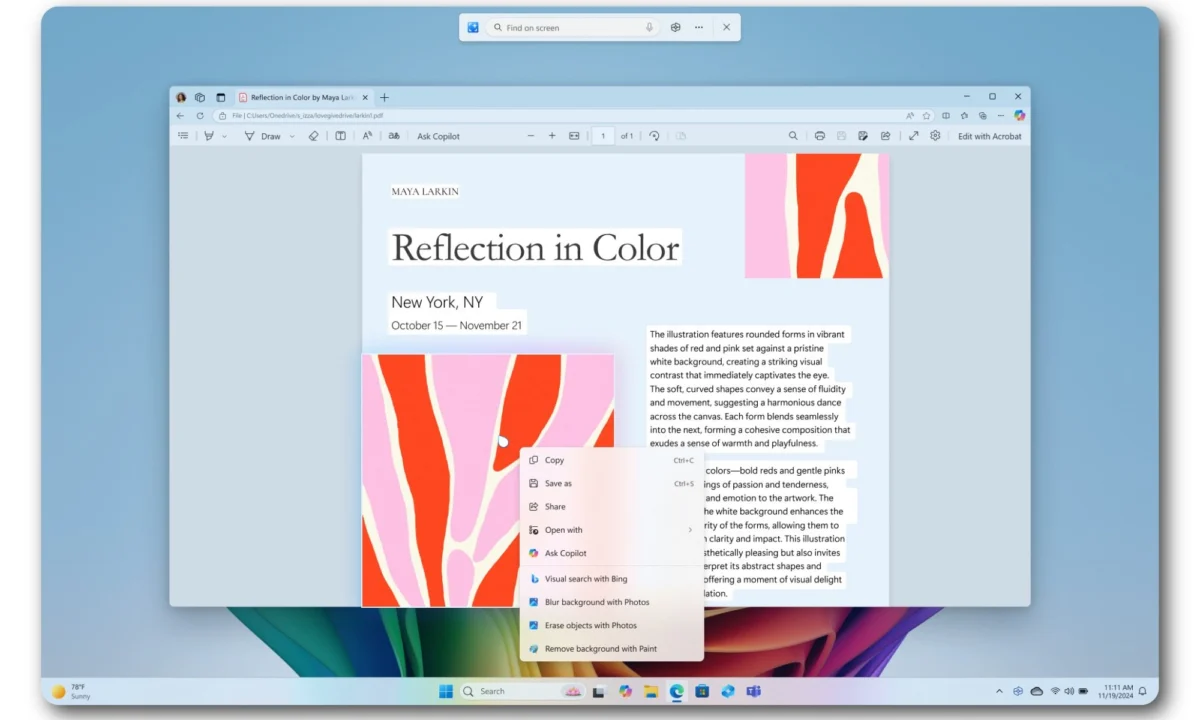
In practice, the Copilot+ certification describes hardware requirements rather than a unified software experience. The 50-TOPS NPU inside my Zenbook does indeed accelerate local tasks: it powers Windows Studio Effects for video calls, enables real-time Live Captions, and handles advanced search queries. However, the Copilot chatbot itself—the very face of this branding—is primarily a cloud-based service.
This creates a cognitive dissonance for the user. When I press the dedicated Copilot key, I am not launching a local, NPU-powered intelligence engine that operates in isolation from the web. I am simply triggering a web-based chatbot interface that requires an active internet connection to function. Ironically, this "exclusive" feature could be run on a three-year-old MacBook or a standard web browser just as effectively. Microsoft’s marketing failed to clearly distinguish between the hardware-accelerated local features (the "plus") and the cloud-based chatbot (the "Copilot"), leaving users feeling like they bought a premium seat for a show that hasn’t quite started.
A Chronology of the "AI Everywhere" Push
Microsoft’s journey to this point has been a whirlwind of rapid, often jarring, implementation:

- Early 2023: Microsoft launches "Microsoft 365 Copilot," signaling the intent to weave generative AI into the fabric of the enterprise suite.
- Late 2023: The "Windows Copilot" rollout begins, embedding the chatbot directly into the Windows 11 taskbar.
- Early 2024: Microsoft announces the mandatory inclusion of the "Copilot key" on new Windows laptops, marking the first major keyboard change in decades.
- Mid-2024: The "Copilot+ PC" standard is unveiled, focusing on NPU-accelerated local AI, with the highly controversial "Recall" feature taking center stage.
- Late 2024/Early 2025: Facing pushback regarding bloatware and performance, Microsoft begins to walk back the ubiquity of Copilot, allowing users to uninstall or reduce the footprint of various integrated AI entry points.
The Utility Gap: When Features Don’t Solve Problems
For all the fanfare surrounding local AI, the practical applications often feel like solutions in search of a problem. Recall is arguably the most ambitious tool in the lineup. By taking periodic snapshots of your activity, it allows you to "time travel" through your digital history. For professionals juggling dozens of files, emails, and browser tabs, it is undeniably useful. Yet, the privacy concerns and the sheer storage overhead have made many users hesitant to let Windows build a searchable, indexed history of their screen.
Other features, such as Live Captions and Studio Effects, are technically impressive but remain "occasional utilities." They do not fundamentally change the way I write, code, or think. They are "nice-to-haves" that one might use once a week, rather than the core pillars of a daily workflow.
The Competitive Landscape: Why Third-Party AI Wins
The primary reason I—and many others—continue to bypass Copilot is simple: convenience and consistency. My workflow is already optimized around ChatGPT for creative research and Claude for nuanced, long-form analysis. These models have become familiar; I understand their limitations, their "voices," and how to prompt them for specific results.

Copilot, by contrast, suffers from a fragmented identity. Microsoft has applied the "Copilot" brand to everything: the consumer assistant, Microsoft 365 Copilot for business, GitHub Copilot for developers, and various Windows integrations. This dilution makes it difficult for the average user to know exactly what the tool is capable of at any given moment. Recognizing this confusion, Microsoft reportedly reorganized its internal teams in 2025 to harmonize these disparate experiences. However, for the user who just wants a quick answer, the cognitive load required to navigate the "Microsoft ecosystem of Copilots" is simply too high compared to the simplicity of a single, trusted web interface.
Official Perspectives and Industry Skepticism
The industry has taken note of this friction. Dell, a primary hardware partner, recently noted that consumers are still prioritizing traditional metrics—performance, battery life, and display quality—over AI-specific marketing buzzwords. When a customer walks into a store, they are looking for a laptop that will last for eight hours of work, not necessarily one that can locally process an AI image in two seconds.
Furthermore, power users have reported frustrations with the volatility of the service. An author who relied on Copilot for a book project found that between system updates and policy shifts, the service would occasionally "reject" tasks it had previously performed without issue. This lack of reliability is fatal for a tool that is marketed as an integrated productivity assistant. When a user relies on a piece of software to complete a job, they expect "deterministic behavior." When an AI model changes its rules, the tool ceases to be a partner and becomes a liability.

Implications for the Future of Personal Computing
Is the "Copilot+ PC" vision futureproof? To an extent, yes. The hardware is undeniably superior. Even if the current suite of AI features feels experimental, the inclusion of a high-performance NPU ensures that these devices are ready for the next generation of local Large Language Models (LLMs) and edge computing applications. As software developers begin to leverage the NPU for more than just webcam filters and basic search, the value proposition of these laptops will grow.
However, Microsoft faces a significant challenge in re-earning user trust. By "spamming" the interface with Copilot entry points—in Paint, Notepad, the Taskbar, and the keyboard itself—they triggered a fatigue response. The recent decision to pull back and streamline these entry points is a tacit admission that the "AI everywhere" approach was a miscalculation.
For the end-user, the takeaway is clear: hardware innovation is moving faster than software utility. My ASUS Zenbook is an excellent machine, but it is excellent because of its OLED screen and battery efficiency, not because of the AI badge on the palm rest. Until Microsoft can prove that its integrated AI provides a tangible, reliable, and unique advantage over the third-party alternatives I already use, the Copilot key will continue to be just a button—a button that, for now, I simply don’t need.