


For the better part of a decade, Visual Studio Code (VS Code) has enjoyed an undisputed reign as the world’s most popular Integrated Development Environment (IDE). With its vast library of extensions, seamless integration, and Microsoft’s relentless update cycle, it has become the default workspace for everyone from high-school computer science students to senior software engineers at Fortune 500 companies.
However, as the saying goes, "with great power comes great bloat." As VS Code has matured, it has increasingly felt like a heavy, resource-hungry application that struggles even on high-end hardware. For developers who prioritize speed, privacy, and minimalist efficiency, the cracks in the foundation are beginning to show. Enter Zed, a high-performance code editor built by the creators of Atom that is fundamentally rethinking what an IDE should be.
The Evolution of the IDE: A Chronology of Change
To understand the disruption that Zed represents, we must first look at the trajectory of modern coding environments.
The Era of Atom (2014)
Before VS Code dominated, the industry was captivated by Atom, the "hackable text editor for the 21st century." Developed by GitHub, it brought web technologies (Electron) into the IDE space, making it easy for developers to build plugins. However, Atom was plagued by performance issues, eventually leading to its sunsetting in favor of VS Code.

The Rise of VS Code (2015–Present)
Microsoft’s VS Code took the "hackable" ethos of Atom and optimized it with a robust engine. It became the industry standard by essentially becoming a platform rather than just a tool. But as it added support for AI, containerization, and complex language servers, the "Electron overhead" became impossible to ignore. Users began reporting high memory usage and long startup times, even on machines equipped with top-tier silicon.
The Emergence of Zed (2024–2026)
Zed was born from a desire to escape the limitations of the Electron framework. Built in Rust and utilizing the GPU for UI rendering, Zed entered the scene with a bold promise: to provide a native, lightning-fast experience that doesn’t compromise on the features developers actually need. Since its launch, it has shifted from a niche alternative to a serious contender for professional workflows.
The Case Against the Status Quo: Performance and Privacy
The primary catalyst for the migration toward editors like Zed is twofold: technical performance and data sovereignty.
The Performance Ceiling
VS Code relies on Electron, a framework that runs web applications as desktop software. While this allows for rapid cross-platform development, it creates a massive abstraction layer between the code and the machine. Zed, by contrast, is built with a custom UI framework in Rust. It utilizes the GPU to ensure that text rendering and interface animations remain buttery smooth, regardless of the size of the codebase. In benchmarking, Zed frequently demonstrates significantly lower memory consumption and faster indexing compared to VS Code, making it the preferred choice for those working on massive, multi-million line repositories.

The Privacy Conundrum
While VS Code is open source, it is fundamentally a product of Microsoft. This entails a significant amount of telemetry collection. For developers working in sensitive environments or those who are privacy-conscious, this "phone home" behavior is a dealbreaker. Zed offers a more transparent, privacy-first alternative, appealing to the growing demographic of developers who are skeptical of corporate data harvesting.
Key Differences: How Zed Reinvents the Workflow
Transitioning to a new editor is never just about aesthetics; it is about unlearning years of muscle memory. While Zed is designed to be familiar, it takes a different philosophical approach to project management and tool integration.
The "No-Extension" Philosophy
In VS Code, "there’s an extension for that" is the standard solution to every problem. However, this creates a "plugin hell" where performance degrades as you add more functionality. Zed takes the opposite approach. It ships with most essential features—Git integration, debugger workflows, and language server support—built into the core. The goal is to provide a "batteries-included" experience that is stable and consistent, rather than a fragmented one built on third-party plugins.
Remote Development Redefined
One of Zed’s standout features is its architecture for remote development. Unlike VS Code, which often struggles with syncing large workspaces over network connections, Zed separates the UI from the logic. The UI runs locally, while the heavy lifting—language servers, file indexing, and terminal processes—happens on the server. This results in a local editor that feels instantaneous, even when you are editing code halfway across the globe.

Simplifying the Workspace
VS Code’s reliance on complex .code-workspace files and multi-root setups can become a burden. Zed simplifies this by treating each directory as a distinct project. While this might seem like a limitation for those who manage "monorepos" or complex interlinked projects, it eliminates a massive layer of administrative complexity for the average developer.
The Muscle Memory Hurdle: A Guide for Migrators
Any developer considering the switch to Zed will face a period of adjustment. Moving lines of code, splitting panes, and opening recent projects currently require different keystrokes.
- Navigation: In VS Code, moving lines is typically
Opt + Up/Down. In Zed, the default isCmd + Ctrl + Up/Down. - Pane Management: While VS Code users are accustomed to
Cmd +for splits, Zed utilizes a more granular approach usingCmd + Kfollowed by arrow keys. - Efficiency: Expanding selection in VS Code is
Shift + Alt + Right. In Zed, it isOpt + Up.
The initial days of using Zed often feel slower, not because the software is lagging, but because your hands are searching for commands that aren’t there. However, Zed includes a built-in import feature for VS Code settings and a compatibility keymap. This allows developers to port their existing configurations over, effectively softening the blow of the learning curve.
Implications for the Future of Development
The rise of Zed signals a broader shift in the software industry: the end of the "bloatware" era. As developers become more aware of the environmental and personal cost of inefficient software, tools that prioritize performance and native code are gaining market share.
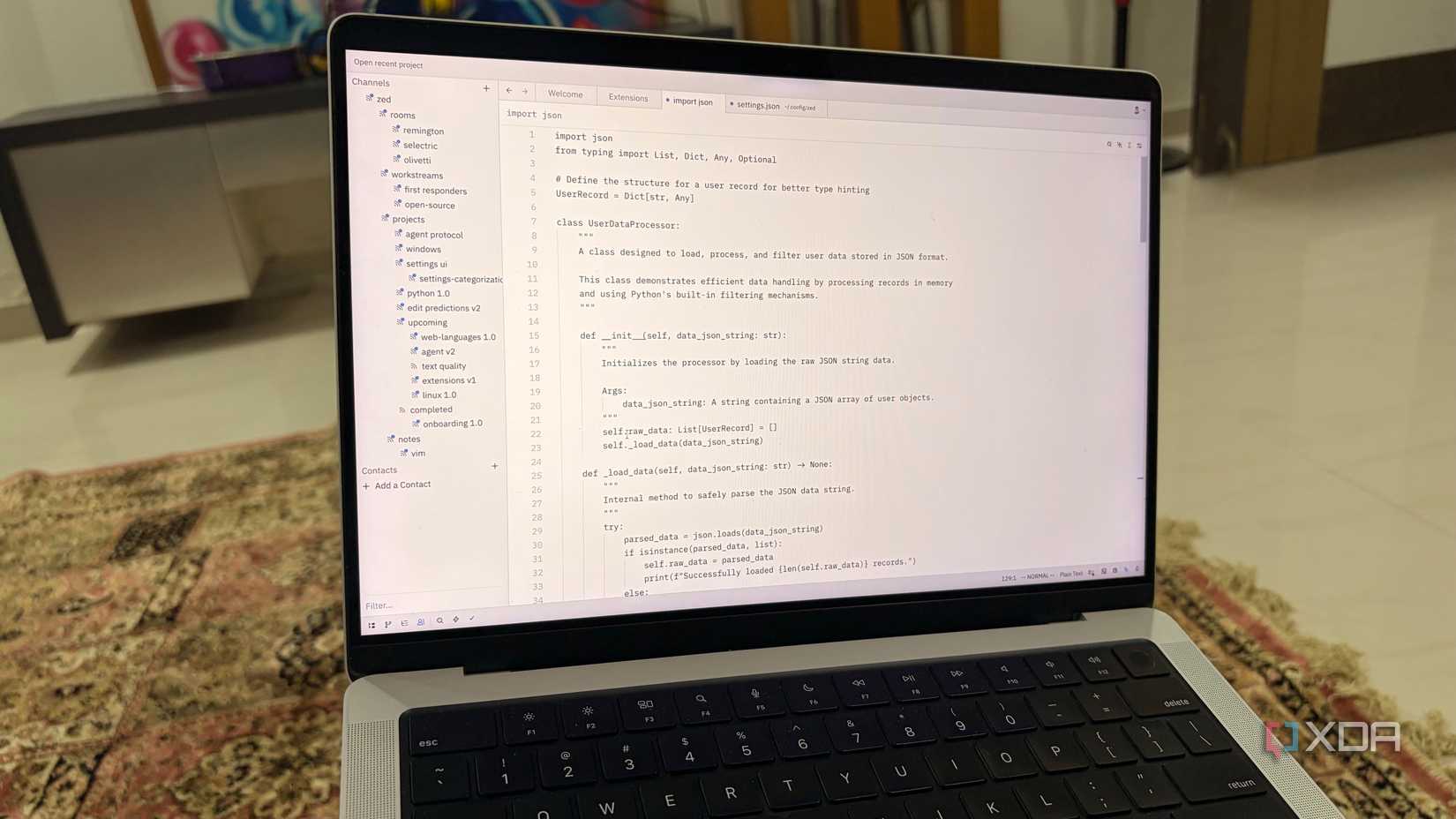
Furthermore, Zed’s focus on "AI-native" features—such as integrated agentic editing and real-time multiplayer collaboration—suggests that the next generation of IDEs will move beyond being simple text editors. They are becoming "coding partners."
While VS Code remains the titan of the industry, its dominance is no longer unchallenged. For those who value the sanctity of their workflow and the responsiveness of their tools, the question is no longer "Why switch to Zed?" but rather "Why settle for anything less?"
Conclusion: Is it Time to Switch?
Zed is not yet perfect. It lacks the massive, decades-old library of niche plugins that make VS Code indispensable for certain specialized workflows. Occasional bugs serve as a reminder that the platform is still in its relative infancy.
However, for the first time in years, there is a legitimate alternative that doesn’t feel like a compromise. By prioritizing performance, native integration, and a clean, intentional interface, Zed has proven that it is possible to build a modern editor that feels both powerful and light. If you have been feeling the weight of VS Code’s overhead, it may be time to download Zed and experience the difference that a ground-up architectural redesign can make.

The transition will require a few days of patience, but the long-term payoff—a faster, more focused, and more enjoyable coding experience—is well worth the effort.












No comments yet. Be the first to join the conversation!