

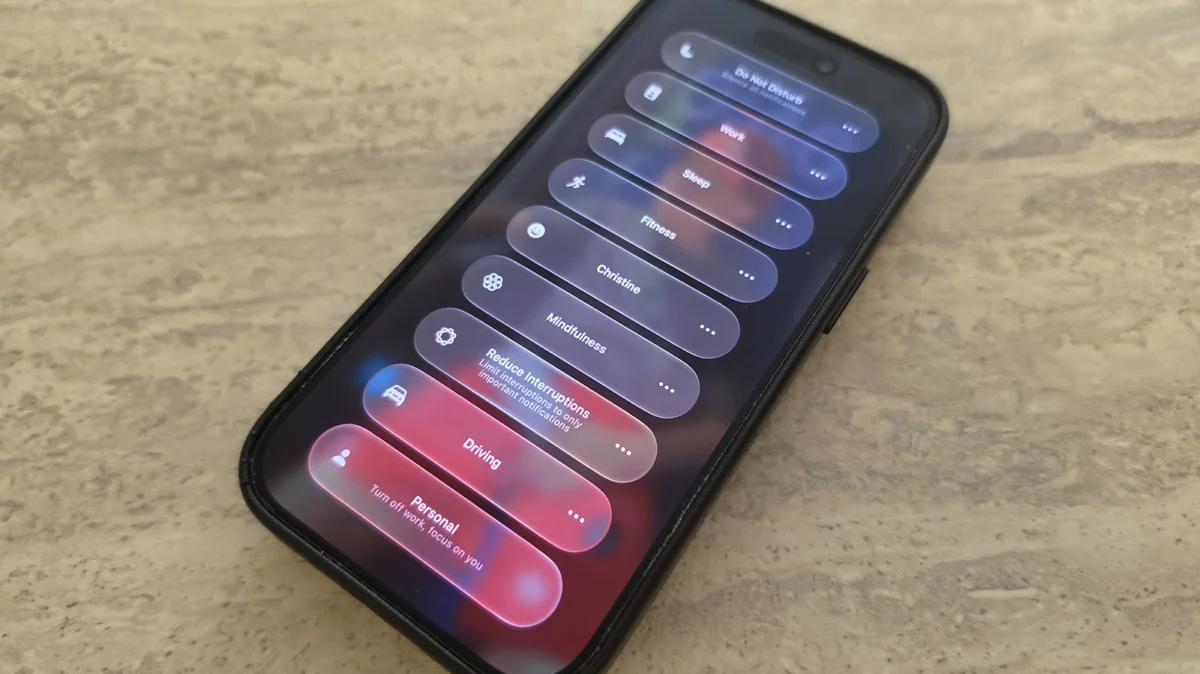
In an era of relentless digital saturation, the ability to curate one’s attention has become a premium commodity. Since its inception, Apple’s "Focus" feature has served as the frontline defense against the tyranny of constant notifications. With the rollout of iOS 27, Apple has moved beyond simple filtering, transforming Focus into a sophisticated, context-aware engine that integrates deeply with the system’s automation architecture. While the headline features of iOS 27 may focus on AI and visual refreshes, the subtle, granular improvements to Focus represent a significant leap forward in personal productivity.
The Core Philosophy: Digital Wellbeing as a Utility
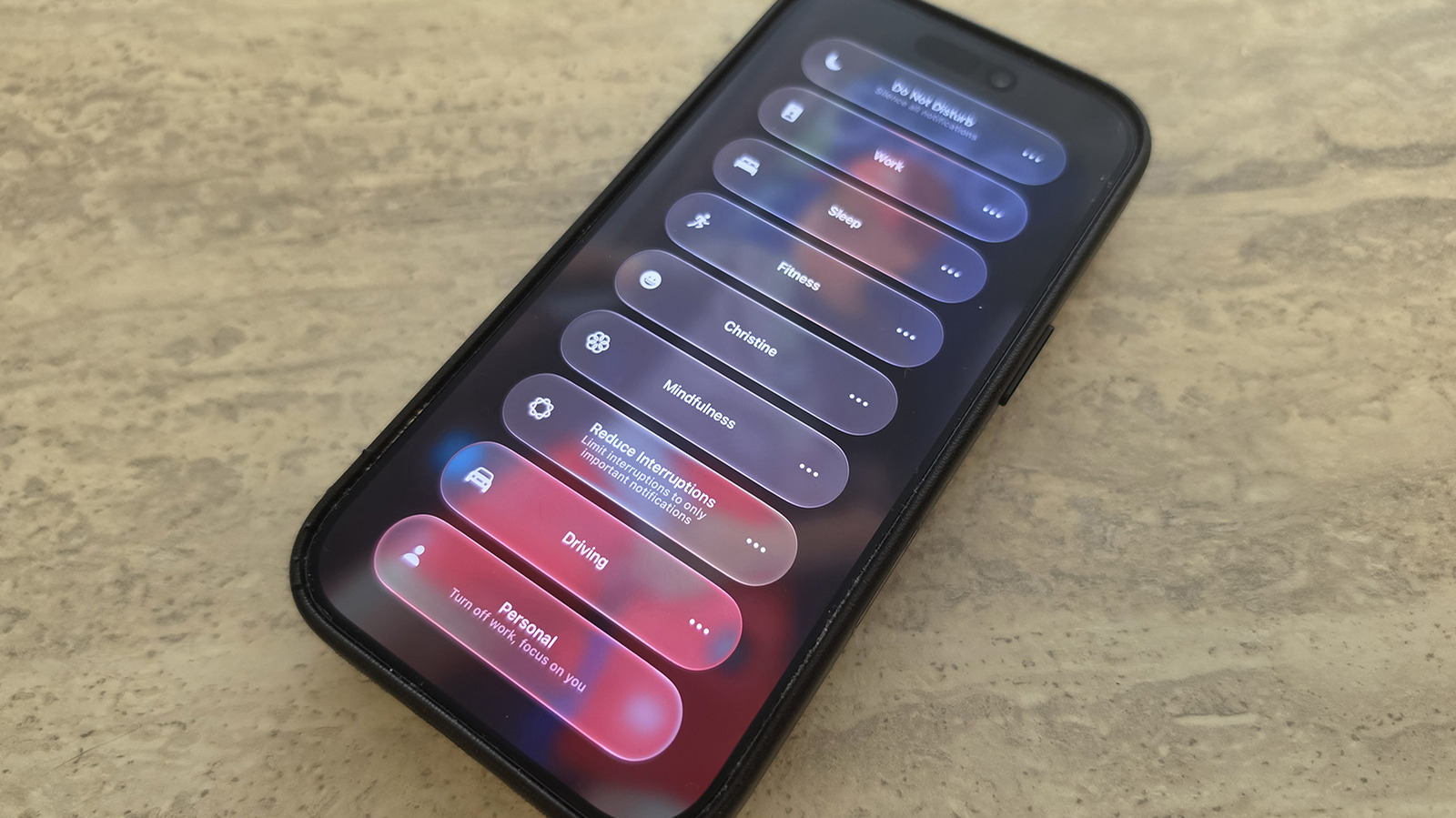
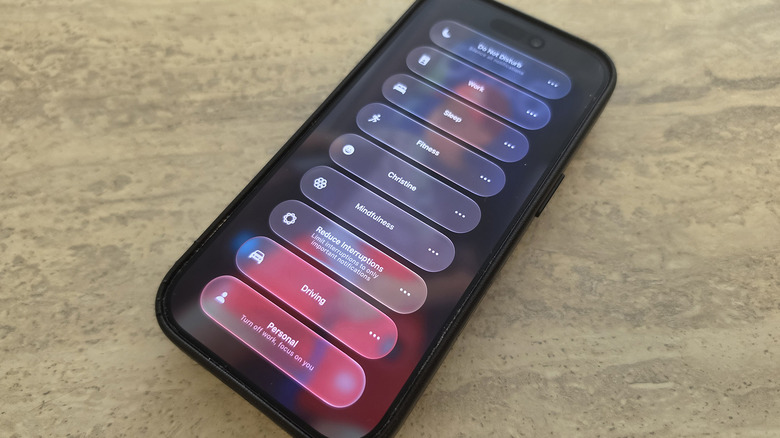
At its heart, Focus is designed to curb the "always-on" culture that defines modern mobile usage. By allowing users to define specific parameters for different states of mind—Work, Personal, Sleep, or custom profiles—Apple provides a mechanism to silence non-essential pings while ensuring that vital communications from family or colleagues always break through.
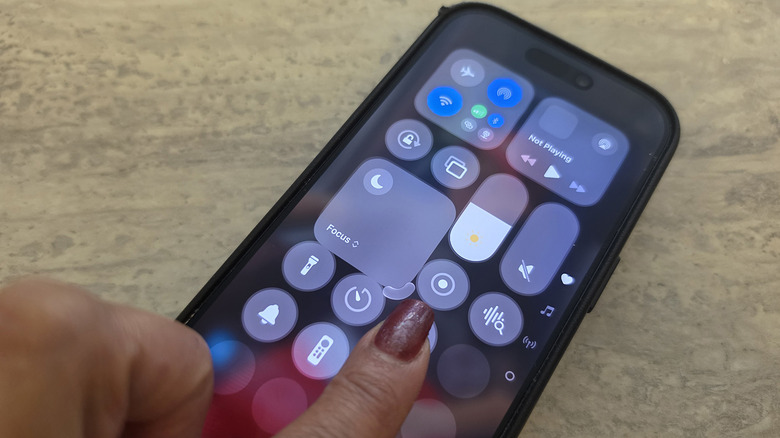
To activate these states, users simply swipe down from the top-right corner to access the Control Center. From there, the Focus panel acts as a gateway to your predefined digital environments. Configuration remains intuitive: navigating to Settings > Focus allows for the deep customization of white-listed contacts and apps, ensuring that your device adapts to your life, rather than the other way around.
Chronology: The Maturation of Apple’s Productivity Suite
To understand the significance of the changes in iOS 27, one must look back at the trajectory of the feature:
- The Foundation (iOS 15): Apple introduced Focus as a successor to "Do Not Disturb," offering the first real attempt at contextual notification management.
- Expansion (iOS 16 & 17): Integration with Lock Screen customization allowed for different device "faces" based on the active mode, linking aesthetic choices to mental states.
- The AI Integration (iOS 26): Early efforts to use machine learning to suggest notification summaries provided the groundwork for better filtering.
- The Automation Era (iOS 27): The current iteration shifts the focus from "what I see" to "what my phone does." By leveraging Shortcuts and logic-based triggers, Focus has transitioned from a passive filter to an active participant in the user’s daily workflow.
Notable Structural Changes: The Control Center Revamp
One of the most immediate, user-facing changes in iOS 27 is the newfound flexibility of the Control Center. Apple has finally acknowledged that user workflows are not one-size-fits-all.
In previous iterations, the Focus entry was a static, 2×1 block, consuming valuable screen real estate regardless of whether the user was a power user or a minimalist. With the iOS 27 update, users can enter edit mode by long-pressing on an empty area of the Control Center. The Focus icon can now be resized: compressed into a compact 1×1 circle to save space for other widgets, or expanded to a 2×2 grid for users who switch between modes frequently and desire instant, one-tap access. This level of granular control over the interface reflects a broader shift within Apple toward "user-defined utility," moving away from the rigid design language of the past.
The Power of Logic: Shortcuts and Conditional Automation
Perhaps the most consequential technical upgrade in iOS 27 is the integration of "Otherwise If" logic statements within the Shortcuts app, specifically tied to Focus triggers.
Previously, automation was binary: If Focus is X, do Y. This often led to a cluttered list of individual shortcuts for every conceivable scenario. Now, users can build complex, nested logical trees. For instance, a single automation can now check the current Focus status and react accordingly: "If Sleep Focus is active, silence all; otherwise, if Driving Focus is active, read incoming texts aloud; otherwise, show standard notifications."
This allows for a unified "Action Layer" on your iPhone. As noted by industry experts like Derek Seaman, this change enables the device to track shifts in state more accurately, allowing the phone to act as a reactive assistant. When you arrive at your office and toggle the Work mode, your phone doesn’t just silence social media; it can now initiate a complex chain of events—opening your calendar, launching your project management tool, and setting your smart office lights to a specific color temperature.
Simplification Through AI: The New Siri Integration
The synergy between iOS 27’s revamped Siri and Focus mode is a game-changer for those intimidated by the complexity of the Shortcuts app. By utilizing natural language processing, users can now voice-command their automation setup.
"Siri, create a shortcut that plays my work-focused podcast playlist whenever I switch to Work mode," is no longer a wish—it is a functional reality. The integration of Siri AI allows the system to bridge the gap between human intent and the underlying code. By removing the barrier of entry for creating these automations, Apple is effectively democratizing productivity.
For the average user, this means that the "optimal" setup is no longer reserved for those who enjoy spending hours in the Shortcuts menu. It is now accessible to anyone who can clearly state their preferences.
Implications for Digital Wellbeing and Productivity
The implications of these changes are profound. When a device can intelligently shift its behavior based on its user’s context, the "friction" of technology is reduced.
Granular Control vs. Cognitive Load
Critics often argue that adding more customization options increases cognitive load. However, the design philosophy behind iOS 27 suggests that by automating the switching process, Apple is actually reducing the amount of manual intervention required. If your phone knows that "Fitness Mode" should trigger your heart-rate tracking app and a high-energy music playlist without you needing to touch the screen, the technology recedes into the background, allowing the user to remain in their "flow state."
The "Personal" Ecosystem
The ability to craft deeply personalized modes—such as the "Christine" mode mentioned in internal testing, which silences all social media but keeps the Ring doorbell and work-Slack alerts active—creates a unique ecosystem for every user. It shifts the phone from a "device that receives information" to a "filter that curates your reality."
Looking Ahead: The Future of Context-Aware Computing
As we look beyond iOS 27, it is clear that Apple is moving toward a future where the device anticipates needs before they are explicitly requested. The current iteration of Focus is a necessary bridge to that future.
While these changes might not seem as flashy as a new camera sensor or a display technology upgrade, they speak to the most important metric of all: how much time we spend not looking at our screens, and how much value we derive from the moments we do.
For users who have yet to dive into the deep end of Focus and Shortcuts, the advice is simple: the tools are now more powerful, more accessible, and more logical than ever before. By spending just thirty minutes configuring these settings, you aren’t just customizing a feature—you are reclaiming your attention in an increasingly loud world.
Conclusion: Why You Should Care
If you have been avoiding the setup of Focus modes because they felt too complex or rigid in the past, iOS 27 is the perfect time to reconsider. The combination of flexible interface design, "Otherwise If" automation logic, and AI-assisted setup makes Focus one of the most compelling reasons to update your device.
In a world where attention is the new currency, Apple has provided the vault. It is up to the user to decide what to lock away and what to let in. With the advancements found in iOS 27, that control is finally, definitively, in your hands.











