In the high-stakes world of digital marketing, time is the one currency you cannot earn back. For social media managers and business owners, the daily grind of manual posting is not just inefficient—it is a strategic disadvantage. Learning how to schedule a post on Facebook is more than a technical skill; it is a fundamental shift in how you manage your brand’s digital footprint.

By moving away from "on-the-fly" publishing and embracing a structured content calendar, you gain the ability to align your messaging with peak audience activity, maintain consistent brand presence across time zones, and reclaim hours of your workweek. Whether you are using Meta’s native tools or professional-grade scheduling platforms like Perch by Hootsuite, the goal remains the same: delivering the right message to the right person at exactly the right time.

The Strategic Importance of Scheduled Posting
The shift toward automated content scheduling is driven by the need for consistency. Algorithms on platforms like Facebook prioritize accounts that exhibit reliable, high-quality activity. When you schedule your content in advance, you are doing more than just saving time; you are building a strategic roadmap.
- Strategic Planning: Pre-planning allows you to align posts with larger marketing campaigns, seasonal events, or product launches.
- Global Reach: Scheduling allows you to publish content during the "prime time" of your specific audience, regardless of where they reside or what time zone they occupy.
- Engagement Optimization: By analyzing data, you can pinpoint exactly when your followers are most likely to interact, ensuring your posts receive maximum visibility.
- Crisis Management and Flexibility: A pre-planned calendar gives you a bird’s-eye view of your content. If a sudden market shift or public event occurs, you can pause or pivot your entire strategy in seconds.
Navigating Meta Business Suite: The Native Solution
For small businesses or creators managing only Facebook and Instagram, Meta Business Suite is the primary, free, and highly effective tool. It is built directly into the Meta ecosystem, providing seamless integration.
The Step-by-Step Walkthrough
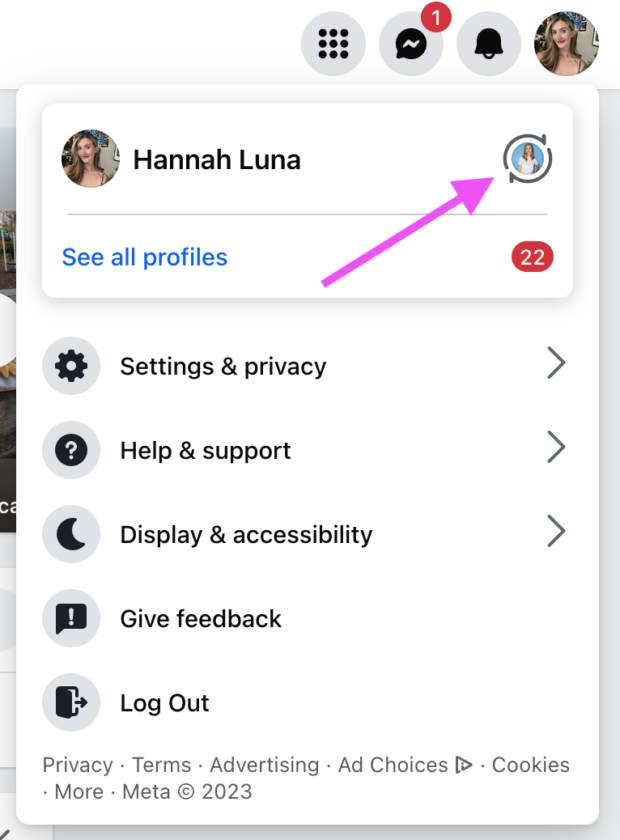
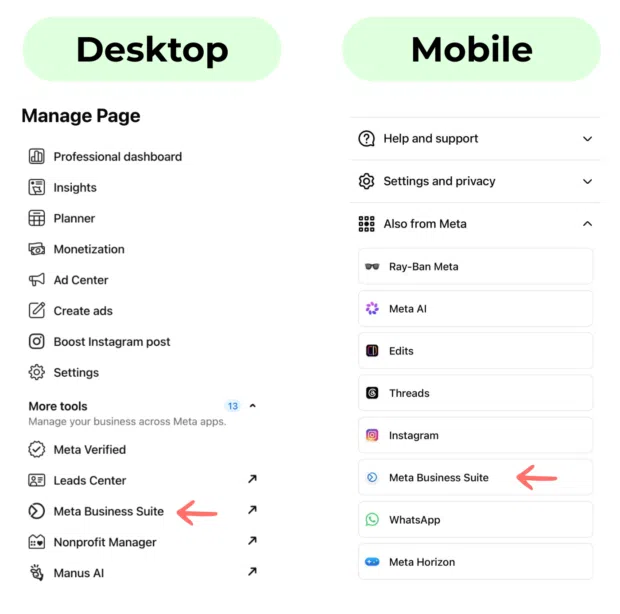
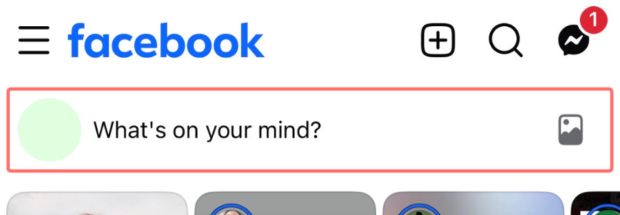
- Accessing the Suite: Log into your Facebook Business Page. In the left-hand navigation sidebar, select "Meta Business Suite." If you are on a mobile device, ensure you have downloaded the dedicated Meta Business Suite app for an optimized experience.
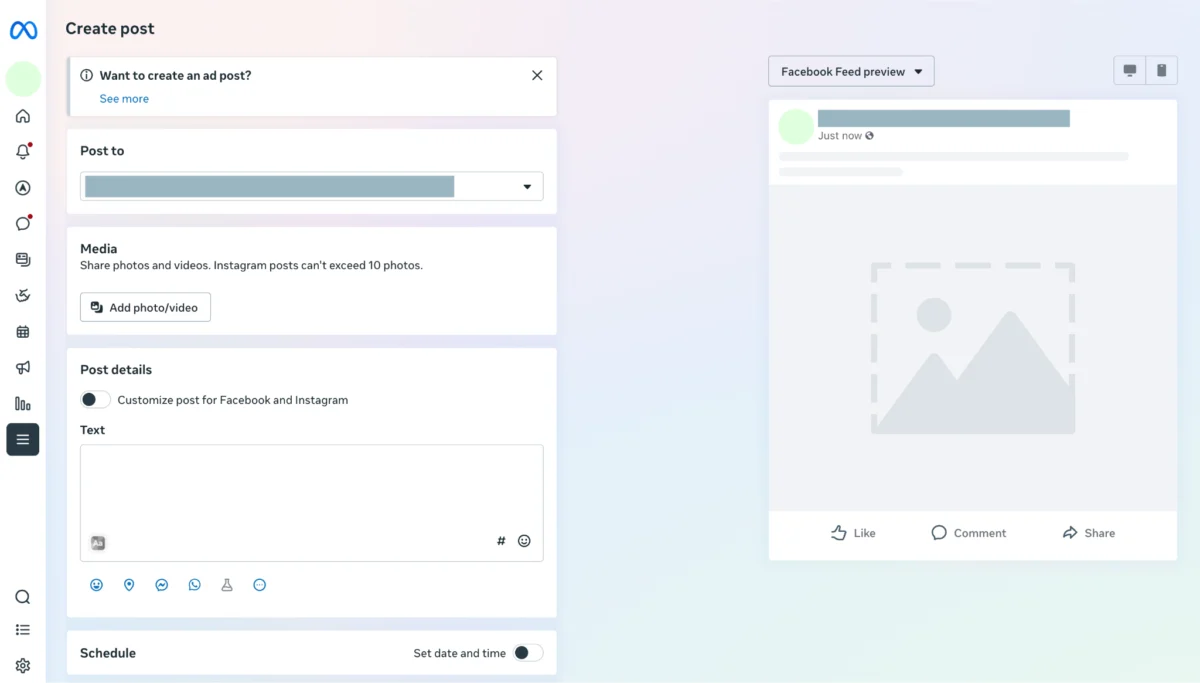
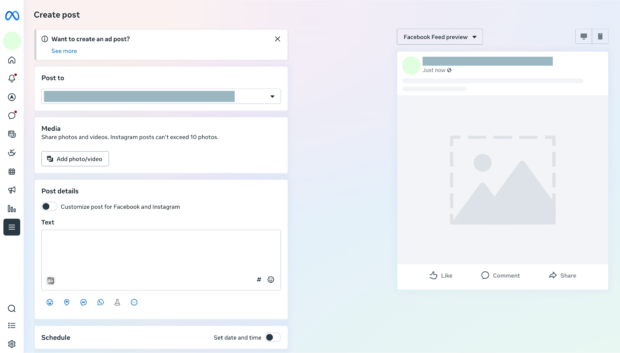
- Content Creation: Click the blue "Create post" button. You will be greeted with a composer where you can upload photos, videos, and write your caption. The live preview pane on the right side of the screen allows you to see exactly how your post will look on both desktop and mobile.
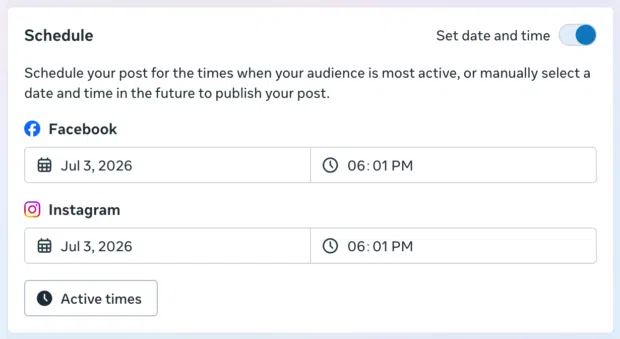
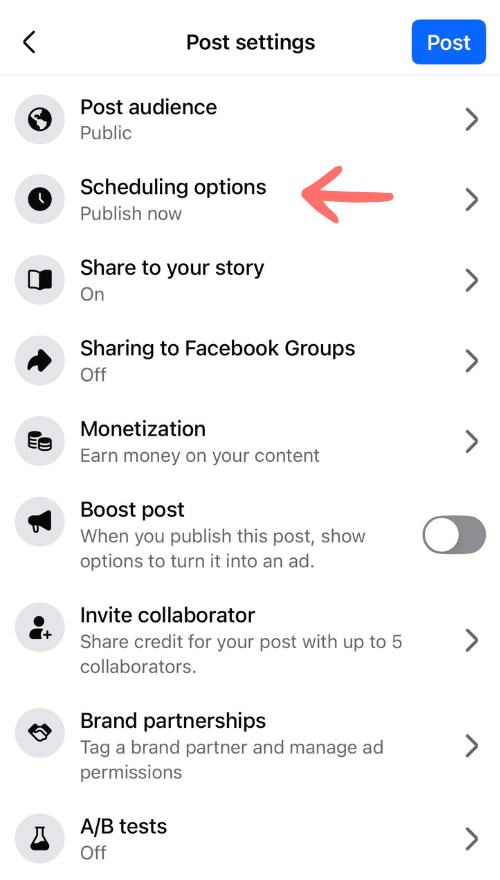
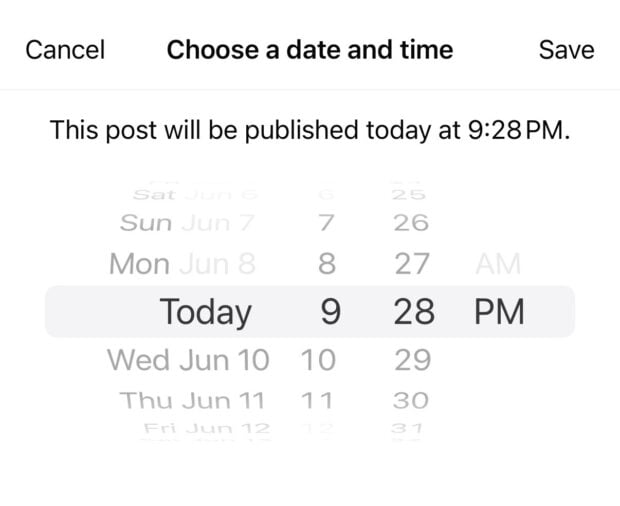
- Selecting the Schedule: Under the "Schedule" section, toggle the "Set date and time" option. Meta currently allows users to schedule posts between 20 minutes and 29 days in advance.
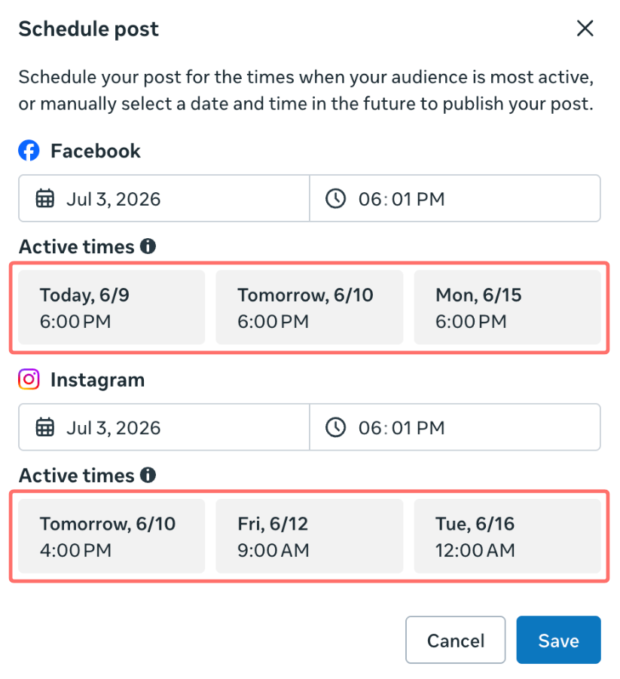
- Leveraging Data: One of the most powerful features here is the "Active times" button. Meta will analyze your previous engagement data to recommend the optimal windows for your specific audience.
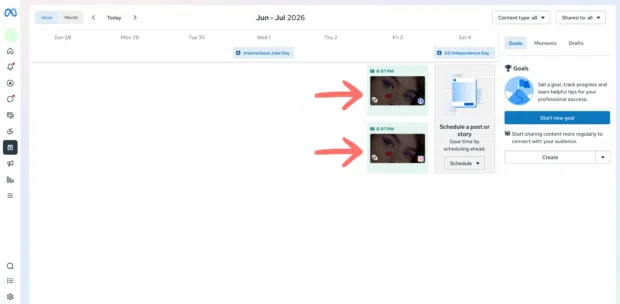
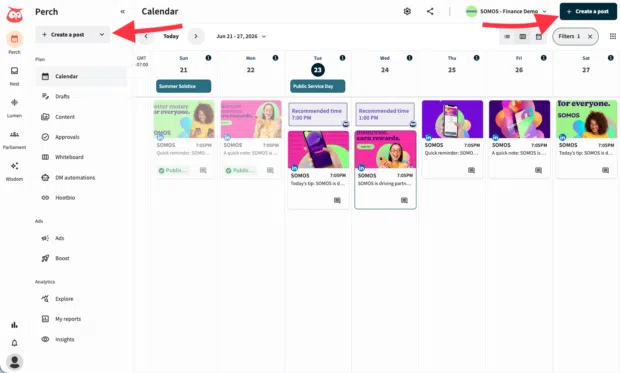
- Finalizing the Plan: Once you hit "Schedule," your post is moved to the Planner. You can view your upcoming content in a calendar format, making it easy to spot gaps or overlaps in your content strategy.
Scaling Up: When to Use Third-Party Schedulers
While Meta Business Suite is excellent for beginners, growing enterprises often find themselves hitting a ceiling. Limitations like the 29-day scheduling window and the inability to manage platforms outside of Meta’s ecosystem—such as X (formerly Twitter), TikTok, LinkedIn, or Pinterest—often necessitate a move to professional tools like Perch by Hootsuite.

Advantages of Professional Tools
- Cross-Platform Management: Manage all your social channels from one unified dashboard.
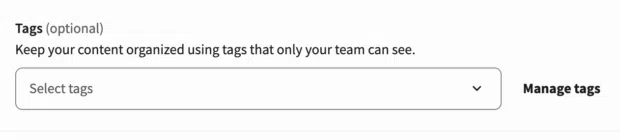
- Bulk Scheduling: For large-scale operations, the ability to upload a CSV file containing hundreds of posts at once saves significant manual labor.
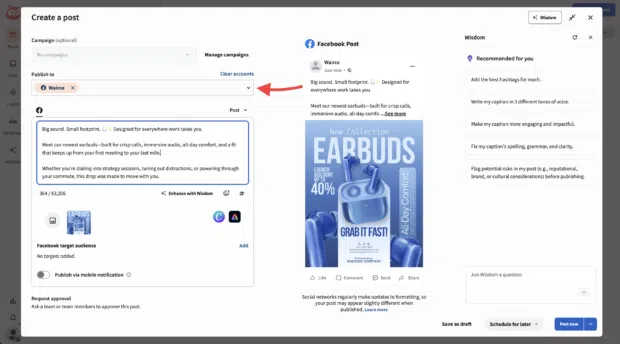
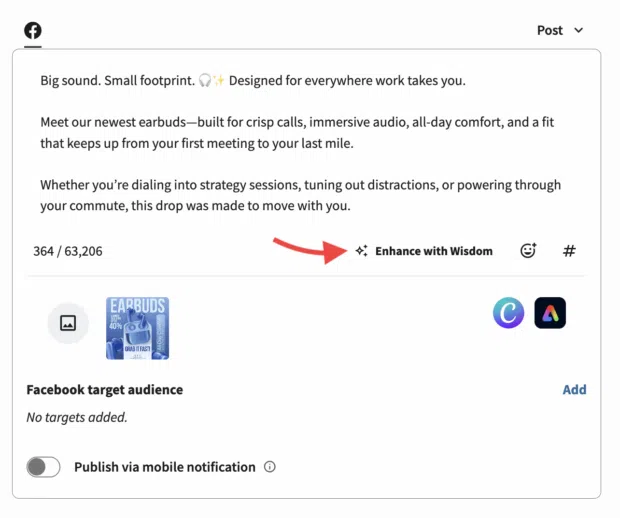
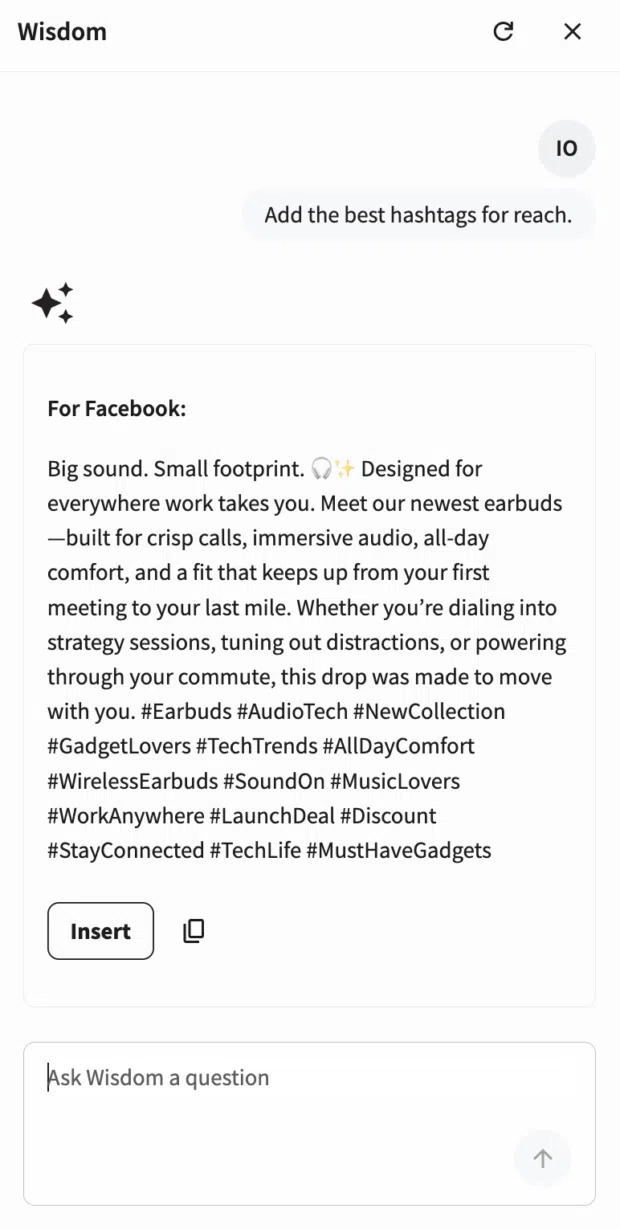
- AI-Enhanced Copywriting: Tools like "Enhance with Wisdom" in Perch provide real-time, AI-driven recommendations for caption length, tone, and engagement optimization.
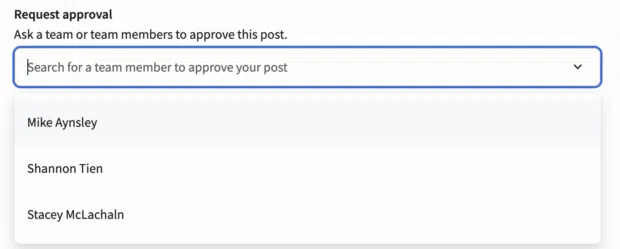
- Approval Workflows: For teams, the "Request Approval" feature ensures that no content goes live without a manager’s sign-off, protecting your brand’s reputation.
Supporting Data: The Science of Timing
Data gathered by Hootsuite underscores the importance of precision. While the "best" time is subjective to your specific brand, aggregated data reveals that the most effective time to post on Facebook is generally 9:00 AM on Tuesdays.
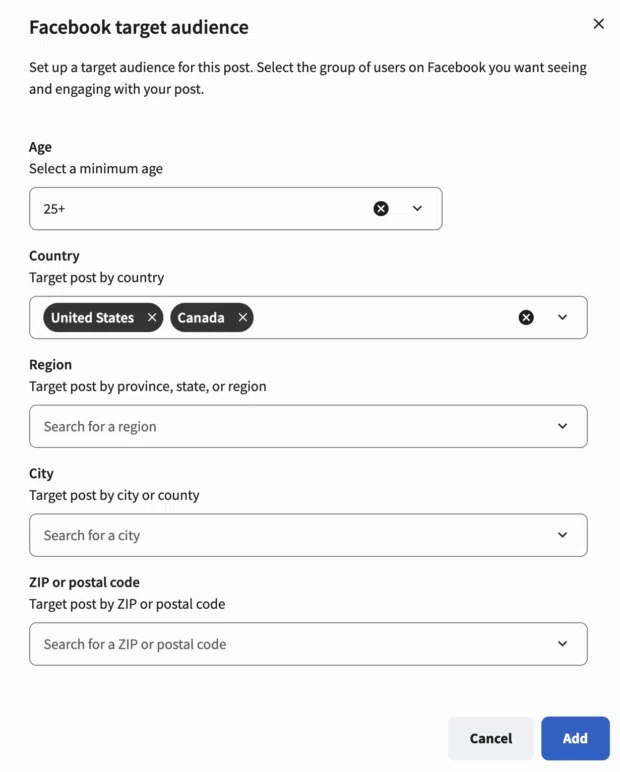
However, relying solely on industry averages is a mistake. Professional tools analyze your specific follower behavior—tracking impressions, link clicks, and engagement spikes—to generate custom, data-backed recommendations. This shift from "guessing" to "knowing" is what separates successful brands from those that struggle to gain traction.
Best Practices for a Professional Content Strategy
Scheduling is not a "set it and forget it" solution. To maintain high performance, follow these four pillars:
1. Maintain Brand Integrity
Even when automating, your voice must remain consistent. Use a social media style guide to ensure that every scheduled post reflects your company’s values and tone. Before finalizing your queue, conduct a sanity check: Does this copy align with our current messaging? Are the visuals on-brand?
2. Know When to Hit the Pause Button
The most important skill in social media management is knowing when not to post. If a global crisis, natural disaster, or industry-specific scandal occurs, scheduled posts can suddenly seem tone-deaf or insensitive. Professional tools allow you to "Suspend all" content with a single click. Regularly auditing your queue is not just good practice—it is brand insurance.
3. Understanding Platform Limitations
It is important to note that not all Facebook content can be scheduled. Certain features, such as live-streamed videos or specific interactive polls, may require manual, real-time posting. Additionally, Facebook Messenger automation is a separate field. If you are looking to provide customer support while you are away from your desk, investigate Messenger bots rather than post-scheduling tools.
4. The Loop of Continuous Improvement
Scheduling tools provide a feedback loop. By tracking your performance metrics, you can identify which content pillars are performing well and which are falling flat. Use this data to refine your strategy for the following month. If your Tuesday 9:00 AM posts are seeing high engagement, consider shifting more of your content to that time slot.
Implications for the Future of Social Media Management
As we move further into 2025, the role of AI in social media scheduling is expanding. We are no longer just scheduling text and images; we are scheduling intent. AI-powered tools now suggest hashtags, optimize posting times, and even predict the virality of content before it is published.
For businesses, the implication is clear: the divide between those who use data-driven scheduling and those who continue to post manually will only widen. By embracing these tools, you are not just managing a Facebook page; you are building an efficient, responsive, and data-backed marketing engine.
Frequently Asked Questions (FAQ)
Q: How far in advance can I schedule a post on a Facebook Business Page?
A: Using Meta Business Suite, you can schedule posts up to 29 days in advance. Third-party platforms like Hootsuite allow for much longer lead times, often up to a year or more.
Q: Is it better to use Meta Business Suite or a third-party tool?
A: If you only use Facebook and Instagram and have a limited budget, Meta Business Suite is the best choice. If you manage multiple social media platforms, require bulk scheduling, or need approval workflows, a third-party tool is essential for efficiency.
Q: Can I edit a post after it has been scheduled?
A: Yes. Both Meta Business Suite and professional tools like Perch by Hootsuite allow you to return to your Planner, select the scheduled post, and edit the text, media, or the time/date of the post before it goes live.
Q: Does scheduling posts hurt my organic reach?
A: Contrary to old myths, scheduling posts does not hurt your reach. Algorithms prioritize the quality and relevance of the content itself. In fact, by scheduling for the times your audience is most active, you are likely to increase your organic reach.
Q: What is the most common mistake when scheduling?
A: The most common mistake is failing to review the queue. Scheduling posts months in advance without checking back can lead to "tone-deaf" posts during unexpected news events. Always keep your queue lean and review it weekly.
Ready to streamline your workflow? Whether you are a small business owner or part of a global marketing team, taking control of your publishing schedule is the first step toward social media excellence. Start by auditing your current content, identifying your peak engagement times, and utilizing the tools at your disposal to create a more consistent and impactful brand presence today.