For years, Apple’s AirPods ecosystem has been defined by its "it just works" philosophy. By focusing on a signature, balanced sound profile, Apple successfully captured the mainstream market, offering a listening experience that appeals to the vast majority of casual listeners. However, audiophiles and power users have long clamored for more granular control over their audio output. With the introduction of the iOS 27 beta, Apple has finally begun to bridge the gap between user-friendly simplicity and professional-grade customization.
The introduction of a system-level custom Equalizer (EQ) for AirPods marks a significant shift in Apple’s audio strategy. No longer tethered to fixed sound profiles, users can now sculpt their listening experience to suit their specific tastes, whether that means boosting sub-bass for electronic tracks or sharpening the mids for vocal-heavy podcasts.
The Core Facts: What’s Changing?
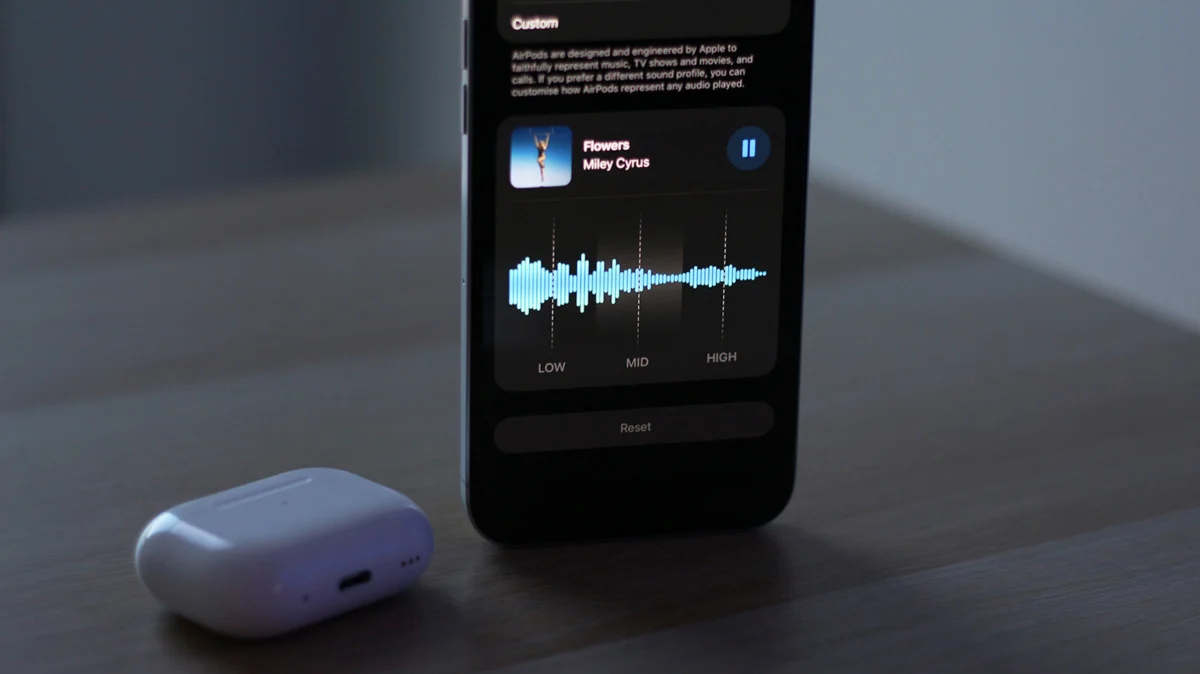
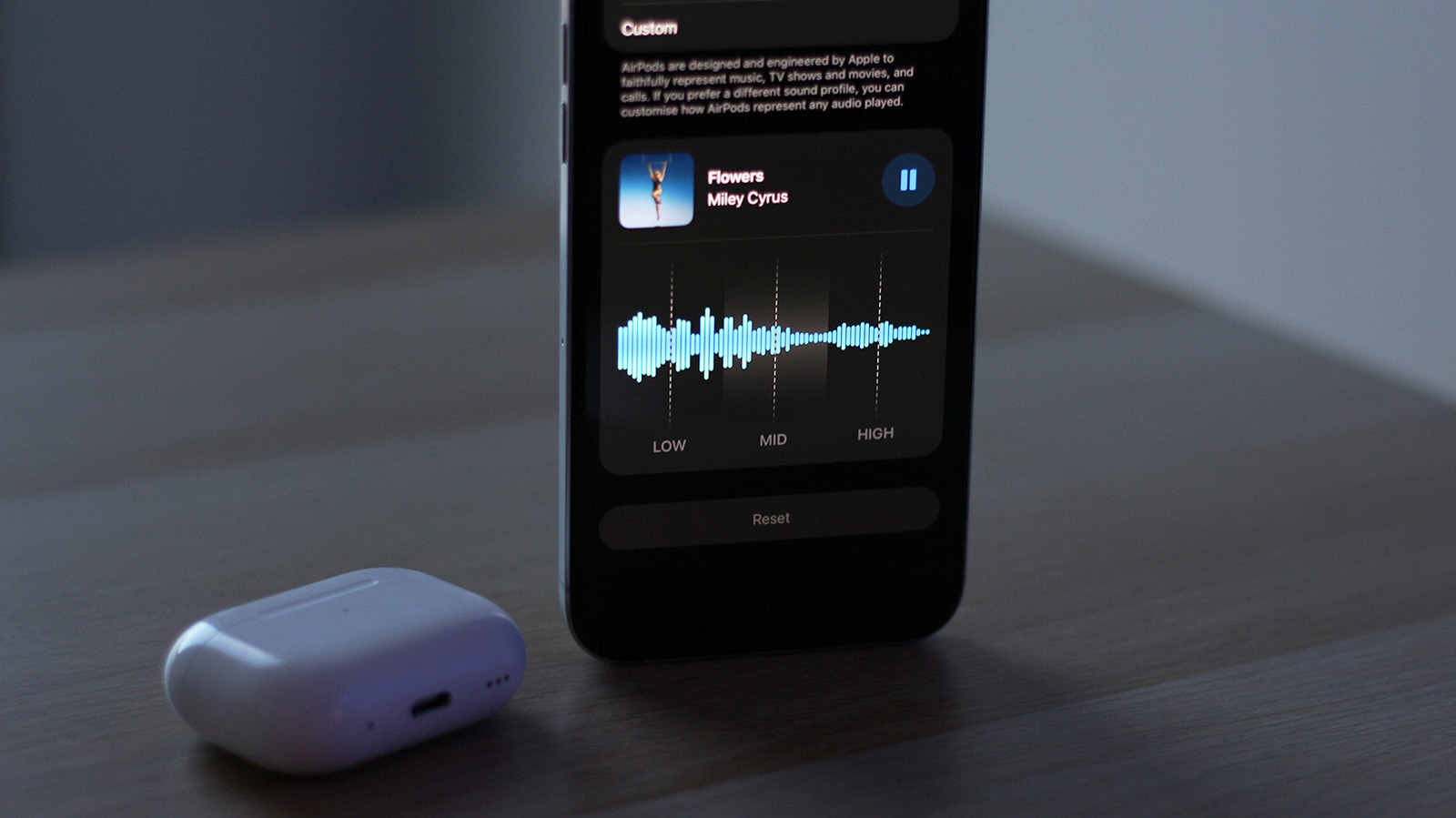
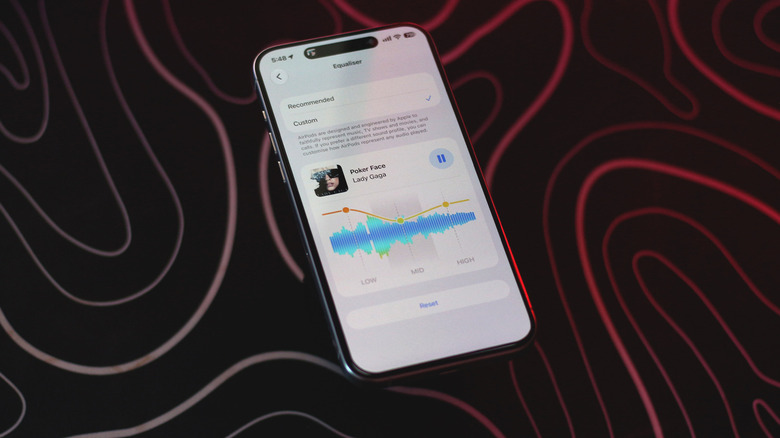
The headline feature of the current iOS 27 beta cycle is the implementation of a 3-band custom equalizer directly within the AirPods settings menu. While Apple has previously offered EQ presets within the Apple Music app, those settings were limited to the software environment of the music player itself. The new iOS 27 integration operates at the hardware level, meaning your preferred audio adjustments are baked into the AirPods themselves.
Compatibility Requirements
As of the current beta rollout, this feature is restricted to hardware equipped with Apple’s high-performance H2 chip. This includes:
- AirPods Pro (2nd Generation)
- AirPods Pro (3rd Generation)
- AirPods (4th Generation)
- AirPods Max (2nd Generation)
To access these features, users must ensure their devices are running the latest iOS 27 or macOS beta firmware. Crucially, the AirPods themselves must also be updated to the latest beta firmware—a process that happens automatically when the charging case is closed and kept in proximity to a connected device.
Chronology of Audio Evolution
To understand why this update is a watershed moment, one must look at the trajectory of Apple’s audio hardware.
2016 – The Origin: The original AirPods were released, focusing entirely on seamless connectivity. EQ was nonexistent, and the hardware was designed to produce a "neutral" sound that would not offend the average ear.
2019–2021 – The Rise of Computational Audio: With the arrival of the AirPods Pro and the H1 chip, Apple introduced "Adaptive EQ." This used internal microphones to measure how music sounded in the user’s ear and adjusted the low and mid frequencies in real-time. While impressive, it was a "black box" feature—users had no say in how the adjustments were made.
2023–2024 – The Pro Expansion: The introduction of the H2 chip enabled deeper processing, leading to the refined sound signatures of the AirPods Pro 3 and AirPods 4. However, the lack of manual control remained a point of friction for enthusiasts.
2025 – The iOS 27 Breakthrough: Apple finally conceded that "one size fits all" is no longer the gold standard. By decoupling the EQ from the music app and moving it to the firmware level, Apple has granted users the autonomy to define their own audio identity.
How the Custom EQ Works: A Technical Breakdown
While a 3-band equalizer may seem rudimentary compared to the 10 or 32-band EQs found in professional studio software, its simplicity is by design. Apple has structured the interface to prevent users from introducing distortion into their audio stream while still providing enough variance to change the "personality" of the device.
The Three Frequency Tiers
- Lows (Bass): This range typically encompasses 20Hz to 250Hz. Boosting this provides that "thumping" sensation in kick drums and bass guitars.
- Mids (Vocals and Instruments): Spanning roughly 250Hz to 4kHz, this is where the human voice lives. Adjusting this can bring a vocalist "forward" in the mix or provide more presence to acoustic instruments.
- Highs (Treble): From 4kHz to 20kHz, this range handles cymbals, hi-hats, and the "air" or sparkle of a recording.
By allowing users to slide these three bands independently, Apple has empowered the average consumer to fix "muddy" audio or compensate for the natural high-frequency roll-off often found in smaller earbuds.
Supporting Data and User Experience
In practical testing, the effectiveness of the EQ varies significantly depending on the hardware. The AirPods Pro 3, which feature a robust physical seal, respond aggressively to bass boosts, creating a club-like atmosphere. Conversely, the AirPods 4—which utilize an open-ear design—benefit more from minor adjustments to the mids to compensate for the natural loss of low-end frequencies that occurs when an earbud doesn’t create a perfect seal.
The "Universal" Advantage
One of the most impressive technical aspects of this update is the portability of the settings. Because the EQ profile is saved to the AirPods’ internal memory, these settings persist across platforms. If you customize your EQ on an iPhone, those changes remain active when you connect your AirPods to an Android phone, a Windows laptop, or a smart television. This essentially turns the AirPods into a standalone audio device with a consistent, user-defined sound signature, regardless of the host hardware.
Navigating the Settings: A Step-by-Step Guide
If you are currently running the iOS 27 beta, you can access these settings by following this procedure:
- Establish Connection: Ensure your AirPods are connected to your device.
- Access Settings: Navigate to Settings > AirPods [Your Name].
- Enable Beta Updates: If you do not see the EQ menu, scroll down to AirPods Beta Updates and ensure the toggle is enabled.
- Audio & Routing: Once the firmware is updated, look for the Audio & Routing submenu. Within this, you will find the Equalizer settings.
- Calibration: Select Custom to reveal the three sliders.
- Reset: If your changes result in audio you find unpleasant, the dedicated Reset button will return the sliders to the flat, factory-default position.
Note: It is critical to disable competing EQ settings in apps like Apple Music or Spotify to avoid "double-processing," which can cause clipping and distortion.
Implications for the Audio Industry
The introduction of system-wide EQ is not merely a convenience feature; it is a strategic move that could alter how audio manufacturers approach the market.
Competition and Parity
For years, brands like Sony, Bose, and Sennheiser have marketed their superior companion apps—which include advanced EQ functionality—as a key differentiator from the AirPods. By integrating these features into iOS, Apple is effectively neutralizing a major selling point for third-party competitors.
Accessibility and Inclusion
Beyond pure sound preference, this feature has profound implications for accessibility. Users with hearing loss in specific frequency ranges can now use the custom EQ to manually boost the frequencies they struggle to hear. While Apple’s "Headphone Accommodations" have long served this purpose, the addition of a manual EQ provides a more intuitive, user-controllable interface for those who want to "tweak" their audio to match their specific physiological needs.
The Future of "Apple Sound"
Will Apple eventually release a 5-band or 10-band EQ? While the current 3-band system is likely sufficient for the general public, the trajectory of Apple’s software suggests that the company is listening to its power users. As the H2 and future H-series chips become more capable of complex real-time signal processing, we may see more advanced features, such as "Auto-Room Correction" for earbuds or personalized frequency mapping based on audiograms.
Final Thoughts: A Measured Win for Consumers
The custom EQ in iOS 27 is a quintessential Apple update: it is polished, easy to use, and focused on the user experience rather than technical specifications. While power users might find themselves wishing for more granular control, the ability to save custom profiles directly to the hardware is a game-changer. By finally giving users the keys to their own sound profile, Apple has made the AirPods significantly more versatile, proving that even a market-leading product can find new ways to improve. Whether you are a dedicated bass-lover or someone who wants to sharpen the vocals on your favorite podcast, this update ensures that your AirPods finally sound exactly the way you want them to.