

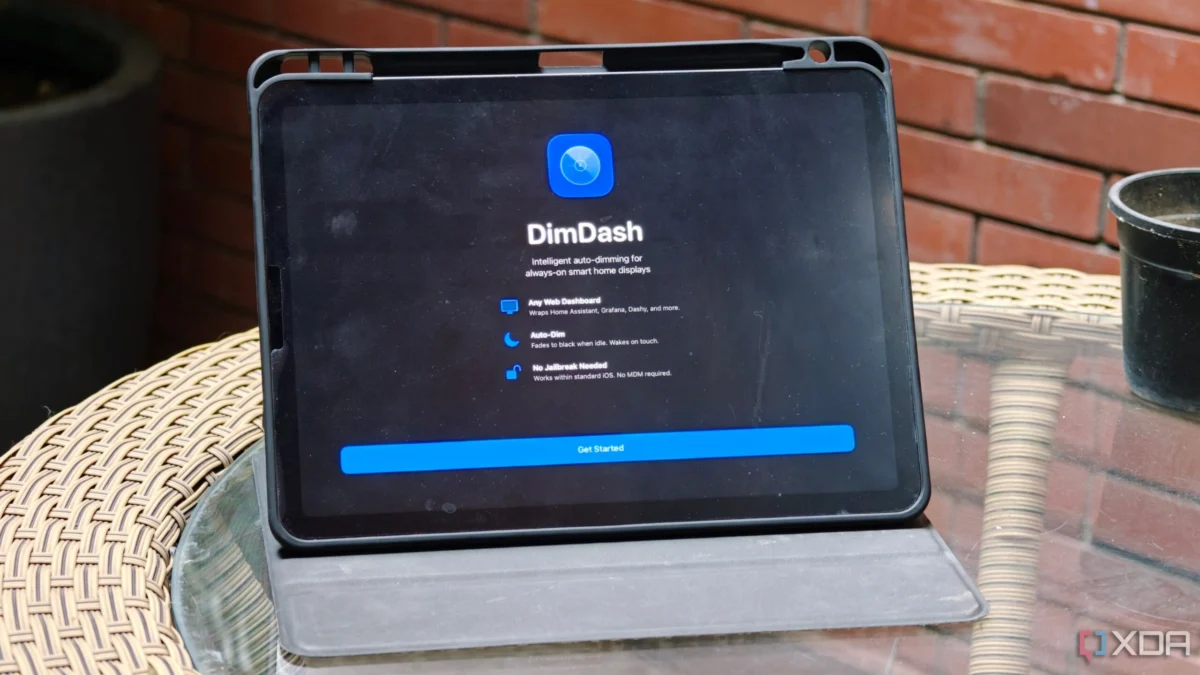
For the dedicated home automation enthusiast, the journey of building a smart home is never truly finished. It begins with a single smart bulb or a connected thermostat, but it quickly evolves into a complex web of sensors, automations, and interconnected devices. Central to this ecosystem is Home Assistant, the gold standard for open-source home automation. However, as any veteran of the hobby knows, while the "backend" of a smart home can be perfected, the "frontend"—the way we actually interact with these systems on a daily basis—often leaves much to be desired.
I have spent countless hours refining my Home Assistant configurations, tweaking YAML files, and perfecting automations. Yet, the challenge remained: how do I surface this data in a way that is accessible, aesthetically pleasing, and permanently available? The solution seemed obvious—a wall-mounted iPad in the kitchen. But in practice, using an iPad as a dedicated kiosk display is fraught with friction. That was, until I discovered DimDash.
The Problem with "Generic" Kiosks
The aspiration is simple: a screen on the wall that allows you to glance at camera feeds, toggle lights, or check the status of your security system without the "friction" of pulling out a smartphone, unlocking it, and navigating through apps.
For years, the experience of using an iPad for this purpose was substandard. Whether you used Safari or the official Home Assistant companion app, you were constantly battling the limitations of mobile software designed for personal, handheld use—not for permanent, wall-mounted display duty. Issues were rampant: screens would time out, login tokens would expire, and the aesthetic interface was often cluttered with browser headers or sidebars that served no purpose on a dedicated wall display.
For the smart home hobbyist, this isn’t just a minor annoyance; it’s a failure of the user experience. You spend all that time building a powerful, localized smart home, only to have the interface feel like an afterthought.
Chronology of a Dashboard Evolution
The evolution of the Home Assistant dashboard has seen several distinct phases. In the early days, users relied on simple web views, often needing to jailbreak devices or use complex "guided access" settings that were prone to crashing.
As the ecosystem matured, community-led projects began to bridge the gap. We saw the rise of custom Lovelace cards and various dashboard-building tools. However, most of these solutions were platform-agnostic or Android-focused. Android tablets have long enjoyed a more permissive environment for kiosk-mode apps, allowing for advanced features like "stay awake" commands and proximity sensing.
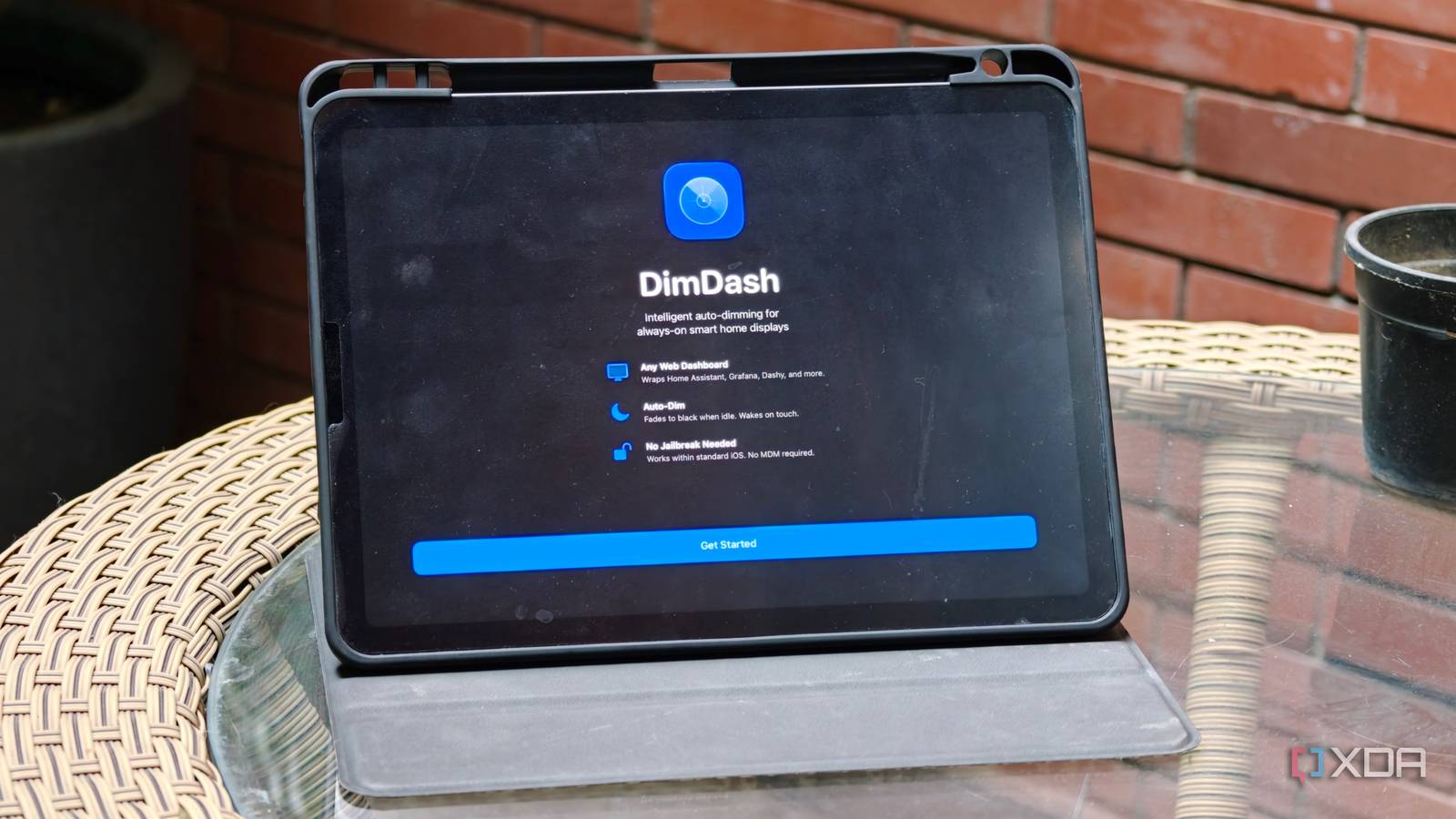
iPad users, by contrast, were stuck in the "Apple walled garden." While Apple’s hardware is arguably the best in the business for a wall mount—offering reliable longevity and beautiful displays—the software ecosystem for a custom kiosk was stagnant. The release of DimDash marks a turning point in this chronology. It represents a shift from "hacking" an iPad into a dashboard to treating it as a legitimate, professional-grade interface for home control.
DimDash: Bridging the Gap
DimDash is not a dashboard builder; it is a dashboard enabler. It respects the work you have already put into your Home Assistant configuration. It does not force you to rebuild your cards or migrate to a new ecosystem. Instead, it acts as a specialized browser optimized for the specific, unique requirements of a wall-mounted display.
Fixing the Hardware Lockdown
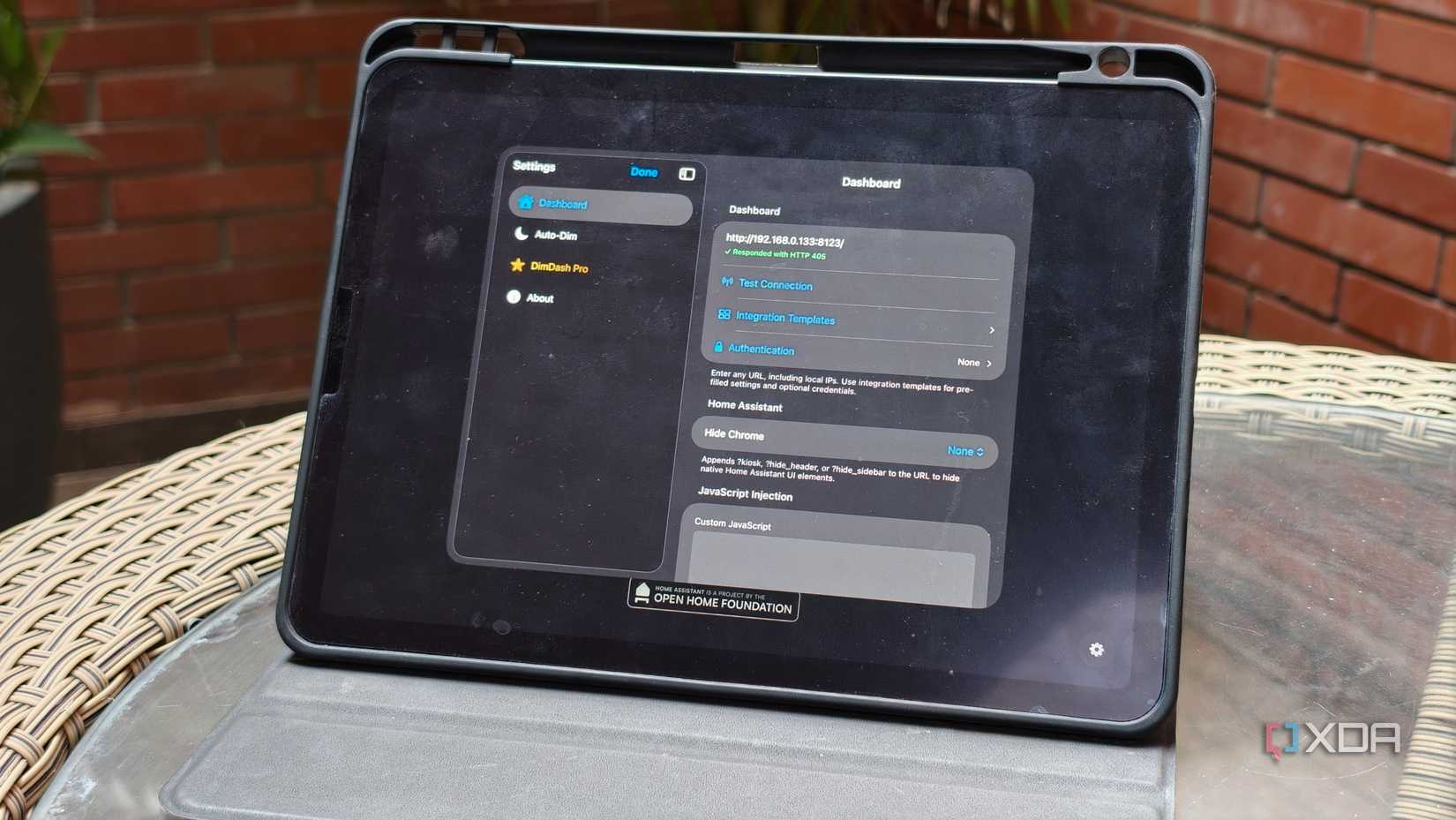
The primary frustration with an iPad is that it is designed to be a personal device, not a stationary appliance. DimDash effectively strips away the "personal" nature of the OS. Upon installation, the app creates a secure, long-lived session. By supporting Home Assistant’s long-lived access tokens, it eliminates the dreaded "session expired" login screens that have plagued many DIY wall-mount projects.

Furthermore, the app handles the visual "bloat" that often ruins a dashboard’s aesthetics. It allows for the clean removal of headers, sidebars, and navigation bars, effectively turning your tablet into a "true" dashboard that displays only the information you want, exactly how you want it.
The Science of Dimming and Proximity
Perhaps the most significant feature of DimDash is its intelligent power management. An iPad screen left at 100% brightness for 24 hours a day is not only an eyesore but also a potential contributor to screen burn-in and significant energy waste.
DimDash introduces a sophisticated dimming architecture. It allows users to set idle timeouts, where the display dims gracefully after a period of inactivity. This ensures that the dashboard remains a functional part of your home decor rather than a distracting, glowing beacon in a dark room. The Pro version further enhances this by utilizing the iPad’s front-facing camera for proximity sensing. When you walk into the kitchen, the screen wakes up instantly. When you leave, it dims or turns off. This marriage of hardware utility and software intelligence is the "missing link" that the Apple ecosystem has lacked.
Supporting Data: The Value of Pro Features
While the base functionality of DimDash is enough to justify its existence, the "Pro" tier offers a suite of quality-of-life upgrades that cater to power users.
- Dashboard Cycling: Many users have a "home" dashboard, a "camera" dashboard, and a "media" dashboard. Rather than trying to cram every bit of information onto a single screen, Pro users can set the app to rotate through different views automatically. This allows for higher-density information layouts that remain readable.
- Proximity Awareness: As noted, the use of the camera for proximity is a game-changer. Data suggests that constant-on displays contribute to higher rates of battery degradation in lithium-ion tablets. By leveraging proximity, the display only draws power when it is actually needed, extending the lifespan of the hardware by a significant margin.
- Security and Integration: The app’s ability to handle secure tokens while stripping away browser interface elements provides a level of security and professional polish that is usually reserved for expensive, proprietary smart home touchscreens costing hundreds of dollars more.
Implications for the Smart Home Landscape
The introduction of apps like DimDash has profound implications for the future of self-hosted smart homes.
First, it signals a maturation of the market. As more people move away from "big tech" smart home ecosystems (like Amazon Alexa or Google Home) toward local-first solutions like Home Assistant, the demand for polished, user-friendly interfaces increases. The existence of high-quality "kiosk" apps reduces the barrier to entry for non-technical family members. If the interface is intuitive, stable, and looks like a dedicated appliance, the "buy-in" from other members of the household increases exponentially.
Second, it challenges the dominance of expensive, proprietary smart home hardware. Why buy a $500 dedicated touchscreen from a home automation vendor when a refurbished iPad and a $20 mount, paired with an app like DimDash, can perform the same task with even greater flexibility? This is the core tenet of the self-hosting movement: autonomy, cost-efficiency, and modularity.
Finally, this shift highlights the importance of open standards. Home Assistant’s success is built on its ability to integrate with almost anything. DimDash thrives because it doesn’t try to reinvent the protocol; it simply provides a better "window" into that data.
Conclusion: A Badge of Honor
Building a smart home is, in many ways, a creative endeavor. It is a hobby that blends engineering, design, and a bit of "geeky" pride. For many of us, a wall-mounted dashboard is more than just a convenience—it is a badge of honor. It is a visual representation of the complex automations running behind the scenes.
DimDash effectively solves the "kiosk" problem that has haunted iPad-based smart home setups for years. By addressing the fundamental issues of session management, visual aesthetics, and intelligent power consumption, it allows the user to stop "managing" the dashboard and start "using" it.
Whether you are a seasoned Home Assistant veteran or someone just starting your journey into the world of self-hosting, the goal remains the same: to create a home that works for you. By transforming a dormant tablet into a functional, intuitive, and beautiful command center, DimDash is an essential tool for any modern smart home. It proves that with the right software, even the most locked-down hardware can be repurposed into a powerful, personalized interface that brings your home’s intelligence to the forefront.







No comments yet. Be the first to join the conversation!