Lina Irawan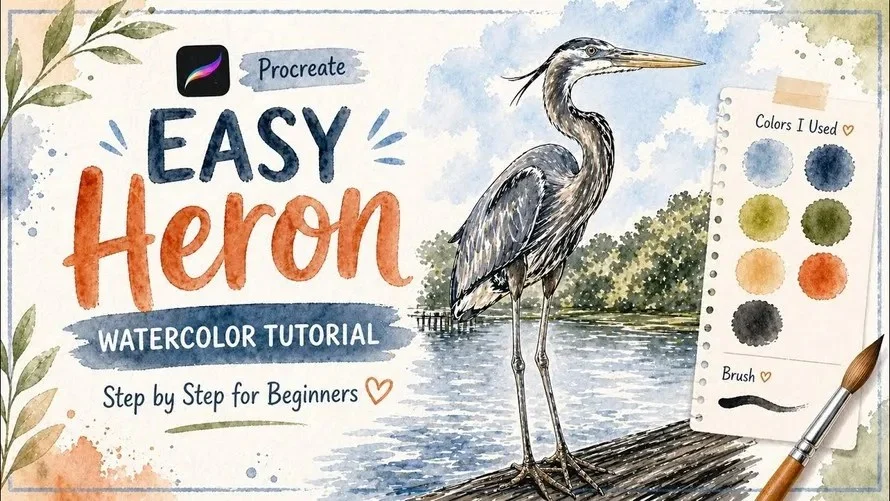
In the rapidly evolving landscape of digital art, few tools have achieved the cultural and professional ubiquity of Procreate. Designed exclusively for the iPad, this powerful yet intuitive application has democratized high-end illustration, allowing everyone from hobbyist doodlers to professional concept artists to create gallery-quality work on the go. Whether you are looking to master the basics of brush management, explore the complexities of seamless pattern design, or delve into character animation, the vast ecosystem of educational content available today provides a roadmap for every skill level.
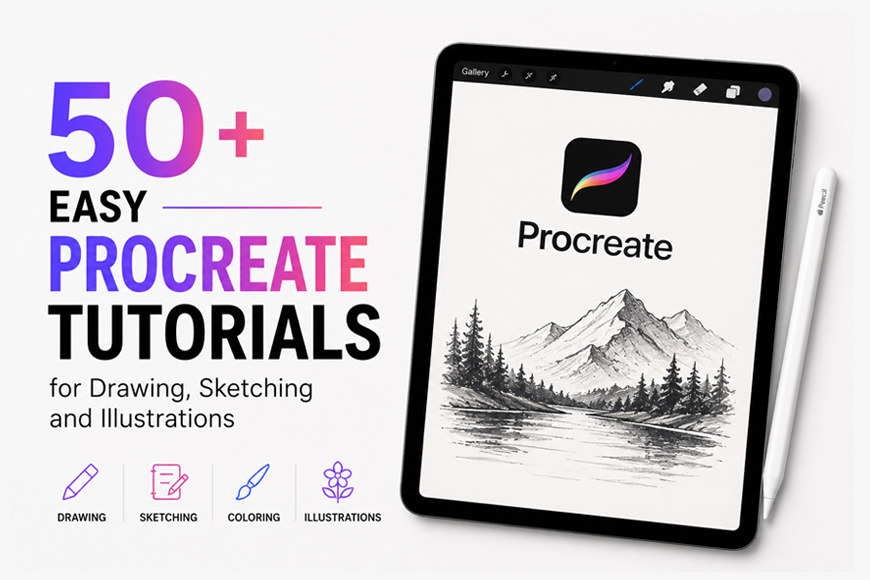
This article serves as a comprehensive guide to navigating the world of Procreate learning, analyzing the most effective ways to sharpen your skills through structured tutorials, and understanding the implications of this digital medium on the modern art world.

The Evolution of Digital Art: Why Procreate Remains the Gold Standard
Since its inception, Procreate has bridged the gap between complex desktop software like Adobe Photoshop and the tactile, portable experience of traditional sketching. Its strength lies in its "Apple Pencil-first" philosophy, which treats digital input with the sensitivity of traditional graphite and charcoal.

For the modern artist, the transition to digital isn’t just about software—it’s about workflow efficiency. As creators, we are often overwhelmed by the sheer number of tools, blend modes, and layer settings available. The secret to proficiency, according to industry experts, is not to learn every feature at once, but to engage in "micro-learning." By focusing on specific projects—such as drawing a stylized insect, rendering a watercolor heron, or creating a seamless textile pattern—artists can internalize tool functionality through practical application.

A Curated Chronology of Skill Development
Learning Procreate is best approached as a modular journey. The following sections categorize the essential learning phases that most successful digital illustrators undergo.

Phase 1: Foundations and Interface Mastery
Before tackling complex character design, beginners must establish a relationship with the workspace. Key lessons in this phase include:

- Canvas Management: Understanding DPI, pixel dimensions, and the impact of layer limits.
- Brush Dynamics: Learning how to import custom brushes and, more importantly, how to combine existing brushes to create unique textures.
- The "Color Drop" Threshold: A common frustration for beginners is the "leakage" of color fill. Mastering the blue slider at the top of the screen—the threshold tool—is a critical milestone for any artist moving from traditional to digital media.
Phase 2: Stylized Illustration and Texture
Once the interface is intuitive, the focus shifts to aesthetic development. Tutorials covering the "Cloud Cottage" or "Stylized Moth and Butterfly" demonstrate the power of the Symmetry Tool. This tool is a cornerstone of Procreate, allowing artists to achieve perfect balance in organic subjects, a task that would take hours in a traditional physical sketchbook.

Phase 3: Advanced Surface Design and Pattern Making
A significant portion of the Procreate community is comprised of professional surface designers. Tutorials focusing on "Seamless Patterns" teach users how to utilize the Liquify Tool and Offsetting techniques. By creating repeat tiles, artists can turn simple sketches into professional-grade designs suitable for print-on-demand services like Etsy or Printify.

Supporting Data: The Impact of Guided Practice
Educational data suggests that students who engage with step-by-step video tutorials show a 40% higher retention rate in software proficiency compared to those who rely solely on manuals. The "watch-and-mimic" method, specifically when utilizing real-time recording features in Procreate, allows for the following pedagogical benefits:

- Visualizing Workflow: Seeing an artist toggle between layers, masks (Alpha Lock, Clipping Masks, and Layer Masks), and blend modes in real-time provides context that static text cannot convey.
- Pacing and Replayability: The ability to pause, rewind, and re-watch specific segments—such as the delicate process of "hair rendering" or "skin detail stamping"—allows the artist to match the pace of the instructor.
- Community Feedback Loops: Many of these tutorials are part of larger creative ecosystems (such as Skool or Skillshare), where learners can upload their versions of the project and receive constructive critique.
Official Responses and Industry Trends
Professional illustrators and art directors have noted a shift in hiring practices, with a growing preference for artists who can demonstrate "hybrid skills." The ability to transition from a physical mixed-media collage to a finished digital piece using Procreate is now a highly sought-after capability.

When asked about the future of digital art, industry leaders emphasize that while AI tools are rising, the "human touch" represented in Procreate sketches—characterized by custom brush textures, personal color palettes, and unique hand-drawn quirks—is becoming more valuable. The trend is moving toward "authentic digital," where the goal is to make the software look and feel like traditional media (watercolor, charcoal, or oil painting).

Implications: The Democratization of Professional Art
The existence of over 50+ high-quality, accessible tutorials for Procreate has profound implications for the global creative economy:

1. Lowering the Barrier to Entry
Previously, the cost of high-end design software and the learning curve associated with complex desktop applications served as a gatekeeper. Today, a student with an iPad and a subscription to a tutorial platform can reach a professional level of competency in months rather than years.

2. The Rise of the "Micro-Creator"
We are seeing a surge in artists who specialize in niche subjects, such as "Cute Witch" character designs or "Lo-Fi Sunset" landscapes. This hyper-specialization allows artists to build a brand identity quickly, finding their audience through social media platforms that reward consistent, high-quality, themed content.

3. Sustainability in Design
By utilizing digital tools, artists reduce the waste associated with physical prototypes. The ability to create "Digital Block Prints" or "Fashion Croquis" on the iPad allows designers to iterate on ideas without burning through physical art supplies.

Strategic Tips for Your Learning Path
To maximize your growth, consider the following strategic approach to the tutorials available:

- The "Daily Habit" Strategy: Dedicate at least 20 minutes a day to a "Sketchbook Session." Whether it’s drawing a mouse or a simple leaf, the act of daily repetition is what builds muscle memory in the Apple Pencil.
- Mastering the Masking Suite: If you learn nothing else, learn the difference between Alpha Lock (locking pixels on a single layer) and Clipping Masks (non-destructive layering). This is the secret to 90% of professional digital coloring.
- Curate Your Toolset: Do not clutter your library with thousands of brushes. Find 5-10 "go-to" brushes that mimic your personal style and learn their behavior under different pressure and tilt settings.
Conclusion: The Path Forward
The world of digital art is no longer confined to high-end studios. Through the structured, bite-sized learning provided by the current generation of Procreate tutorials, the tools of a professional illustrator are now in the hands of the masses.

Whether you are mastering the complex lighting required for a "Cozy Lo-Fi Scene," perfecting the geometric precision of a "Bold Grid Pattern," or learning the technical nuances of "Procreate Dreams" for animation, remember that the software is merely a conduit for your vision. The true art lies in the hours spent, the mistakes made during the "Color Drop" process, and the persistence to keep refining your stroke.

As you embark on your journey through these 50+ tutorials, view each lesson not just as a task, but as a building block. With every leaf drawn, every face painted, and every pattern rendered, you are not just learning an app—you are defining your unique voice in the digital age. Keep creating, keep drawing, and continue to push the boundaries of what your iPad can do. The digital canvas is waiting.

 Asep Darmawan
 Layla Zulfa