

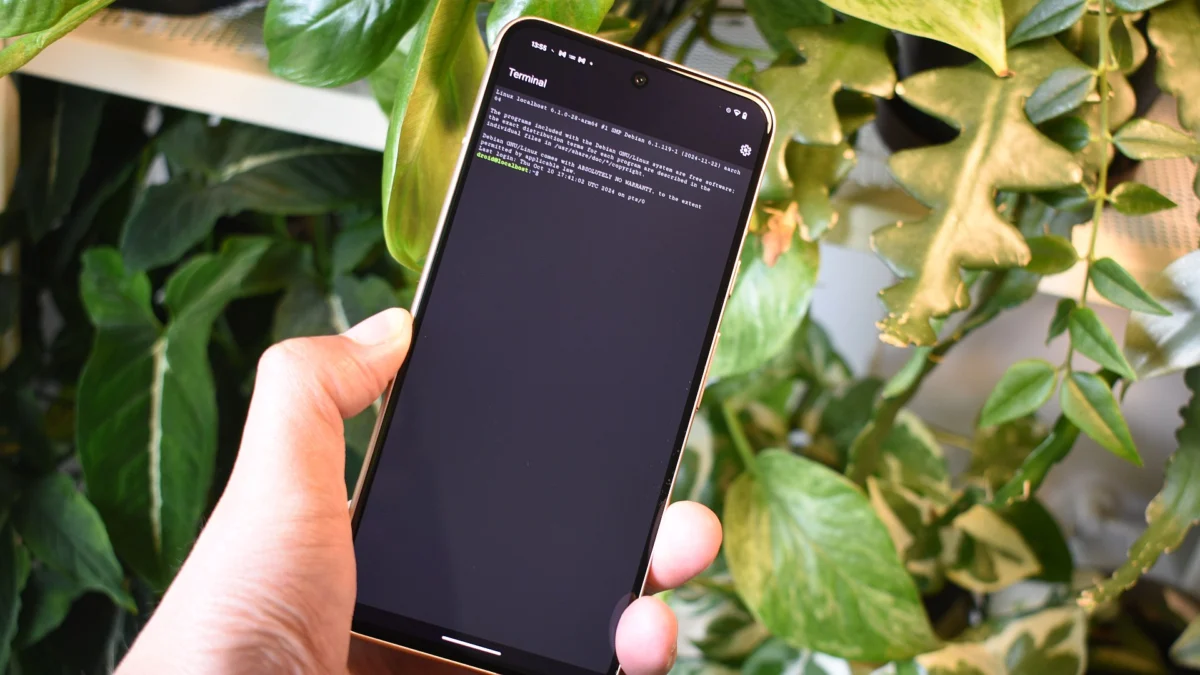
In a significant move that signals Google’s ambition to blur the lines between mobile and desktop computing, the latest iteration of the Android operating system—Android 17—is turning the native Linux Terminal into a powerhouse. With the release of Android 17 QPR1 Beta 6, Google has moved beyond mere experimentation, introducing a suite of productivity-focused features and a refined, modernized interface that suggests the company is preparing to support full-blown Linux desktop applications on its mobile hardware.
For power users, developers, and enthusiasts who have long relied on third-party solutions like Termux or cumbersome workarounds, this shift represents a milestone in the platform’s history. By baking robust terminal support directly into the Android framework, Google is effectively transforming the smartphone and tablet into legitimate development environments.
Main Facts: What’s New in Beta 6?
The arrival of Android 17 QPR1 Beta 6 brings several critical updates to the Linux Terminal, shifting it from a "hobbyist" tool to a highly functional utility. The latest update focuses on three primary pillars: customization, accessibility, and aesthetic refinement.
Custom Keyboard Shortcuts
Perhaps the most requested feature for any terminal interface, custom keyboard shortcuts are now a reality. Users can now map specific commands and navigation tasks to physical keyboard inputs. This is a game-changer for those using tablets with attached keyboards or phones paired with Bluetooth peripherals, significantly reducing the friction involved in multitasking within a CLI (Command Line Interface) environment.
Typographic Customization
Previously restricted to default system fonts, the Terminal now allows users to choose their own typefaces. For developers who spend hours staring at code, the ability to switch to monospace fonts designed specifically for legibility—such as Fira Code or JetBrains Mono—is not just an aesthetic preference; it is an ergonomic necessity.
A Modernized Interface
The visual overhaul is perhaps the most immediately striking change. The Terminal has transitioned toward a cleaner, more spacious design. By removing hard separators and increasing the spacing between menu items on the home screen, Google has successfully decluttered the workspace. The interface now leans heavily into the Material 3 design language, utilizing "Expressive" elements that provide a softer, more rounded, and contemporary feel.
Chronology: The Road to a Native Terminal
The journey toward a native Linux Terminal on Android has been a gradual, calculated process, demonstrating Google’s evolving philosophy regarding the "pro" capabilities of its mobile operating system.
- Early 2024: Google begins testing preliminary terminal functionality within the Android Canary channels. Initial builds were rudimentary, serving primarily as a proof-of-concept for running basic shell commands without root access.
- Mid-2024: As the Android 17 development cycle gained momentum, internal leaks confirmed that the "Terminal" project was being integrated deeper into the kernel-space management of the OS.
- Late 2024 (Early QPR Releases): Early QPR (Quarterly Platform Release) builds introduced basic multi-window support and improved background process management, allowing the terminal to stay active during split-screen usage.
- May 2025 (Android 17 QPR1 Beta 6): The current milestone. The focus shifts from "getting it to run" to "getting it to be usable." The introduction of font customization and shortcuts indicates that the feature is approaching a state of feature-parity with desktop-grade terminal emulators like GNOME Terminal or iTerm2.
Supporting Data: Why This Matters for the Ecosystem
The move to modernize the Linux Terminal is not happening in a vacuum. Industry data suggests a growing trend of "mobile-first development." A recent survey of Android developers indicated that over 40% of respondents utilize their tablets or foldables for light coding tasks, such as managing Git repositories, checking server logs, or performing quick Python script testing.
The technical implications of this update are rooted in how Android manages containerized environments. By leveraging the underlying Linux kernel—which has always powered Android—more efficiently, Google is allowing the Terminal to access system resources with lower latency than ever before.
Furthermore, the "Material Expressive" design changes—evident in the rounded tabs and the expansive color splashes in the main window—suggest that Google intends to keep this tool as a first-party, high-priority app. It is no longer a hidden debug tool; it is a feature intended to sit alongside the Files app and the Settings menu in terms of UI polish.
Official Responses and Strategic Silence
Google has maintained a typically cautious stance regarding the long-term roadmap for the Linux Terminal. While engineers at the company have been vocal in community forums regarding the bug fixes in Beta 6, the overarching strategy remains unstated.
In internal documentation surfaced during the latest APK teardowns, there are consistent references to "Project Container," a framework that appears to handle the virtualization of Linux apps. While Google has not issued a formal press release stating, "Android now runs Linux apps," the code within the Android 17 kernel points directly to a future where users will be able to launch full desktop applications—such as VS Code or GIMP—within a sandboxed environment on their mobile device.
When pressed for comment on the terminal’s development, Google spokespeople have reiterated that their focus remains on "increasing the utility of the Android platform for professional users," stopping short of confirming a full Linux-desktop-on-Android rollout.
Implications: The Desktop-Mobile Convergence
The implications of this update are profound for the mobile hardware industry.
1. The Death of the "Mobile-Only" Limitation
For years, the argument against using Android for work has been its inability to function as a terminal-based dev machine. By providing a native, high-performance terminal, Google effectively eliminates the biggest barrier for web developers and system administrators.
2. Tablet Productivity
Android tablets have long struggled to justify their existence against the iPad or Windows tablets. By integrating a professional-grade Linux Terminal, Google provides a unique selling point: the ability to manage real-world servers and codebases from a thin, light, and battery-efficient tablet.
3. Security and Sandboxing
One of the most important aspects of this implementation is that it remains sandboxed. Unlike traditional Linux distributions where the terminal has broad system access, the Android implementation is constrained by the OS’s permission model. This allows developers to work safely without compromising the security of their primary mobile device.
4. The Future of ChromeOS
The elephant in the room remains ChromeOS. If Android gains the ability to run Linux apps natively with a professional UI, the line between an Android tablet and a Chromebook becomes incredibly thin. Analysts speculate that this development might be the first step in a long-term strategy to eventually merge the underlying foundations of Android and ChromeOS, creating a singular, unified platform for both mobile and desktop computing.
Conclusion
The release of Android 17 QPR1 Beta 6 is more than just a minor update to a utility app; it is a testament to the maturation of the Android operating system. By listening to the needs of developers and power users, Google is ensuring that its platform remains relevant in an era where the distinction between "mobile" and "computer" is rapidly evaporating.
As we look toward the final release of Android 17, the path is clear: Google is building a future where your phone is not just a device for consumption, but a powerful, portable, and highly customizable engine for creation. Whether you are a casual enthusiast looking to learn bash scripting or a professional developer needing a mobile command line, the native Linux Terminal is quickly becoming the standard-bearer for the next generation of mobile computing.
Disclaimer: This report is based on current Android 17 beta builds and APK teardowns. As with all pre-release software, features discussed here are subject to change before the stable public release.











