


For years, the professional life of a social media manager was defined by a frantic, high-stakes game of "tab-switching." Managing 10 active client accounts—each with its own brand voice, specific platform requirements, and reporting cadence—meant toggling between AI writing platforms, scheduling dashboards, design software, and endless email threads for client approvals. This fragmented ecosystem was not just a productivity drain; it was a barrier to scale.
However, as of 2026, the paradigm has shifted. The integration of Model Context Protocol (MCP) connectors and advanced task-automation capabilities within Claude has transformed the AI from a simple writing assistant into a comprehensive, end-to-end autonomous agent. For agencies, this marks the end of the manual handoff era.

The Evolution of AI Agency Workflows: From Chat to Code
When agencies first began experimenting with AI for social media, the experience was siloed. You would prompt an LLM for a caption, copy the text, paste it into a scheduler, and repeat the process. Because the AI lacked persistent memory, managers had to re-brief the model on brand voice at the start of every session. This was "Chat mode"—a helpful tool, but one that ultimately left the workflow fractured.
Today, the capability has evolved into three distinct tiers of operation, allowing agencies to choose the level of autonomy that suits their operational maturity.
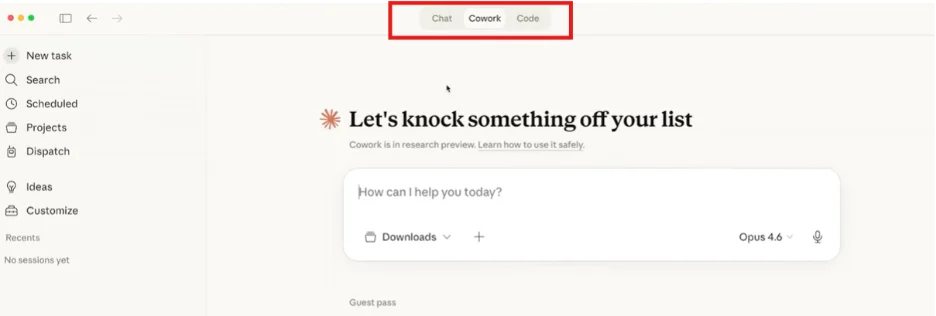
1. Claude Chat: The Foundation
This remains the entry-level tier. It is effective for one-off creative bursts but lacks the connective tissue required for a full-scale agency operation. Because it does not store brand guidelines or persistent history, it remains a tool for creation, not a tool for management.
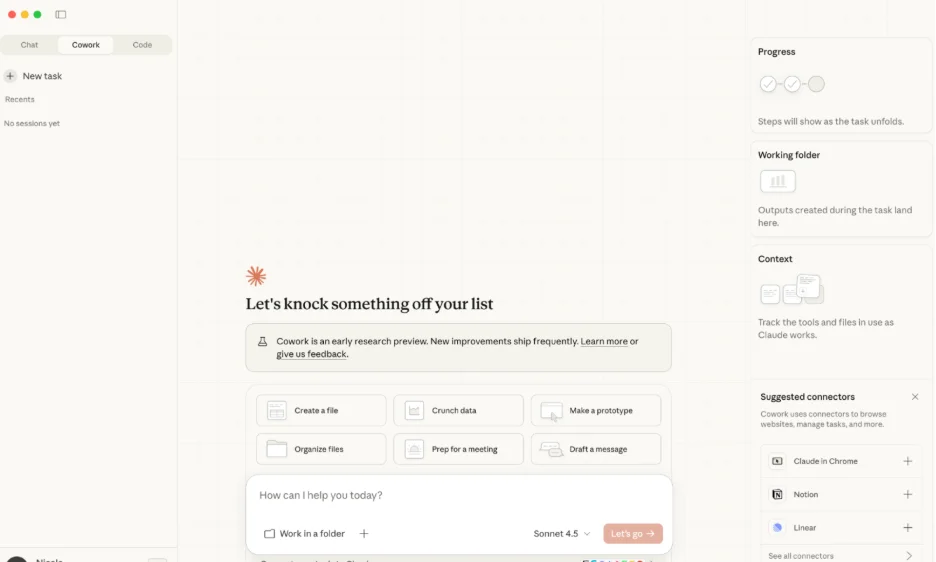
2. Claude Cowork: The Desktop Powerhouse
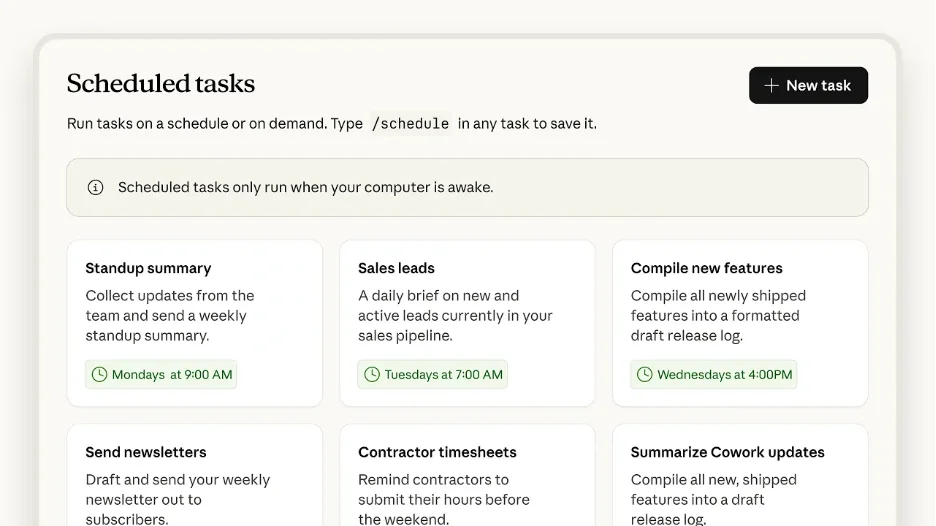
Cowork bridges the gap. By connecting your tools through the MCP interface, you designate a specific working folder on your machine. You can assign "Skills"—saved instruction sets containing client-specific brand voices and formatting rules—to Scheduled Tasks. The result is a system that runs on your local machine, keeping your workflow unified within the Claude Desktop app.
3. Claude Code: The Cloud-Automated Pipeline
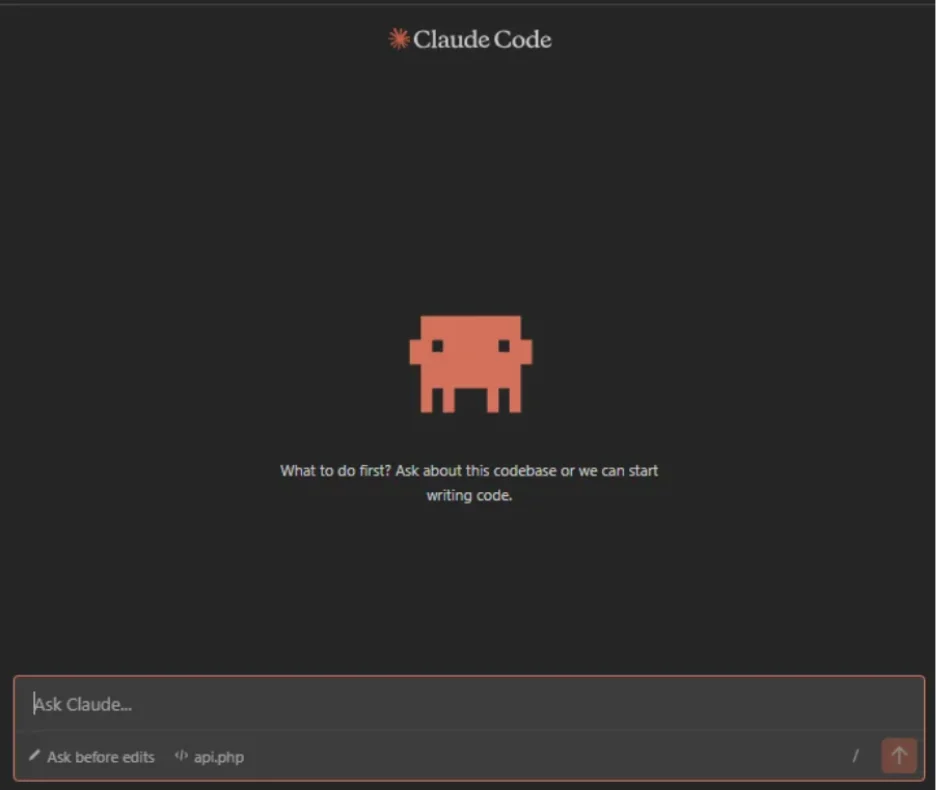
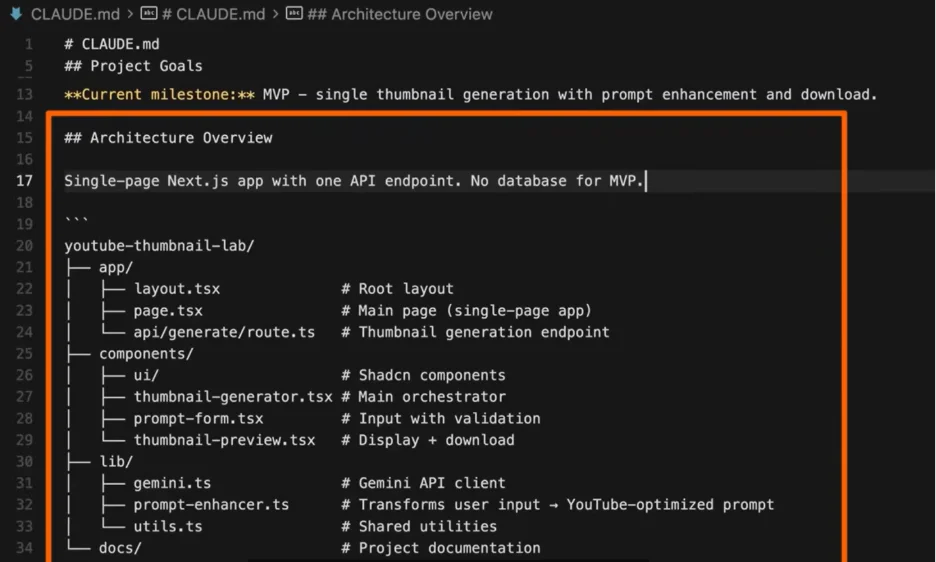
For agencies managing large rosters, Claude Code represents the gold standard. It leverages Anthropic’s cloud infrastructure to run "Routines." Because it operates in the cloud, work continues even when your laptop is closed. It utilizes CLAUDE.md files for persistent, folder-specific instructions, ensuring that the AI has complete, contextual awareness of every client’s requirements without manual intervention.
The Triad of Automation: Connectors, Skills, and Triggers
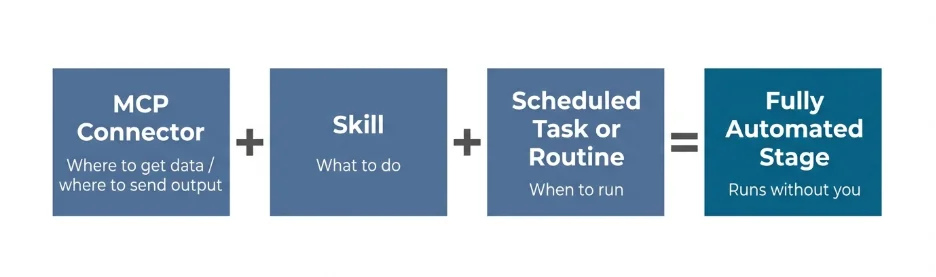
To successfully implement this, agencies must understand the three components that drive every stage of the new social media workflow:
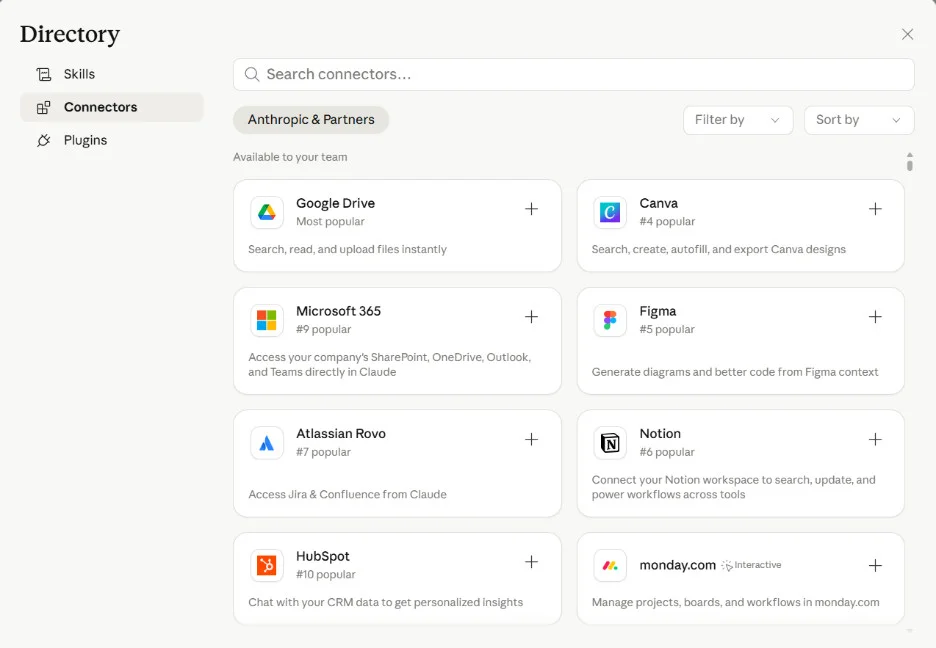
- MCP Connectors: These are the "nervous system" of your automation. By linking Claude directly to platforms like SocialPilot, Canva, Notion, and Apify, you eliminate the need for manual copy-pasting. The MCP connector acts as a bridge, allowing Claude to pull data from your research sources and push finished, scheduled content directly into your publishing pipeline.
- Skills: A Skill is a codified version of your expertise. It contains the client’s niche, tone of voice, and platform-specific formatting rules. By building a Skill once after a successful manual run, you ensure the AI never "forgets" the client’s identity.
- Triggers: These are the operational heartbeats of your agency. Whether it is a "Scheduled Task" in Cowork or a "Routine" in Claude Code, these triggers convert a one-time prompt into a recurring process. They are what allow you to wake up on Monday morning to a full calendar of researched, drafted, and scheduled content.
Setting Up Your Agency Workspace: A Step-by-Step Implementation
Transitioning to this automated model requires a disciplined approach to folder management and configuration.
Establishing the Hierarchy
Both Cowork and Code require a clean, structured directory. Agencies should create a main root folder with subfolders for every individual client. This isolation is critical; it ensures that Claude’s "context window" remains focused on one client’s specific CLAUDE.md file and tool configurations at a time, preventing cross-contamination of brand assets.
Building the "Brain" (The CLAUDE.md File)
Inside each client folder, the CLAUDE.md file serves as the definitive source of truth. This plain-text document should include:
- Brand voice and tone guidelines.
- Platform-specific content pillars.
- Required CTA formats and hashtag strategies.
- Examples of "high-performing" posts from the past.
By keeping this file under 60 lines and updating it iteratively, you provide the AI with a roadmap that improves in accuracy every time a task is executed.
Connecting the Ecosystem
The integration with tools like SocialPilot is the final, vital piece of the puzzle. By connecting the SocialPilot MCP, you enable a seamless flow where research-backed ideas move into drafts, then into scheduled queues, and finally into performance reporting—all without leaving the Claude environment.
Workflow Optimization: Stage-by-Stage Automation
Once the infrastructure is in place, the agency workflow is transformed into a set of automated stages.
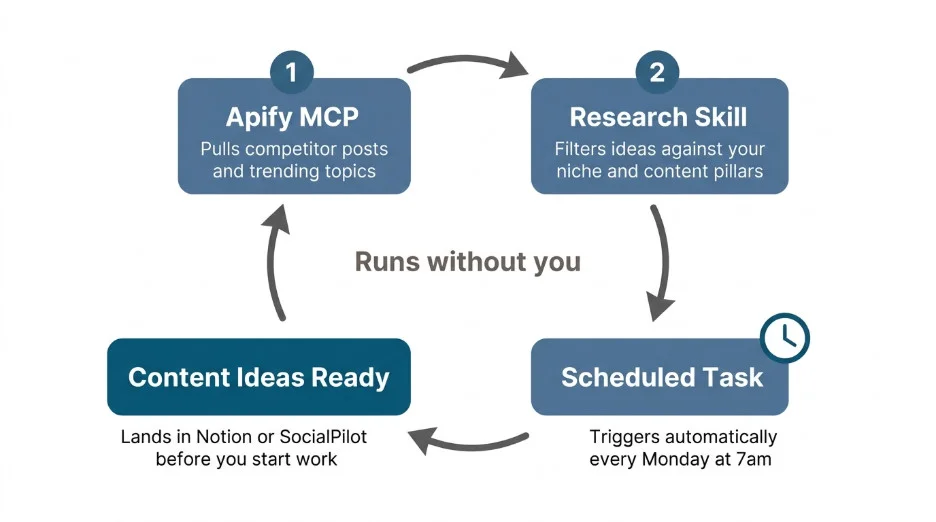
Stage 1: The Research Loop
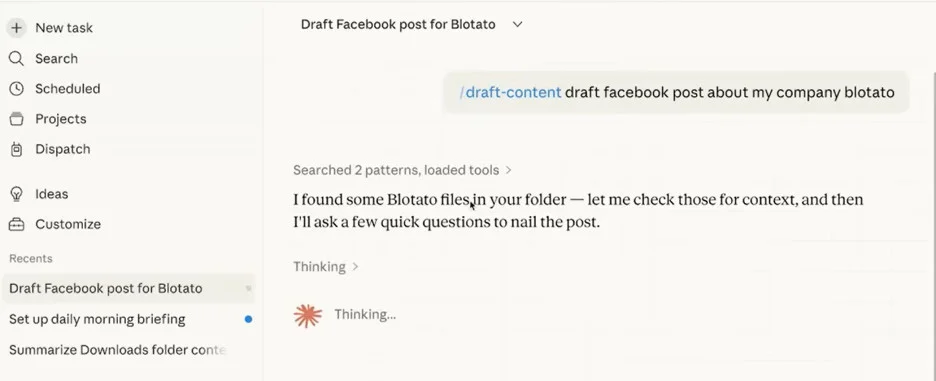
Using an Apify MCP, Claude can pull competitor posts and trending industry topics every Monday morning. The "Research Skill" filters this data through the client’s niche criteria and deposits a structured brief into Notion or SocialPilot. This happens automatically before the manager even logs in.
Stage 2: Content Creation and Visuals
This stage remains "input-triggered." When you provide a source (e.g., a podcast transcript or a blog link), the Content Creator Skill and Visual Content Skill trigger simultaneously. Claude writes the copy and uses the Canva MCP to generate graphics based on your saved templates.
Stage 3: The Analytics Digest
The true measure of a successful agency is the quality of its reporting. With the Analytics Digest Skill, Claude pulls live performance metrics from the SocialPilot MCP every Friday. It formats these metrics into a client-ready, white-label report. The result is a consistent, data-driven update delivered to the client without the typical Friday afternoon reporting crunch.
Implications for Agency Scalability
The shift toward this MCP-driven workflow has profound implications for the industry.
- Reduced Overhead: By automating the "plumbing" of social media management, agencies can reduce the time spent on administrative tasks by up to 70%.
- Higher Consistency: Because the AI operates based on stored Skills and
CLAUDE.mdfiles, the brand voice remains uniform across every platform and every post, eliminating human error in manual copying. - Increased Capacity: With the "Heavy Lifting" of scheduling and research offloaded, account managers can transition into higher-level strategic roles, focusing on creative direction and client relationships rather than data entry.
Official Perspectives: The Role of Integration
Industry experts and platform developers emphasize that the success of this model relies on the depth of the integrations. SocialPilot’s MCP, for instance, is designed specifically for this "Scale-First" approach. By providing Claude with full access to client groups and multi-user approval workflows, the platform ensures that the AI is not just creating content, but participating in a controlled, professional publishing environment.
As we look toward the remainder of 2026, the question for agencies is no longer "should we use AI," but "how efficiently can we integrate our tools." Those who adopt the Claude-MCP-SocialPilot stack are positioning themselves to manage significantly larger client rosters with higher creative output and lower operational friction.
Conclusion
The era of manual, tool-switching social media management is drawing to a close. By leveraging the power of Claude’s MCP connectors, agencies can now build "Content Flywheels" that operate with machine-like precision. Whether it is the weekly research brief, the monthly content calendar, or the Friday analytics report, the automation of these processes allows the human element—strategy, empathy, and creativity—to finally take center stage.
The infrastructure is ready. The connectors are built. The only remaining step is to begin the migration toward a truly autonomous agency workflow.












No comments yet. Be the first to join the conversation!