

In the rapidly evolving digital ecosystem of 2026, the visual integrity of your brand is non-negotiable. As social media platforms continue to refine their algorithms, they prioritize content that is not only engaging but also technically optimized. A high-quality image that appears blurry, improperly cropped, or pixelated due to incorrect dimensions can significantly diminish your brand’s authority.

Navigating the fragmented landscape of social media image requirements can feel like an endless puzzle. However, mastering these specifications is a fundamental component of effective social media management. This guide serves as your comprehensive, 2026-ready resource for optimizing visuals across every major platform, ensuring your content maintains its clarity and impact regardless of the device your audience is using.
The Strategic Importance of Aspect Ratios and Pixels
Why does social media demand so many variations in image size? The answer lies in the diversity of user hardware. A desktop browser displays content horizontally, while mobile devices—which account for the vast majority of social media traffic—require vertical, tall, or square orientations.
Crucially, modern platforms do not simply "stretch" your files to fit; they perform automated crops. This can result in vital text or branding being cut off. By designing with specific "safe zones" and aspect ratios in mind, you ensure that your message remains intact across all devices.
1. Facebook: Navigating Multi-Device Layouts
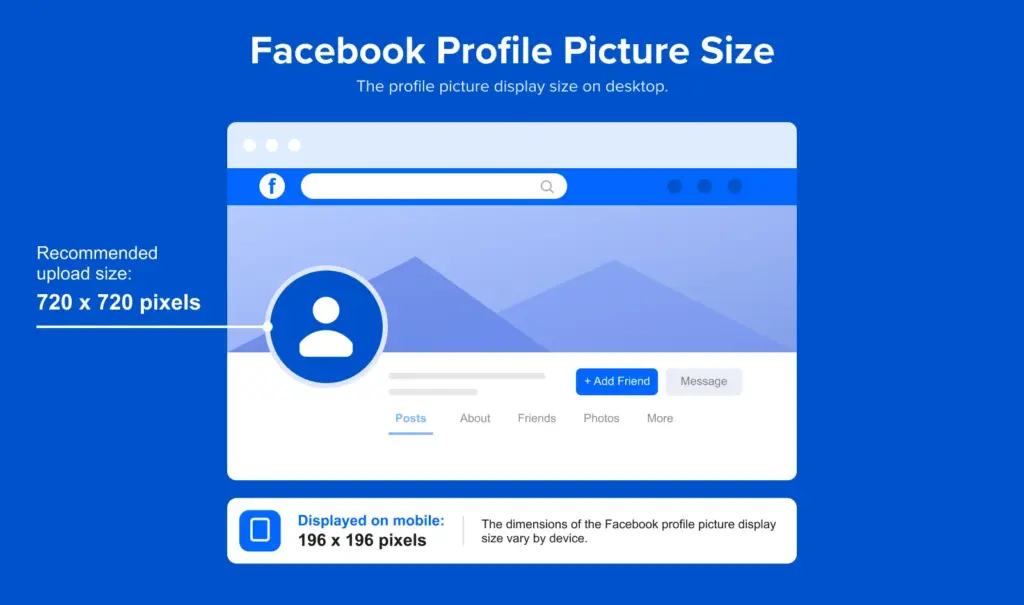
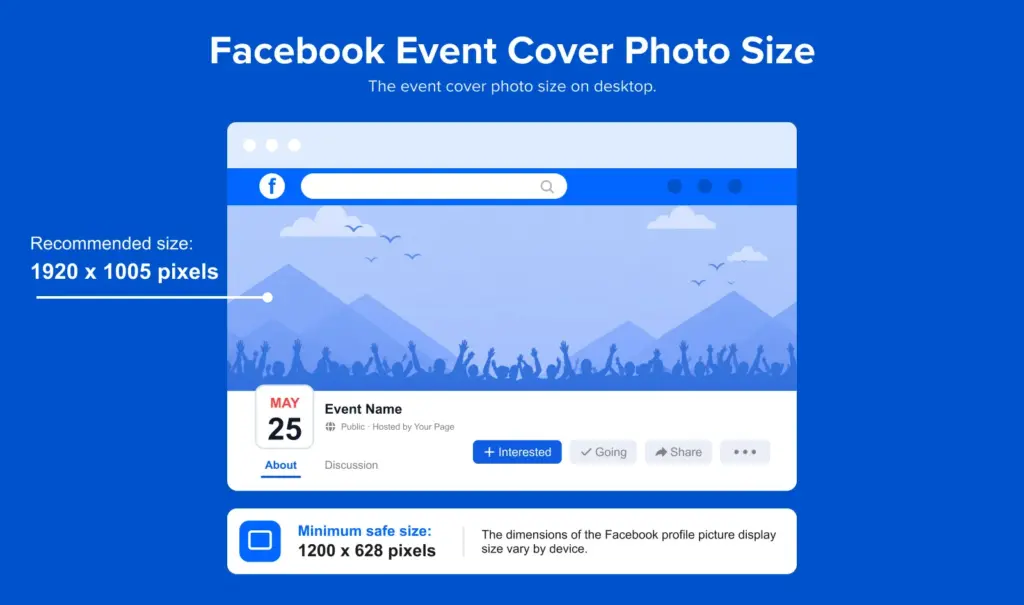
Facebook remains a cornerstone of digital marketing, yet its image requirements are notoriously complex. Because Facebook serves content to both desktop and mobile users, you must prioritize "safe zone" design.
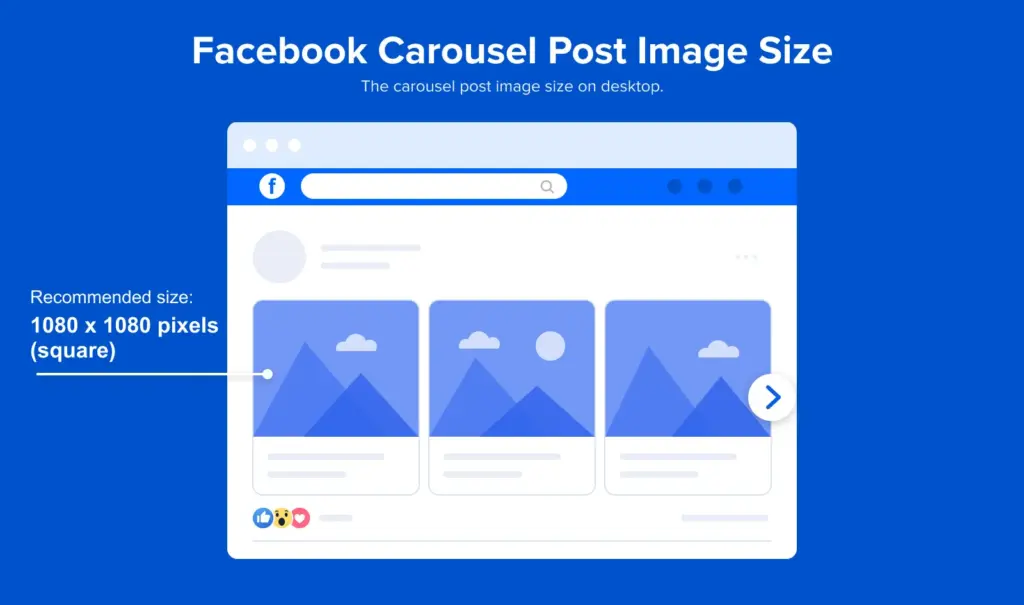
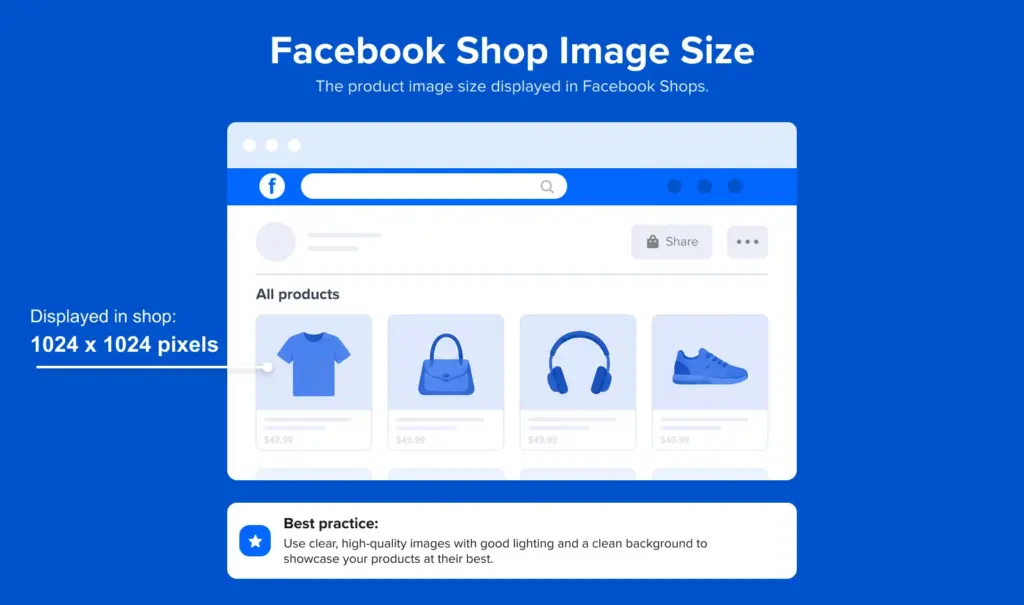
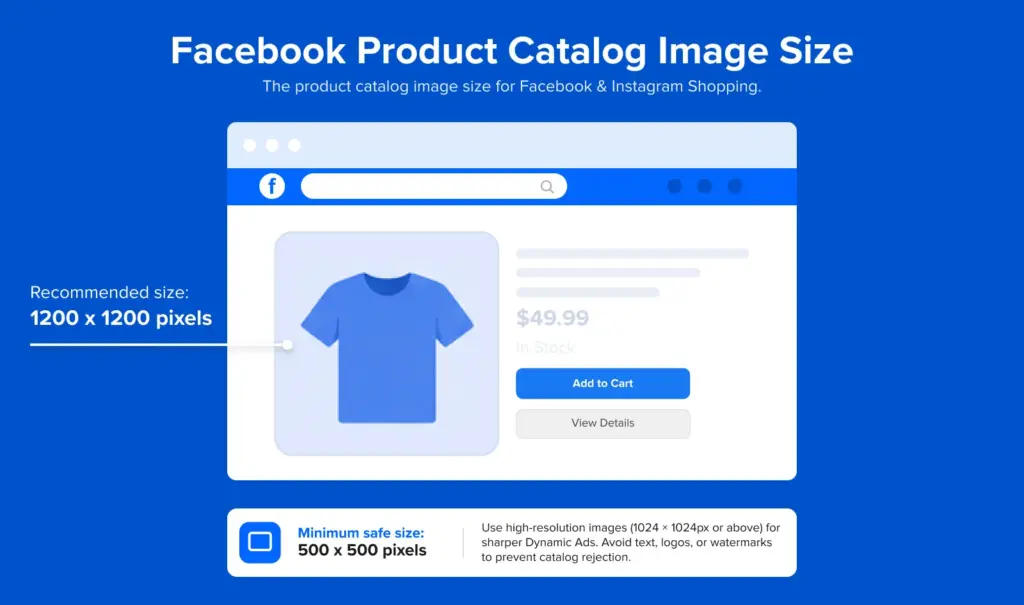
Key Facebook Dimensions:
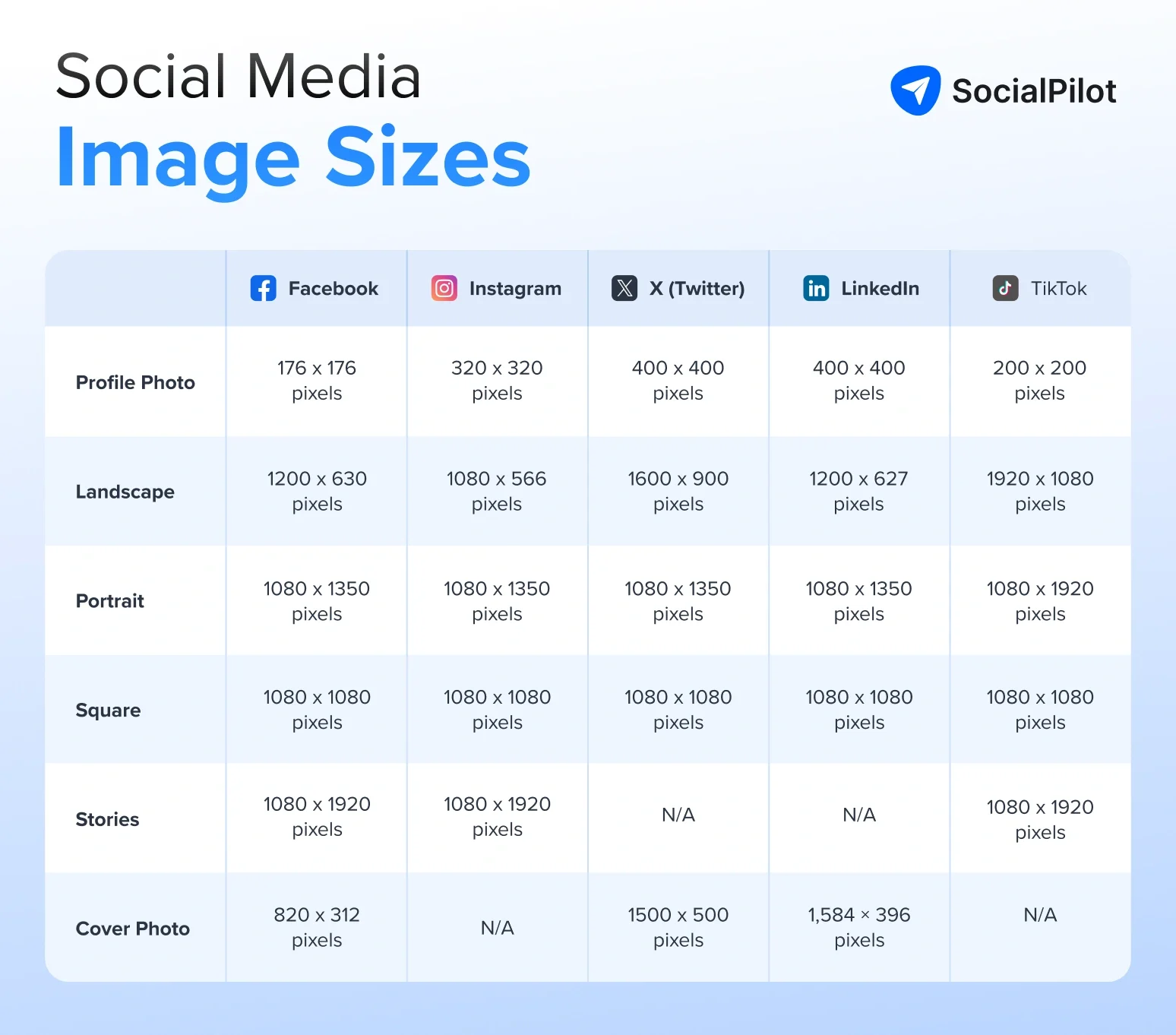
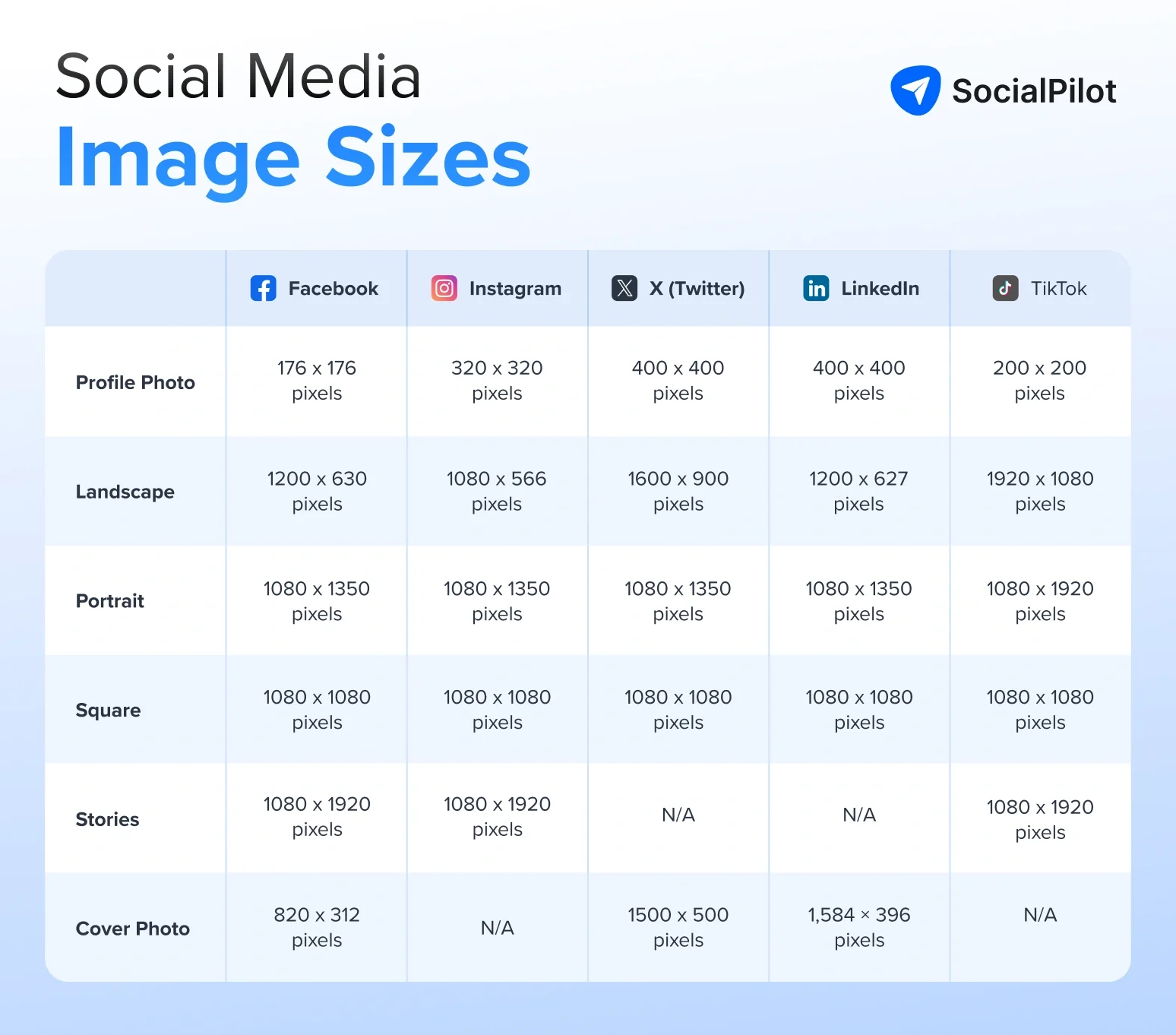
- Profile Picture: 180 x 180 pixels (displays at 170 x 170 on desktop). Always upload at 720 x 720 or higher for sharpness.
- Cover Photo: 851 x 315 pixels (Desktop). Note that mobile devices crop this to 640 x 360.
- Shared Post Image: 1200 x 630 pixels.
- Stories: 1080 x 1920 pixels (9:16 aspect ratio).
Strategic Insight
The Facebook algorithm favors content that generates meaningful interaction. Strategic placement of text in the center of your image—avoiding the edges—ensures that even when Facebook’s mobile crop occurs, your core message remains visible.
2. Instagram: The Era of the 3:4 Grid
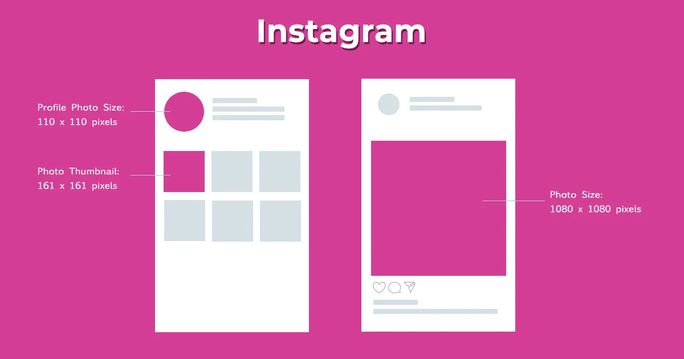
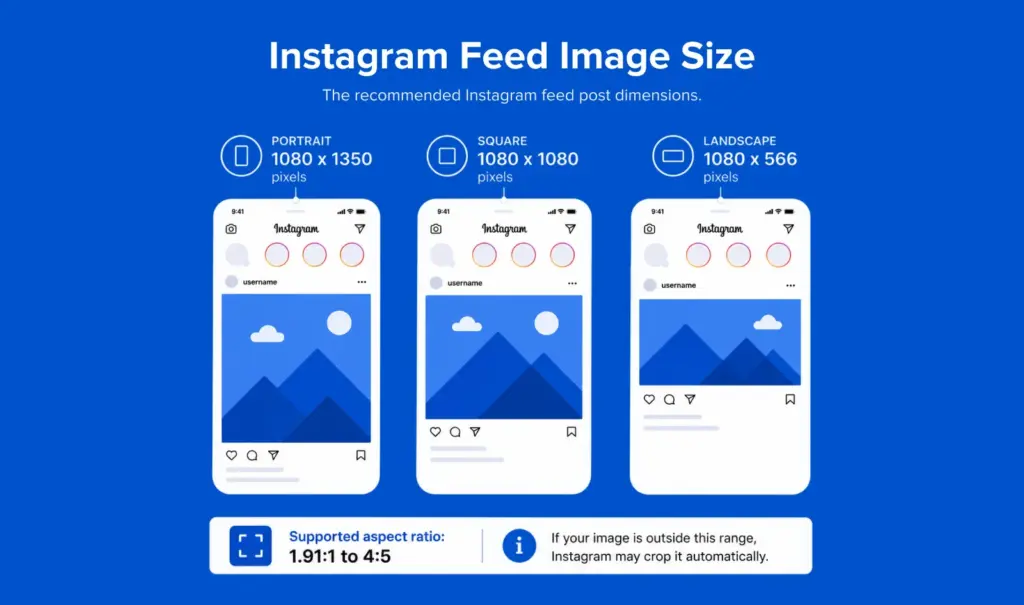
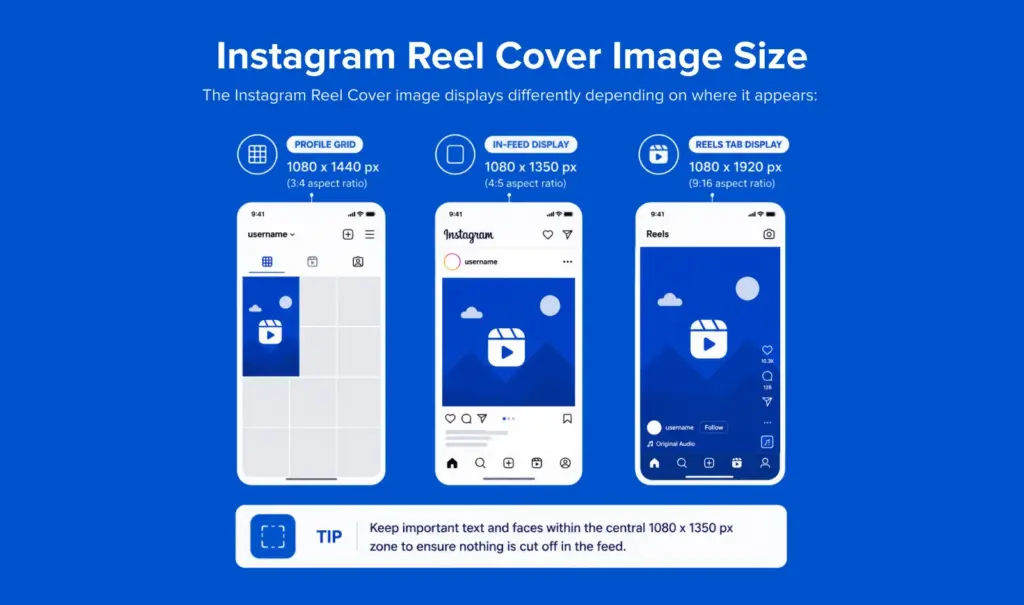
In 2025, Instagram fundamentally shifted its profile grid display from the classic 1:1 square to a 3:4 vertical format. This change has massive implications for content creators.
Essential Instagram Specs:
- Feed Portrait: 1080 x 1350 pixels (4:5 ratio).
- Reel Covers: 1080 x 1920 pixels. While the video plays in 9:16, your cover will be cropped to the grid’s 3:4 ratio.
- Stories: 1080 x 1920 pixels.
The 3:4 Grid Implications
Designers must now keep key visual elements vertically centered. If you are posting a portrait image (4:5), be aware that the top and bottom will be slightly cropped in the new 3:4 profile view. By keeping faces and branding within the middle 80% of the frame, you future-proof your content against further interface changes.
3. X (Twitter): High-Impact Micro-Blogging
On X, brevity is the soul of wit, and visual clarity is the key to stopping the scroll. With the platform’s focus on real-time updates, your header and profile images act as your digital storefront.

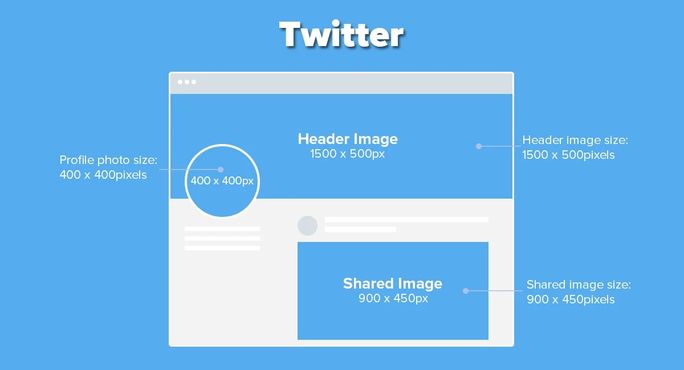
- Profile Picture: 400 x 400 pixels.
- Header Image: 1500 x 500 pixels (3:1 aspect ratio).
- In-Stream Image: 1200 x 675 pixels.
Technical Tip: Always maintain a file size under 5MB for headers to ensure fast loading times, as slow-loading visuals can lead to higher bounce rates from your profile.
4. LinkedIn: The B2B Professional Standard
LinkedIn is the premier network for professional branding and B2B lead generation. Your images here must exude professionalism and corporate stability.
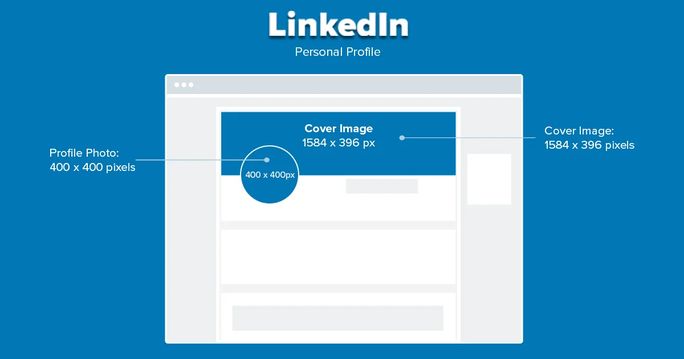
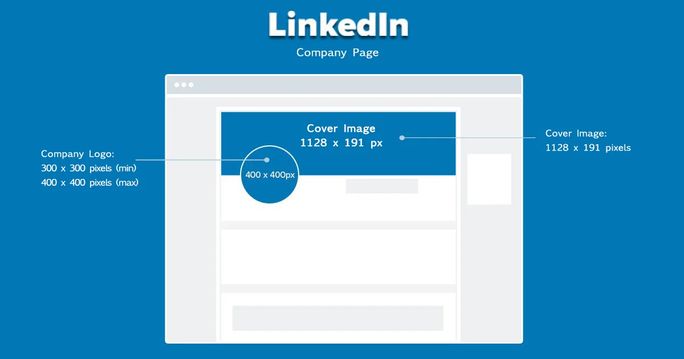
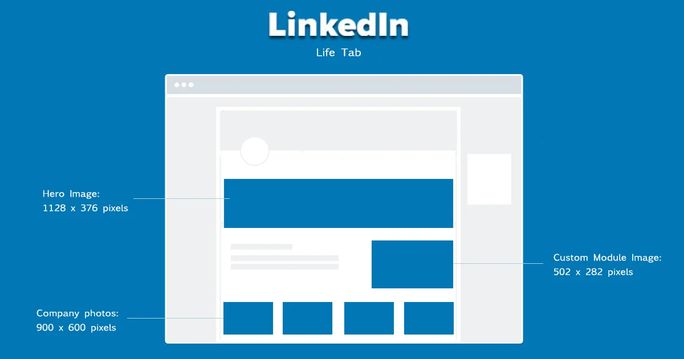
- Company Profile Logo: 300 x 300 pixels.
- Company Banner: 1128 x 191 pixels.
- Shared Link Image: 1200 x 627 pixels.
Strategic Tip: Because LinkedIn displays images in a feed with professional text, use high-contrast images. Avoid overly cluttered graphics that might distract from your value proposition or call-to-action (CTA).
5. TikTok: The Vertical Revolution
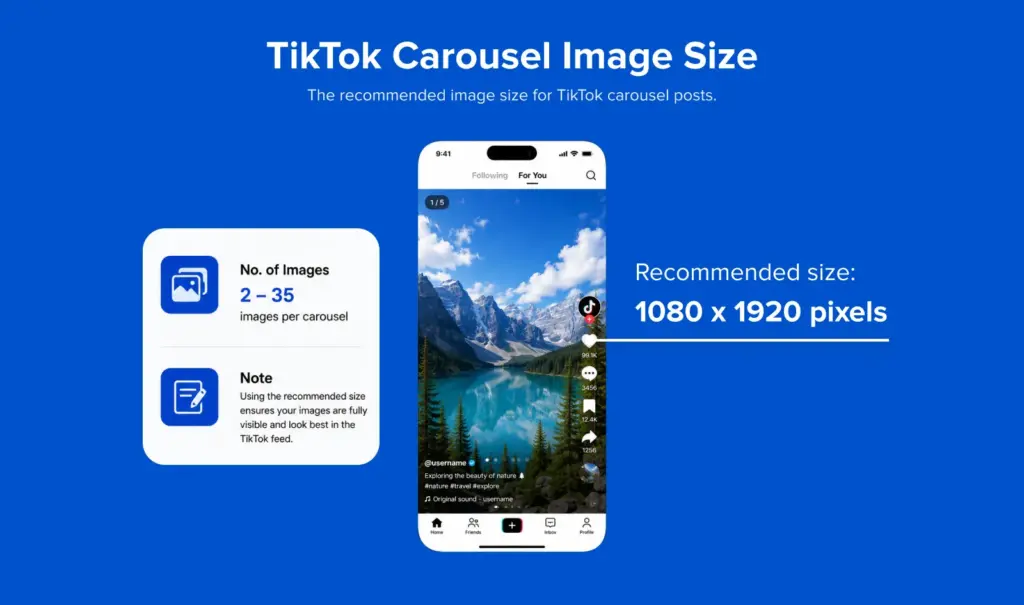
TikTok’s dominance is built on the 9:16 vertical video format. However, its photo carousel feature—which supports up to 35 images per post—has become a potent tool for creators.
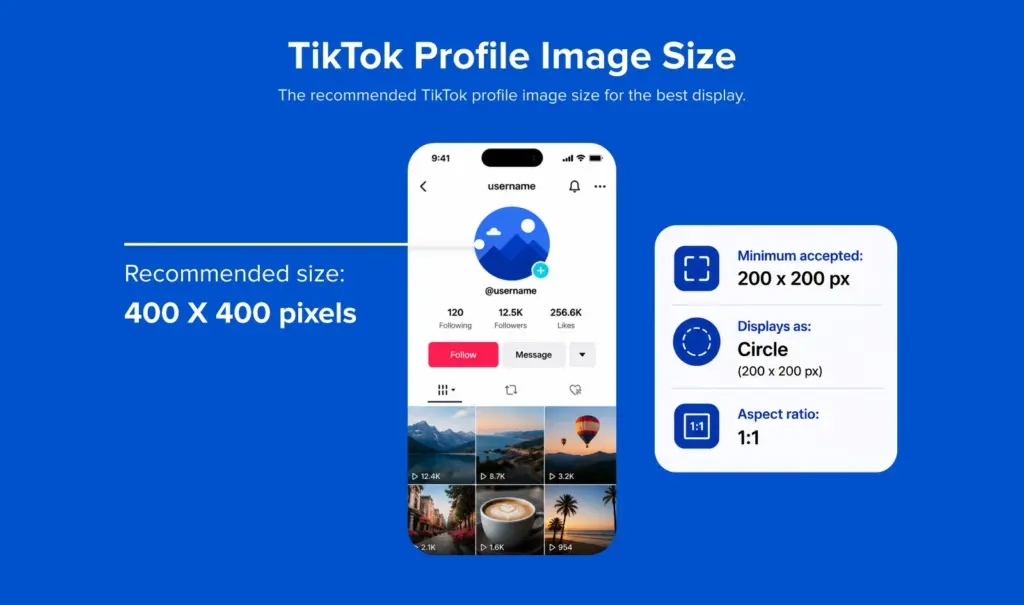
- Profile Picture: 200 x 200 pixels (upload 400 x 400 for better resolution).
- Photo Carousel: 1080 x 1920 pixels.
Optimization: Because TikTok overlays interface elements (like the caption, like button, and sound track) on the right and bottom, keep your critical visuals in the center-left "safe zone" to ensure they aren’t obscured.
6. YouTube: Beyond the Video
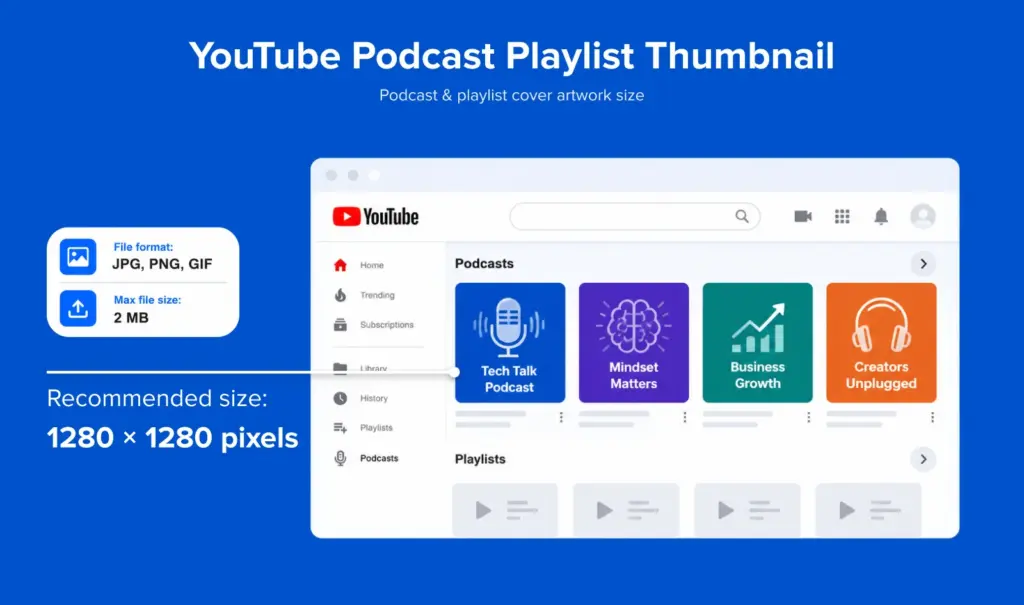
YouTube is the world’s second-largest search engine. While video content is the priority, thumbnails are the primary driver of Click-Through Rate (CTR).
- Channel Banner: 2560 x 1440 pixels.
- Video Thumbnail: 1280 x 720 pixels (16:9 ratio).
- Podcast Playlist Thumbnail: 1080 x 1080 pixels.
Data-Driven Insight: YouTube thumbnails that feature high-contrast colors and readable, bold typography typically see a 15–20% higher CTR than those with complex, photographic-heavy compositions.

7. Pinterest: Driving Referral Traffic
Pinterest is not just a social network; it is a visual discovery engine. It is arguably the most demanding platform regarding aspect ratios.
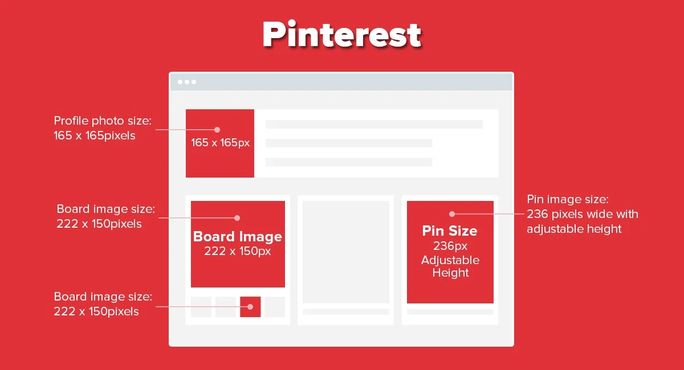
- Pins: 1000 x 1500 pixels (2:3 aspect ratio).
- Profile Picture: 165 x 165 pixels.
Strategic Tip: Vertical pins dominate the Pinterest feed. Square or horizontal images will be "lost" in the feed’s masonry layout, receiving significantly lower engagement.
8. Emerging Platforms: Threads and Bluesky
As social media decentralizes, platforms like Threads and Bluesky have gained traction.

- Threads: Uses a 1:1 or 4:5 ratio for images. It pulls metadata from your website’s Open Graph tags for link previews. Ensure your
og:imagetags are set to 1200 x 630 pixels. - Bluesky: Supports 1500 x 500 for headers and 400 x 400 for profiles. It is highly optimized for crisp image rendering, so you can upload high-quality PNGs without fear of excessive compression.
Technical Optimization: The Secret Sauce
Even if you have the perfect dimensions, the file format and compression rate will dictate the final result.
- JPG vs. PNG: Use PNG for logos, text-heavy graphics, or images requiring transparent backgrounds. Use JPG for high-resolution photography to maintain quality while keeping the file size manageable.
- Compression: Tools like TinyPNG or Squoosh can reduce file size without a perceptible loss in quality. This is vital for mobile users with slower connections.
- The "SocialPilot" Advantage: As platforms frequently update their specs, manual editing becomes inefficient. Using an integrated management tool like SocialPilot allows you to automatically optimize and crop images for specific platforms within the scheduling workflow. This eliminates the risk of "awkward crops" and ensures that your content is always compliant with the latest platform requirements.
Conclusion: Future-Proofing Your Visual Strategy
The landscape of 2026 is defined by high-definition, vertical-first content. As we look toward the future of digital marketing, the trend is moving away from static pixel-counting toward flexible, responsive design. By adhering to the golden ratios—1:1, 4:5, and 9:16—you create a library of content that is inherently adaptable to whatever UI updates the platforms roll out next.
Remember: Dimensions provide the structure, but the content provides the value. Use this guide to ensure your technical foundation is perfect, then focus your creative energy on crafting stories that resonate with your audience. Consistent, high-quality, and properly sized visuals are the surest way to signal professionalism, build brand trust, and ultimately, drive engagement in a crowded digital space.












No comments yet. Be the first to join the conversation!