

For years, the smartphone industry has been locked in a rigid dichotomy: the "slab" phone, optimized for singular, focused tasks, and the foldable, designed for power users who demand PC-like multitasking. For those who prefer the ergonomics of a standard handset, the software experience has historically been a game of attrition—constantly opening, closing, and cycling through the recent apps menu.
However, with the arrival of the Android 17 beta, Google is bridging this gap. By introducing a highly refined "App Bubbles" feature, the company is fundamentally altering how we interact with our devices. By allowing users to anchor their most essential applications in floating, accessible windows, Android 17 is transforming the "slab" smartphone from a static tool into a dynamic multitasking hub that mimics the fluidity of human thought.
The Evolution of the Android Multitasking Paradigm
To understand why the Android 17 update is such a significant departure, one must look at the trajectory of mobile software design. Since the early days of Android, multitasking was largely a linear, vertical process. You engaged with one app, swiped up to the recent apps carousel, and selected another. While effective, it was inherently disruptive to a user’s "flow state."
Transitioning from a powerhouse device like the Samsung Galaxy Z Fold 7—which utilizes a vast, tablet-sized canvas to host multiple windows simultaneously—back to a standard device like the Google Pixel 10a initially felt like a step backward in efficiency. The limitation wasn’t the hardware, but the user interface’s inability to keep pace with the user’s cognitive demands.
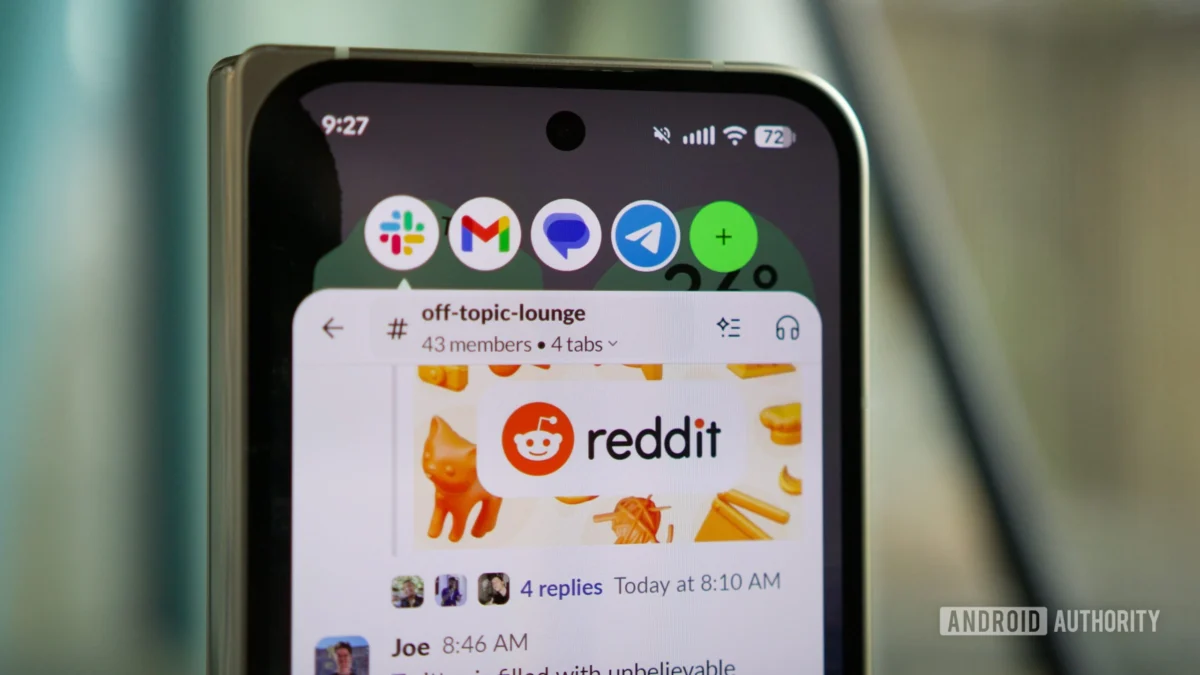
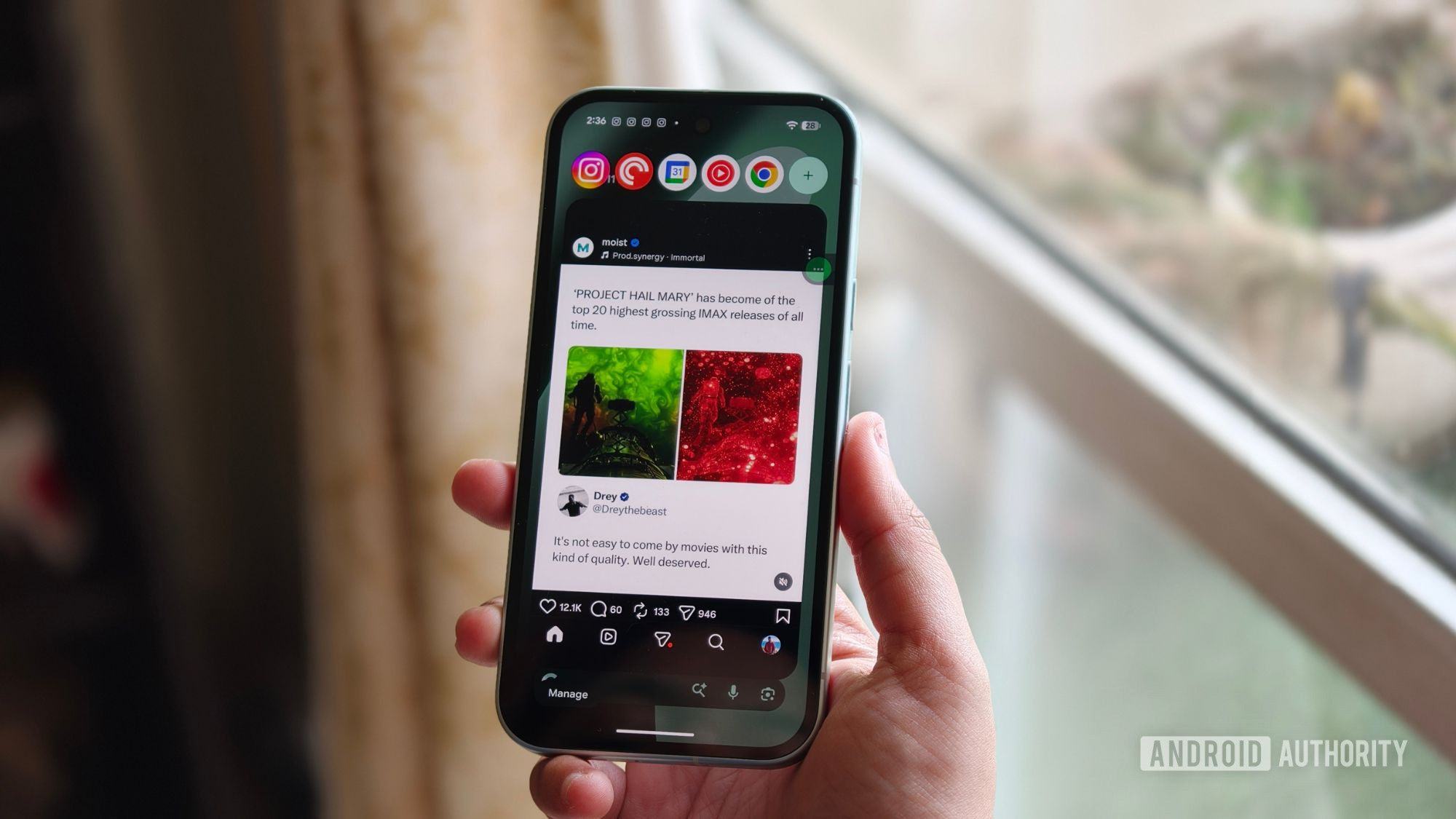
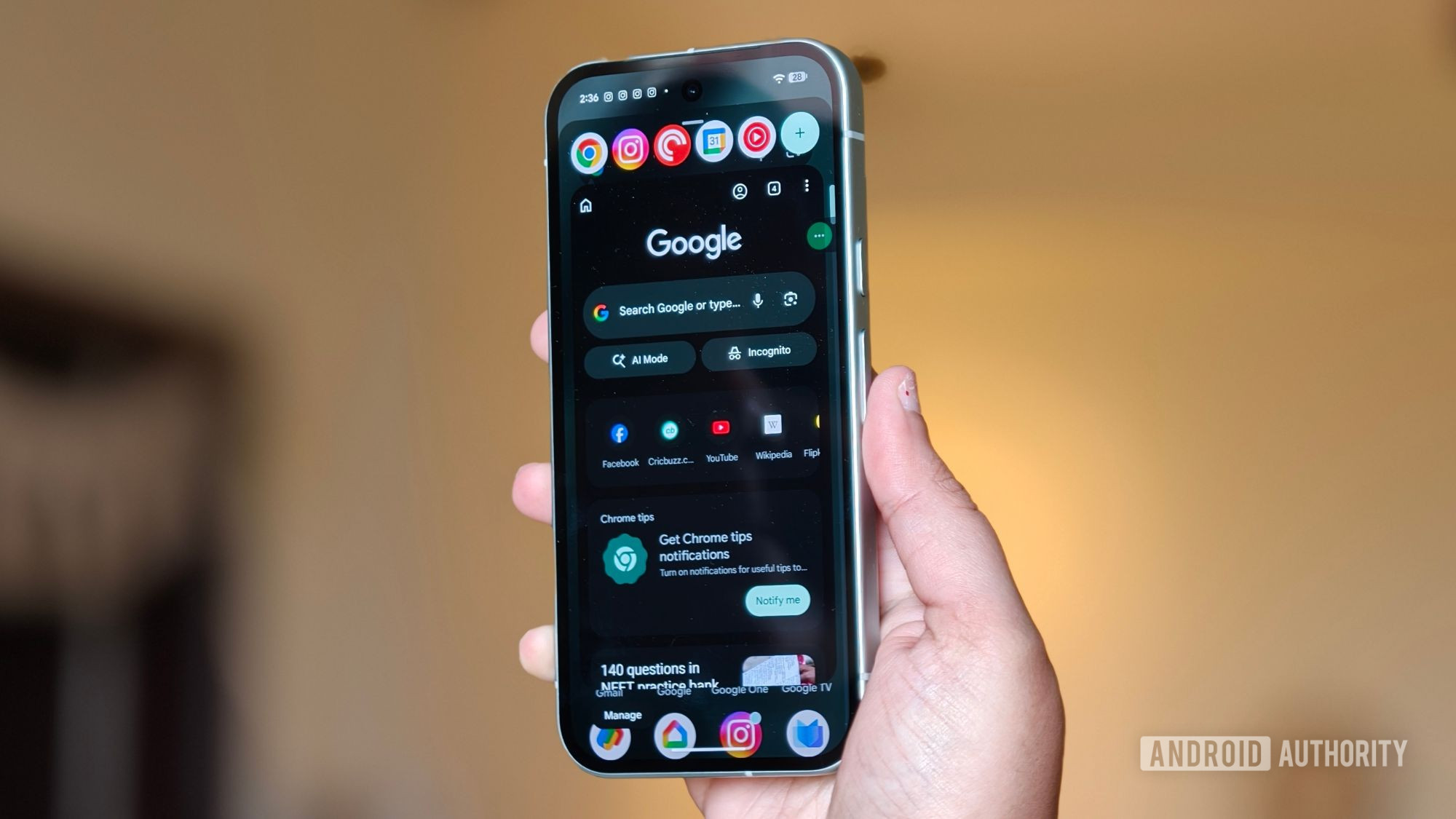
Android 17, currently in its beta phase, addresses this by decentralizing the application experience. The new bubble feature allows for a non-linear approach to app interaction. Instead of closing an app to check another, users can pin up to five applications in a persistent, floating state. This seemingly simple design choice has massive implications for how we manage our digital lives, effectively putting "foldable-style" multitasking into the palm of every Android user.
A Chronology of the Android 17 Beta Experience
The journey toward this feature began with early whispers of memory management optimizations and improved location transparency in the Android 17 roadmap. However, as the beta progressed through its development cycles, the focus shifted toward user-interface ergonomics.
- Phase 1 (Initial Release): The early beta focused on backend stability and granular privacy controls. Users noted subtle shifts in how background processes were handled, suggesting that Google was preparing the system to support more complex, persistent foreground activities.
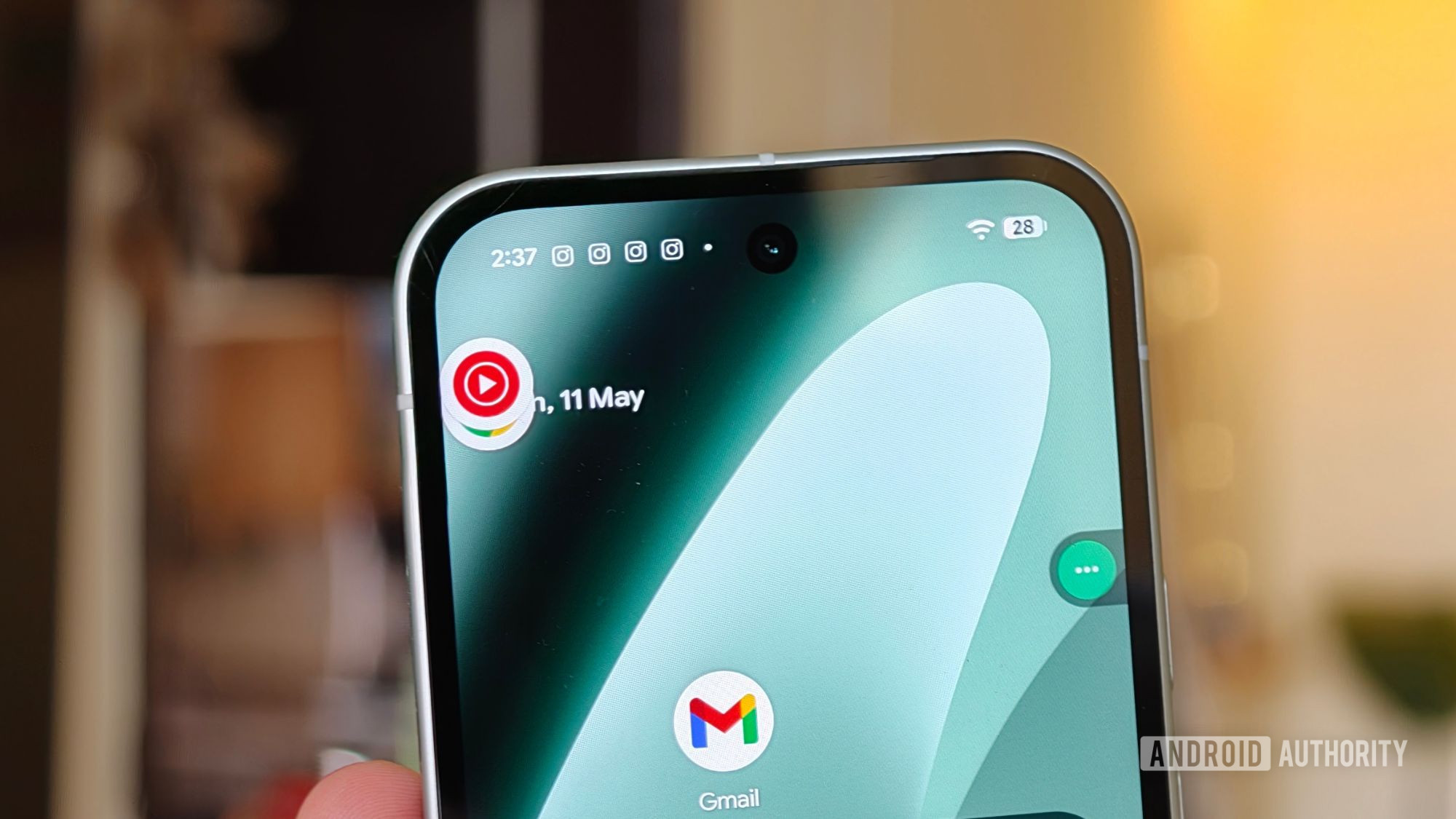
- Phase 2 (Beta 3): This was the turning point. The introduction of the enhanced bubble interface allowed users to pin apps to the periphery of the screen. The community quickly realized that these weren’t just for chat heads; they were full-fledged, interactive windows.
- Phase 3 (Current Iteration): The system has now reached a level of polish where the UI transitions—the way a bubble expands into a functional window and snaps back into a dormant state—feel native and unobtrusive. The system’s ability to manage five active instances without crashing or overheating on mid-range hardware like the Pixel 10a has been a testament to the efficiency of the underlying OS.
Supporting Data: The Anatomy of a Modern Workflow
The efficacy of the Android 17 bubbles is best viewed through the lens of daily usage patterns. In testing, a typical user workflow—comprised of Instagram, WhatsApp, Chrome, Slack, and YouTube Music—reveals a significant reduction in "input friction."
Reducing Cognitive Load
By keeping these five apps in a persistent state, the user bypasses the traditional "App Drawer" search time. Studies on mobile productivity suggest that every transition between apps—the act of navigating away from a primary task to check a notification—creates a "switching cost." By eliminating the need to fully exit an application, Android 17 lowers this cost.
Performance Metrics on Mid-Range Hardware
One of the most impressive aspects of this feature is its scalability. Using the Pixel 10a, which runs on the Tensor G4 chipset, testers found that the system handles these floating windows with remarkable grace. Battery drain, often a concern with persistent background activities, has been kept to a minimum through aggressive resource throttling on inactive bubbles. The system intelligently pauses non-active windows, ensuring that memory usage does not spike while the user is focused on a primary task.
Official Stance and Technical Implications
While Google has remained characteristically understated in its official documentation, the move toward "decoupled" app interfaces is widely seen as an attempt to harmonize the Android experience across form factors.
In recent developer documentation, Google emphasized that the "Bubble API" has been overhauled to allow developers to create more responsive, compact versions of their applications. The goal is to move away from "full-screen-or-nothing" design. By encouraging developers to think about how their apps function in a smaller, floating window, Google is essentially preparing the ecosystem for a future where mobile hardware is increasingly varied.
"We are looking to empower the user," a source close to the Android development team noted. "The goal is to move the operating system toward an environment where the user’s intent is the primary driver of screen layout, rather than the developer’s forced orientation."
Implications for the Future of Mobile Computing
The long-term implications of this update are profound. If the average user can comfortably manage five concurrent apps on a 6.3-inch screen, the argument for larger, more cumbersome devices begins to lose its weight. This shift suggests a future where software excellence compensates for hardware limitations.
1. The Productivity Shift
For "productivity superheroes," as they are often dubbed, this feature is a game-changer. Being able to keep Gmail, Docs, and Slack in a permanent, tap-to-access state means that a smartphone is no longer just a "consumption" device—it is a legitimate, agile workstation.
2. The Psychology of "Unbalanced Balance"
Perhaps the most interesting outcome is the psychological effect on the user. By having work apps (Slack) sitting alongside distraction apps (Instagram, YouTube Music), the user is forced to confront their digital habits. The "bubble" acts as a persistent reminder of what is currently open. While some might argue this increases distraction, it also grants the user a higher degree of agency. You are no longer "trapped" in one app; you are actively moving between a collection of them.
3. Hardware Longevity
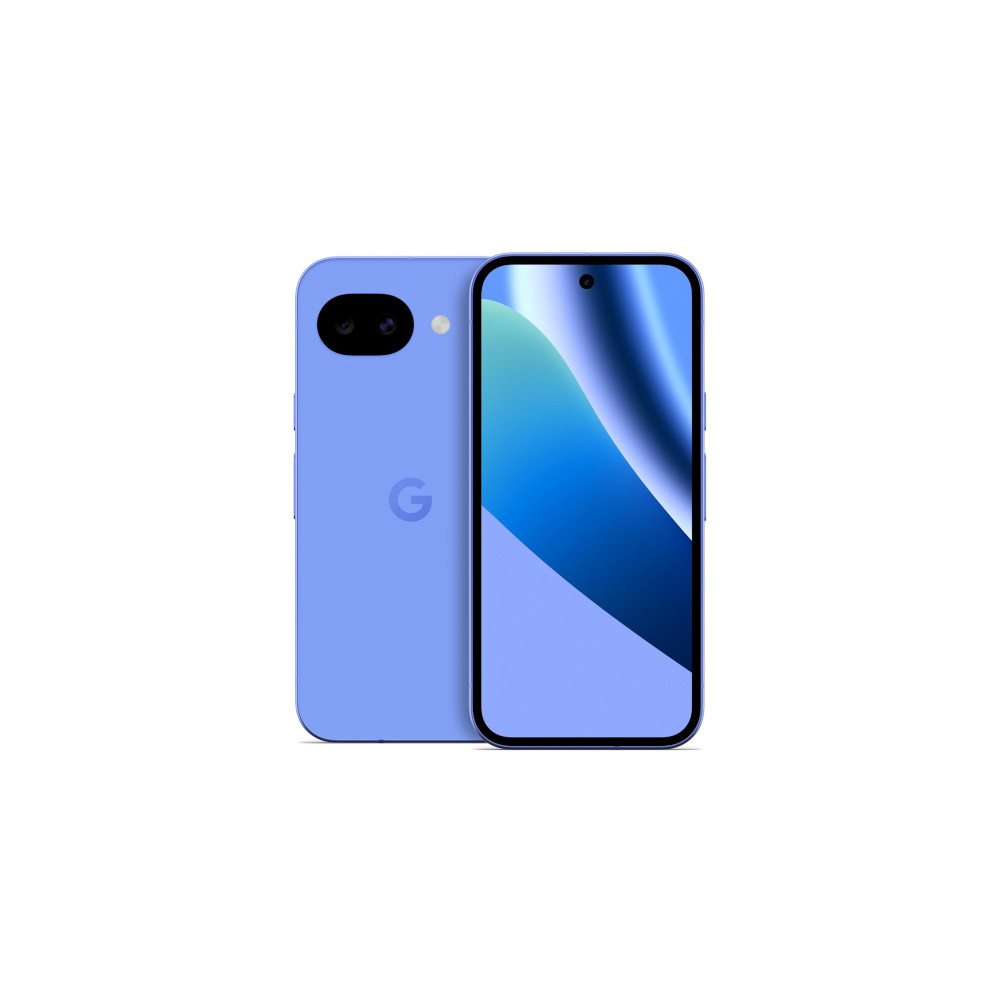
For consumers, this is a massive win for device longevity. A phone that handles multitasking efficiently is a phone that feels "new" for longer. As we see with the Pixel 10a, the ability to integrate advanced software features into mid-tier hardware means that high-end productivity is no longer gated behind a $1,200 price tag.
Conclusion: A New Standard for the Slab
The Android 17 beta has provided more than just a list of features; it has provided a new philosophy. By allowing the interface to adapt to the user’s brain—which rarely focuses on a single thing for more than a few minutes—Google has successfully humanized the mobile experience.
The "App Bubbles" feature is a testament to the idea that the most effective innovation isn’t always a new sensor or a faster processor. Sometimes, it is simply a better way to look at the tools we already have. As the industry moves toward a broader release of Android 17, it is clear that the "slab" phone is not dead; it has simply evolved. It has become a smarter, more fluid, and significantly more capable device, perfectly suited to the chaotic, multitasking rhythm of modern life.












No comments yet. Be the first to join the conversation!