Lina Hope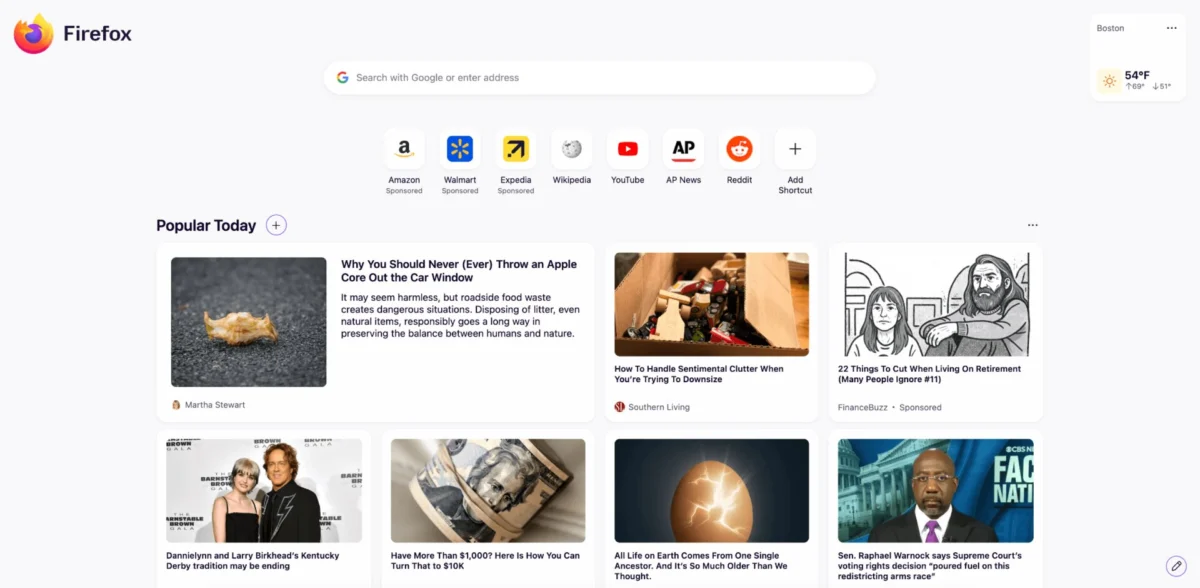
Mozilla has officially released Firefox 151, a significant update that balances a modernized user interface with deep-level security enhancements. This release marks a pivotal moment for the browser, as it transitions from a traditional web navigation tool into a more holistic, privacy-centric workspace. By integrating advanced anti-fingerprinting measures, streamlining PDF management, and tightening security across all supported platforms, Mozilla is positioning Firefox to compete more aggressively in an increasingly privacy-conscious digital landscape.
Main Facts: A Comprehensive Update Overview
Firefox 151 is not merely a routine maintenance update; it represents a functional expansion of the browser’s capabilities. Key highlights of this release include:
- Refreshed Interface: A modernized start page featuring new customization options, laying the groundwork for future widget-based functionalities.
- Enhanced Privacy Controls: A one-click mechanism to purge private browsing sessions without the need to close browser windows.
- Advanced Anti-Fingerprinting: Standardized protection against tracking techniques, with performance gains of up to 49% on macOS.
- Native PDF Integration: The introduction of built-in tools to merge multiple PDF documents directly within the browser environment.
- VPN Flexibility: Granular control over VPN server locations, allowing users to manually select regions or optimize for the fastest connection.
- Critical Security Patching: Remediation of over 30 vulnerabilities, including six classified as high-risk.
Chronology: The Evolution of Firefox’s Modernization
The release of Firefox 151 follows a deliberate development roadmap that has spanned several months. Starting with the version 150 release, Mozilla focused heavily on infrastructure, specifically optimizing profile management for Windows users.
From 150 to 151
In the previous iteration (v150), the development team laid the technical foundation for cross-platform data synchronization. With the rollout of 151, this capability has been extended to Linux environments, ensuring that power users who operate on multiple operating systems can maintain a seamless, unified profile experience. This consistency is vital for Mozilla’s strategy of retaining long-term power users who increasingly juggle mixed-OS workflows between personal and professional environments.
The Security Lifecycle
The patching process for this release was conducted in parallel with the Extended Support Release (ESR) cycles. By synchronizing the security audit of 151 with the release of versions 140.11.0 and 115.36.0, Mozilla has demonstrated a proactive approach to ecosystem stability, ensuring that both bleeding-edge adopters and enterprise-grade users are shielded from the same critical exploits.
Supporting Data: Why Privacy Matters in 151
The core of the Firefox 151 update is its robust defense against "Fingerprinting"—a sophisticated tracking technique where websites collect unique configuration data about a user’s device to create a persistent digital ID.
The Performance of Protection
Mozilla’s internal metrics reveal the effectiveness of their new tracking safeguards:
- General Improvement: On average, the new anti-fingerprinting logic reduces a user’s unique identifiers by approximately 14%.
- The macOS Advantage: Due to the specific way macOS handles hardware and software metadata, Firefox 151 provides a massive 49% reduction in potential device identification, making Mac users significantly harder to "tag" by advertising networks.
This is a technical achievement that places Firefox ahead of many Chromium-based competitors, which often face conflicts of interest when it comes to blocking third-party advertising trackers.
Official Responses and Strategic Implications
Mozilla’s philosophy regarding this update is clear: the browser must act as the primary barrier between the user and an increasingly invasive web.
Empowerment through "Private Session" Controls
One of the most user-centric changes is the "End Private Session" button. Previously, users had to close their private windows to ensure that cookies, history, and cache were purged. By integrating this function directly into the UI, Mozilla is lowering the barrier for casual users to adopt safer browsing habits.
"We are moving toward a browser that understands the user’s need for fluidity," stated a representative from the development team. "The ability to instantly wipe a session and start fresh, without interrupting the flow of work, is a key component of our privacy-first design language."
The Death of Third-Party PDF Software
By allowing users to merge PDF documents natively, Firefox is effectively challenging the need for external, often subscription-based, document management tools. This move is indicative of Mozilla’s long-term strategy to reduce the "plugin bloat" that has historically plagued browsers, keeping the core experience fast, lean, and secure.
Security Implications: Why Immediate Action is Required
The most critical aspect of the 151 release is the remediation of more than 30 security vulnerabilities. Among these, six are rated as "Critical," meaning they could potentially be exploited by malicious actors to execute arbitrary code or bypass the browser’s internal security sandbox.
The Risks
- Sandbox Escapes: These vulnerabilities, if unpatched, could allow a malicious website to bypass the browser’s security walls and interact with the underlying operating system.
- Memory Management: The patch addresses several "Integer Overflows" and "Use-After-Free" errors. These memory-related bugs are the most common entry points for sophisticated exploits that aim to hijack system resources.
The ESR Responsibility
It is worth noting that Mozilla has simultaneously released updates for the ESR (Extended Support Release) branches. This highlights the severity of the flaws; even in environments where performance and stability take precedence over new features, the security updates were deemed too critical to delay. Organizations relying on Firefox 140 or 115 are urged to update their deployment configurations immediately.
The Future: Widgets and Beyond
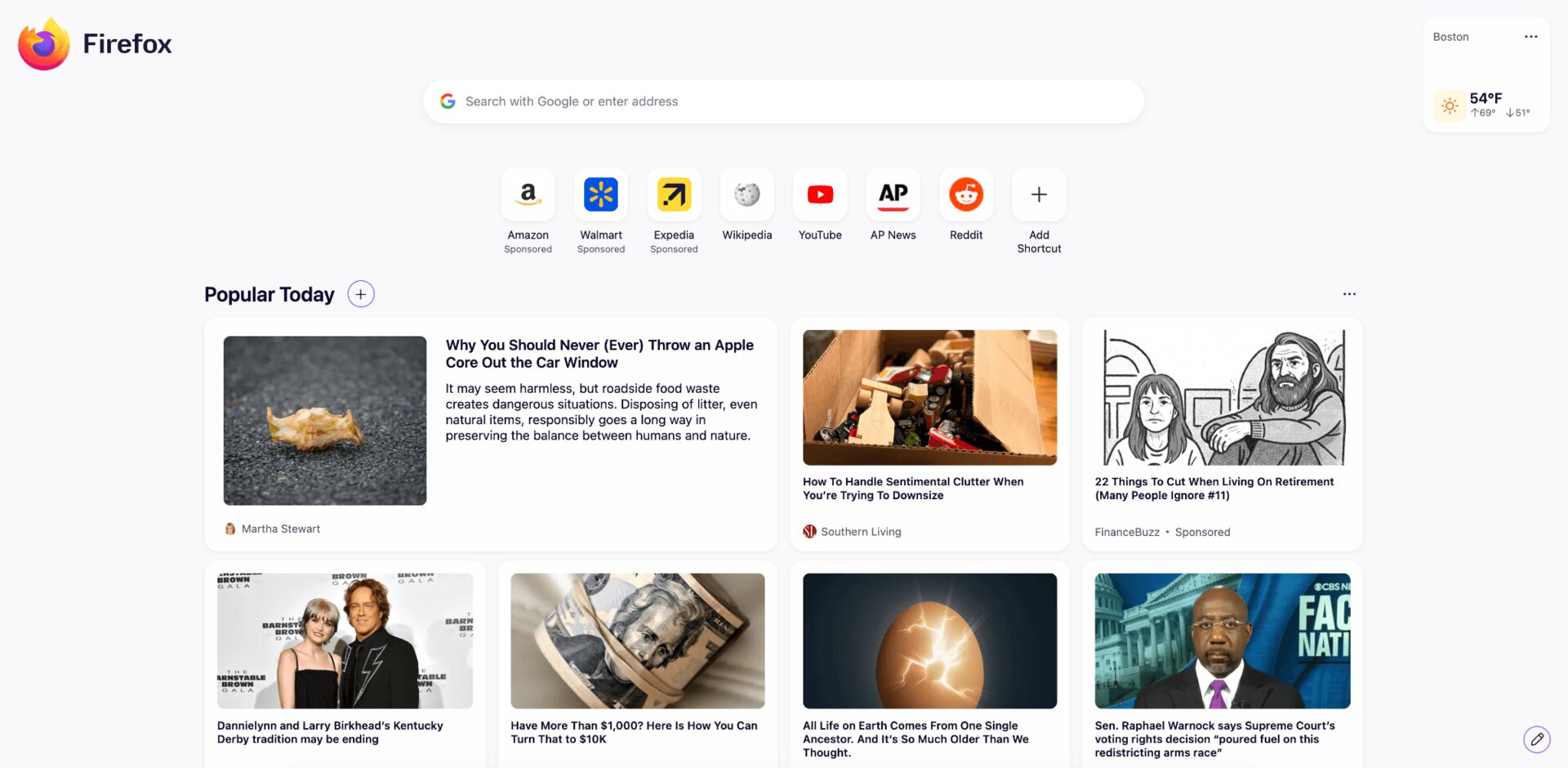
The "fresh, new look" of the start page is more than just an aesthetic choice. Mozilla has confirmed that the new layout is built upon a modular architecture designed to support widgets.
While the current release focuses on visual refinement and background images, the technical scaffolding is now in place for a customizable "dashboard" experience. Future updates are expected to allow users to pin weather, bookmarks, news feeds, and productivity tools directly to the new tab page, transforming the browser into a personalized operating environment.
Conclusion: A Browser for the Modern User
Firefox 151 is a testament to Mozilla’s resilience. By ignoring the trends of "feature-stuffing" and instead focusing on privacy, security, and document-handling utility, they have crafted a browser that respects the user’s intelligence and time.
Whether you are a Linux power user taking advantage of the new cross-platform profile management, or a casual user benefiting from the new, easy-to-use private browsing tools, the update is an essential install.
How to Update:
- Automatic: Simply navigate to
Help > About Firefoxwithin the browser to trigger an automatic check. - Manual: Visit the official Mozilla website to download the latest installer for Windows, macOS, or Linux.
- Enterprise: IT administrators should prioritize the deployment of the 140.11.0 or 115.36.0 ESR patches to ensure their infrastructure remains compliant with modern security standards.
In an era where digital footprints are being harvested at an unprecedented scale, Firefox 151 serves as a vital tool for those who choose to reclaim their privacy without sacrificing the functionality of a modern, high-performance web browser.


 Reynand Wu
 Basiran