Nana Wu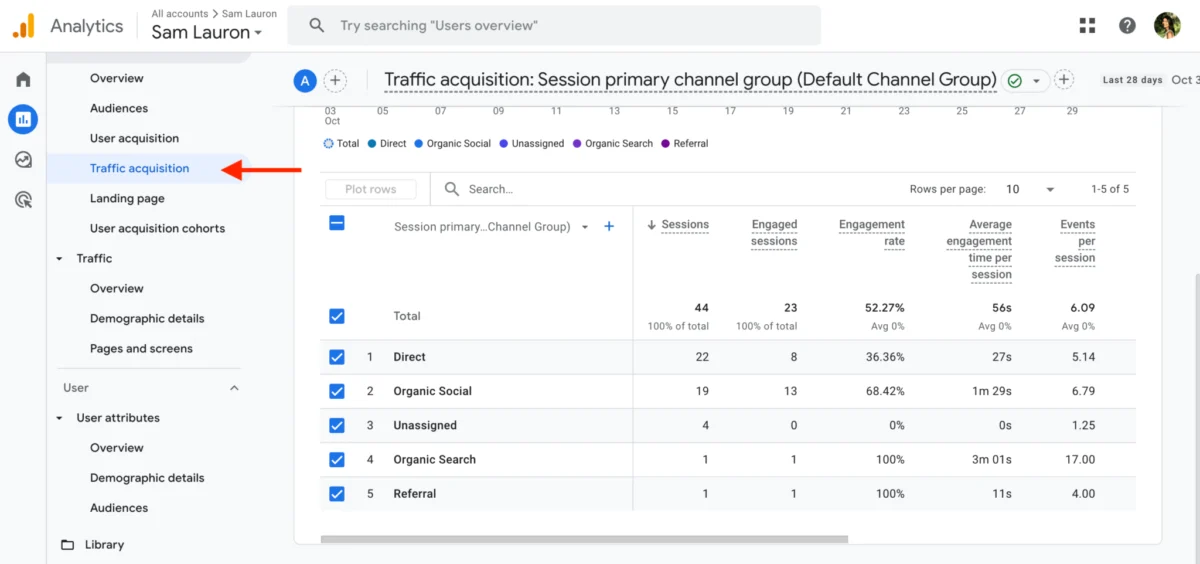
In the modern digital marketing ecosystem, social media managers often find themselves caught in a paradox: they are generating record-breaking levels of engagement, yet struggling to translate those "likes" and "shares" into tangible business growth. While platform-native analytics provide a snapshot of how a post performs within the social bubble, they often fall silent the moment a user clicks a link and exits to a website.
To bridge this gap, businesses are increasingly turning to Google Analytics 4 (GA4). As the industry standard for web analytics, GA4 offers a profound look at the customer journey, allowing marketers to prove ROI, understand audience behavior, and refine content strategies based on actual conversion data rather than just social sentiment.

The Shift: Why GA4 is the New Baseline for Social Marketers
For years, the industry relied on Universal Analytics (UA). However, the sunsetting of UA and the rise of GA4 marked a fundamental shift in how we track human behavior. Unlike its predecessor, which relied heavily on session-based metrics, GA4 operates on an event-driven model.
Every interaction—from a page scroll and video engagement to a file download or a button click—is treated as an individual event. This flexibility is a game-changer for social media strategists. It allows for a granular view of the customer journey, enabling marketers to see exactly which social channels are driving high-intent traffic versus those that are merely generating casual observers.

The Core Problem: The "Dark" Journey
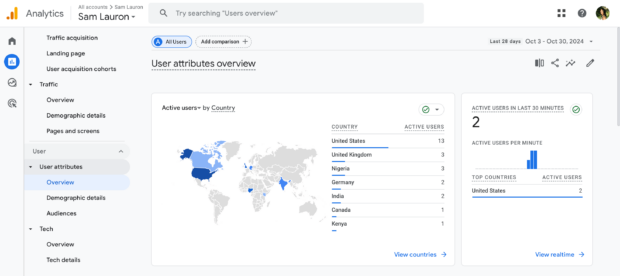
Social media analytics are excellent at measuring top-of-funnel awareness. But when a user leaves LinkedIn, Instagram, or X (formerly Twitter) to visit your site, the "traceability" often vanishes. GA4 provides the connective tissue, allowing you to follow that user from the moment they land on your domain to the moment they complete a high-value action—such as subscribing to a newsletter or finalizing an e-commerce purchase.
Chronology of Integration: Setting Up Your Data Pipeline
Successfully integrating GA4 into your social media workflow requires a systematic approach. It is not merely about installing a tracking pixel; it is about configuring your environment to capture the data that matters most to your business.
1. Establishing the Infrastructure
Before you can analyze, you must capture. The process begins with logging into your GA4 property and ensuring your Google Tag is properly deployed across all site pages, ideally via Google Tag Manager (GTM). GTM is essential for social media marketers because it allows for the implementation of tracking tags without requiring constant assistance from web development teams.
2. Defining Key Events
In the GA4 lexicon, "goals" have been replaced by "key events." During the initial setup phase, you must define which user actions signal success. Are you looking for lead generation? Then a form submission is a key event. Is your focus content consumption? Then a scroll depth of 90% or a video completion may be your primary metric.
3. The Power of UTM Parameters
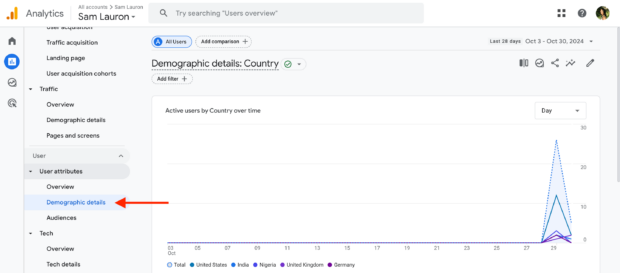
The most crucial step in the chronology of tracking is the consistent use of UTM (Urchin Tracking Module) parameters. Without UTMs, GA4 will often misattribute traffic, labeling it as "Direct" or "Organic." By appending UTM tags to every social link—specifying the source, medium, and campaign name—you ensure that every click can be traced back to the exact post or advertisement that initiated it.
Supporting Data: Connecting Social Effort to Business Impact
The value of GA4 lies in its ability to provide data-backed answers to strategic questions. According to Eileen Kwok, a former Social and Influencer Marketing Strategist, the discrepancy between "vanity" metrics and "conversion" metrics is often stark.
Challenging the "Vanity Metric" Fallacy
Many social marketers mistakenly discard content that fails to garner high engagement rates. However, data frequently shows that "quiet" posts—those with fewer likes—can be the highest drivers of conversions. Kwok highlights cases where posts with under 100 likes generated significant traffic and dozens of content downloads. GA4 reveals this hidden performance, proving that engagement and conversion are not always positively correlated.
Traffic Source Analysis
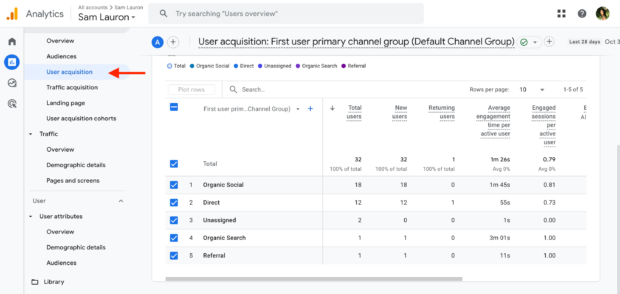
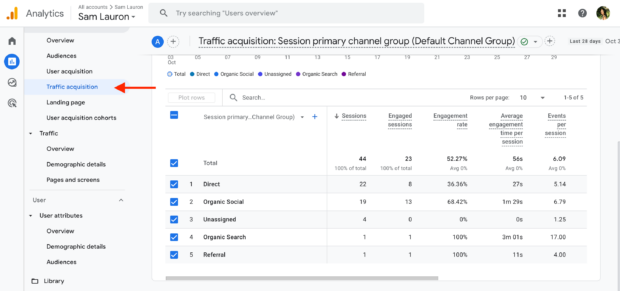
GA4’s acquisition reports allow you to compare channels side-by-side. By examining the "Traffic Acquisition" report, you can determine if your LinkedIn strategy is driving high-intent B2B leads, while your Instagram efforts are better suited for brand awareness. This level of insight allows for the reallocation of time and budget toward the platforms that actually move the needle.
Professional Insights: Expert Strategies for GA4 Optimization
To extract maximum value from GA4, professionals should adopt a proactive, experimental mindset.
A/B Testing and Refinement
GA4 acts as the ultimate scorecard for A/B testing. When you test two different creative assets or two distinct call-to-action (CTA) phrases on social, GA4 provides the post-click data to declare a winner. If Version A drives more clicks but Version B drives more actual sign-ups, you have the data to justify choosing Version B for future campaigns.
The Role of Reporting Meetings
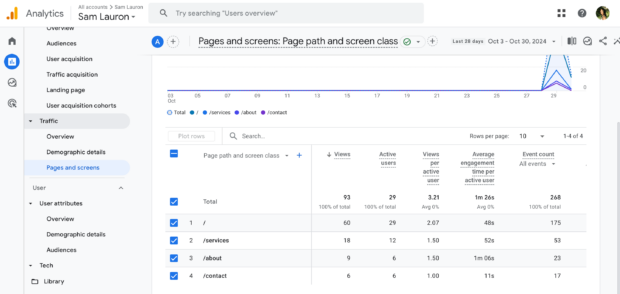
GA4 should not be a siloed tool used only by web analysts. It should be a permanent fixture in your weekly social media reporting meetings. When you present data to leadership, you must speak the language of ROI. By showing a dashboard that links social traffic directly to revenue or lead generation, you shift the perception of the social media team from a "creative cost center" to a "revenue-generating department."
Implications: Building a Data-Driven Future
The move toward GA4 represents a broader shift in the marketing landscape: the death of guesswork. As privacy regulations tighten and cookies become less reliable, the first-party data captured through GA4 becomes the most valuable asset a brand can possess.
Enhancing Search Engine Optimization (SEO)
The insights gained from social media traffic in GA4 can also inform your SEO strategy. If you notice that specific topics shared on social media result in longer session durations or lower bounce rates, it is a strong signal that you should double down on those themes in your long-form blog content.
Future-Proofing Your Strategy
The ability to demonstrate the value of social media is the primary determinant of budget allocation. By mastering GA4, you ensure that when the time comes to defend your social media budget, you aren’t just showing a graph of rising follower counts—you are presenting a map of how social media contributes to the bottom line of the organization.
The Final Word
Ultimately, Google Analytics 4 is more than a tracking tool; it is a strategic lens. By combining the "what" of social media engagement with the "so what" of website behavior, you create a holistic view of your audience. Whether you are a small business owner looking to optimize your limited ad spend or a strategist at a global agency, the ability to trace the path from a tweet to a sale is the hallmark of a truly sophisticated digital marketer.
Pro-Tip: If you are currently feeling overwhelmed by the interface, start small. Begin by configuring your "Key Events" and ensuring your UTM strategy is ironclad. Once you master the flow of data from social to site, you will find that your decision-making process becomes faster, sharper, and significantly more profitable.


 Nana
Nana
 Jia Lissa