Neng Nana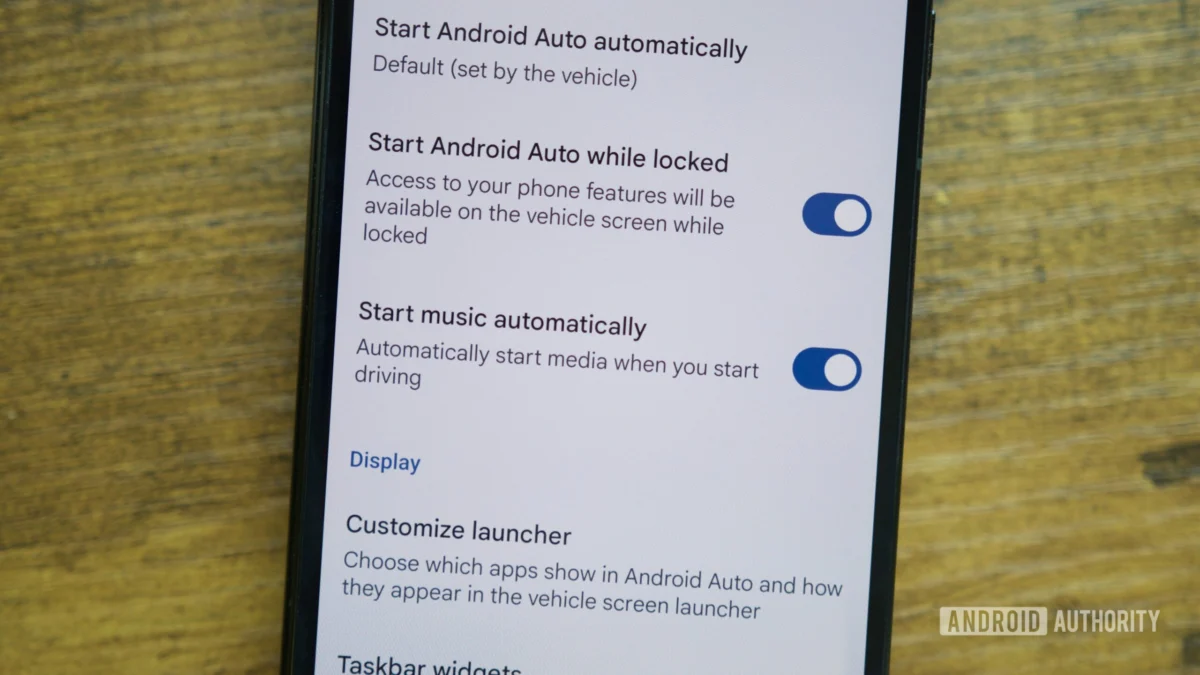
For millions of drivers, the transition from legacy, disconnected vehicles to modern, infotainment-rich cars represents one of the most significant upgrades in daily quality of life. As technology integrates deeper into the automotive cabin, Android Auto has evolved from a simple screen-mirroring tool into a sophisticated, multitasking co-pilot. However, much like the transition from a decade-old vehicle to a 2022-model-year car, the learning curve can be steep.
For those recently acquainted with the platform, the default interface is merely the surface. To truly harness the power of Android Auto, one must venture into the settings menu to unlock features that prioritize convenience, safety, and personal workflow.
The Evolution of the In-Car Experience: A Chronology
The journey of Android Auto is a testament to the rapid pace of automotive software development. Originally announced by Google in 2014, the platform was designed to curb the dangerous habit of smartphone use behind the wheel by bringing a familiar, driver-friendly interface to the car’s dashboard.
- 2014–2016: The foundational years focused on basic integration: Google Maps navigation, telephony, and music playback.
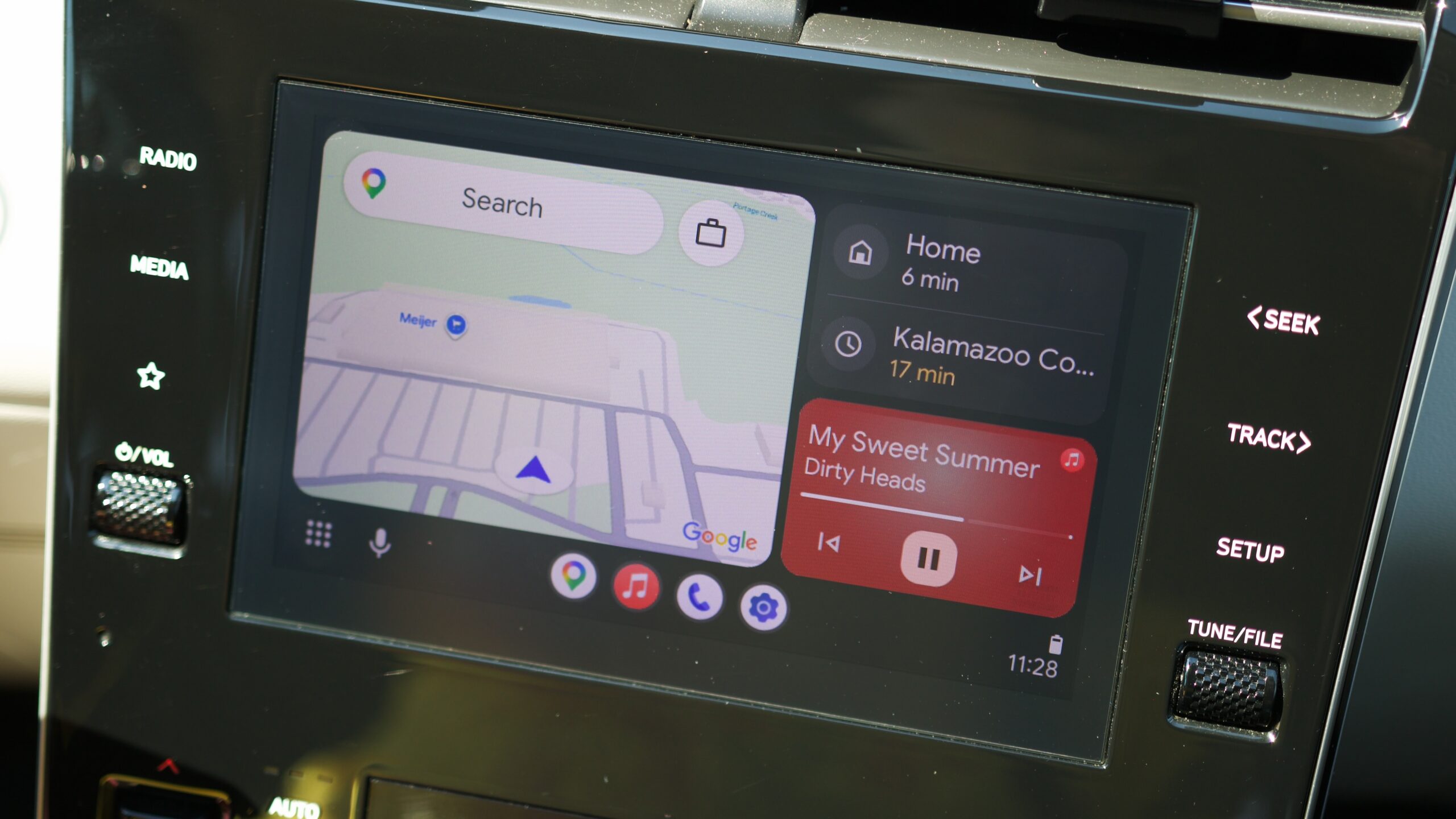
- 2019: The "Coolwalk" redesign phase began to take shape, moving away from simple linear lists to a modular, card-based interface that allowed for split-screen multitasking.
- 2023–2024: The integration of generative AI through Google Gemini began to shift the paradigm from a reactive system (responding to commands) to a proactive assistant (executing multi-step automated workflows).
- 2025–2026: Current developments have focused heavily on personalization, allowing users to move away from rigid manufacturer defaults toward a fully tailored dashboard.
Unlocking Hidden Utility: Five Essential Settings
The following adjustments represent the pinnacle of current Android Auto customization. By moving beyond the out-of-the-box configuration, users can significantly reduce the amount of time spent interacting with the screen while driving.
1. Optimizing Multitasking with Taskbar Widgets
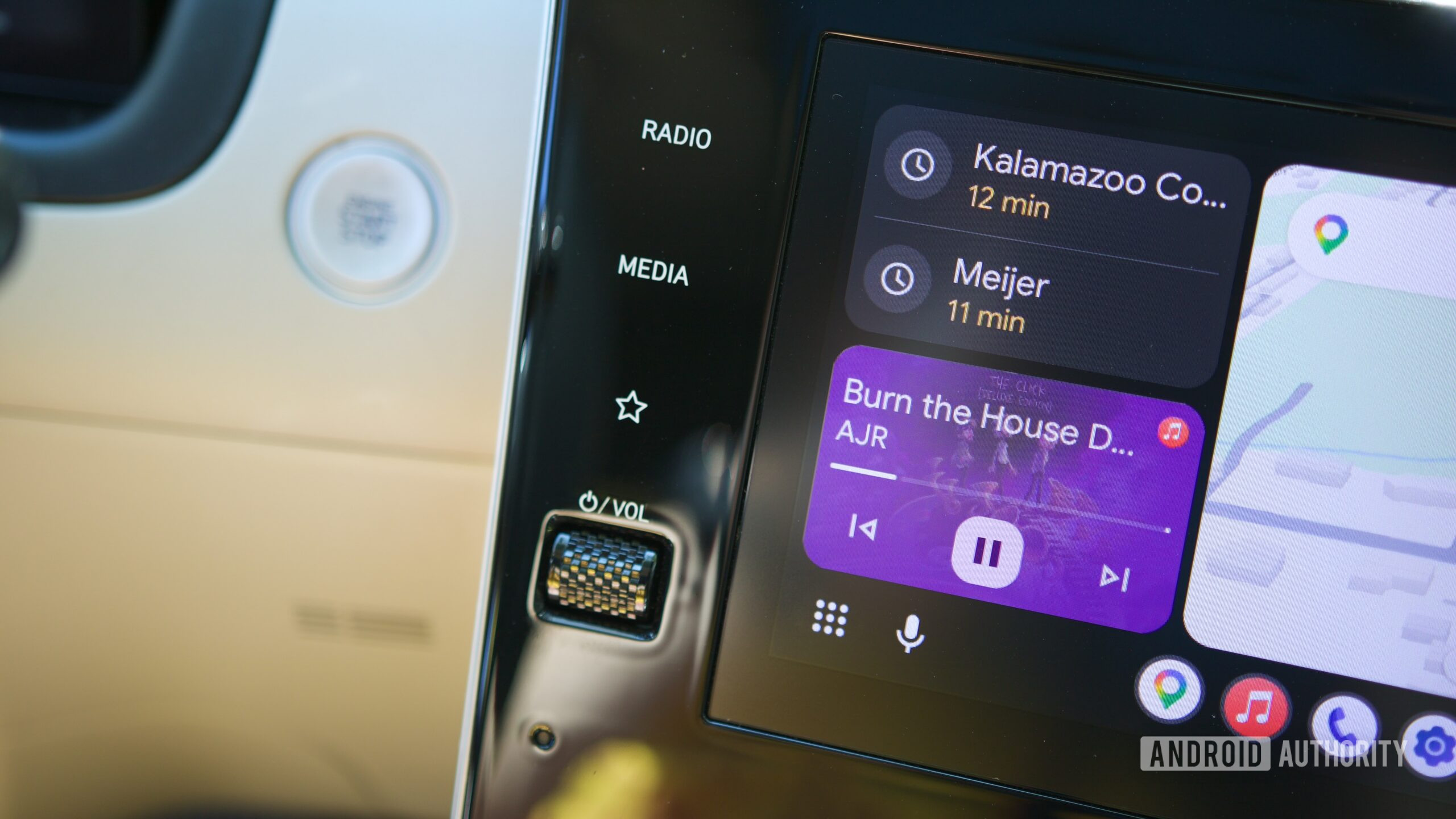
By default, the bottom navigation bar in Android Auto is often treated as a static app dock. However, by navigating to the Settings menu on your smartphone, searching for "Android Auto," and toggling on Taskbar widgets, you fundamentally change the utility of your display.
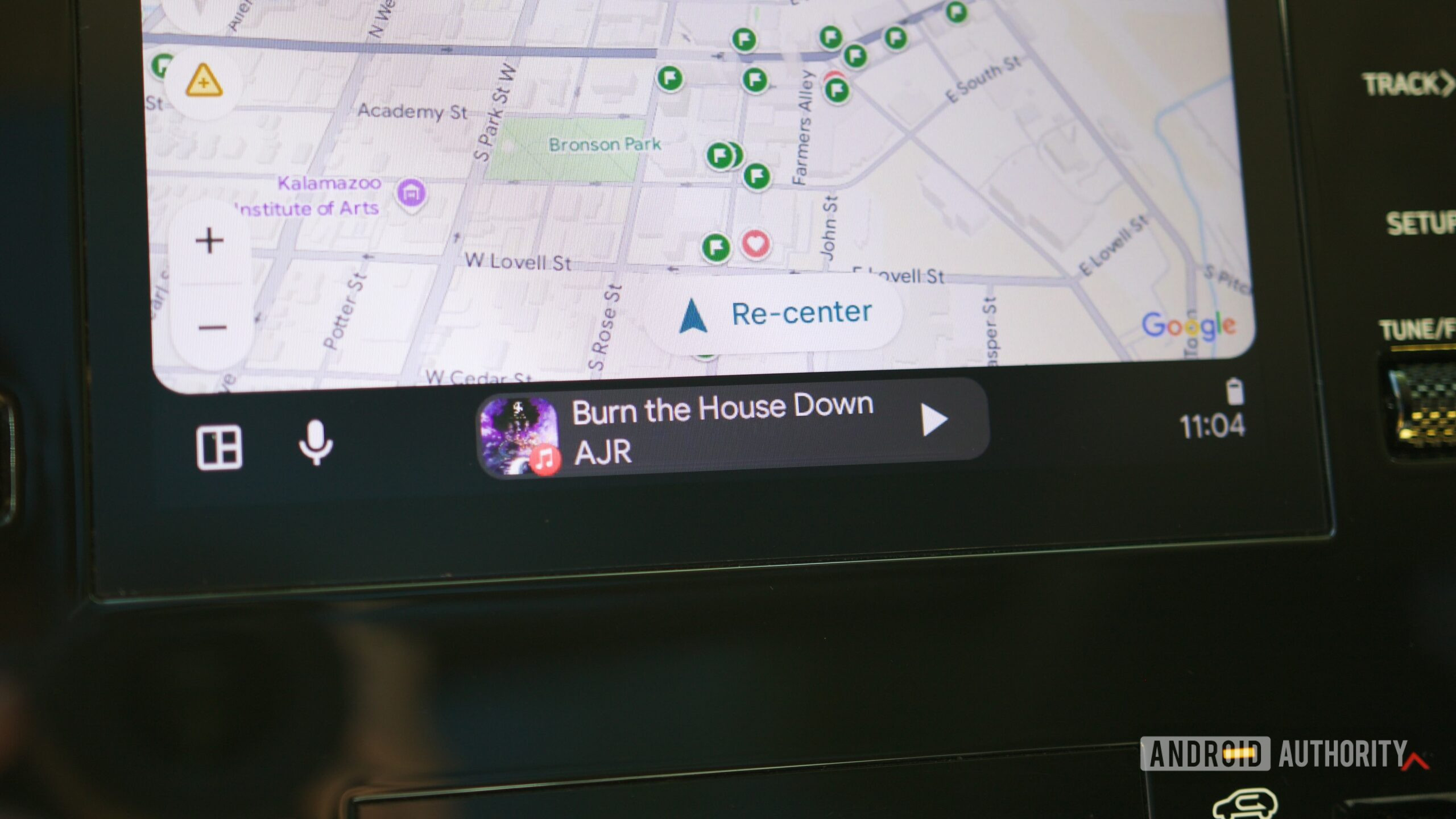
With this enabled, the taskbar ceases to be just a list of icons. Instead, it becomes a dynamic informational strip. When you are navigating in full-screen mode, the taskbar will display a mini-media player with playback controls. Conversely, if you are browsing your music library, the taskbar will provide turn-by-turn navigation alerts. This small architectural shift is arguably the most effective way to manage multiple data streams without needing to toggle between full-screen applications.
2. Refining the App Launcher for Efficiency
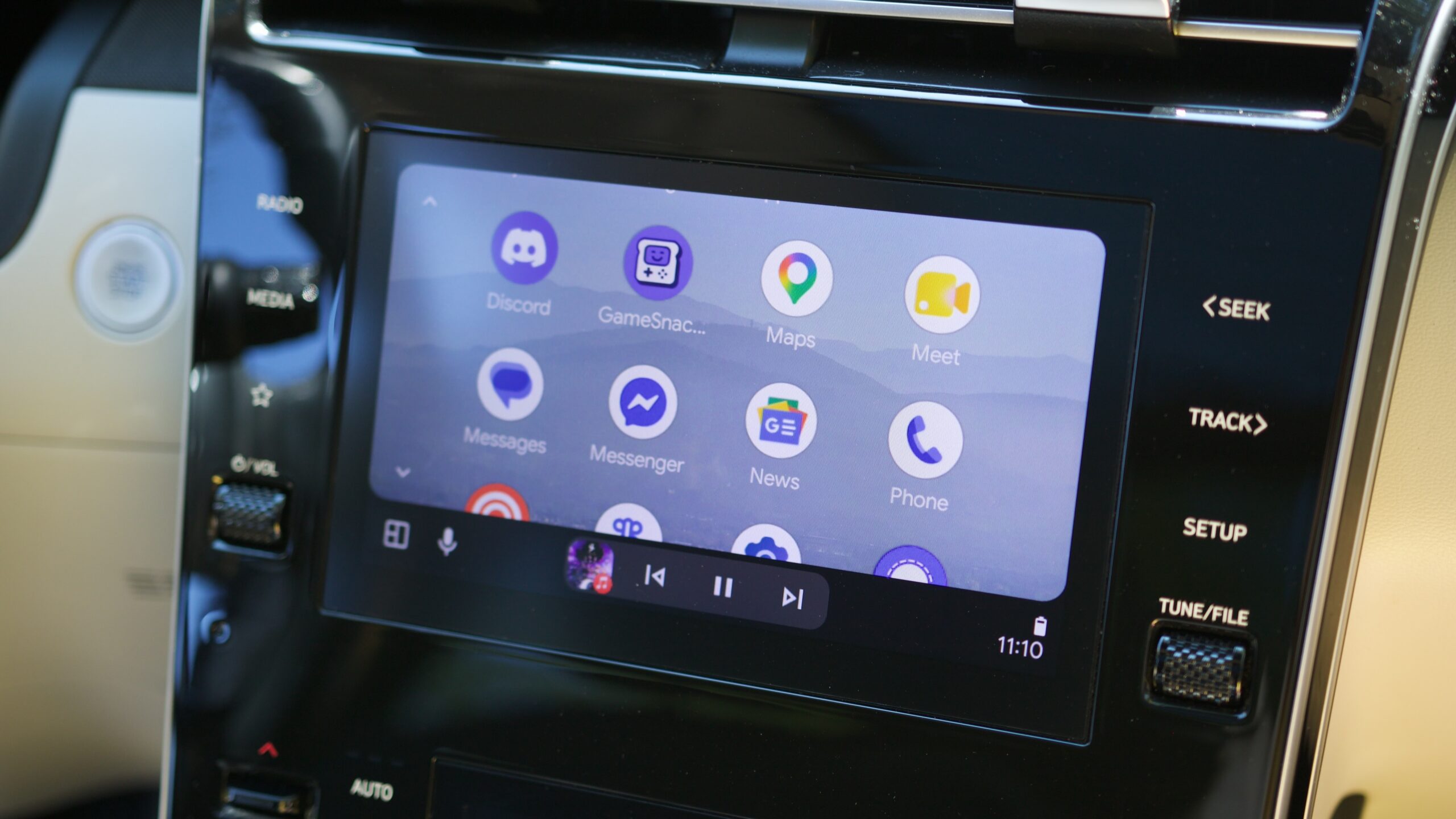
The "Customize launcher" feature is frequently overlooked by new users who are content with the default alphabetical arrangement. By accessing this through the Android Auto settings, you can curate your in-car experience to reflect your specific habits.
If you find yourself constantly scrolling through apps you rarely use—such as weather or specific podcasts you only listen to occasionally—simply uncheck them. By hiding these distractions and moving your most critical applications (like Spotify, Waze, or WhatsApp) to the top of the list, you reduce the physical time your eyes spend off the road, adhering to the fundamental principles of defensive driving.
3. Adjusting Screen Layouts for Ergonomics
For drivers of larger vehicles or those with wide, horizontal infotainment screens, the standard layout often places essential media controls on the far side of the console. This is not only an inconvenience; it is a physical barrier that pulls the driver’s focus away from the center line.
In the Advanced section of the Android Auto settings, the Change layout option provides a crucial toggle: "Media closer to driver." By swapping the positions of the navigation and media cards, the system shifts your most frequently interacted-with controls to the side of the screen closest to the driver’s seat. It is a minor change in visual orientation that pays dividends in comfort during long commutes.
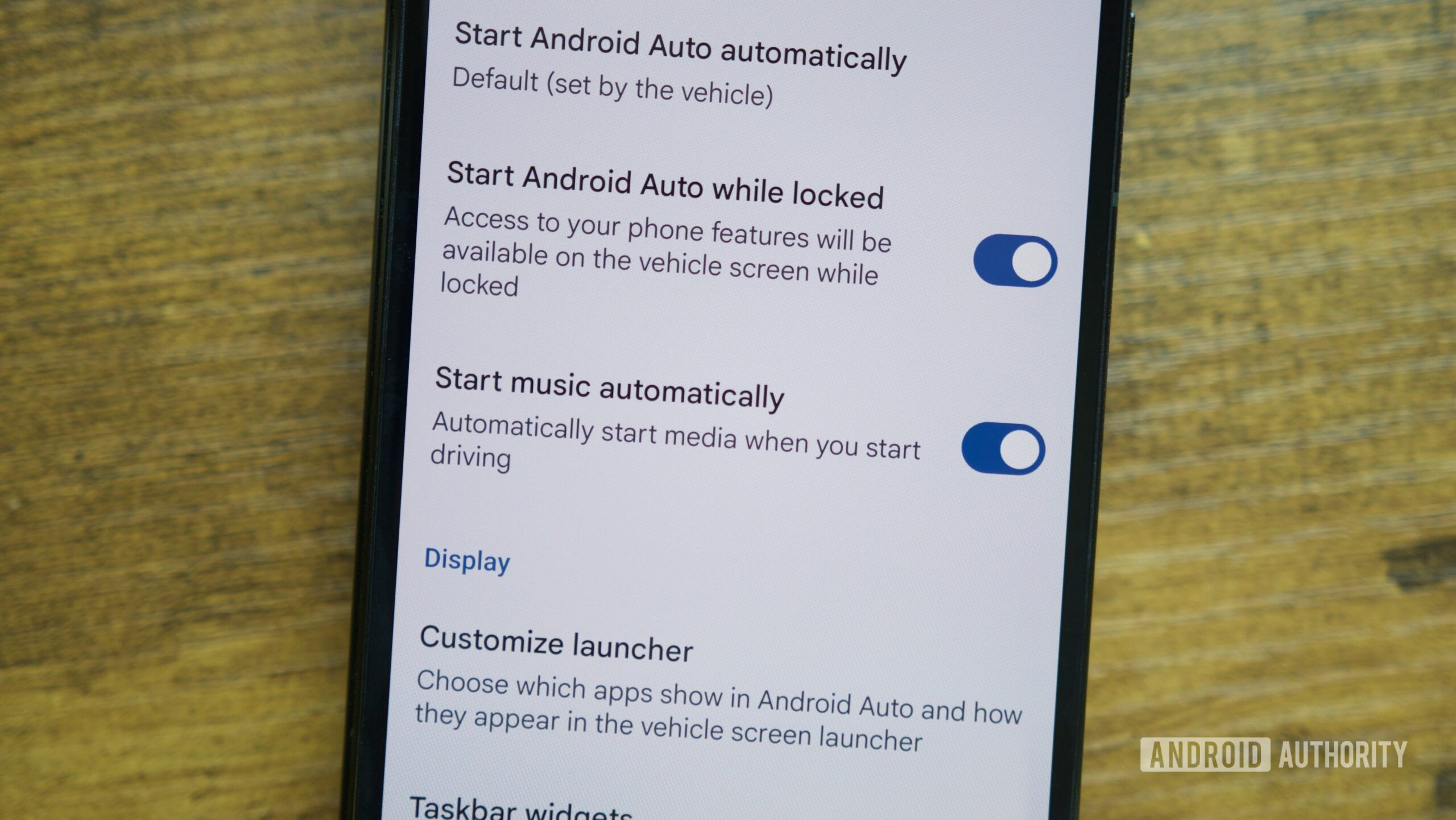
4. Taking Control of Media Autoplay
The "Start music automatically" feature is a polarizing default. While some users appreciate the immediate immersion of their favorite playlist upon turning the ignition, others find it jarring or disruptive. For those who prefer a quiet cabin until they are ready to curate their own soundscape, this setting can be deactivated in the Startup section of the settings menu. Disabling this allows the driver to make a conscious choice about their audio environment, preventing the automatic resumption of loud podcasts or unexpected music tracks the moment the car connects to the phone.
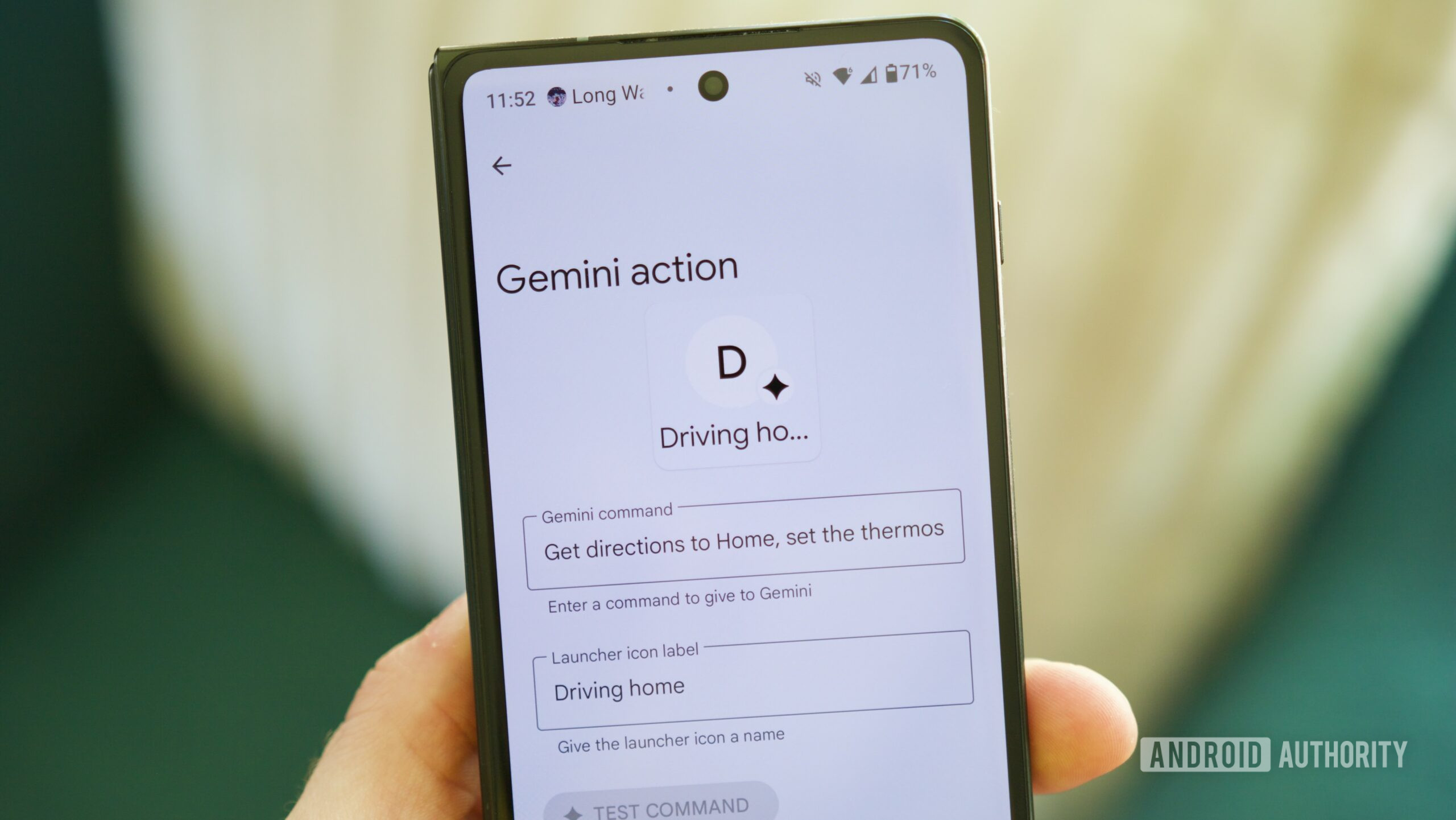
5. Leveraging Gemini Actions for Automation
The most significant leap in recent Android Auto history is the inclusion of Gemini actions. This is not merely a voice assistant; it is an automation engine. By creating a custom shortcut in the launcher, users can trigger complex routines with a single tap.
For instance, a "Coming Home" routine can be programmed to simultaneously:
- Initiate navigation to your home address.
- Adjust the cabin climate control to a specific temperature.
- Trigger smart home devices (like porch lights or interior climate).
- Launch a specific playlist or audiobook.
This transition from manual interaction to batch-processed automation represents the future of the connected vehicle.
Supporting Data: Why Customization Matters
Recent user-experience studies suggest that cognitive load is the primary factor in driver distraction. According to data provided by industry analysts, interfaces that allow for "at-a-glance" information consumption—such as the aforementioned taskbar widgets—can reduce the frequency of driver gaze diversion by as much as 15%.
Furthermore, as infotainment screens continue to grow in size (with many modern vehicles opting for 12-to-15-inch displays), the importance of screen real estate management has become paramount. Allowing for custom layouts and prioritized app launchers ensures that the driver remains in control of the interface, rather than being forced to adapt to a "one-size-fits-all" design.
Official Perspectives and Industry Response
Google has remained clear on its philosophy regarding Android Auto: the platform is a secondary interface, not a primary distraction. Representatives from Google’s automotive division have stated that the goal of ongoing updates is to reduce "time-to-task." By allowing users to customize their environment, Google is acknowledging that every driver has a different workflow.
Automakers, too, are responding. Brands like Hyundai, Volvo, and Ford have increasingly integrated Android Auto more deeply into their vehicle firmware, allowing for seamless transitions between native vehicle controls (like air conditioning and seat heating) and the Android Auto interface. This convergence suggests that the distinction between the "car’s OS" and the "phone’s OS" is slowly dissolving.
Implications for the Future of Driving
The implications of these settings go beyond simple convenience. As we move toward a future of increasingly autonomous vehicles, the cockpit is transforming into a third living space.
- Safety: By minimizing the number of taps required to perform a task, these settings directly contribute to safer driving environments.
- Personalization: The trend of "Software-Defined Vehicles" means that your car will increasingly feel like an extension of your smartphone. The ability to customize your launcher and automate tasks is the first step toward a vehicle that "knows" its driver.
- Efficiency: For the power user, the ability to chain multiple actions via Gemini means that the vehicle can act as a bridge between the digital home and the physical road, effectively turning the car into a mobile office or lounge.
As you spend more time with your vehicle, remember that the software is not a static entity. It is a flexible, evolving environment. Whether you are driving a vintage car retrofitted with a modern head unit or a brand-new vehicle with a massive touchscreen, taking the time to audit your Android Auto settings is a worthwhile investment. By tailoring the interface to your specific needs, you aren’t just making your car smarter; you are making your driving experience safer, more intuitive, and significantly more enjoyable.

 Muslim
 Siti Muinah