Layla Zulfa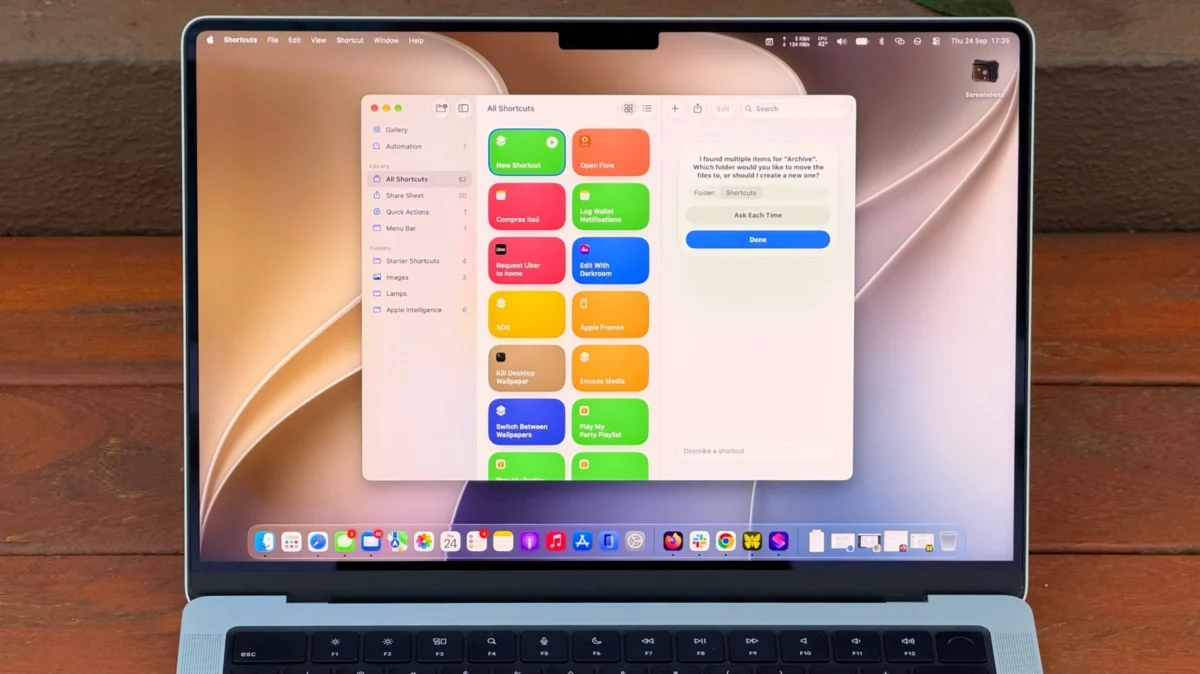
For years, Apple’s Shortcuts app has been the "secret weapon" of the power user—a powerful, deep-level automation suite that often remained buried in the background for the average consumer. Since its introduction to the Mac ecosystem in macOS Monterey, Shortcuts has been viewed as a high-barrier tool requiring a logical, almost programmatic mindset to master. However, the release of macOS 27 "Golden Gate" marks a pivotal shift in this narrative. By integrating Apple Intelligence directly into the creation process, Apple has transformed the daunting task of script-building into a conversational experience.
The Evolution of Automation: From Scripts to Intent
The core philosophy of Shortcuts has always been to allow users to build custom workflows that bridge the gap between different apps and system functions. Whether it is a simple trigger to text a spouse with an ETA based on real-time traffic or a complex, multi-step process that scrapes weather data, calendar events, and news feeds to provide a morning briefing, the potential was always there.
Historically, however, the "blank page" problem—where a user opens the app and is confronted by an intimidating array of nodes, variables, and logic gates—prevented widespread adoption. Users had to know exactly which actions to chain together. If a link in the chain failed, the entire script would stall, leaving the user frustrated.
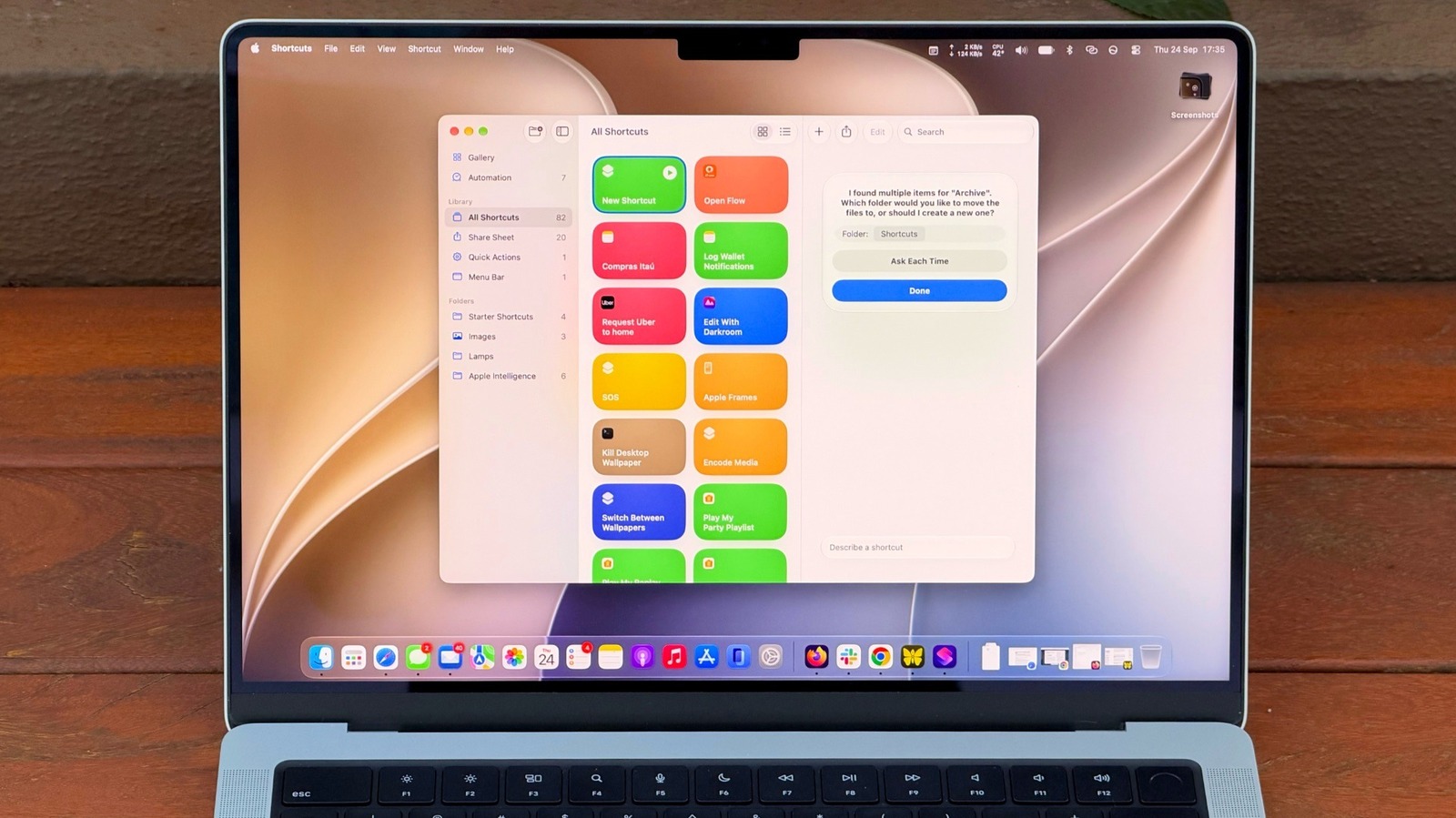
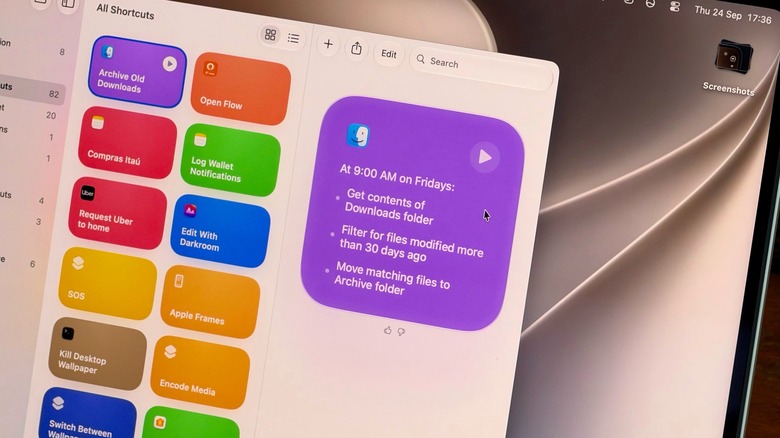
With the advent of "Describe a Shortcut" in macOS 27, the barrier to entry has been significantly lowered. By leveraging Apple Intelligence, the system now interprets natural language requests, essentially writing the code on behalf of the user. While the system is not yet infallible, it represents a generational leap in how everyday users interact with their operating system’s capabilities.
Chronology: A Path Toward Autonomous Computing
The journey to the current state of macOS automation began long before the integration of Generative AI.
- Pre-macOS Monterey: Automation on the Mac was largely restricted to Automator, a legacy tool that was powerful but lacked the cross-platform synergy that Apple desired.
- macOS Monterey (2021): Shortcuts officially replaced Automator as the primary automation engine, introducing a unified interface shared with iOS and iPadOS.
- macOS Ventura and Sonoma: Apple refined the interface, adding deeper system integration and more granular control over background processes.
- macOS 27 "Golden Gate" (Current): The introduction of AI-driven prompt engineering within the Shortcuts app. This era defines the transition from "manual building" to "intent-based creation," where the user defines the goal, and the AI suggests or builds the path to achieve it.
Supporting Data and Technical Requirements
It is critical to note that the power of this new, intelligent automation is not available to all. Because these features rely heavily on local Apple Intelligence models, they are tethered to modern silicon.
The Hardware Divide
- Supported Devices: Only Macs equipped with Apple Silicon (M1 chip or later) are capable of running the latest AI-enhanced automation features.
- The Intel Exclusion: As Apple moves toward an AI-first operating system, the company has officially sunsetted support for these advanced automation features on Intel-based Macs. This creates a clear delineation in the user base, where the "Intelligent Desktop" is reserved for those on Apple’s proprietary architecture.
Performance Considerations
While the integration of AI simplifies creation, users should remain mindful of resource management. Complex, high-frequency shortcuts that utilize LLM-based processing can consume more system memory than standard scripts. Furthermore, while the system is highly capable, extremely intricate multi-step prompts may hit operational limits, requiring users to refine their requests into smaller, modular steps.
Practical Implementation: From Concept to Execution
The most effective way to begin using the new AI-driven Shortcuts is to move away from technical thinking and toward natural language descriptions.
1. Precision in Prompting
The efficacy of "Describe a Shortcut" is directly proportional to the detail provided. A vague prompt like "Clean up my Downloads folder" is often interpreted as a request to delete files, which may not be the user’s intent. A superior approach is to provide constraints: "Every Friday, move any file in my Downloads folder that has not been modified in 30 days into a folder labeled ‘Archive’ within my Documents directory." By defining the frequency, the condition, and the destination, the AI can map the logic correctly on the first attempt.
2. Utility-Driven Automation
Apple Intelligence shines in productivity tasks. For instance, creating a "Summarization Shortcut" is a quintessential use case. By asking the system to "Take the text on my clipboard, summarize it into three bullet points, and append it to a specific Note," users can bypass the manual drudgery of copy-pasting and formatting. This turns the Mac into an active assistant rather than a passive container for information.
Enhancing Accessibility: Pinning and Execution
Creating a powerful shortcut is only half the battle; ensuring it is accessible when needed is the other.
- Keyboard Shortcuts: For frequent tasks, assigning a global keyboard combo is essential. Users can navigate to the "Shortcut Details" (the ‘i’ icon) and define a trigger.
- Control Center Integration: By accessing "Edit Controls" in the Control Center, users can pin their most-used automations, allowing for one-click access from the menu bar.
- Visual Intelligence: Beyond traditional Shortcuts, the new
Shift + Command + Spacecommand introduces Visual Intelligence. This allows the system to analyze on-screen content and context, providing a seamless way to trigger actions—like adding an event to a calendar from an email—without ever leaving the active window.
Implications: The Shift Toward Proactive Computing
The integration of Apple Intelligence into the Shortcuts ecosystem carries profound implications for the future of human-computer interaction. We are moving toward a paradigm where the computer is no longer a tool that requires specific instructions to operate, but an agent that understands the user’s intent.
The "Agentic" Future
As these tools mature, the distinction between "apps" and "actions" will continue to blur. Instead of launching a browser to check the weather or opening a calendar app to schedule a meeting, the user will increasingly rely on a layer of intelligence that performs these tasks in the background.
However, this transition also highlights the importance of user oversight. As machines take over more of the "heavy lifting," the need for transparency becomes paramount. Apple’s approach—keeping these processes local where possible—addresses the primary concern of privacy, but the responsibility remains with the user to audit their automated workflows.
Final Thoughts
The "Golden Gate" update for macOS 27 is a turning point. It acknowledges that the vast majority of Mac users are not coders; they are professionals, students, and creatives who simply want their devices to work harder for them. By making automation accessible through the medium of natural language, Apple has unlocked the potential of the Mac for a new generation of users.
For those who have previously ignored the Shortcuts app, now is the time to reconsider. The blank page is no longer intimidating; it is an open invitation to describe the workflows you’ve always wanted, and let the intelligence of your Mac handle the rest. Whether it is automating file management, summarizing vast amounts of data, or streamlining complex inter-app communication, the power is now at the tip of your keyboard—literally.

 Pevita Pearce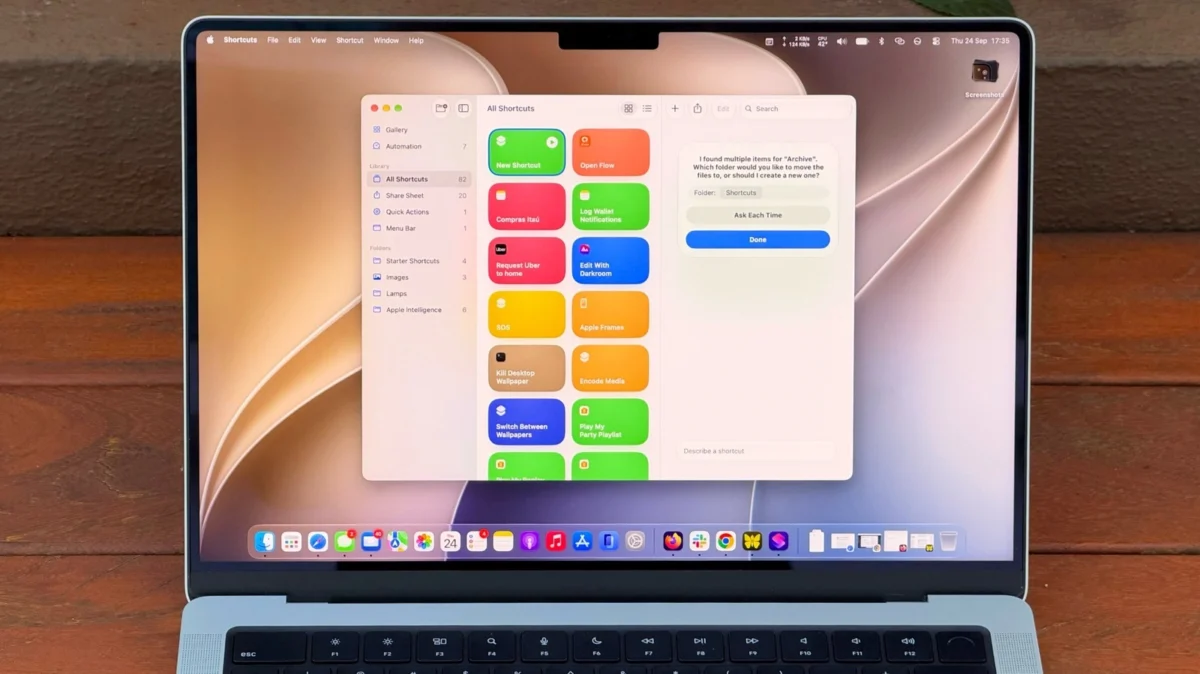
 Nana
Nana