For years, the professional workspace has been dominated by a specific aesthetic: the heavy, feature-laden, ergonomic mouse. We have been conditioned to believe that for a creative professional—someone spending eight to ten hours a day editing photos, designing layouts, or navigating complex software—the "productivity mouse" is the only valid choice.
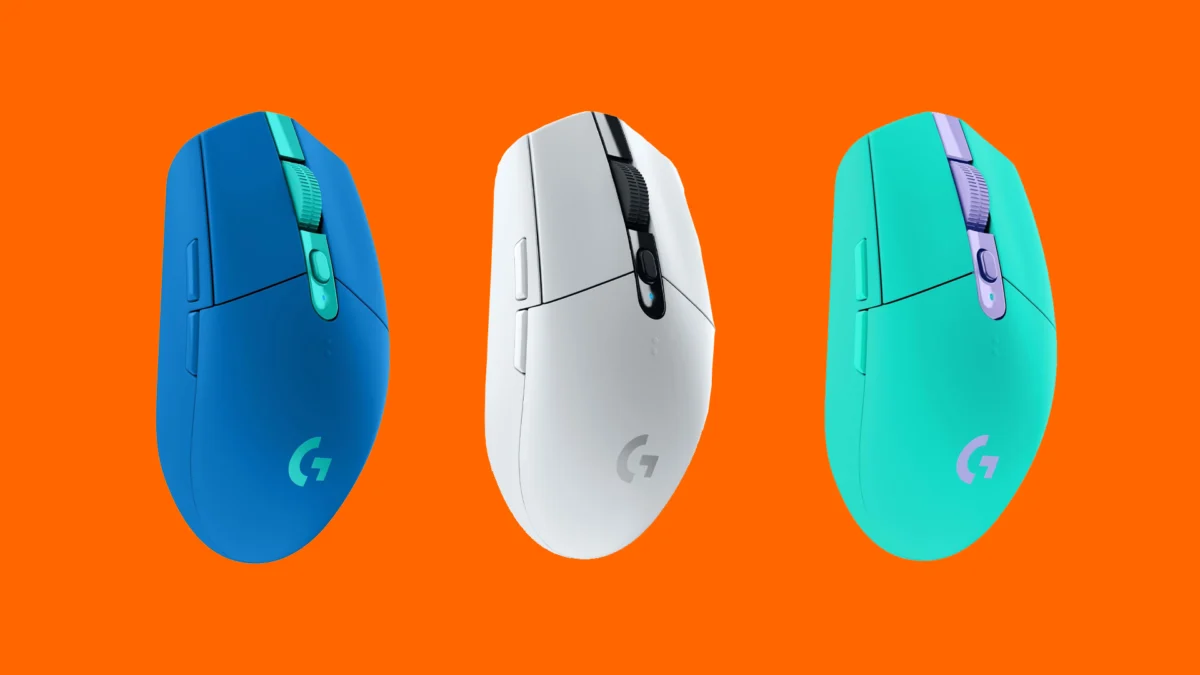
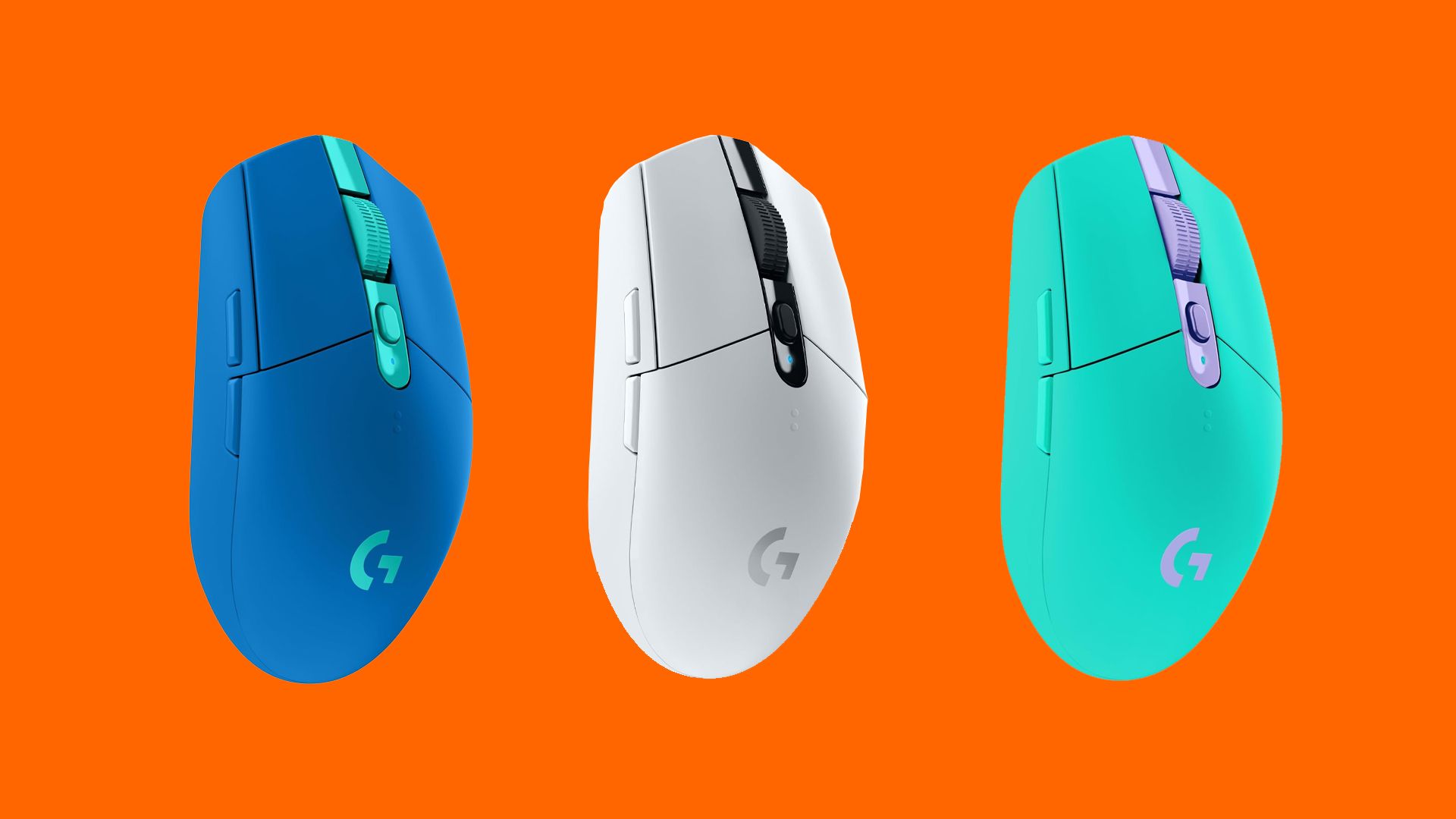
However, a shift is occurring in the way we view our desk peripherals. As the boundaries between work and play continue to blur, a surprising candidate has emerged to challenge the status quo: the gaming mouse. Specifically, legacy powerhouses like the Logitech G305 Lightspeed are proving that what was once marketed for esports precision is actually the key to a faster, more responsive, and more customizable professional workflow.
The Paradigm Shift: Gaming Tech in the Creative Suite
For a long time, the narrative was simple: if you are a creative, you buy an ergonomic mouse. If you are a gamer, you buy a gaming mouse. But why should these worlds be so strictly partitioned?
The traditional "office" mouse, often characterized by its high profile, weight, and sometimes sluggish sensor response, is designed for comfort during long, static periods of spreadsheet management or web browsing. Conversely, the gaming mouse is engineered for twitch-reflex speed, extreme weight reduction, and high-polling-rate sensors.
When applied to creative software like Adobe Photoshop, Illustrator, or DaVinci Resolve, these "gaming" attributes translate directly into professional benefits. The reduced weight decreases wrist fatigue during intricate selection tasks, while the superior sensor tracking provides a level of pixel-perfect precision that many standard office mice struggle to maintain.
Chronology: The Evolution of the G305 Lightspeed
To understand why a 2018-era device like the Logitech G305 remains at the top of the conversation, one must look at its trajectory in the market.
- 2018 (The Launch): Logitech introduced the G305, bringing their proprietary "Lightspeed" wireless technology—previously reserved for premium, high-end esports mice—to a budget-friendly form factor. It disrupted the market by proving that wireless latency could be effectively eliminated.
- 2019–2021 (The Cult Status): As users realized the build quality was exceptional, the G305 became the gold standard for budget gamers. It was during this period that the "modding" community began to take notice.
- 2022–2023 (The Creative Adoption): Creative professionals began testing the G305 as a "daily driver" for office work. The discovery that the mouse could perform tasks with higher responsiveness than many dedicated "productivity" mice led to a surge in its popularity among designers.
- 2024 (The Current State): With the mouse frequently dipping to the $30 price point on major retail platforms like Amazon, it has transcended its gaming roots to become a staple for students and professionals looking for high performance without the "pro-sumer" price tag.
The Anatomy of Performance: Supporting Data
What makes a gaming mouse, specifically the G305, better for the office? It comes down to three key metrics: Sensor Latency, Weight, and Customizability.
Sensor Precision
The G305 features the HERO sensor, capable of up to 12,000 DPI. While most office workers don’t need that level of sensitivity, the consistency of the tracking is unmatched. Unlike standard office mice that may skip pixels at higher resolutions, the HERO sensor ensures that a move of the hand results in an exact, proportional move on the screen.
The Weight Advantage
Many "ergonomic" office mice weigh in at over 130 grams. The G305, even with its AA battery, stays significantly lighter. A lighter mouse requires less force to initiate movement and, more importantly, less force to stop movement. This leads to a reduction in repetitive strain, as the muscles in the wrist and forearm do not have to work as hard to overcome the inertia of a heavy device.
Modding: The Secret Community
Perhaps the most compelling argument for the G305 is its longevity. Because it is a modular, well-documented device, it has spawned a massive aftermarket.
- 3D Printing: Users are printing custom, honeycomb-patterned shells to reduce the weight to under 70 grams.
- Battery Conversions: Modders have developed kits to swap the AA battery for internal lithium-ion rechargeable systems, further balancing the weight.
- Aesthetics: Because the shell is easily replaceable, users can customize the color and texture to fit the specific aesthetic of their creative studio, something impossible with the rigid, plastic-molded designs of standard office mice.
Implications for the Future of Desktop Setups
What does this mean for the future of the professional desk? We are likely moving toward a "hybrid" setup model. The professional of the future will not necessarily buy "office" gear; they will buy "performance" gear.
For students heading back to school, the implications are clear: you do not need to spend $100+ on a mouse marketed for "productivity" when a $30 gaming mouse offers better technical performance and a higher ceiling for customization. By adopting gaming hardware, students can invest their limited budgets into better monitors or faster processors while still enjoying a premium input experience.
Furthermore, this trend forces manufacturers to reconsider their design language. We are already seeing companies like Logitech and Razer releasing "office" mice that borrow heavily from their gaming lines—incorporating optical switches, faster wireless tech, and lightweight materials.
A Professional’s Verdict: Is It Time to Switch?
If you are a professional, the skepticism is understandable. The "big, bulky, ergonomic mouse" has been the face of professional work for decades. It is comfortable, it is familiar, and it sits perfectly under the palm.
However, comfort is not just about size; it is about efficiency. If you find yourself constantly re-adjusting your grip or dealing with sluggish response times during complex edits, a lightweight gaming mouse could be the upgrade you didn’t know you needed.
Why You Should Consider the Transition:
- Speed of Workflow: Less friction and faster tracking mean you spend less time wrestling with your mouse and more time focusing on your creative output.
- Cost-to-Value Ratio: At the current $30 price point for the G305, you are paying a fraction of the cost of premium office mice while receiving professional-grade sensor tech.
- Longevity through Modding: The ability to repair, customize, and upgrade your hardware means your mouse doesn’t become e-waste the moment a new model is released.
- Aesthetic Freedom: You are no longer tethered to the "corporate gray" look. If you want a 3D-printed, custom-colored mouse that reflects your brand, the modding community makes it possible.
Conclusion
The evolution of the gaming mouse from a niche enthusiast product to a legitimate tool for the professional creative is one of the most interesting developments in desktop technology. By prioritizing speed, lightness, and community-driven longevity, the G305 Lightspeed has proven that the best tool for the job isn’t always the one marketed as "professional."
As we continue to iterate on our desk setups, we should look past the marketing labels. Whether you are a designer, a writer, or a student, your hardware should work as hard as you do. And if that means swapping out your bulky office mouse for a lean, fast, and customizable gaming classic, then the transition is well worth the effort.
The desk of the future is not defined by corporate uniformity; it is defined by the tools that allow us to create, iterate, and succeed. The gaming mouse, once an outsider, is now a pillar of that efficiency. Watch this space—the desk setup of tomorrow is already being built, one 3D-printed shell at a time.