Laily UPN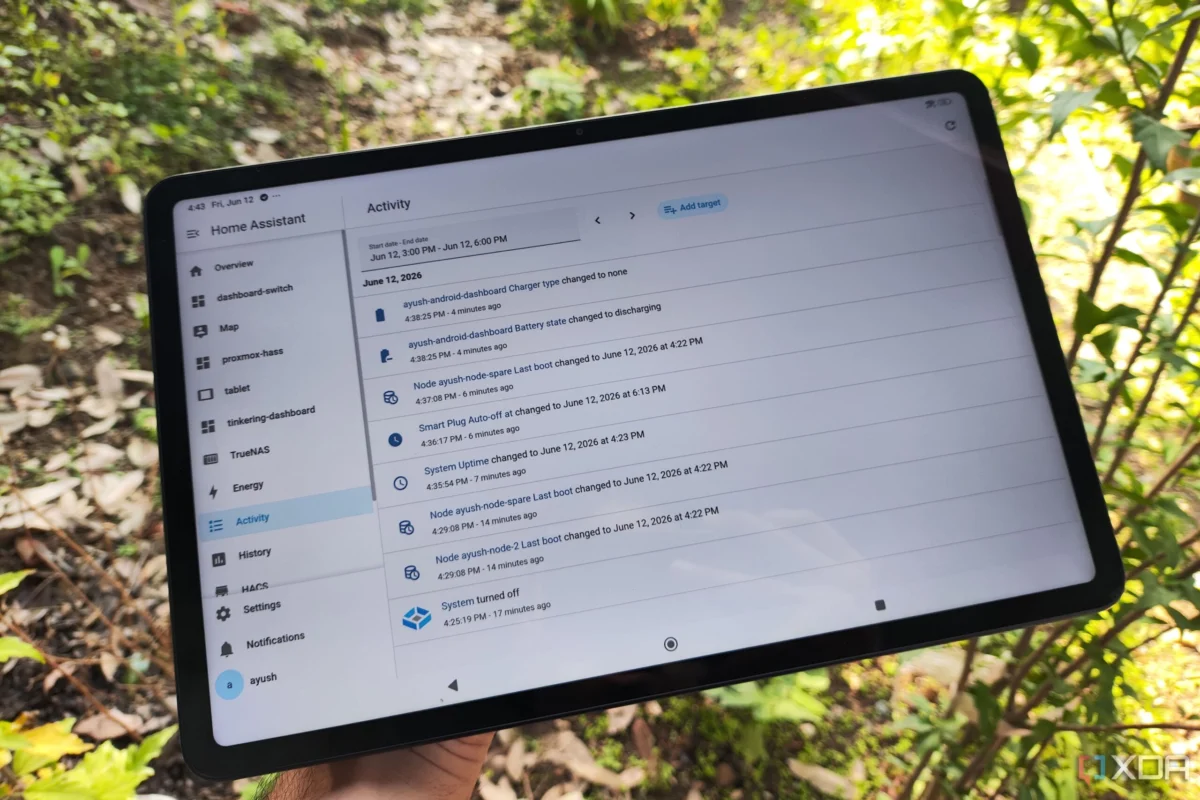
In an era of planned obsolescence, the "junk drawer" has become the final resting place for millions of perfectly functional Android tablets. While these devices may struggle to keep pace with modern, resource-heavy applications, they possess a wealth of latent potential. For the tech-savvy enthusiast, an old tablet is not electronic waste; it is a blank canvas waiting to be transformed into a sophisticated, localized smart home control hub.
By leveraging the power of Home Assistant (HASS) and a few creative automation strategies, these legacy devices can be revitalized into high-performance monitoring panels, voice-controlled satellites, and personalized dashboards. This article explores the technical roadmap for repurposing your aging hardware, ensuring safety, and optimizing your home automation ecosystem.
The Philosophical Shift: From Obsolescence to Utility
The modern computing landscape is obsessed with the "next big thing," yet the environmental and economic cost of constant upgrading is becoming increasingly untenable. Repurposing hardware is not merely a hobbyist’s cost-saving measure; it is a fundamental shift toward sustainable technology consumption.
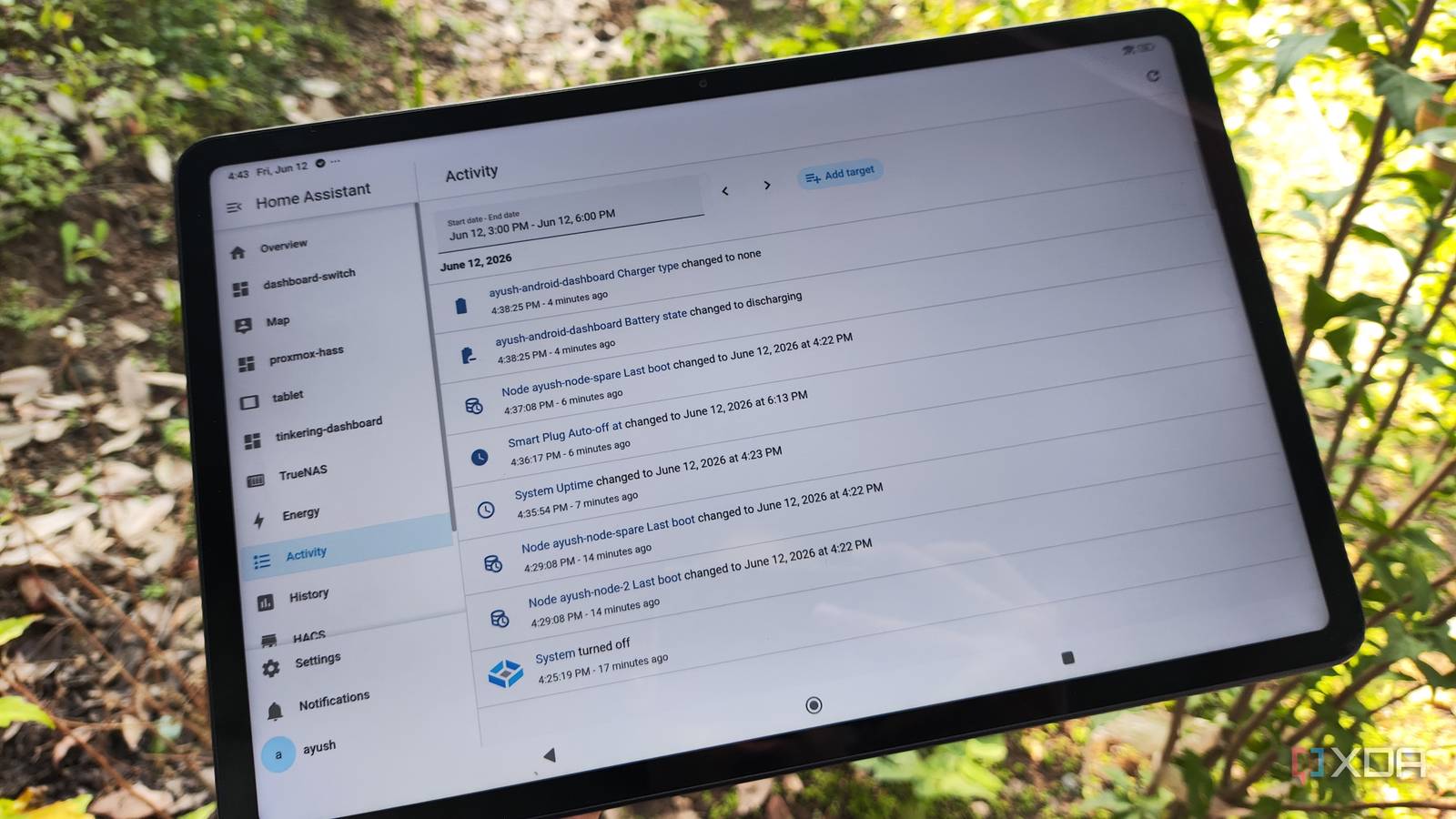
PC rigs are often the first to be rescued from the closet, typically finding new life as Proxmox hypervisors, hosting lightweight LXC containers or virtual machines. However, Android tablets offer a distinct advantage: integrated sensors and a touchscreen interface. When paired with a robust backend like Home Assistant, these devices transition from discarded toys into vital infrastructure components.
Chronology of a Revival: The Transformation Process
The journey of converting a legacy tablet into a smart home cornerstone follows a distinct, logical progression. Understanding this lifecycle ensures the longevity of the device while maximizing its utility within the home.
1. Initial Assessment and OS Optimization
Before deployment, the device must be stripped of unnecessary background processes. Disabling unused system apps and clearing the cache is essential. If the device is severely outdated, users might explore custom ROMs like LineageOS to achieve a leaner, more secure software environment.

2. The Kiosk Integration
The goal is to move away from a "general-purpose" tablet and toward a dedicated appliance. By utilizing the "Device Home Screen" setting within the Home Assistant Companion app, users can force the tablet to launch directly into their custom dashboard. This eliminates the clutter of Android’s navigation bars and notification shades, providing a clean, professional interface.
3. Battery Management: The Critical Safety Hurdle
Perhaps the most significant challenge in wall-mounting a legacy device is battery health. Lithium-ion batteries left at 100% charge for months on end are prone to swelling—a phenomenon commonly documented in the r/spicypillows community.
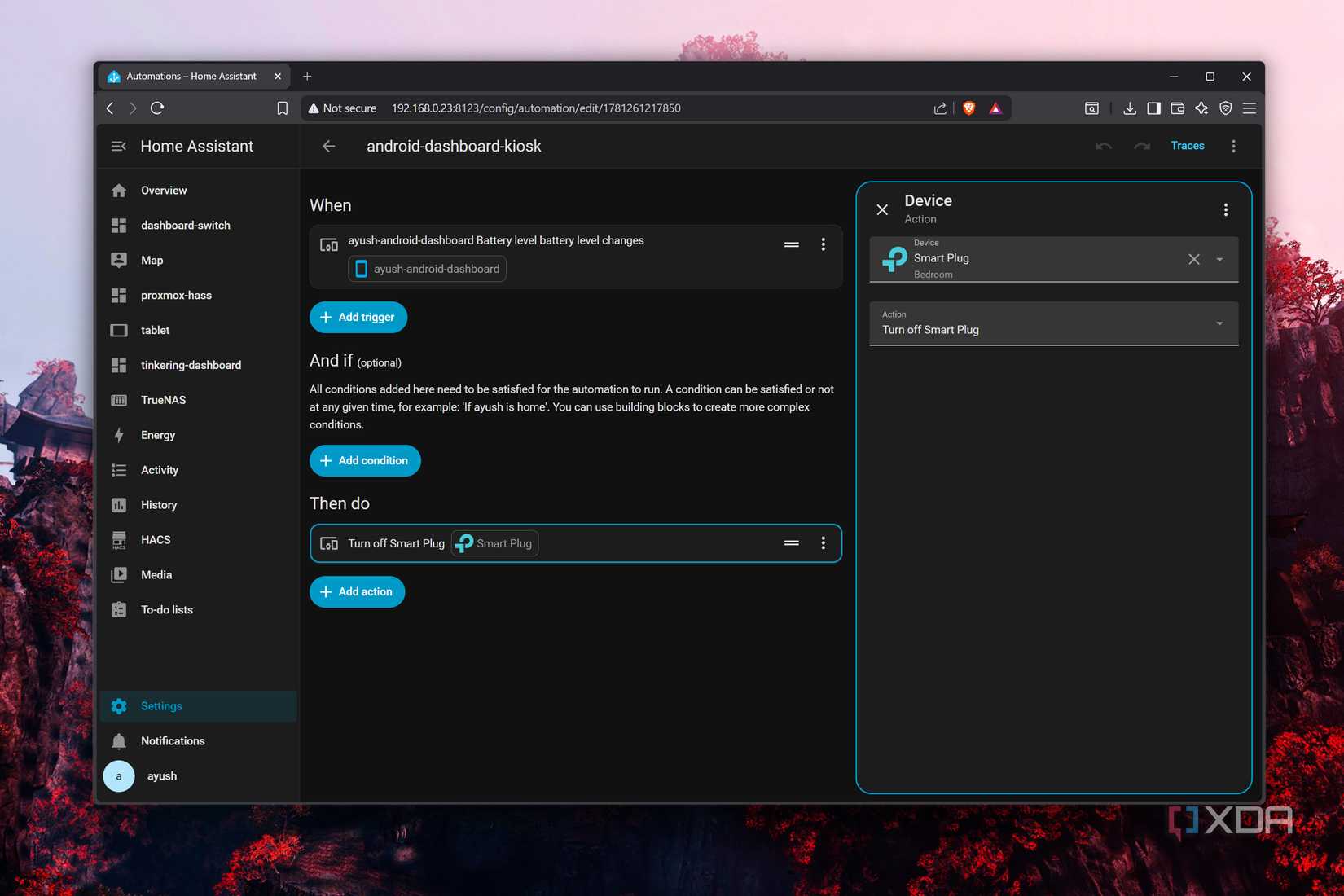
To mitigate this, one must move beyond simple power management. By integrating a smart plug into the Home Assistant workflow, users can create "intelligent charging" automations. The system monitors the battery level in real-time:

- Charge Trigger: When the battery dips below 10%, the smart plug toggles on.
- Stop Trigger: Once the device reaches 80% capacity, the power is cut.
This cycle prevents the device from remaining in a state of constant, high-voltage stress, significantly extending the lifespan of the hardware.
Supporting Data and Technical Architecture
The efficacy of a tablet-based control panel relies on its integration with the broader home ecosystem. The "Bubble Card" interface has emerged as a cornerstone for modern HASS users.
The Power of Bubble Card
Managing a complex smart home through a small screen is notoriously difficult. The Bubble Card package, developed by the community, allows users to group entities under elegant, collapsible headers. By tapping a single "bubble," a pop-up window reveals granular controls for specific rooms or device categories. This creates a high-density, low-clutter environment that feels intuitive on a tablet’s form factor.
Voice Satellite Functionality
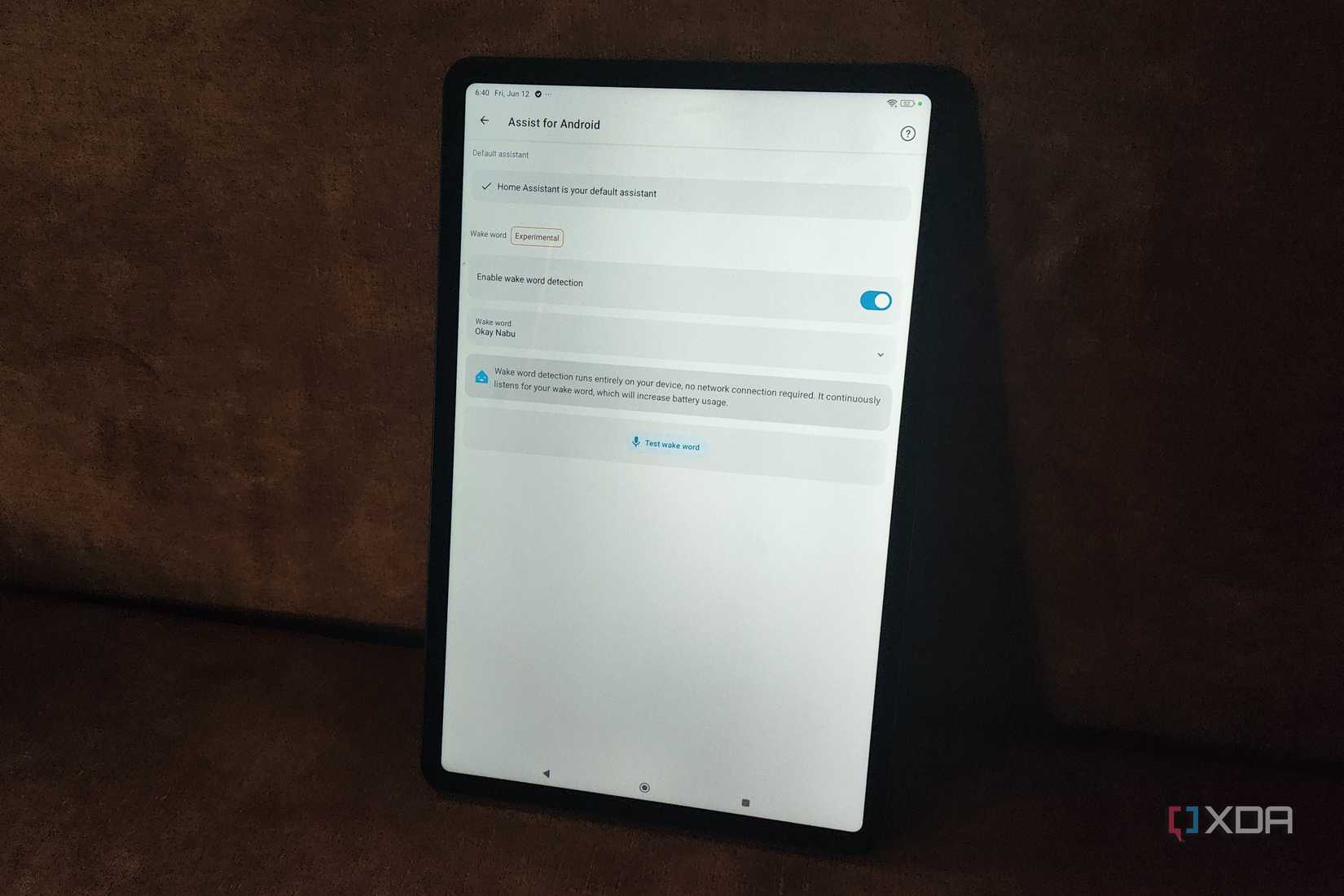
The most recent leap in this project involves the Open Home Foundation’s integration of wake-word detection into the Home Assistant Companion app. Previously, voice control required complex hardware configurations, including dedicated microcontrollers and external microphone modules. Now, the tablet itself serves as the listening post.
To elevate this to a "full-on" voice assistant, enthusiasts are increasingly turning to local Large Language Models (LLMs). Using a combination of:
- Gemma-4-26B-A4B: A model optimized for home lab hardware via MoE (Mixture of Experts) offloading.
- faster-whisper: For high-speed, local speech-to-text conversion.
- Piper: A neural text-to-speech engine that provides natural-sounding feedback.
This architecture ensures that voice commands are processed locally, bypassing the privacy concerns and latency issues associated with cloud-based services.
Official Stance on Sustainability and Open Source
The movement toward using legacy devices for smart home automation aligns closely with the goals of the Open Home Foundation and the broader FOSS (Free and Open Source Software) community. By prioritizing local control and interoperability, these organizations provide the foundation for users to reclaim their data.
Official documentation from Home Assistant emphasizes the importance of the Companion App as a bridge between mobile hardware and the local server. The shift toward making the HASS platform more accessible—specifically through the inclusion of voice-satellite capabilities—marks a clear intention to democratize advanced home automation, moving away from expensive, proprietary ecosystems like Amazon Alexa or Google Home.
Implications for the Modern Smart Home
The implications of this DIY approach are profound. Firstly, it fosters a deeper understanding of the "Internet of Things." When a user builds their own voice assistant, they gain transparency into how their data is handled.
Secondly, there is the economic implication. A high-quality wall-mounted smart display can cost hundreds of dollars. By repurposing an old tablet, the cost is reduced to the price of a smart plug and perhaps a custom 3D-printed mount.
Finally, the environmental impact cannot be overstated. By extending the lifecycle of a tablet by three to five years, users contribute to a circular economy, reducing the volume of e-waste that typically ends up in landfills.
Beyond Home Assistant: Other Avenues for Reuse
While Home Assistant remains the gold standard for many, it is not the only path forward for legacy hardware.
- Security Monitoring: By utilizing a kiosk browser app, tablets can act as 24/7 dedicated displays for security camera feeds, such as those integrated with Frigate.
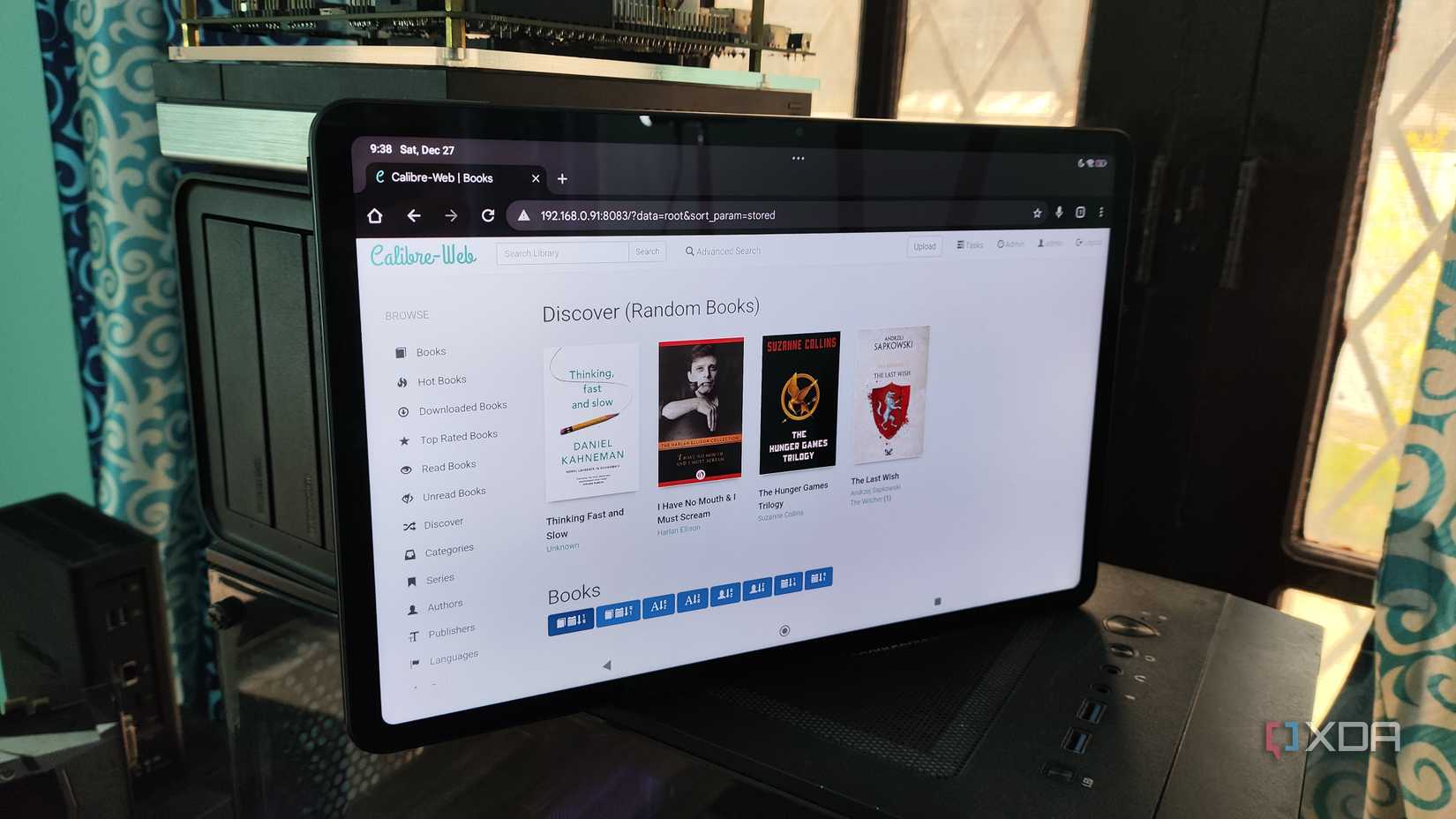
- Digital Libraries: When paired with an OPDS client and Calibre-Web, a tablet becomes an exceptional, dedicated reader for a private book collection.
- Prototyping and Learning: For those interested in development, installing Termux allows the tablet to run a Linux-like terminal environment, providing a sandbox for coding and testing scripts that can eventually be deployed to more permanent server nodes.
Conclusion
The transformation of a dusty, forgotten Android tablet into a sophisticated smart home controller is more than just a weekend project; it is a statement on the longevity of technology. As software continues to evolve, the barrier to entry for building complex, voice-controlled, and highly secure home environments is lowering.
Whether you are a seasoned engineer or a hobbyist looking to declutter, the path forward is clear: with a little bit of automation, a smart plug, and the right open-source tools, your "obsolete" tech still has a significant role to play in the smart home of the future. The only question remains: which device in your drawer will you tackle first?

 Rifan Muazin
 Asro
Asro