For years, the MacBook user experience has been defined by a refined balance of hardware and software. However, even the most seasoned power users eventually hit a wall: the friction of context switching. Whether it is fumbling for the correct mute toggle during a high-stakes Zoom call, jumping between complex IDE shortcuts in Visual Studio Code, or managing a chaotic spread of spreadsheet windows, the physical interface of a laptop remains surprisingly static.
Enter Dune, a new hardware peripheral from startup Project Mirage. Dune is a sleek, USB-C-connected accessory that promises to end the "you’re on mute" era by introducing three tactile, context-aware buttons that physically attach to the side of a MacBook. By blending mechanical precision with sophisticated AI-driven automation, Dune aims to reclaim the seconds lost to repetitive navigation, effectively turning the MacBook into a more responsive, personalized machine.
The Core Concept: Mechanical Utility Meets AI Intelligence
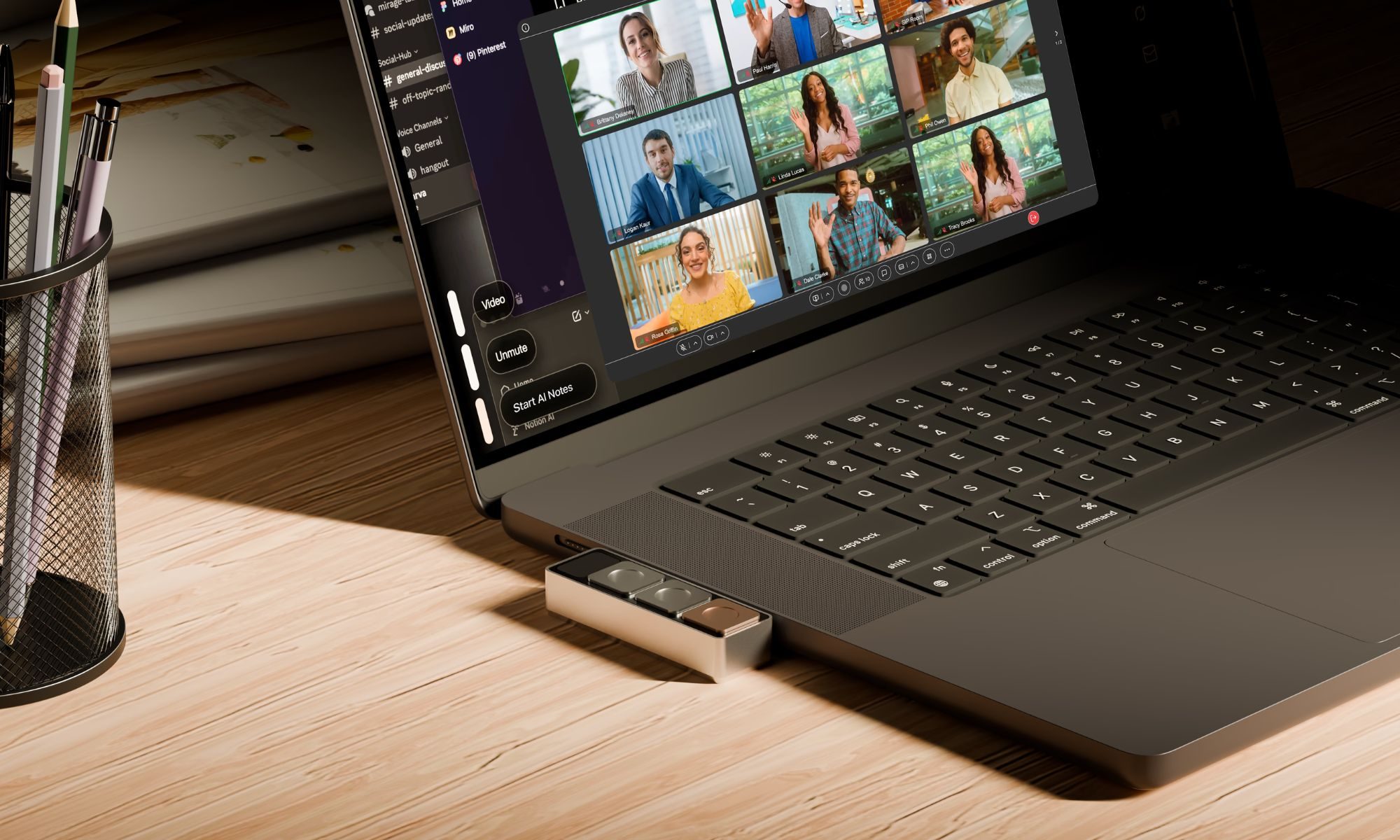
The fundamental promise of Dune is to remove the cognitive load of memorizing endless keyboard shortcuts. Unlike a generic macro pad—which often sits awkwardly on a desk—Dune is a bespoke piece of hardware. It is designed to sit flush against the chassis of compatible MacBook models, drawing its power directly from the laptop’s USB-C port. This eliminates the need for charging, Bluetooth pairing, or bulky cables, making it a "plug-and-play" extension of the laptop’s own hardware.
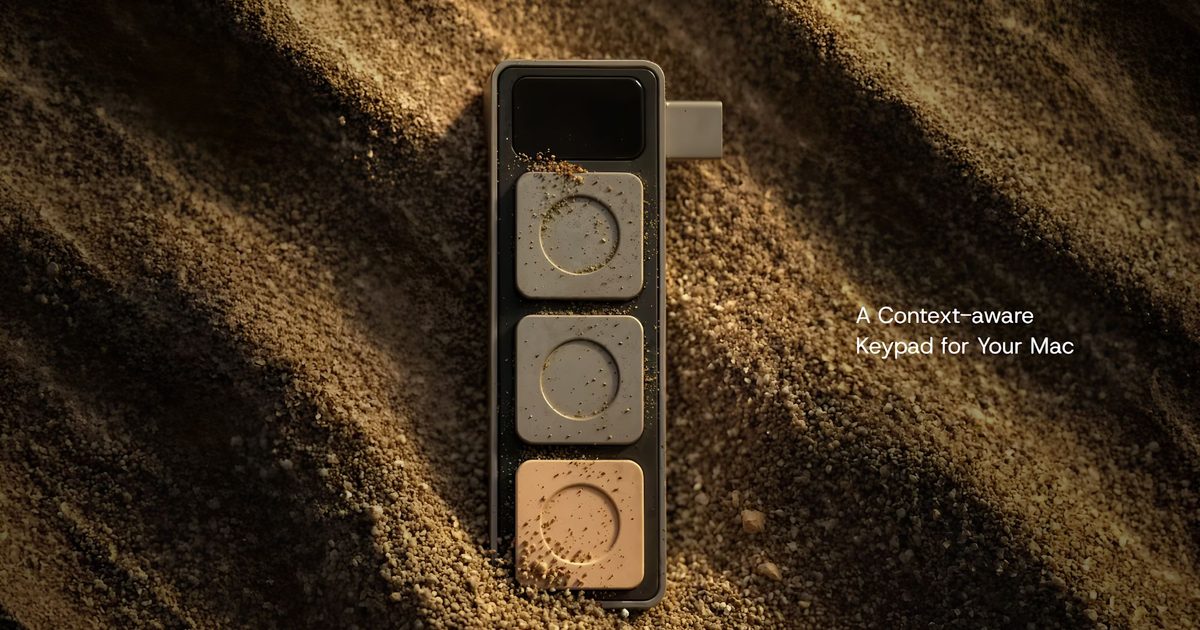
At the heart of the device are three programmable buttons. The innovation lies in the "context-aware" software running on the host machine. When you open a video conferencing application like Zoom or Microsoft Teams, the buttons automatically remap to essential meeting controls: mute/unmute, toggle camera, and focus meeting window. Shift to a spreadsheet, and those same buttons instantly transform into "Copy," "Paste," and "Undo" keys, or whatever custom macros the user prefers.
Bridging the Gap with Claude Desktop
Perhaps the most ambitious feature of the Dune ecosystem is its integration with Claude Desktop. Automating workflows has traditionally been the domain of power users who know how to script in Python or utilize complex Apple Shortcuts. Project Mirage has effectively democratized this process by allowing users to use natural language to define their desired shortcuts.
A user can simply tell the Dune companion app, "Create a button that takes the current selection in my browser, summarizes it, and pastes it into my Notion page." The app leverages Claude to write the necessary background code, assign the logic to a physical button, and deploy the workflow instantly. This approach moves the barrier of entry from "expert programmer" to "fluent speaker," allowing even non-technical professionals to build bespoke, high-efficiency workflows.
Chronology of Development: A New Standard for Peripherals
The journey of Project Mirage from a concept to a tangible, shipping product marks a significant pivot in how hardware startups approach "prosumer" tech.
- Phase 1: Identifying the Pain Point (2024): The founders of Project Mirage spent months observing remote workers and developers, noting the high frequency of errors caused by interface friction. The "mute button struggle" was identified as the single most universal frustration in the post-pandemic digital office.
- Phase 2: Prototyping and Ergonomics (Early 2025): The team moved through dozens of 3D-printed iterations, focusing on how to make a hardware addition feel like an intrinsic part of the MacBook’s design language rather than an ugly "bolt-on" accessory.
- Phase 3: The AI Integration (Late 2025): Recognizing that static buttons weren’t enough, the team integrated large language model (LLM) capabilities via the Claude API. This was the turning point that allowed the device to handle complex tasks rather than just simple keystrokes.
- Phase 4: Launch and Ecosystem Rollout (July 2026): Project Mirage officially launched Dune, compatible with M2-series MacBook Airs and M1 Pro-series MacBook Pros running macOS Sequoia 15 or later.
Supporting Data and Technical Specifications
Dune is built for specific hardware environments to ensure stability and low-latency interaction. The device’s reliance on the USB-C interface allows it to interface directly with the macOS kernel, ensuring that there is virtually no lag between a physical press and the resulting software action.
Compatibility Matrix
- MacBook Air: M2 chip or newer.
- MacBook Pro: M1 Pro processor or later.
- Operating System: macOS Sequoia 15.0 or higher.
- Connectivity: USB-C (Direct Power).
The Software Suite
The companion app acts as the command center. Users can define "Global" actions (like system volume or screen brightness) or "App-Specific" profiles that trigger only when a certain window is in focus. Data from internal user testing suggests that, on average, a "power user" performs nearly 400 micro-actions related to navigation and toggling per day. Initial trials with the Dune prototype showed a 35% reduction in time spent on these routine administrative tasks during a standard eight-hour workday.
Official Perspectives: The Future of Human-Computer Interaction
The reception of the device within the tech industry has been focused on what it signals for the future of peripherals. "We aren’t just selling a button," says the development team at Project Mirage. "We are selling the idea that your hardware should change its mind as often as you do. When you switch tasks, your tools should switch with you."
The integration of calendar management adds another layer of utility. By syncing with the macOS Calendar, the device can provide physical feedback or quick-action prompts for upcoming meetings. A user can, for instance, press a single button to join a Google Meet, send a "running 5 minutes late" message to the group chat, or dismiss a notification without ever touching the trackpad or keyboard.
Industry analysts note that while the $119 introductory price tag (rising to $149) may seem steep for a three-button device, the value proposition lies in the automation of the "long tail" of tasks. For software developers, video editors, and project managers, the ability to offload complex tasks to a dedicated piece of hardware creates a state of "flow" that is often interrupted by menu diving.

Implications for the Tech Ecosystem
The launch of Dune highlights a broader trend: the "intelligence" of our computing environment is finally moving out of the screen and into our physical space.
1. The Death of the "Generic" Peripheral
We are moving away from the era of one-size-fits-all mice and keyboards. As AI agents become more prevalent, the hardware we use to interface with them will need to be just as dynamic. Dune is a harbinger of a future where your desk setup is a collection of modular, AI-linked widgets that adapt to your specific professional needs.
2. Democratizing Automation
By using natural language processing to generate Python scripts for button mapping, Project Mirage is removing the "code gate" that has kept automation software out of the hands of the average office worker. This has profound implications for workplace productivity; when a user can build a custom tool in under a minute, they are far more likely to iterate on their own workflow.
3. The Physical/Digital Convergence
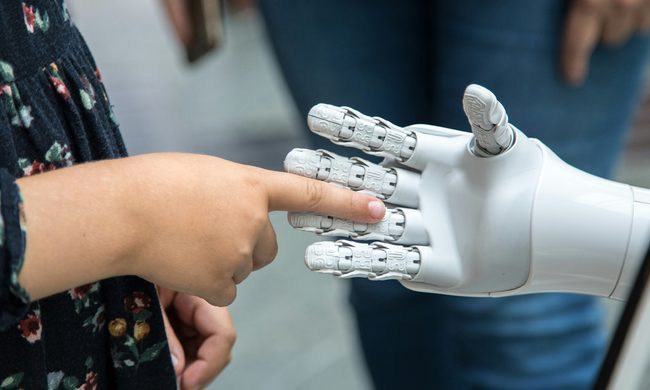
The success of devices like Dune, alongside recent innovations in tactile sensors for robotics (such as the color-changing tactile sensors recently reported in research), suggests that we are moving toward a more tactile, sensory-rich way of interacting with digital information. We are no longer content to just click and type; we want our interfaces to be responsive, physical, and intuitive.
Conclusion
Whether Dune will become a staple of every office setup remains to be seen. Its success will likely hinge on the longevity of its software ecosystem and the community’s ability to share custom scripts and workflows. However, for those who spend their days in a cycle of video calls, spreadsheet management, and code deployment, the promise of a "mute button that actually works" is a compelling one.
In a world where software is becoming increasingly abstract and complex, there is something refreshingly grounded about a physical button. By placing that power at our fingertips—literally—Project Mirage has provided a glimpse into a more efficient, less frustrating digital future. The era of the awkward "you’re on mute" moment may finally be coming to a close, replaced by a new, seamless standard of human-computer interaction.