Asro
Asro
In the fast-paced world of short-form video, timing is everything. For creators and businesses alike, the ability to reach an audience exactly when they are most active can be the difference between a video going viral or disappearing into the void of the algorithm. As TikTok continues to dominate the social media landscape, mastering the art of scheduling is no longer just a "nice-to-have" skill—it is a foundational pillar of any successful digital marketing strategy.
Whether you are a solo creator looking to streamline your workflow or a social media manager coordinating campaigns for a global enterprise, this guide will walk you through the nuances of scheduling, the technical requirements for different platforms, and the data-driven strategies that will elevate your content performance.
The Strategic Importance of Scheduling
Scheduling your TikTok content is about more than just convenience; it is about intentionality. By planning your posts in advance, you move from a reactive, "post-and-pray" mindset to a proactive, strategic approach.
Consistency and Brand Authority
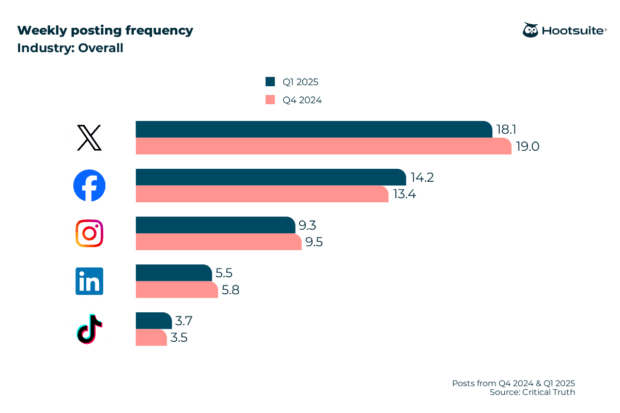
The TikTok algorithm prioritizes accounts that maintain a consistent presence. By scheduling content 3–5 times per week, you establish a reliable rhythm that keeps your brand top-of-mind for your followers. Consistency helps signal to the algorithm that your account is active and high-quality, which can improve your chances of appearing on the "For You" page (FYP).
Managing Workflow and Burnout
Content creation is resource-intensive. By batching your production—filming several videos in one sitting and scheduling them for the coming week or month—you alleviate the daily pressure of creating content on the fly. This allows for better creative focus and higher production quality.

Chronology: How to Schedule Your Content
There are two primary ways to approach scheduling: using TikTok’s native "TikTok Studio" or utilizing third-party management platforms like Hootsuite.
Method 1: The Native Approach (TikTok Studio)
TikTok has evolved to provide native scheduling tools, though they come with limitations.
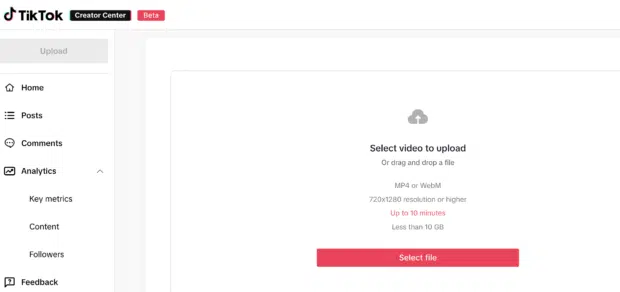
- Access the Desktop Interface: Open your web browser and navigate to TikTok.com. Log in to your account.
- Initiate the Upload: Click the "Upload" button located in the top-right corner.
- Configure Your Video: Upload your video file (ensuring it adheres to the 10-minute maximum length and 10GB file size limit).
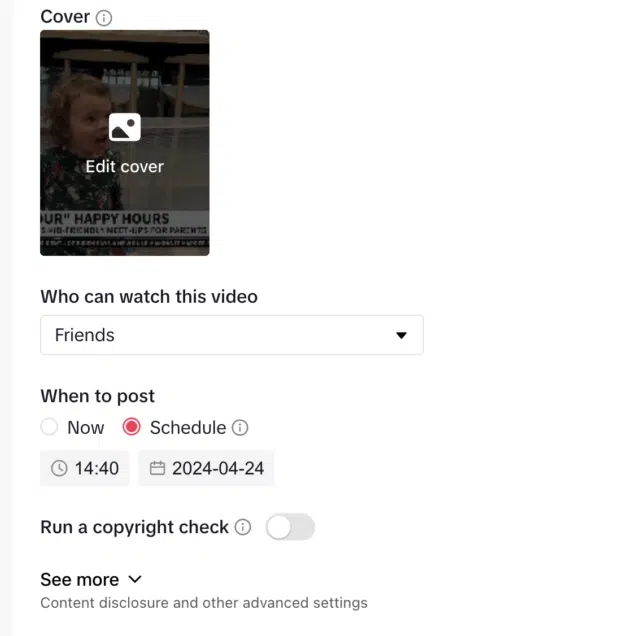
- Refine Details: Add your captions, relevant hashtags, and select your custom cover image. This is also where you configure privacy settings, such as who can view the video and whether you want to allow Duets or Stitches.
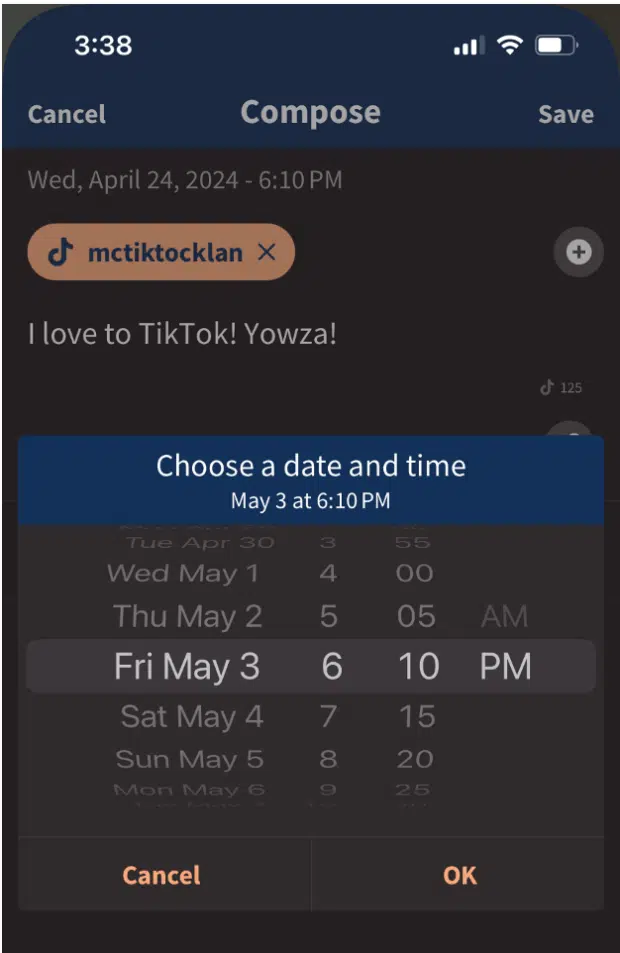
- Schedule: Toggle the "Schedule video" option. You can select a date and time up to 10 days in advance. Once confirmed, your video is locked into the queue.
Note: This feature is only available for Business and Creator accounts. If you are using a personal account, you must switch your account type in the Settings menu.
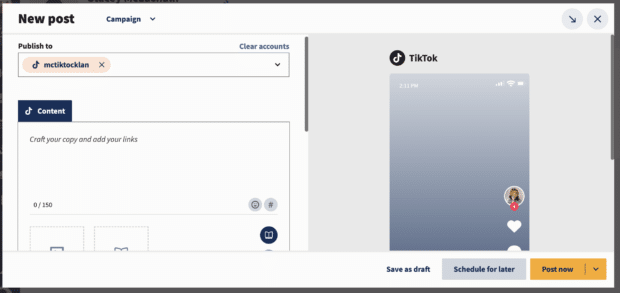
Method 2: The Enterprise Approach (Third-Party Tools)
For professional teams, the 10-day limitation of the native tool is often insufficient. Professional scheduling platforms like Hootsuite offer a more robust suite of features:

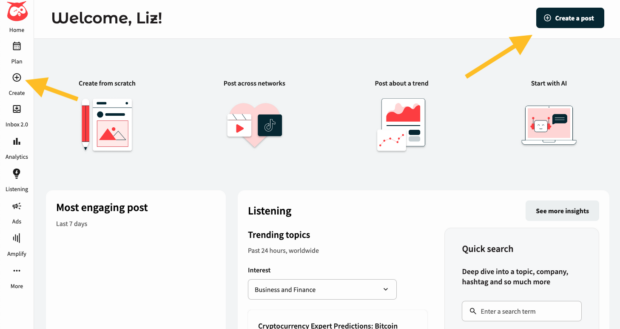
- Centralized Management: Connect your TikTok account to the Hootsuite dashboard.
- Extended Planning: Unlike the native 10-day limit, third-party tools allow you to plan weeks or even months in advance, facilitating long-term campaign alignment.
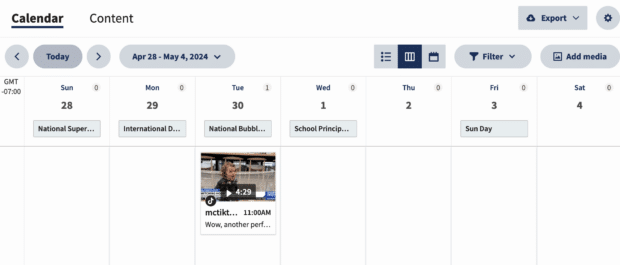
- Drafting and Collaboration: These platforms allow teams to collaborate on captions, request approvals from stakeholders, and maintain a visual calendar to ensure balanced content distribution.
- Efficiency: Use AI-writing tools, like Hootsuite’s OwlyWriter, to draft engaging captions instantly, and utilize "Recommended Times" features to ensure your content hits the feed when your specific audience is most active.
Supporting Data: Why Timing Matters
The debate over "the best time to post" is ongoing, but data consistently suggests that audience habits are predictable.
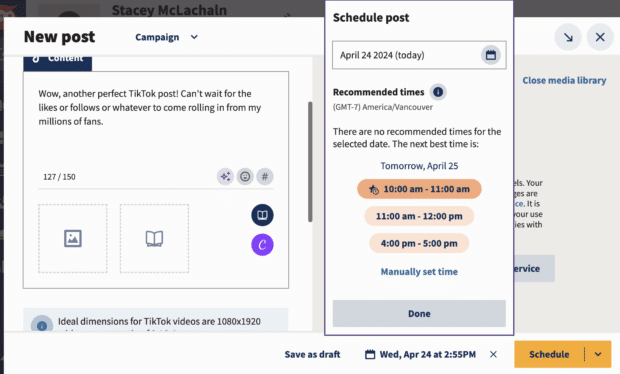
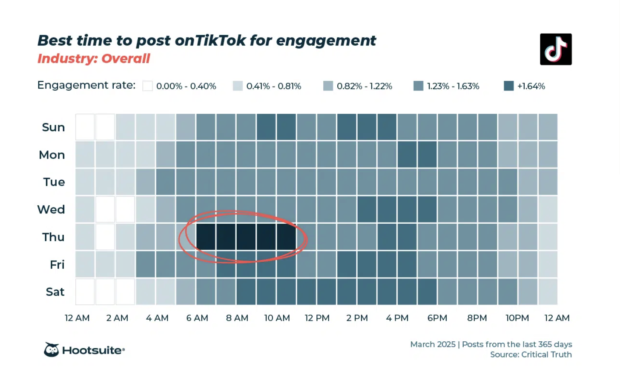
- The Global Baseline: Research indicates that Thursdays between 6:00 AM and 9:00 AM, and Saturdays between 10:00 AM and 6:00 PM, are peak times for engagement.
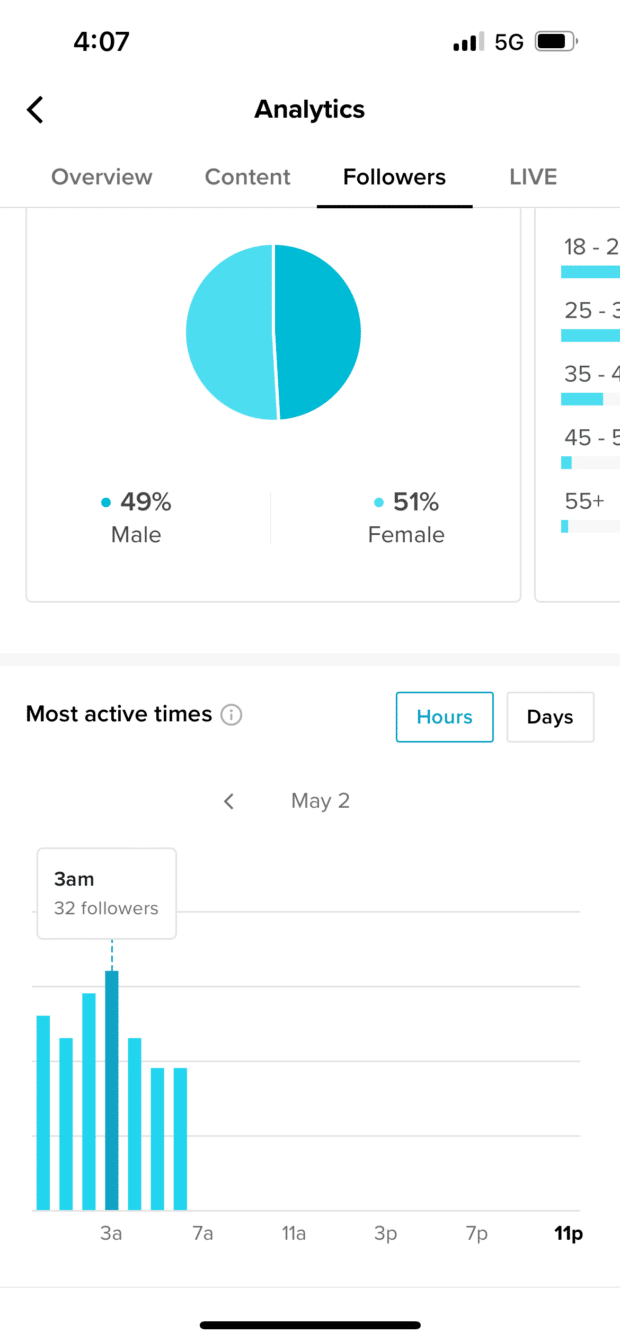
- The Audience Factor: While general trends provide a starting point, your specific analytics are your most valuable asset. Using the "Analytics" tab in your Creator Tools, you can identify exactly when your followers are most active.
- Time Zone Awareness: If your audience is global, scheduling based on their local time is non-negotiable. A video posted at 9:00 AM in New York reaches a completely different audience than one posted at 9:00 AM in Tokyo. Sophisticated scheduling tools allow you to automate these shifts, ensuring your content is live during the peak hours of your target region.
Official Guidelines and Best Practices
To succeed, you must balance automation with authenticity. Here are the core pillars for an optimized schedule:
1. Don’t Post for the Sake of Posting
Automation can lead to a "quantity over quality" trap. If you have nothing of value to say, do not force a post. Authenticity remains the currency of TikTok. Use your scheduled slots for evergreen content—tutorials, company updates, or educational series—and leave space in your calendar to jump on trending audio or viral formats in real-time.
2. The Power of Analytics
Use your past performance to guide future scheduling. Look at your most successful videos:

- What time of day were they posted?
- What day of the week performed best?
- Did the posting time correlate with a higher spike in engagement?
By analyzing these metrics, you can refine your schedule to mirror the habits of your most loyal viewers.
3. Maintain Consistency
The algorithm favors regular activity. Even if your production volume is limited, maintaining a consistent 3–5 posts per week is generally more effective than a "burst" strategy where you post five times in one day and then go silent for two weeks.

Implications for Modern Businesses
The shift toward professional scheduling tools has significant implications for how brands operate on TikTok.
- Increased Productivity: For small businesses, the time saved by scheduling is massive. It allows the owner to focus on running the business while the social media presence continues to grow in the background.
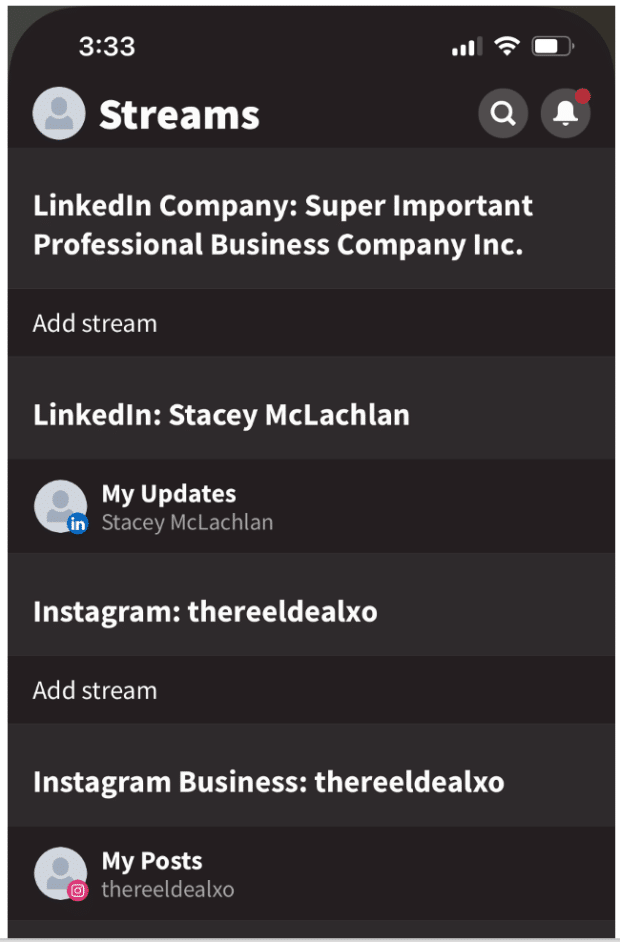
- Multi-Platform Synchronization: For larger enterprises, managing TikTok alongside Instagram, LinkedIn, and X (formerly Twitter) is complex. Using a single dashboard to coordinate cross-platform campaigns ensures brand messaging remains cohesive across all channels.
- Enhanced Measurement: When you schedule through a professional tool, you gain access to integrated reporting that often exceeds the basic data provided by the app itself. You can track ROI, follower growth, and engagement rates in a single, exportable report.
The Verdict on "Algorithmic Bias"
A common concern among creators is whether the algorithm penalizes scheduled posts. There is no evidence to suggest that TikTok treats scheduled posts differently than those posted manually. The algorithm evaluates content based on its quality, relevance, and the speed at which it receives initial engagement. Whether you click "Publish" yourself or a bot does it for you, the content’s performance depends entirely on its merit.
Conclusion
As TikTok continues to refine its ecosystem, the barrier to entry for businesses is rising. Professionalism, consistency, and data-backed decision-making are now requirements for success. By leveraging the scheduling tools available to you—whether through the native platform or a dedicated management suite—you can ensure your brand remains a constant, engaging presence in your audience’s feed.
Stop guessing when your audience is online and start leading them to your content with a structured, thoughtful, and consistent posting schedule. Your metrics will thank you.


 Jia Lissa
 Raul Delapena Setiawan