

In the modern era of high-speed fiber-optic internet, gigabit connections have become the standard for enthusiasts and remote workers alike. Yet, despite paying for premium bandwidth, many users find themselves inexplicably throttled. A recent personal experience—involving a simple room relocation—highlighted a common, often overlooked technical bottleneck: the "100 Mbps trap," a phenomenon where a hardware oversight cripples your network performance, leaving you wondering why your high-end PC is performing like it’s still in the early 2000s.
The Chronology of a Network Failure
The trouble began with a domestic reorganization. After a seven-year corporate tenure, I transitioned into a life of tech writing and PC building. When I decided to swap my home office with the master bedroom, the physical logistics were handled with professional ease. I hired a local technician to reroute the Ethernet cabling through the existing electrical ducts, a task that required cutting the RJ45 connectors off the existing Cat 6 lines to thread them through the conduits.
The electrician was efficient; the job was completed in under 30 minutes, and the connection appeared robust. After reconnecting my workstation and booting up Forza Horizon 6 to celebrate the move, everything seemed perfect. However, days later, the reality of the situation became clear. While attempting to download large game files, I noticed transfer speeds were sluggish. A quick diagnostic check confirmed my fears: my 200 Mbps connection was being throttled.
The link speed in my Windows network adapter settings showed a capped speed of 100 Mbps. Despite a robust ISP plan, the hardware was negotiating down to a Fast Ethernet speed rather than the expected Gigabit (1000 Mbps) rate. What followed was a week-long troubleshooting odyssey, testing everything from software configurations to hardware settings, only to discover that the culprit was hiding in plain sight: a poorly crimped connector.
Understanding the "100 Mbps Bottleneck"
The "100 Mbps bottleneck" is a classic networking issue that occurs when the physical layer of the OSI model fails to maintain a handshake between the network interface card (NIC) and the router or switch.
How Link Speed Negotiation Works
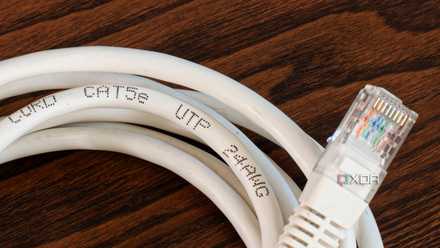
Ethernet cables, specifically Cat 5e and above, contain four twisted pairs of copper wires. For a Gigabit connection to function, all four pairs must maintain a perfect electrical connection. If even one of the eight individual wires inside the cable is damaged, frayed, or poorly seated in the RJ45 connector, the hardware will detect the failure and "fall back" to 100 Mbps mode. This is a failsafe mechanism; the system effectively sacrifices speed to ensure that at least a basic, stable connection remains active.

The Illusion of Functionality
The insidious nature of this problem is that the connection doesn’t drop completely. Because 100 Mbps is still "fast enough" for browsing and basic streaming, many users go weeks without realizing their connection is severely degraded. It is usually only during high-bandwidth tasks—such as downloading large files, transferring data to a NAS, or high-fidelity cloud gaming—that the deficit becomes apparent.
Troubleshooting: Why the Usual Fixes Failed
My initial response was to treat the issue as a software or configuration error, a common pitfall for those of us deeply entrenched in the Windows ecosystem.
- Software Configuration: I first checked the Windows adapter properties. Sometimes, power management settings or driver updates can inadvertently force a slower link speed. I toggled "Auto Negotiation" to "1.0 Gbps Full Duplex," but the connection simply dropped. This confirmed that the physical layer was incapable of sustaining the higher frequency required for gigabit speeds.
- The SSD Overprovisioning Myth: I even revisited the niche "SSD tweak" I had used in the past, which involves adjusting cache settings. While these tweaks can sometimes resolve specific driver-level conflicts, they were useless here because the bottleneck was entirely physical.
- Cable Reinsertion: I reseated both ends of the cable multiple times. While oxidation or loose contact pins can cause issues, the cable had been freshly installed; the likelihood of a simple loose connection was slim.
The Root Cause: The Human Factor in Networking
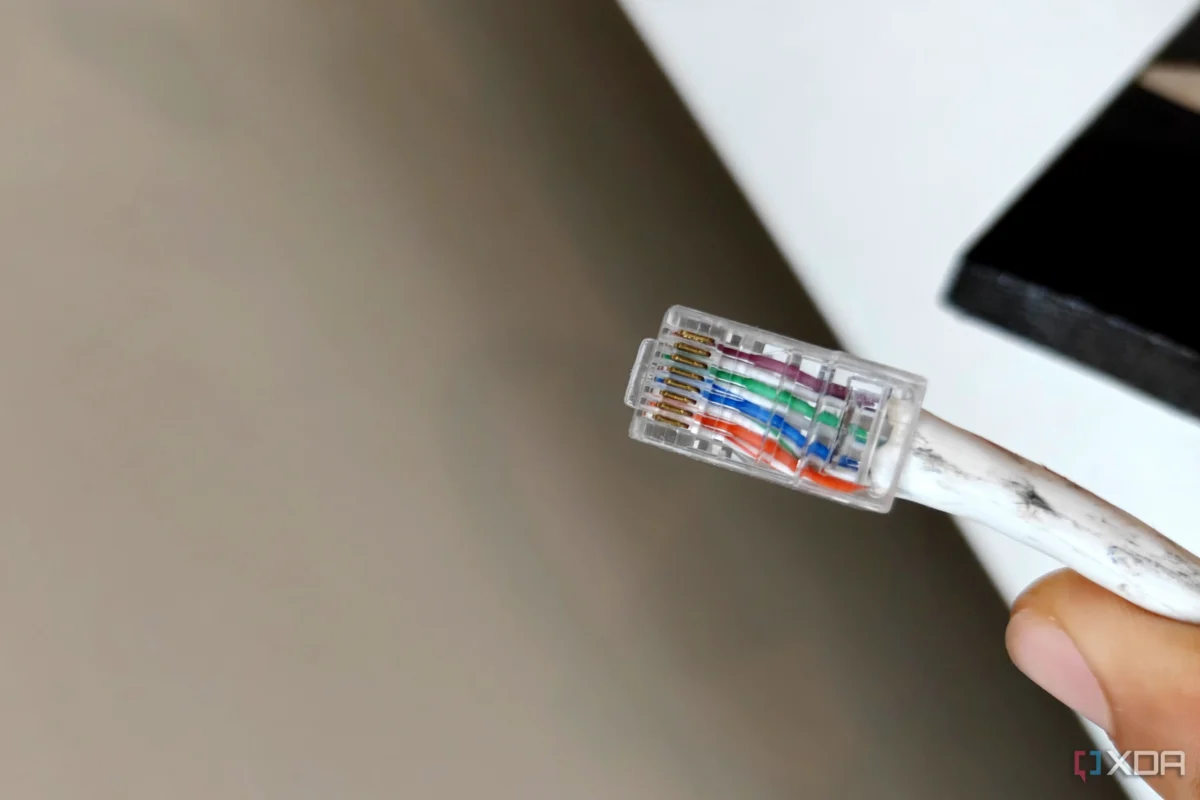
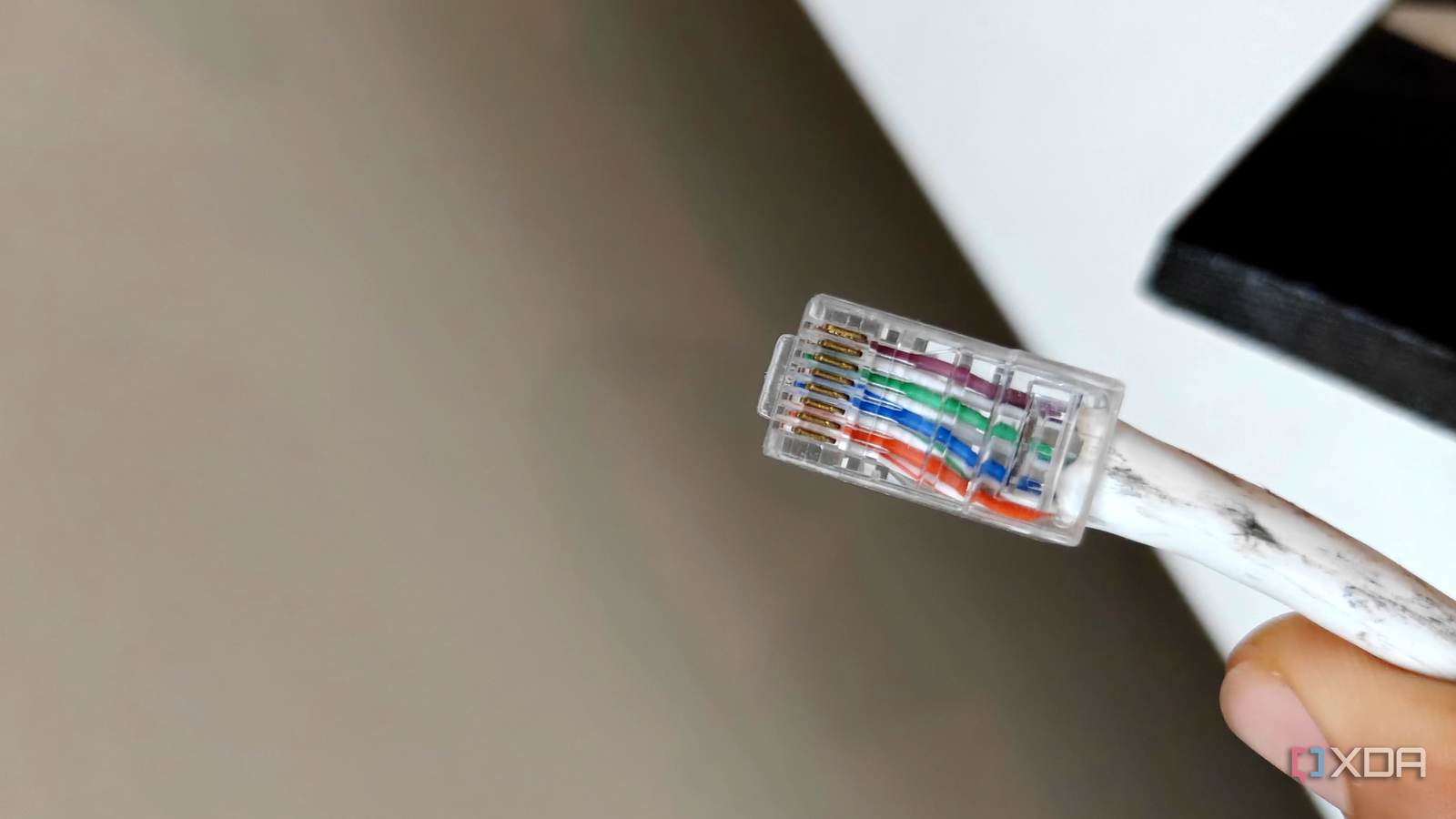
After ruling out the software, I turned my attention to the physical infrastructure. The electrician had performed a "re-crimp" to pass the cable through the conduit. When I initially inspected the connector, the wires looked aligned. However, appearances can be deceiving.
When a crimping tool is not applied with the correct pressure, or if the individual wires are not seated deep enough into the contact pins, you get "intermittent" connectivity. In my case, the physical connection was just stable enough to negotiate a 100 Mbps link, but the internal geometry of the connector was fundamentally flawed.
When the ISP technician finally arrived, he initially dismissed the idea of a bad crimp. It was only after I insisted that he cut off the connector and re-terminate the cable that the problem vanished. The moment he crimped a fresh RJ45 head onto the cable, the Windows network adapter instantly reported a 1.0 Gbps link speed, and my download speeds surged back to the full 200 Mbps capacity of my plan.
Implications for Modern Home Networking
This incident serves as a stark reminder that in an age of cloud computing and smart homes, the "dumb" physical infrastructure remains the most likely point of failure.
The Cost of "Good Enough"
Many homeowners rely on pre-installed cabling or the work of general handymen who may not specialize in networking. Ethernet is not just a wire; it is a precision-engineered conduit for high-frequency data. A single twist in the wrong place or a poorly crimped terminal can introduce "crosstalk"—interference between the wire pairs—that drastically reduces performance.
The Case for DIY Skills
The modern power user must eventually embrace the tools of the trade. If you are regularly building PCs or managing a home server, you should own:
- A high-quality Crimping Tool: Avoid the cheap plastic models; look for ratcheting, heavy-duty metal tools.
- A Cable Tester: A simple RJ45/RJ11 tester costs less than $15 and provides instant confirmation of wire continuity. It would have saved me days of troubleshooting.
- Passthrough Connectors: These make it significantly easier to ensure the wires are fully inserted before crimping, drastically reducing the margin for human error.
When to Upgrade the Media
It is also worth noting that older houses may have "Cat 5" cabling buried in the walls. Cat 5 is limited to 100 Mbps by design. If you are struggling with speeds, ensure that your wall plates and patch cables are at least Cat 6 or Cat 6a. Investing in high-quality shielding and proper termination is the only way to future-proof your home against the increasing demands of 4K streaming, high-speed file transfers, and multi-device households.
Conclusion: Don’t Blame the Router
When your internet speed isn’t what it should be, the human tendency is to blame the ISP or the expensive Wi-Fi router. While those components certainly fail, the "last mile"—the cable running from your wall jack to your PC—is the most fragile link in the chain.
My experience proves that even a professional-looking installation can be a source of massive performance degradation. Before calling your ISP to complain about throttling or spending money on an expensive hardware upgrade, take a moment to inspect your physical connections. Often, the solution isn’t a new subscription or a router reboot; it’s a $2 RJ45 connector and five minutes of patience. Learning to terminate your own cables is not just a useful skill—it is an essential safeguard for the modern digital life.











