In an era where internal laptop storage is increasingly soldered to the motherboard and non-upgradable, external drives have transitioned from a luxury accessory to an essential utility. Whether you are a creative professional managing high-resolution video files, a gamer looking to expand your console’s library, or a home user simply seeking a reliable backup solution, the decision between a Solid-State Drive (SSD) and a Hard Disk Drive (HDD) is more consequential than ever.
While SSDs represent the modern gold standard for performance, they are not a universal solution for every storage requirement. As consumer demand for capacity grows and memory prices fluctuate, understanding the fundamental differences between these two technologies is critical to making a cost-effective and functional investment.
The Evolution of Storage: Main Facts
To understand the current marketplace, one must distinguish between the two core architectures:
- Hard Disk Drives (HDDs): These are the traditional workhorses of the computing world. They utilize magnetic storage on spinning platters with a mechanical actuator arm that reads and writes data. Because they rely on physical movement, they are inherently limited by latency—the time it takes for the disk to spin to the correct location.
- Solid-State Drives (SSDs): These represent a leap in technology, utilizing NAND flash memory. With no moving parts, SSDs provide near-instantaneous access times. They are essentially large-scale, high-speed versions of the thumb drives or SD cards users are familiar with, albeit significantly more sophisticated and durable.
The primary divergence in the modern market is the "value proposition." HDDs remain the undisputed kings of cost-per-gigabyte. For users who need to store massive amounts of "cold" data—files that are rarely accessed—the HDD remains the only logical, budget-friendly choice. Conversely, the SSD is the performance specialist, designed for workflows that demand rapid data throughput.
A Chronological Perspective on Drive Development
The history of external storage reflects the broader progression of computing. In the late 1990s and early 2000s, external storage was dominated by clunky, power-hungry HDDs that required their own AC power adapters. These were bulky, prone to failure if moved while running, and relatively slow.
The introduction of USB 2.0 allowed for greater portability, but it wasn’t until the widespread adoption of USB 3.0 and the subsequent maturation of flash memory that the "Portable SSD" became a viable consumer product. By the mid-2010s, SSD prices began to drop from the stratosphere, moving from enterprise-only hardware to consumer staples.
Today, we are in a transitional phase. While HDDs are still manufactured in high volumes for enterprise data centers and archival storage, their relevance in the portable, "on-the-go" sector is rapidly shrinking. SSDs have become the standard for professional media production, though the massive storage needs of modern 4K/8K video workflows mean that high-capacity HDDs are still frequently used in desktop RAID configurations.
Supporting Data: Performance and Cost Metrics
When evaluating these drives, the numbers tell a clear story.
Performance Throughput
- External SSDs: Typically offer read/write speeds ranging from 500MB/s to over 2,000MB/s, depending on the interface (SATA vs. NVMe) and the USB generation (USB 3.2 Gen 2 or USB4).
- External HDDs: Generally plateau at around 80MB/s to 160MB/s. This limitation is physical; the speed of the spinning disk is the bottleneck that cannot be overcome by software optimizations.
The Cost Gap
The price disparity remains the most significant barrier to entry for SSDs. As of the current market, a 1TB SSD may cost double or triple what a 2TB or 4TB HDD costs. For a student or budget-conscious user needing to back up a lifetime of photos, the HDD provides double the capacity for half the price. However, the "hidden" cost of the HDD includes the risk of mechanical failure—if an HDD is dropped while the platters are spinning, the likelihood of catastrophic data loss is significantly higher than that of an SSD.
Implications for Modern Computing and Consoles
The shift in storage technology has changed how we use our hardware.
The Console Experience
For owners of a PlayStation 5 or Xbox Series X/S, the distinction is vital. These consoles require internal, high-speed NVMe SSDs to run modern, current-gen games directly. However, an external HDD can still be used to store these titles. While you cannot play the games directly from the HDD, you can "cold store" them and transfer them to the internal drive when you are ready to play. This saves the user from the lengthy, bandwidth-heavy process of redownloading a 100GB game file.
Mobile and Network Connectivity
The rise of USB-C has made external storage more versatile. Many modern smartphones and tablets can now mount external drives. Connecting an SSD to a smartphone for on-the-fly video editing has become a common workflow for content creators. Furthermore, plugging an HDD into a router’s USB port can turn the drive into a simple, low-cost Network Attached Storage (NAS) device, allowing the whole family to access files over Wi-Fi.
The USB Bottleneck
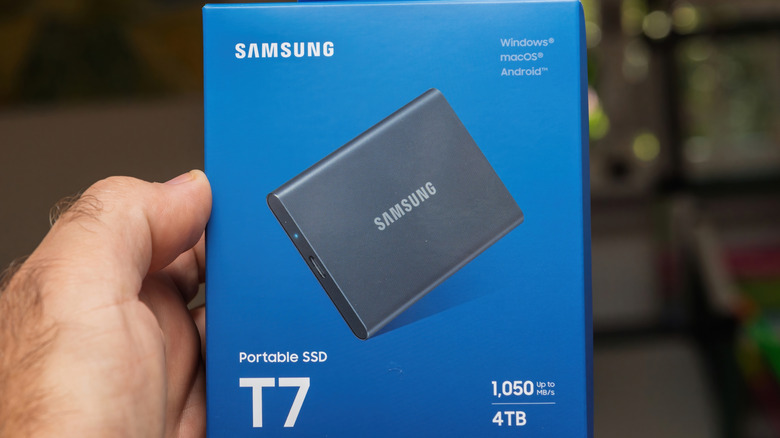
A critical implication often ignored by consumers is the interface. A high-performance SSD is essentially wasted if plugged into an older USB 2.0 port. Before purchasing, users must check their hardware specifications. If the host computer does not support the high-speed transfer protocols (like USB 3.2 Gen 2 or Thunderbolt), the "speed" of the SSD will be throttled down to the speed of the port, rendering the price premium paid for the SSD pointless.
Professional Insights and Best Practices
Industry experts generally advocate for a "tiered" storage strategy.
- The Working Drive (SSD): This should be your primary external drive for active projects, OS-level backups (like Time Machine or Windows File History), and applications that need to load quickly. Its durability makes it the ideal candidate for a drive that travels in a backpack.
- The Archival Drive (HDD): This is for your "data graveyard." Photos from ten years ago, old tax documents, and completed projects that you don’t need to touch for months at a time should live here. Because these drives are rarely moved, the risk of mechanical damage is mitigated.
Furthermore, if you find yourself with spare internal drives from an old computer, the "DIY" approach is highly recommended. Purchasing a high-quality external enclosure—specifically one that supports UASP (USB Attached SCSI Protocol)—can turn an internal 2.5-inch or 3.5-inch drive into a functional external unit for a fraction of the cost of a pre-packaged portable drive.
Conclusion
The "better" drive is entirely dependent on the definition of "better" in your specific context. If "better" means speed, durability, and a compact form factor, the SSD is the clear winner. If "better" means maximizing storage capacity for every dollar spent and archiving data that is rarely accessed, the HDD remains an indispensable tool.
As we look toward the future, the cost-per-gigabyte of flash memory will continue to decline, eventually forcing the HDD into the niche corners of the market. Until that day, however, the prudent user will maintain a hybrid strategy, utilizing the rapid agility of the SSD for the present and the reliable, high-capacity depth of the HDD for the past. By assessing your specific workflows—gaming, editing, or archival—you can ensure your digital footprint is stored not just safely, but efficiently.