

In the world of home lab enthusiasts, the transition from consumer-grade hardware to enterprise-class components is a rite of passage. It promises higher reliability, greater density, and the thrill of professional-grade performance. However, as I recently discovered, this upgrade path comes with a hidden cost: thermal profiles designed for server racks, not desktop chassis.
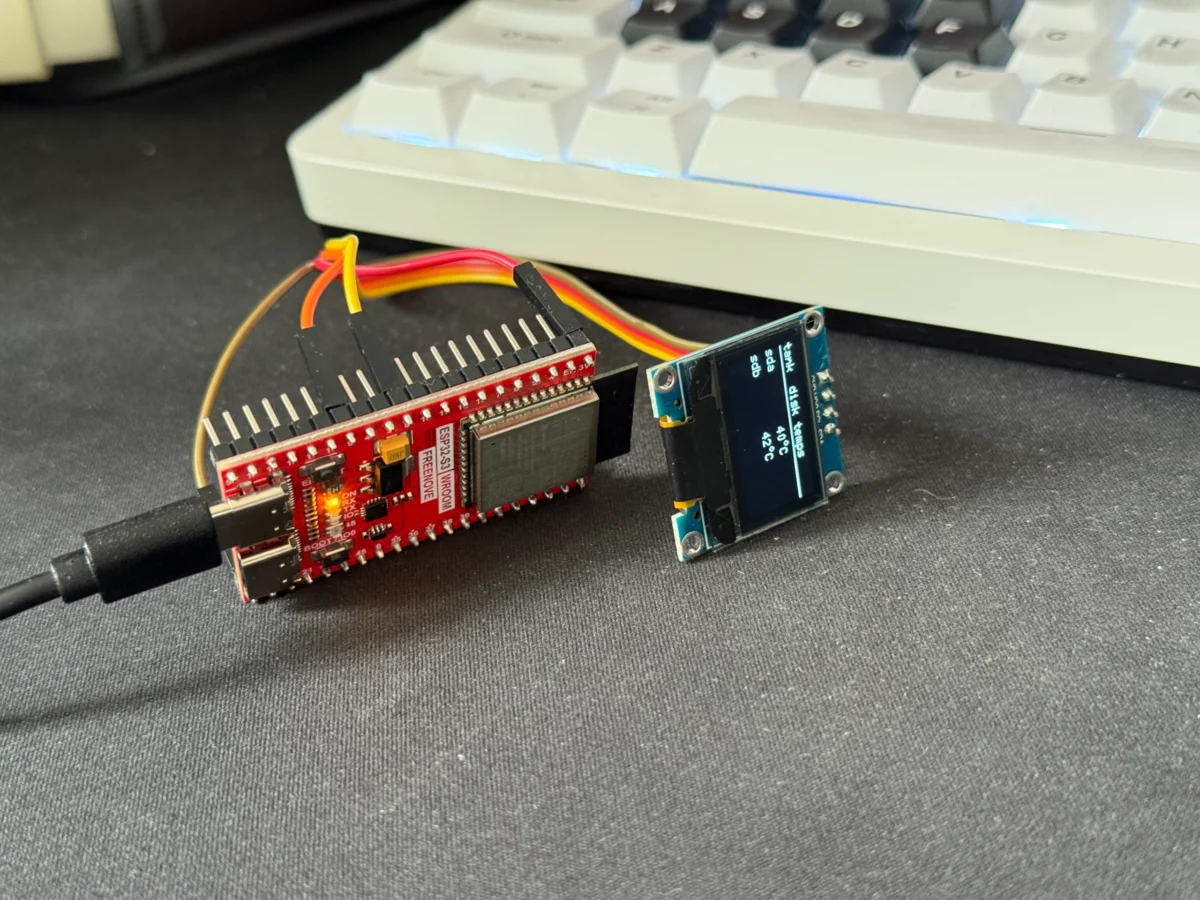
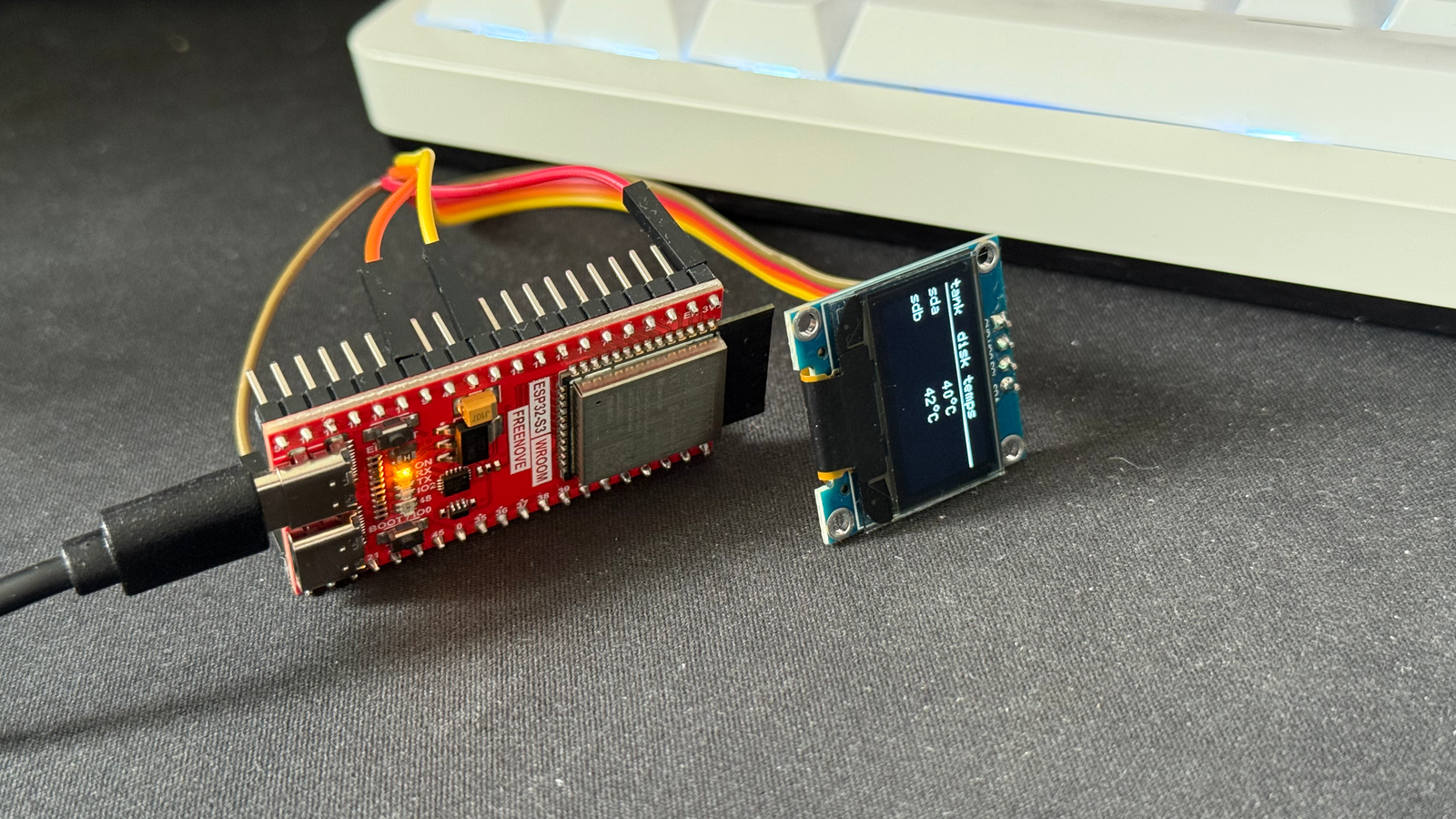
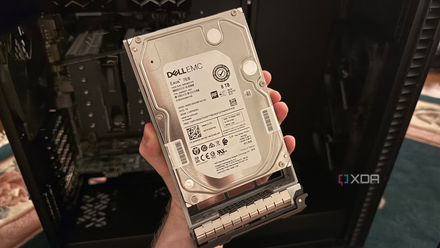
When I integrated a pair of enterprise-grade Seagate Exos 7E8 SAS drives into my Proxmox-based home lab, I quickly learned that these components do not suffer poor airflow lightly. What followed was a diagnostic journey that led me to bypass standard software monitoring in favor of a bespoke, physical hardware solution: an ESP32-powered environmental dashboard that sits right on my desk.
The Catalyst: A 60-Degree Warning
The decision to overhaul my storage setup was driven by a desire to consolidate data and leverage the robustness of the SAS (Serial Attached SCSI) interface. For the uninitiated, SAS drives are the workhorses of the data center. They are built for 24/7 operation under heavy I/O loads.
My initial installation was a tactical error born of convenience. To save time during the initial ZFS pool creation and data migration, I mounted the drives underneath the PSU shroud of my Fractal Define 7 XL. While this area is perfectly adequate for low-power consumer SSDs or quiet mechanical drives, it is a thermal dead zone for enterprise hardware.

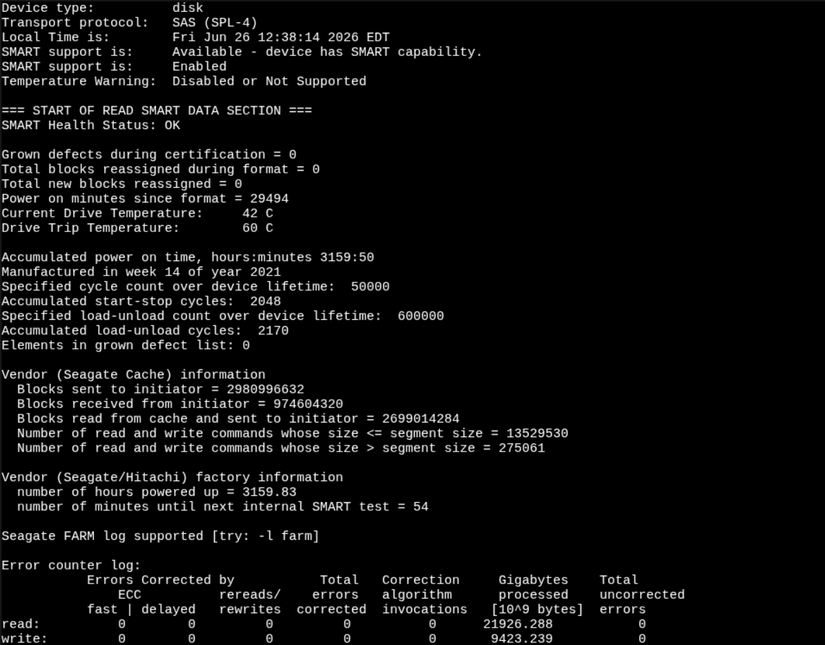
During a routine ZFS scrub, I checked the drive temperatures to ensure everything was within spec. I was met with an alarming 60°C reading. For the Seagate Exos 7E8, 60°C is the absolute ceiling of the recommended operating range. This wasn’t just a "warm" operating state; it was a critical failure waiting to happen. Seeing those numbers was the catalyst that forced me to reconsider my entire thermal management strategy.
Chronology of a Thermal Fix
The incident occurred just a few weeks ago, and the timeline of my response was rapid to prevent hardware degradation.
- Day 0: The Discovery. During the initial ZFS scrub, the lack of forced airflow under the PSU shroud caused the drives to spike. I immediately identified the issue and initiated a plan to relocate the hardware.
- Day 1: Physical Remediation. I tore down the drive configuration and moved the Exos 7E8s to the front of the Fractal Define 7 XL chassis. By placing them directly in the path of the front intake fans, I ensured they received constant, cool airflow.
- Day 2: Validation. Under sustained load, the drives dropped to the mid-40s (Celsius). This was a significant improvement, placing them well within the "sweet spot" for long-term drive health.
- Day 3-7: The Development of the Monitor. Recognizing that relying on manual CLI checks was inefficient, I began drafting the architecture for an external, glanceable monitor using an ESP32 microcontroller.
The Limitations of Software-Defined Monitoring
My home lab runs on Proxmox, a powerful hypervisor that manages my virtualized environment with ease. While Proxmox is excellent at resource allocation, its default approach to disk monitoring is, by design, somewhat passive.
Proxmox utilizes smartmontools and the smartd daemon to poll drive health. While the data is there, it is not "front and center." To view the temperature, one must navigate through the web interface, click on the specific disk, and request a SMART report. There is no persistent dashboard widget for disk thermals, and without configuring a complex mail relay or an external metrics stack (like InfluxDB and Grafana), there is no proactive alert system.
While setting up a full-blown metrics stack is the "proper" way to handle enterprise monitoring, it felt like overkill for my specific needs. I wanted a low-overhead, physical interface that didn’t require me to alt-tab out of my work or log into a web console just to see if my drives were running hot.
The Engineering Solution: The ESP32 Approach
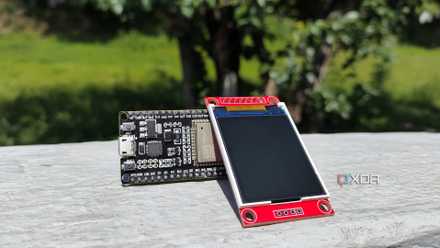
The beauty of the ESP32 is its accessibility and its capability to act as a bridge between the physical and digital worlds. My project involved creating a lightweight JSON endpoint on my Proxmox host that executes a smartctl command to grab the current temperature of the disks.
The ESP32, programmed to act as an IoT client, wakes up on a set interval, connects to the Wi-Fi, and fetches this tiny JSON payload. It then displays the temperature on a small, crisp OLED screen.
Key Advantages:
- Isolation: The ESP32 has no write access to my storage pool. It is a one-way street for data, which maintains the integrity and security of my ZFS volumes.
- Glanceability: Having the temperature sitting on my desk means I can see at a glance if the server is under thermal stress without ever touching a keyboard.
- Threshold Alerts: I programmed the display to change colors or trigger a visual flag if the temperature exceeds a defined threshold, providing an instant heads-up display.
Implications for Home Lab Architecture
This experience highlights a fundamental truth about modern home labs: hardware compatibility is more than just "does it plug in?" It is about environmental compatibility.

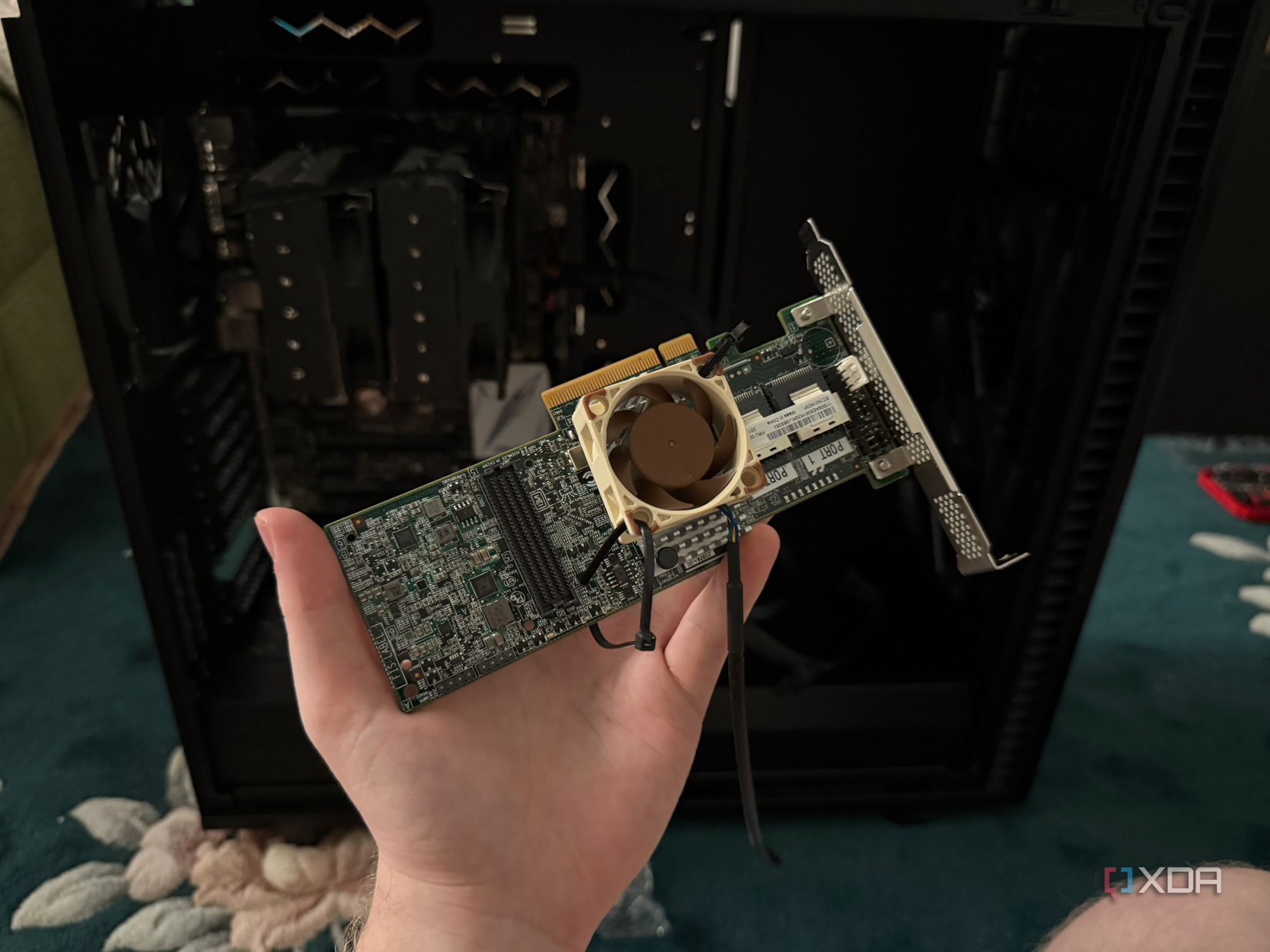
When we bring enterprise gear into a home environment, we are effectively bringing a "zoo animal" into our living room. It requires a specific habitat. The LSI 9207-8i HBA card I am using is a perfect example of this. These cards were never meant to operate in a case with standard fan curves; they expect the high-static-pressure environment of a server rack.
In my setup, the HBA was also running warm. I had to zip-tie a 40mm Noctua fan directly to the heatsink to keep it cool. This is a common "fix" among sysadmins, but it reinforces the idea that if you are using enterprise components, you must be prepared to customize your airflow.
Moving Forward: Future Improvements
While the current setup works, it is a prototype. My next steps involve:
- Enclosure Design: Moving the ESP32 and OLED from a breadboard to a 3D-printed case for a professional look.
- Expansion of Metrics: I intend to include the HBA temperature in the feed. Since the LSI card is arguably the most critical component regarding airflow, ignoring its thermals would be a mistake.
- Refining the Power Delivery: Moving from USB power to a more integrated power solution within the rack.
Conclusion
The transition to enterprise drives has been an educational experience in thermal dynamics. It proved that while software monitoring is essential, there is still a place for physical, glanceable hardware in a modern home lab.
For those looking to adopt similar enterprise hardware, my advice is simple: don’t underestimate the importance of your case layout. Ensure you have high-airflow configurations and, if you, like me, find the lack of immediate thermal feedback frustrating, don’t be afraid to build your own solution. Using an ESP32 to bridge the gap between my server’s internal health and my physical workspace has provided peace of mind, improved my hardware longevity, and added a unique, functional piece of gear to my desk.
The home lab is an ever-evolving project. By solving for temperature today, I am ensuring that my data remains safe and my infrastructure remains stable for the many years of uptime ahead.











