Nana Muazin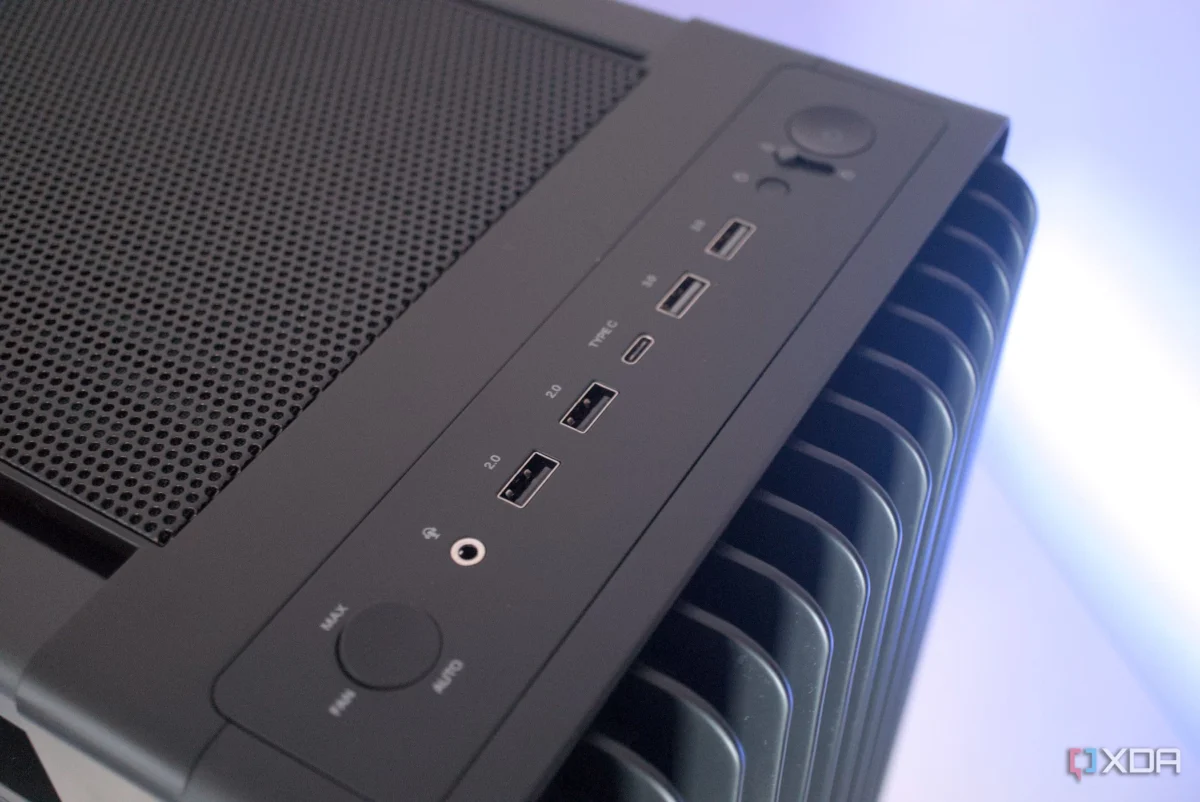
In the modern PC gaming and workstation landscape, there is a pervasive assumption that more bandwidth is always better. Users are conditioned to seek out the most advanced hardware, identifying the "fastest" ports on their motherboards—typically the color-coded teal or red USB 3.2 Gen 2 slots—to ensure their devices receive optimal power and data throughput.
However, many enthusiasts are discovering a frustrating paradox: the moment they plug a high-end 2.4GHz wireless mouse or a premium Bluetooth headset into these high-speed ports, performance collapses. Instead of the low-latency, seamless experience promised by flagship hardware, users report erratic cursor jitters, micro-stutters during intense gaming sessions, and audio dropouts that suggest a defective product. The reality is far more technical: you aren’t dealing with a hardware failure, but a fundamental clash of electromagnetic physics.
The Physics Behind the Interference: The 2.4GHz Bottleneck
To understand why your high-performance ports are causing your peripherals to malfunction, one must look at the radio frequency (RF) spectrum.
The USB 3.0/3.1/3.2 Interference Phenomenon
USB 3.0 and its subsequent iterations (3.1, 3.2) were designed to achieve staggering data transfer rates—up to 5Gbps and beyond. To accomplish this, these ports utilize a high-frequency differential signaling clock rate. During the process of scrambling and transmitting data packets at these speeds, the ports generate "broad-spectrum noise."
According to industry documentation, specifically research highlighted by Intel in years past, the harmonic frequencies of these electronic data transfers radiate noise directly into the 2.4GHz to 2.5GHz range. This is an industry-wide "dead zone" for wireless peripherals. Because Bluetooth, standard Wi-Fi (2.4GHz bands), Zigbee, and almost all proprietary low-latency gaming protocols (such as Logitech’s Lightspeed or Razer’s HyperSpeed) operate within this exact frequency, the USB 3.0 ports essentially act as localized radio jammers.
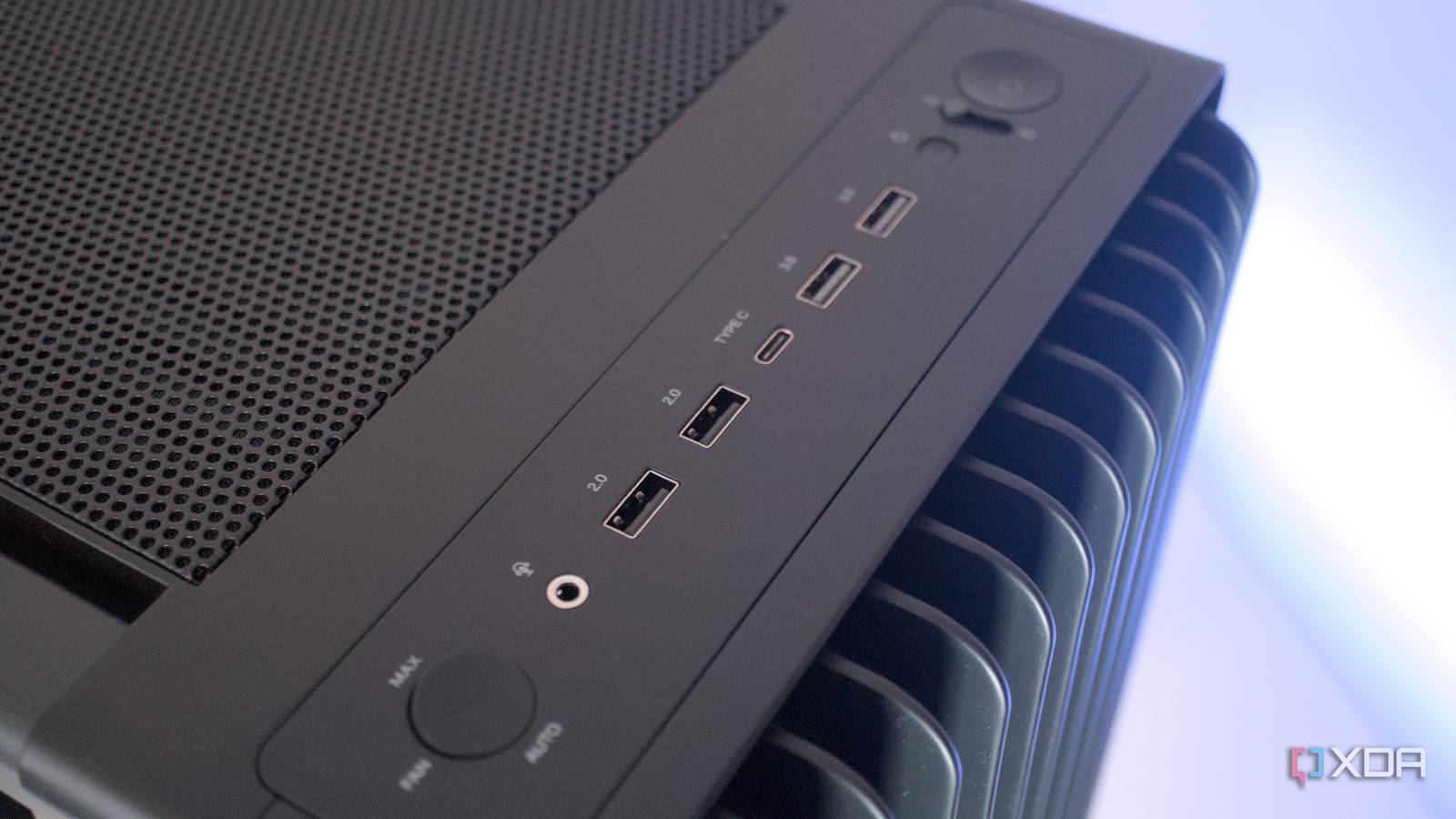
The unshielded pins within these high-speed ports effectively function as tiny broadcast antennas. When you engage in high-speed data transfers—such as moving large files to an external NVMe SSD—the electronic noise floor of your desk rises significantly, drowning out the fragile, low-power data packets arriving from your mouse or keyboard dongle.
Chronology of the "Connectivity Crisis"
The history of this issue tracks alongside the rapid adoption of USB 3.0 standards in the early 2010s.
- 2008–2010: The USB 3.0 standard is introduced. While initial adoption is slow, hardware manufacturers begin integrating these ports into the rear I/O panels of motherboards to cater to the growing need for high-speed external storage.
- 2012: Early reports surface in enthusiast forums regarding "mouse lag" and "stuttering" occurring specifically when using USB 3.0 hubs or ports.
- 2014: Intel publishes a seminal white paper titled “USB 3.0 Radio Frequency Interference Impact on 2.4 GHz Wireless Devices.” The paper officially acknowledges the design characteristic, confirming that the noise generated by USB 3.0 interfaces can cause a significant decrease in wireless sensitivity.
- 2018–Present: As the popularity of wireless gaming peripherals explodes, the issue moves from the fringe of niche IT troubleshooting into the mainstream. Manufacturers of high-end gaming gear begin including USB extension cables with their products, often instructing users to place the receiver on their desk rather than the back of the PC.
Supporting Data: Why Proximity Matters
The "Proximity Trap" is perhaps the most overlooked element of this technical struggle. Modern motherboard design focuses on maximizing the density of the rear I/O panel. Manufacturers often stack high-speed USB 3.2 ports directly adjacent to one another to save space.
The Cumulative Effect of EMI
The electromagnetic interference (EMI) is not a constant; it scales with activity. If you plug a high-speed flash drive into a port immediately adjacent to your wireless mouse dongle, the interference spike is near-instantaneous. As the drive reaches its peak bandwidth, the EMI "chokes out" the wireless receiver. Even if your dongle is in a standard USB 2.0 port, if it is physically located millimeters away from a heavily utilized USB 3.2 port, the spillover radiation can still degrade signal integrity.
Key findings in signal degradation:

- Throughput Impact: Wireless mice require a steady stream of low-latency packets. When the noise floor rises, the receiver must re-request missing data, resulting in the "jitter" or "float" feeling.
- Range Reduction: High-speed port interference can reduce the effective operational range of a 2.4GHz receiver from 10 meters to less than 30 centimeters.
- Cable Shielding: Cheap, unshielded USB cables attached to high-speed ports act as giant antennas, radiating noise across your desk surface.
Implications for Hardware Manufacturers and Users
The implications of this conflict are twofold: they challenge how motherboard vendors design I/O panels and how users interact with their setups.
Industry Responses
Major peripheral manufacturers (Razer, Corsair, Logitech, ASUS) have largely shifted their strategy to address this "dirty" signal environment. Most flagship wireless mice now ship with a specialized USB extension dock. The industry recommendation is now standard: never plug a 2.4GHz wireless receiver directly into the rear I/O panel of a PC.
Instead, the receiver should be placed on the desk, ideally within 15cm (6 inches) of the mouse, and away from any external storage devices, hubs, or the PC chassis itself.
The "Silent" Risk: USB-C and Thunderbolt
Users often assume that the newer, more advanced USB-C and Thunderbolt interfaces are immune to these issues. On the contrary, these standards operate at even higher clock speeds, generating significant baseline signal noise along the physical metal shielding of the ports. A desktop docking station or a multi-port USB-C hub often packs multiple high-speed lanes, power delivery, and video output into a small, unshielded chassis, creating a "localized radiation brick" that can devastate the performance of any wireless peripheral in its vicinity.
A Practical Guide to Resolving the Issue
If you are currently experiencing "ghosting," sluggish tracking, or intermittent audio, the resolution path is straightforward but requires a change in mindset regarding "fast" versus "functional" ports.
1. Revert to Legacy USB 2.0
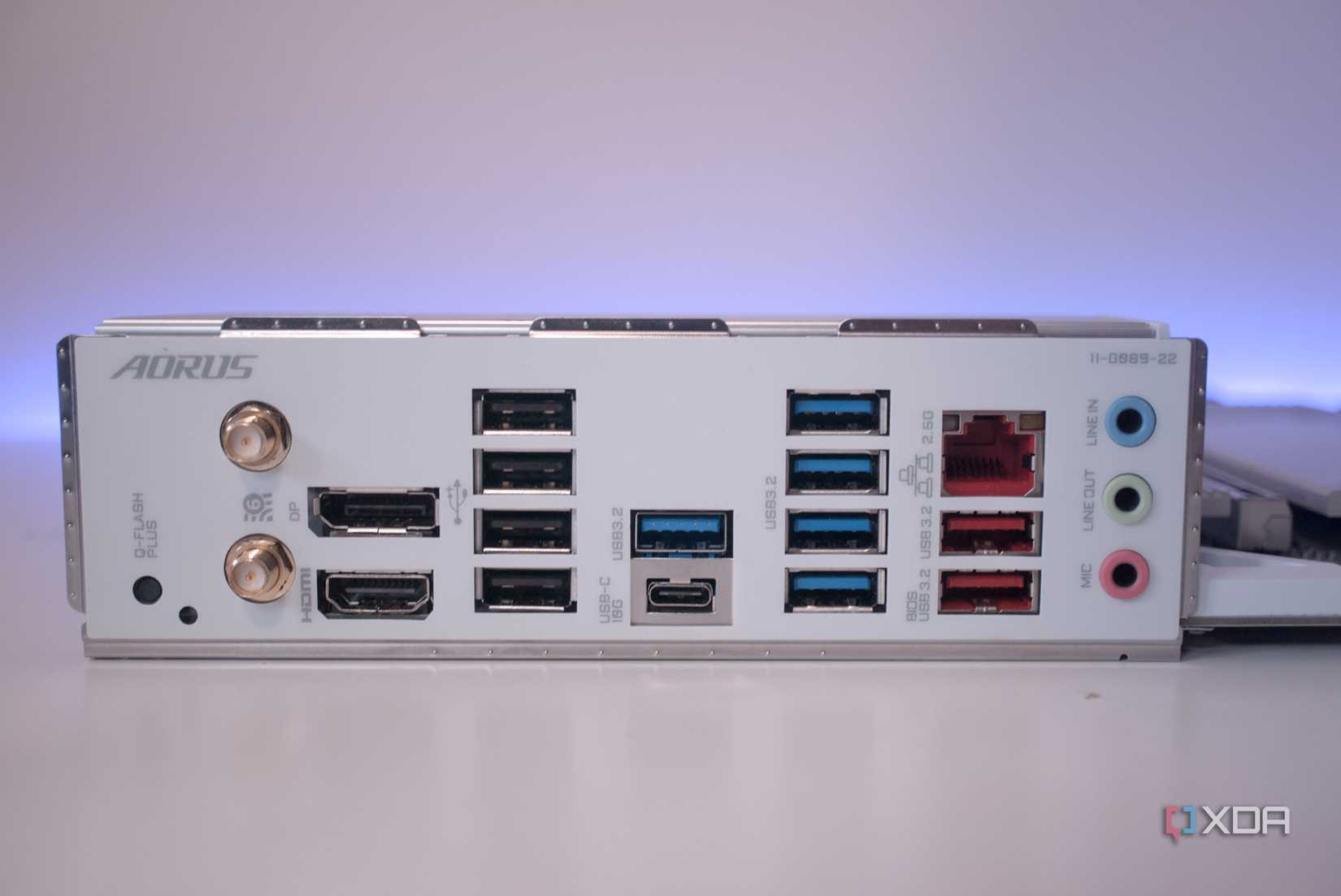
Locate the black or white USB 2.0 ports on your motherboard’s rear I/O. These ports do not operate at the high clock speeds required for the 2.4GHz interference phenomenon to occur. For a mouse, keyboard, or headset, the bandwidth of USB 2.0 is more than sufficient, and the stability is significantly higher.
2. Implement the 6-Inch Rule
If your motherboard lacks legacy ports, use a high-quality, shielded USB extension cable. Place your wireless receiver at least 15cm (6 inches) away from any high-speed cables, external SSDs, or the PC case. Moving the receiver away from the "EMI storm" of the motherboard is often the single most effective fix.
3. Front Panel Utilization
The front panel headers of a PC case are often physically isolated from the "noisy" high-speed controllers of the rear I/O. While these ports may be slower for data-heavy tasks, they are excellent for wireless receivers as they move the hardware further away from the dense components on the back of the motherboard.
4. Audit Your Hubs
If you use a USB-C hub or a port replicator, ensure that it is high-quality and, if possible, shielded. Better yet, avoid plugging your primary wireless receivers into a hub that is also handling data or power for external hard drives.
Conclusion: The "Maximum Specs" Trap
The modern PC building ethos is heavily skewed toward "maximum specifications." We are taught that a 40Gbps Thunderbolt port is a sign of a superior machine. However, in the world of wireless peripherals, this is a misnomer. A 40Gbps port is a specialized tool for high-speed data, while a 2.4GHz receiver is a delicate instrument for low-power communication.
By treating every port as a "universal" slot, users are inadvertently poisoning their own user experience. Take two minutes to audit your setup. By moving your wireless dongles to dedicated, low-speed ports or using an extension cable to distance them from the high-speed interference zone, you are not just fixing a bug—you are optimizing your system for the reliable, jitter-free performance that your hardware was designed to deliver.


 Raul Delapena Setiawan
 Neng Nana