Ali Ikhwan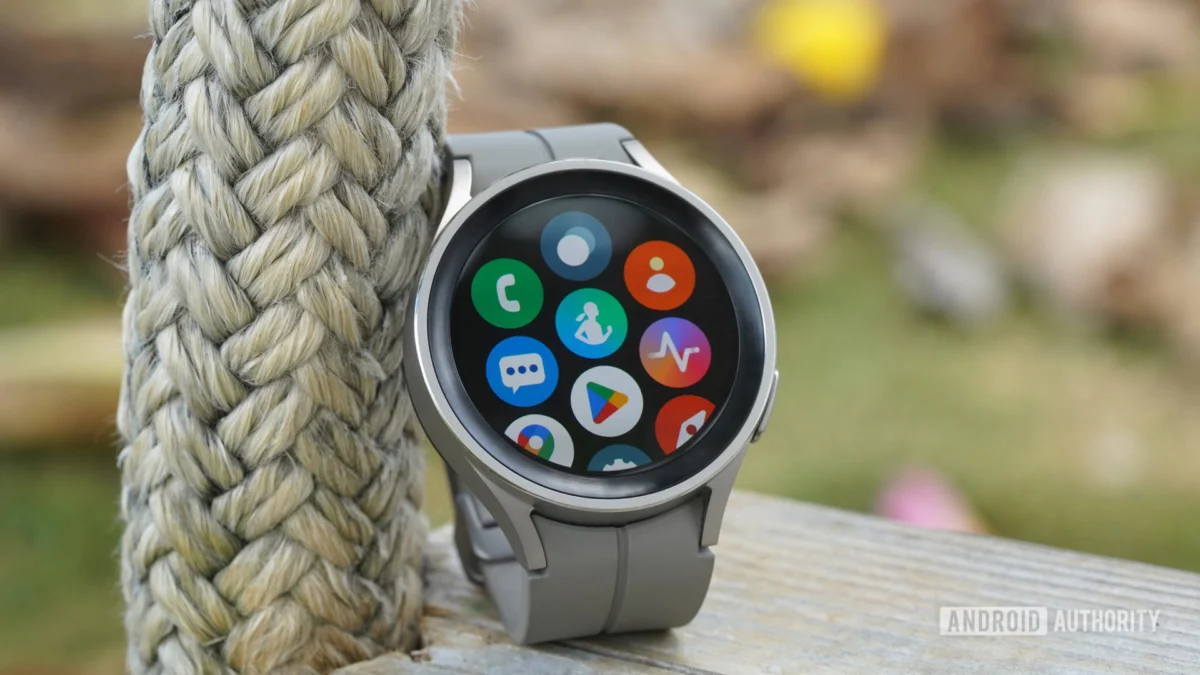
In the constrained landscape of wearable technology, user interface (UI) design is not merely an aesthetic choice—it is a functional necessity. Navigating a touch interface on a display less than two inches in diameter presents a unique set of challenges that developers have spent the last decade attempting to solve. Today, Google is signaling a significant shift in its design philosophy for Wear OS with a major visual update to the Google Contacts application, moving away from text-heavy lists in favor of a more intuitive, photo-first approach.
The update, arriving in version 1.106.0.914792851-release-wear, marks a departure from the traditional data-dense layouts that have long defined Google’s wearable software. By prioritizing visual identification over textual lists, the company is aiming to streamline the user experience, making communication from the wrist faster and more accessible.
The Evolution of Wearable Navigation: Why Design Matters
The primary obstacle in smartwatch software design is the "fat finger" syndrome and the limited real estate available for information density. When a user looks at their watch, they are typically seeking quick, actionable information. Historically, Google Contacts relied on a standard list format—names stacked vertically with small or non-existent contact photos. While functional, this layout required users to read and process text, which is often difficult while in motion or in low-light conditions.
The shift to a photo-centric design acknowledges that the human brain processes visual cues significantly faster than textual information. By enlarging contact avatars and restructuring the layout, Google is reducing the "cognitive load" required to initiate a call or send a message. This change is particularly relevant for smartwatches, where the user’s primary goal is usually to perform a quick task—such as starting a conversation with a favorite contact—and return their focus to the physical world.
Chronology of the Update: From Text to Tiles
The transition to this new UI did not happen overnight. It is the culmination of a broader design language shift within the Google ecosystem, often referred to as "Material You," which has been slowly percolating through various Android applications.
- Early Stages: Previous iterations of the Contacts app for Wear OS focused on utility and accessibility, adhering to a strict vertical list format that mirrored the contact list on a standard smartphone.
- The "Tile" Experiment: The introduction of the "Contacts Tile"—a quick-access widget that sits on the Wear OS home screen carousel—provided the first glimpse of this new aesthetic. The Tile utilized a grid-based, photo-heavy layout that proved popular among users for its brevity and ease of use.
- The Current Version (1.106.0.914792851): The latest release represents the integration of the Tile’s design philosophy into the main application. By standardizing the interface between the Tile and the primary app, Google is creating a cohesive ecosystem where the user experience is consistent regardless of how the app is accessed.
Supporting Data: Analyzing the UI Shift
The changes are best viewed by comparing the "Before" and "After" states of the application. In the previous version, the favorites screen was dominated by textual fields. If a user had a long list of favorites, they were required to scroll extensively, reading name after name.
The New Favorites Layout
In the updated layout, the screen density has been optimized to display more contacts simultaneously. This is achieved through a grid-based approach. By shrinking the text footprint and prioritizing high-resolution contact photos, Google has effectively turned the contact list into a visual menu. A user can now identify a spouse, colleague, or family member via a photo at a glance, bypassing the need to read names.
The Contact Detail Screen
Perhaps the most drastic change is found on the individual contact detail page. Previously, these screens were data-heavy, listing phone numbers and email addresses in a scrollable, list-like fashion. The new layout emphasizes the contact’s identity. The profile photo is now the focal point, with "Actionable Buttons"—such as Call, Message, and Video—positioned prominently underneath. This ensures that the most common interactions are just one tap away.
Implications for the Wear OS Ecosystem
This design shift carries several implications for the future of wearable software development:
1. Increased Reliance on Visual Assets
Developers will likely need to prioritize high-quality profile images for their users. As interfaces become more visual, the lack of a contact photo will become a "dead zone" in the UI. We may see Google implementing better syncing protocols to ensure that high-resolution avatars are fetched and cached effectively across all devices.
2. Standardizing the "Action-First" Paradigm
By moving actionable buttons to the top of the contact detail screen, Google is reinforcing a design standard that favors speed. In the future, we can expect other communication apps (such as WhatsApp, Telegram, or Signal) to follow suit, adopting similar UI patterns to remain competitive with the native Google experience.
3. Challenges for Accessibility
While a photo-first approach is excellent for general usability, it does present challenges for users with visual impairments. High-contrast text is often more readable than a photo of varying colors and brightness. It will be interesting to see if Google maintains an "Accessibility Mode" that allows users to toggle back to a text-heavy, high-contrast list view, or if they will double down on visual identifiers.
Official Responses and Industry Context
While Google has not released a formal press statement detailing the specific design logic behind this update, the move is consistent with their broader "Material Design 3" (You) guidelines. These guidelines emphasize larger touch targets, rounded corners, and a more intuitive, user-personalized interface.
Industry analysts suggest that this is a strategic move to position Wear OS as the most user-friendly smartwatch operating system. With competitors like the Apple Watch utilizing a similar "complication" and "tile" strategy, Google is essentially "polishing" the Wear OS experience to ensure that it feels premium, responsive, and, above all, easy to navigate in a real-world, fast-paced environment.
The Future of Wearable Interaction
As we look toward the future, the integration of generative AI and smarter UI will likely continue to reshape how we interact with our wrists. For instance, if an AI can predict which contact you are most likely to message at a specific time of day, that contact could theoretically migrate to the top of your favorites list automatically.
The current update to Google Contacts is a foundational step toward this "proactive" interface. By decluttering the screen and prioritizing visual hierarchy, Google is preparing the groundwork for a more dynamic and intelligent user interface.
Conclusion: A Step Toward Better Wearability
The transition to a photo-centric interface in Google Contacts is more than just a fresh coat of paint; it is a fundamental acknowledgment of the smartwatch’s role in our digital lives. By simplifying navigation, reducing text density, and focusing on the human element of our contact list, Google is making it easier for us to stay connected without getting lost in our devices.
While some power users may lament the loss of the detailed text-based view—specifically the immediate visibility of phone numbers—the trade-off for a cleaner, faster, and more visual experience is a net positive for the vast majority of users. As Wear OS continues to evolve, we can expect this philosophy of "glanceable, actionable, and visual" to permeate every corner of the wearable experience.
Note: This article is based on an analysis of the latest APK release of Google Contacts for Wear OS. As with all software in development, features identified in teardowns are subject to change before receiving a final, widespread public rollout.

 Asep Darmawan
 Basiran