Laily UPN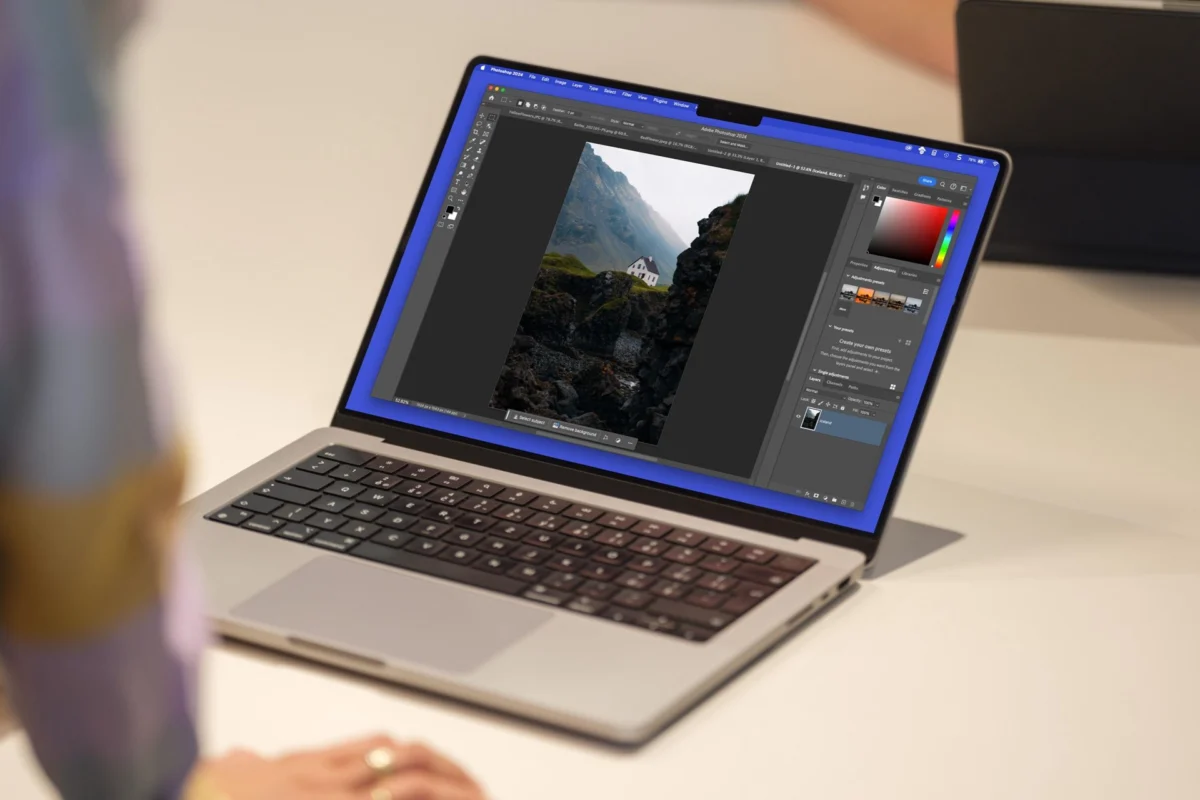
For decades, the creative industry has been dominated by a single, powerful name: Adobe Photoshop. While the software is undeniably the industry standard, its subscription-based pricing model and steep learning curve have left many hobbyists, students, and budget-conscious professionals searching for an alternative. Enter GIMP (GNU Image Manipulation Program), the venerable open-source champion of image editing. However, for those migrating from the Adobe ecosystem, GIMP has historically felt like a different language—cluttered, counter-intuitive, and frustratingly foreign.
Enter PhotoGIMP, a community-driven project that acts as a bridge, successfully translating the GIMP experience into a familiar environment for those whose muscle memory is permanently tethered to Adobe’s layout.
Main Facts: The Concept Behind the Patch
PhotoGIMP is not a standalone piece of software, nor is it a pirated version of Photoshop. It is a sophisticated, open-source patch designed for GIMP 3.0 and newer. Its primary objective is to reorganize the GIMP interface to mirror the workflow, shortcut configurations, and visual aesthetics of Photoshop.

By adjusting the default settings, rearranging toolbars, and remapping keyboard shortcuts to match Adobe’s industry-standard documentation, PhotoGIMP lowers the barrier to entry for millions of users. It effectively "reskins" the open-source editor, providing a professional-grade look and feel that allows users to hit the ground running without spending weeks relearning where basic tools reside.
The Chronology: A Community Response to Market Needs
The evolution of PhotoGIMP tracks with the growing dissatisfaction regarding software subscription models.
- The Early Days: As Adobe moved entirely to the Creative Cloud subscription model, the user base for open-source alternatives like GIMP spiked. However, the drop-off rate was high; users accustomed to Photoshop’s intuitive layers, panel management, and shortcut logic found GIMP’s unique interface jarring.
- The Genesis of PhotoGIMP: Recognizing this friction, the community—spearheaded by contributors like Diolinux—began working on a set of configuration files that would automate the process of "Adobe-ifying" GIMP.
- Refinement for GIMP 3.0: With the highly anticipated release of GIMP 3.0, the project received a major update. The developers ensured that the patch would be compatible with the modern architecture of the latest GIMP iteration, smoothing out bugs and enhancing performance across Windows, Linux, and macOS platforms.
- Present Day: Today, PhotoGIMP has become the go-to recommendation on forums like Reddit and GitHub for anyone looking to ditch Adobe without losing their professional productivity.
Supporting Data: Why the Interface Matters
The necessity of a project like PhotoGIMP is supported by the psychology of user interface (UI) design. In professional environments, speed is synonymous with proficiency. When a professional designer moves from Photoshop to GIMP, they are not just learning new tools; they are fighting their own "muscle memory."

The "Muscle Memory" Barrier
Keyboard shortcuts are the lifeblood of efficient digital art. In Photoshop, Ctrl+T (or Cmd+T) is the universal command for Free Transform. In standard GIMP, that function is often buried under different menus or assigned to a different key combination. PhotoGIMP maps these inputs to align with official Adobe documentation, effectively "tricking" the brain into feeling at home.
Canvas Space Optimization
One of the most common complaints regarding GIMP’s default layout is the clutter. Toolbars, palettes, and docks often overlap in ways that eat into the user’s canvas space. PhotoGIMP reorganizes these elements into a cleaner, sidebar-focused layout similar to the Photoshop "Essentials" workspace. This maximizes screen real estate, allowing for more precise editing on high-resolution displays.
Official Responses and Community Reception
While Adobe has not issued a formal statement regarding community patches like PhotoGIMP, the broader open-source community has hailed it as a landmark tool for software adoption.

"The power of open source isn’t just in the code itself, but in the community’s ability to adapt that code to the user’s needs," says one prominent Linux advocate. "PhotoGIMP represents the ultimate democratization of creative tools."
However, there is a caveat that the developers are quick to point out: PhotoGIMP is a DIY solution. It requires the user to perform a manual installation, which involves locating configuration folders, backing up existing preferences, and applying the patch. It is not an "install and forget" application, which keeps it firmly in the territory of power users and tech-savvy hobbyists rather than the casual "click-to-install" crowd.
The Implications: What This Means for the Future
The existence of PhotoGIMP has significant implications for the future of digital design software.

1. Breaking the Subscription Lock-in
The most profound implication is the reduction of "vendor lock-in." When users feel they have a viable alternative that doesn’t require a total workflow overhaul, they gain bargaining power. It forces industry giants to justify their subscription costs more aggressively, knowing that the "migration cost"—the time it takes to learn a new tool—is being lowered by projects like PhotoGIMP.
2. The Rise of "Hybrid" Workflows
We are moving toward a future where professionals may use a mix of proprietary and open-source tools. A freelancer might use Adobe Premiere for heavy video editing, but switch to a GIMP/PhotoGIMP setup for quick photo touch-ups, effectively managing their overhead costs without compromising on speed or quality.
3. The Limits of the Patch
It is important to manage expectations. PhotoGIMP is an interface overlay; it does not add features that don’t exist in the GIMP engine. Users expecting Adobe’s cutting-edge Generative Fill, AI-powered content-aware scaling, or seamless cloud integration will be disappointed. PhotoGIMP fixes the UI, not the underlying feature set. For heavy-duty professional workflows that rely on specific Adobe plugins or tight integration with other Creative Cloud apps, a full transition to GIMP may still prove difficult.

Installation and Safety: A Practical Guide
For those interested in testing the waters, the installation process is straightforward but requires caution.
- Preparation: Install the latest version of GIMP. Open it at least once to ensure the software initializes its configuration directory.
- Backup: This is the most critical step. Users are advised to back up their current
GIMPprofile folder. The patch will overwrite shortcuts, themes, and tool order settings. - Application: Download the latest release from the official GitHub repository. Copy the provided files into the appropriate user configuration directory (which varies based on whether you are on Windows, macOS, or Linux).
- Verification: Upon restarting GIMP, you should be greeted by the custom PhotoGIMP splash screen, signaling that the patch is active.
Conclusion: Is It Time to Switch?
PhotoGIMP serves as a testament to the versatility of open-source software. By addressing the psychological and logistical barriers to entry, it invites a new generation of creators to explore an alternative that is free, transparent, and community-owned.
While it won’t magically turn GIMP into a carbon copy of the current version of Photoshop, it succeeds in doing what was previously thought impossible: making the transition from a paid, closed ecosystem to a free, open one feel like a minor adjustment rather than a major disruption. For the creative on a budget, or the professional tired of recurring monthly fees, the PhotoGIMP patch might just be the most important piece of software you download this year.

As the industry continues to evolve and AI-integrated tools become the new standard, the existence of such community projects ensures that the power of high-end image editing remains accessible to everyone, regardless of their budget. Whether you are a student, a freelancer, or a casual editor, the barrier to switching has never been lower.

 Siti Muinah
 Ammar Sabilarrohman