

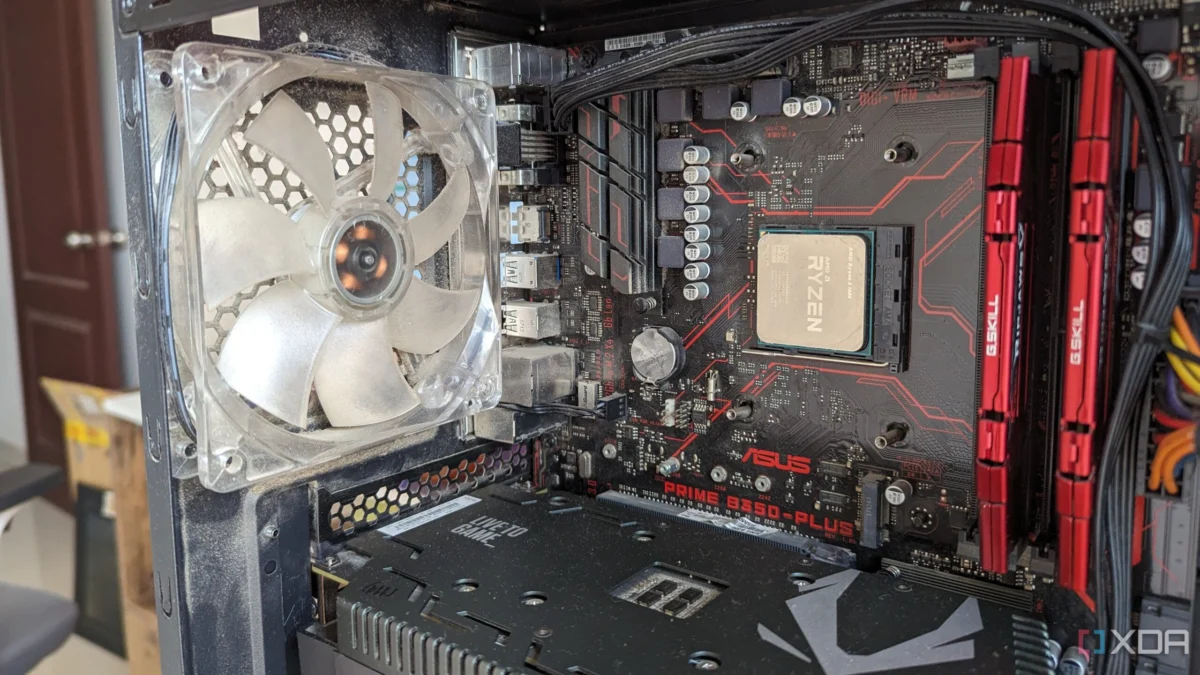
For many aspiring PC builders, the budget-conscious approach is a familiar rite of passage. You allocate the lion’s share of your funds to the GPU and CPU, reasoning that these are the components that deliver raw frame rates and processing power. When it comes to the motherboard, the temptation to "skimp" is overwhelming. It’s easy to convince yourself that as long as the board supports your socket and fits in your case, it’s a functional choice.
However, as a seasoned PC builder who has learned the hard way, I can tell you that viewing the motherboard as a mere "connector" is a dangerous fallacy. In 2017, while assembling a budget-oriented rig featuring a Ryzen 5 1600 and a GTX 1050 Ti, I opted for an entry-level ATX motherboard. It checked the boxes: four RAM slots, decent I/O, and a budget price tag. It seemed like a win. In reality, it was a self-imposed roadblock that stifled every upgrade path I attempted for the next five years.
The Anatomy of the Oversight: A Chronological Retrospective
To understand why the motherboard is the true "make or break" component, we must look at the progression of a build’s lifecycle. The motherboard is the central nervous system of your machine; if its architecture is limited, your PC’s potential is permanently capped.
2017: The Initial Build Phase
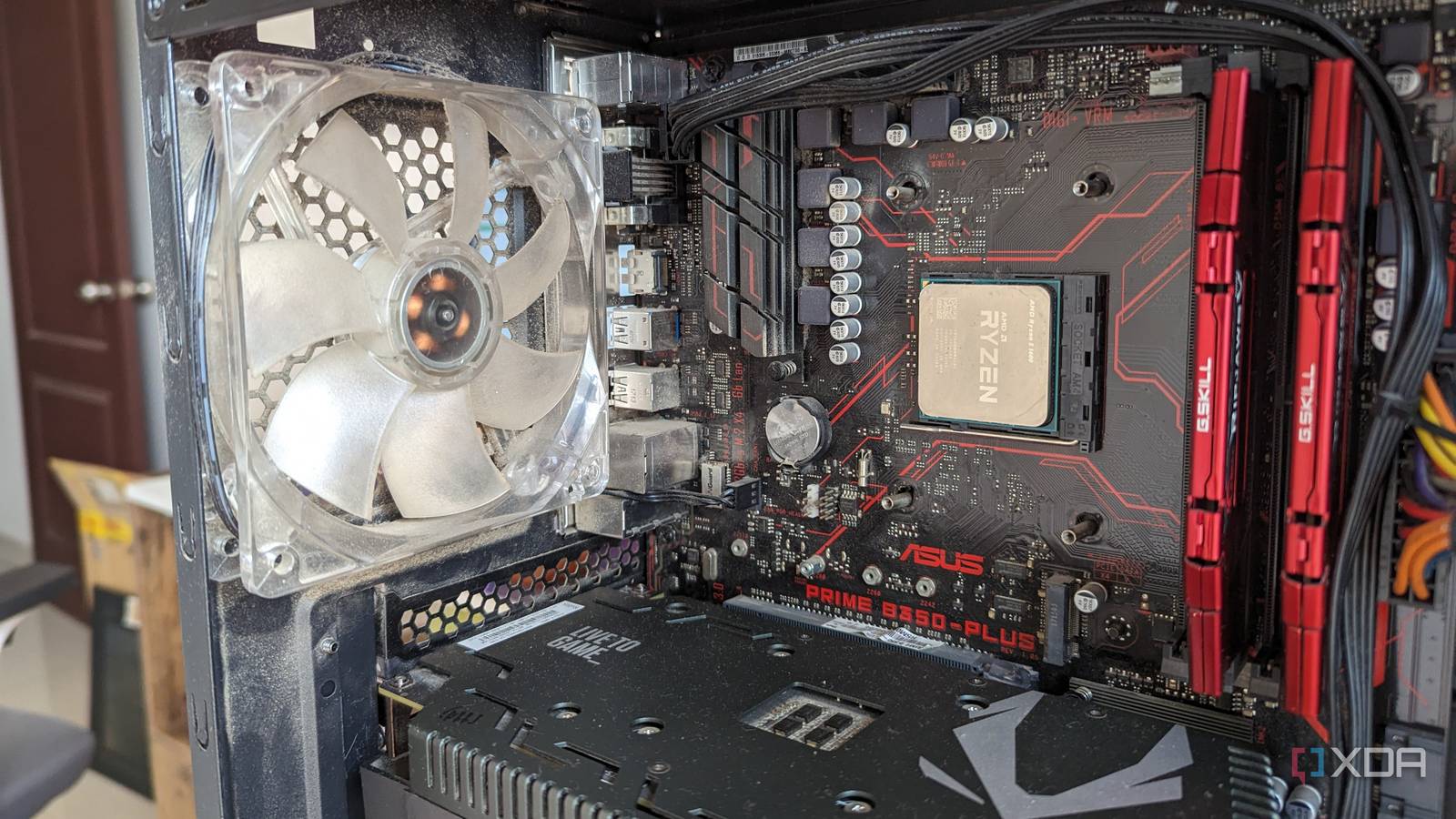
At the outset, the focus is almost exclusively on the "Big Three": CPU, GPU, and RAM. My 2017 build was designed for mid-range gaming. I didn’t care about VRM phases or M.2 heat dissipation. I was operating under the assumption that I would simply swap out parts as I needed them. This "modular" philosophy is sound in theory, but it relies entirely on the motherboard’s ability to accommodate future generations of hardware.
2019-2020: The Storage Bottleneck
Within two years, the limitations became apparent. Initially content with a 1TB HDD, I eventually upgraded to a 250GB SATA SSD for the OS, followed by a 1TB WD Blue SN550 NVMe drive. The performance jump was night and day. However, my motherboard—the Asus Prime B350-Plus—featured only a single M.2 slot. Once that slot was occupied, I was effectively barred from modern, high-speed storage expansion. I was forced to either settle for slower SATA-based storage or go through the arduous process of cloning my drive to a larger capacity NVMe, effectively wasting the money I had spent on the original 1TB drive.
2021-2022: The Thermal and Power Wall
The final nail in the coffin was the CPU upgrade path. As the AM4 platform matured, powerful chips like the Ryzen 7 5800X3D became available—processors that could have extended the life of my rig significantly. However, my entry-level motherboard featured a modest 4+2 phase VRM design. It was never intended to handle the sustained power draw of high-end, 8-core processors. Attempting such an upgrade would have likely resulted in thermal throttling, VRM instability, and system crashes. I was trapped on a mid-range CPU until I eventually retired the entire system in 2022.

Supporting Data: Why "Budget" Often Means "Obsolete"
The motherboard market is stratified for a reason. While high-end "enthusiast" boards offer unnecessary luxuries—overclocking headers, extreme aesthetic lighting, and excessive PCIe lanes—there is a distinct "floor" for quality that builders ignore at their own peril.
The VRM Factor
Voltage Regulator Modules (VRMs) are the silent heroes of the motherboard. They convert the power from your Power Supply Unit (PSU) into the stable voltage required by your CPU. If your VRMs are under-specced, they run hot. When they run hot, they lose efficiency, leading to "throttling"—a state where the motherboard intentionally limits the CPU’s power to prevent the VRMs from failing. Data consistently shows that boards with fewer, lower-quality power phases cannot sustain high-boost clocks on modern multi-core processors.
Header Density and Connectivity
A common oversight for new builders is the number of fan and ARGB headers. A basic board might offer two or three fan headers. Modern cooling solutions—especially AIO liquid coolers—require dedicated headers for the pump and multiple fans. Without these, you are forced to purchase aftermarket hubs or splitters, which add clutter, cost, and potential points of failure. As case designs move toward high-airflow configurations with 6–10 fans, a motherboard with only two headers is fundamentally inadequate.
Industry Perspectives and Modern Standards
Industry experts and component manufacturers have long debated the balance between cost and utility. The consensus is shifting toward "Future-Ready" designs.
"The motherboard should be viewed as an investment in the system’s longevity, not just a carrier board," says a representative from a leading motherboard manufacturer. "While we understand the need for budget-tier boards, users should prioritize connectivity and power delivery over cosmetic features like integrated RGB or decorative shrouds."
Modern standards, such as the AM5 socket or Intel’s latest LGA 1851, have forced manufacturers to improve their base-level offerings. Today, it is common to find boards in the $200 range that feature at least two M.2 slots, reinforced PCIe slots for heavy GPUs, and robust heatsinks for VRMs. The market has responded to the frustration of users like myself who were blocked by the limitations of 2017-era budget boards.
The Implications: Why You Should Spend the Extra $50
The decision to spend an additional $50 to $100 on a mid-tier motherboard rather than a bottom-tier one has profound implications for your PC’s lifecycle.
- Increased Upgrade Cycles: A high-quality motherboard can last through two or even three CPU generations. By choosing a board with a robust VRM, you preserve the option to drop in a top-tier CPU three years down the line, effectively doubling the lifespan of your machine.
- Simplified Maintenance: Better I/O options, such as rear-panel USB-C, Wi-Fi 7, and multiple high-speed M.2 slots, mean you aren’t reliant on dongles or external enclosures as your storage and peripheral needs grow.
- Thermal Headroom: Boards with better integrated heatsinks for SSDs and VRMs provide a more stable operating environment. Stable temperatures translate to longer component longevity.
- Resale Value: A quality motherboard from a reputable series (e.g., Aorus Elite, TUF Gaming, or Tomahawk) holds its resale value significantly better than generic entry-level boards. When the time comes to sell your old parts, a "name brand" board is a much easier sell.
Conclusion: Build for the Future, Not the Present
If there is one piece of advice I would offer to anyone currently picking parts for a new build, it is this: do not view the motherboard as a secondary consideration. It is the canvas upon which your entire PC is painted. If the canvas is too small, you cannot create a larger picture.
Do not sacrifice the foundation for the sake of a slightly faster GPU today. A slightly slower GPU can be replaced in two years; a restrictive motherboard cannot be changed without effectively rebuilding the entire computer. Look for boards with at least two M.2 slots, a decent number of system fan headers, and a VRM design that can handle at least one tier above your currently intended CPU.
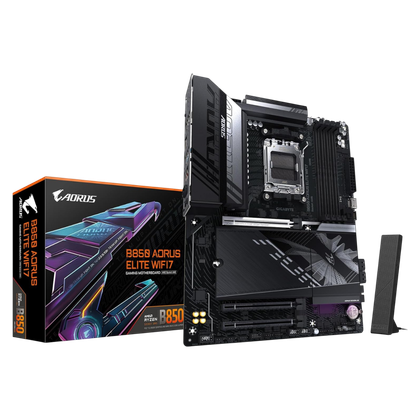
Your future self—the one looking to upgrade your processor or add that extra 2TB of storage—will thank you for the foresight. The motherboard may not give you more frames per second out of the box, but it is the only component that ensures you will still be able to play at all in five years’ time.












No comments yet. Be the first to join the conversation!