

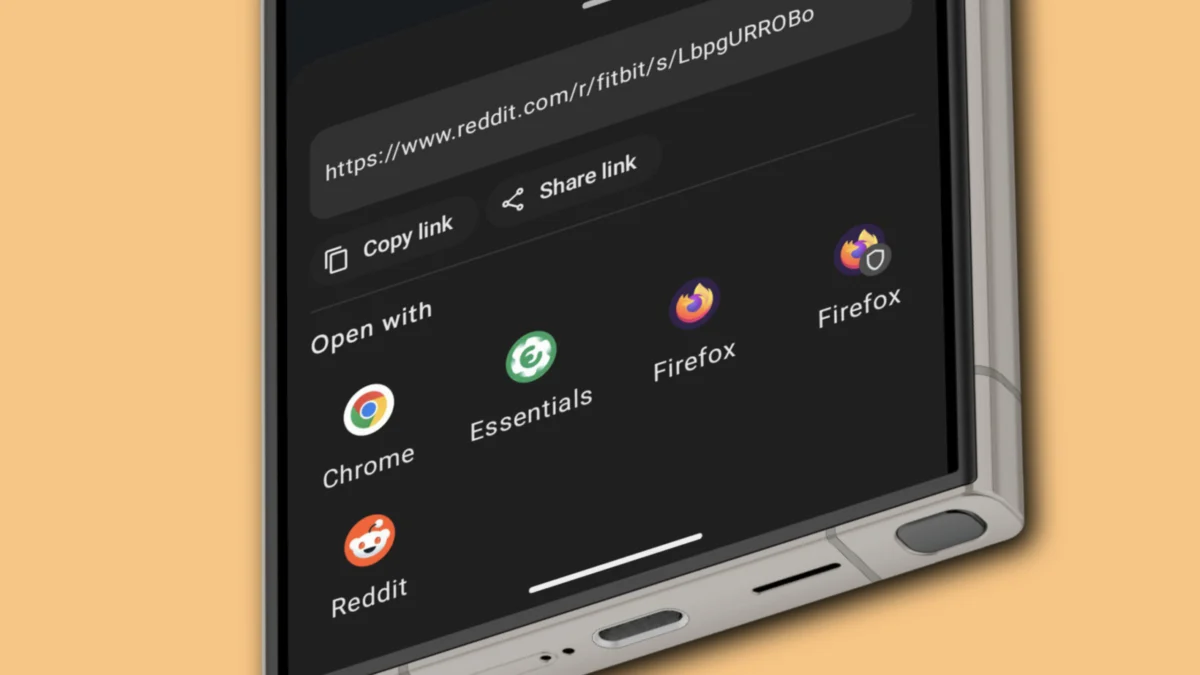
In the modern mobile landscape, our digital interactions are defined by the fluidity of "deep linking." A friend sends a Reddit thread on WhatsApp; you tap it, and the app seamlessly transitions to the Reddit interface. For many, this is the hallmark of a polished user experience. However, for power users who value privacy, algorithm control, and software choice, this automated convenience has become a nuisance. Since the release of Android 12, Google has aggressively shifted toward a system that forces links to open in verified native apps, effectively killing the "Open With" dialog that once empowered Android users.
Enter LinkSheet, a powerful, open-source utility that is quietly revolutionizing how Android users navigate the web. By intercepting URL requests and reintroducing the choice users have been denied for years, LinkSheet has become a cornerstone application for those who refuse to let their operating system dictate their digital footprint.
The Evolution of Android Link-Handling
To understand why LinkSheet has gained such a cult following, one must look at the evolution of Android’s navigation architecture.
The "Open With" Era (Pre-Android 12)
In the early days of Android, the operating system was designed around the principle of user agency. When a user tapped a link—be it a YouTube URL or a link to a social media post—the system would present a "disambiguation dialog." This prompt asked: "Open with which app?" This allowed users to choose between the official app, a third-party alternative, or a web browser. It was a democratic system that respected the user’s preference for interface, privacy, and performance.
The Shift to "Verified Links" (Android 12 and Beyond)
With Android 12, Google introduced a stricter enforcement of "verified links." The goal was ostensibly to improve security and speed; by ensuring a link always opens in the app that claims ownership of that domain, Google aimed to prevent malicious redirects. However, this came at a cost. The system now automatically routes users to the "official" app if it is installed, stripping away the ability to easily choose an alternative or simply open the link in a browser to avoid tracking and algorithmic tailoring.
For many, this was a regression. It locked users into the official ecosystem of major tech conglomerates, making it difficult to use lightweight third-party clients or to maintain privacy by defaulting to incognito browser sessions.
What is LinkSheet?
LinkSheet is a lightweight, open-source Android application that functions as a "link interceptor." It operates by presenting itself to the Android system as a default browser. When a user taps a link, the operating system routes the request to LinkSheet instead of immediately opening an app.
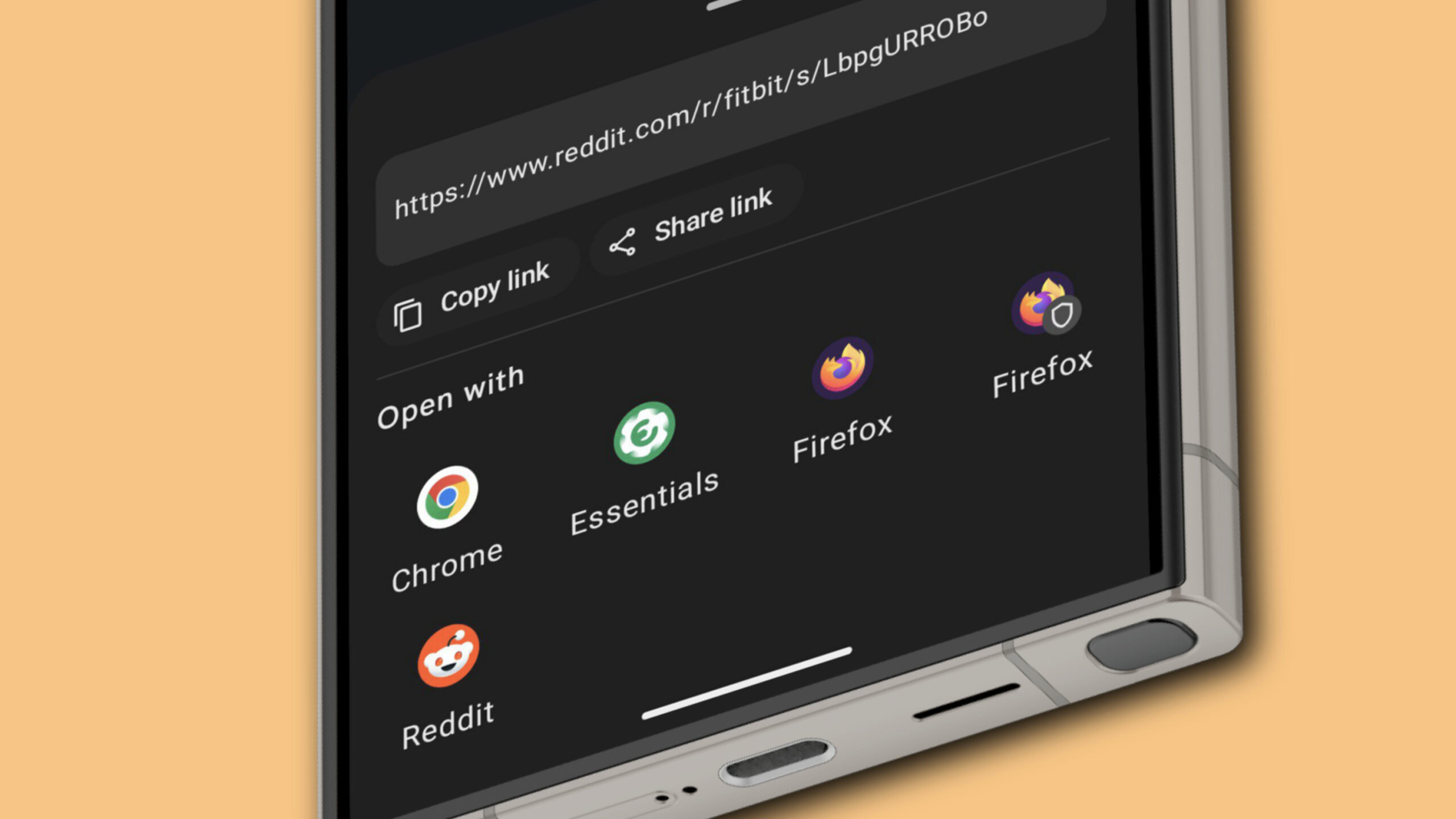
LinkSheet then generates a custom, highly configurable "Open With" dialog. From this menu, users can choose exactly how they want to handle the request—whether that means opening it in a specific native app, a preferred browser, or an incognito tab. It effectively restores the lost functionality of pre-Android 12 versions while adding modern, privacy-focused features.
Setting Up Your Digital Gateway
Transitioning to LinkSheet requires a brief manual setup, as the app is not currently listed on the Google Play Store. This is a common practice for privacy-focused, open-source tools that prioritize user freedom over platform compliance.
Step-by-Step Installation
- Acquisition: Users can download the latest stable APK from the LinkSheet GitHub repository. While the "nightly" builds offer the most frequent updates and new features, the stable release is recommended for those who prioritize system reliability.
- Permission Management: Once the APK is downloaded, Android will request permission to install from an unknown source. You must navigate to your device’s security settings to grant this permission.
- Defining the Default: After installation, launch LinkSheet. A prominent prompt will ask you to set it as your default browser. By doing this, you are telling Android: "Do not decide for me; send all links to LinkSheet first."
- App Configuration: To ensure that LinkSheet is the primary authority, you must visit your phone’s Settings > Apps menu. For applications like Reddit, Twitter, or YouTube, select "Open by default" and ensure the setting is toggled to "In your browser." This prevents those apps from hijacking links before LinkSheet has a chance to intercept them.
Advanced Customization: Beyond the Basics
One of the primary reasons power users gravitate toward LinkSheet is its granular control over the user experience. Once the core functionality is established, users can tailor the app to fit their specific workflow.
Customizing the Interface
The default list view can become cluttered if you have dozens of apps installed. LinkSheet allows users to switch to a Grid Layout, which is more compact and visually intuitive. By accessing the gear icon in the top-left corner and navigating to the "Bottom Sheet" configuration, users can toggle the grid view to keep their menu clean and efficient.
Privacy-First Browsing
Perhaps the most significant feature of LinkSheet is its integration with privacy-focused browsers like Firefox. By enabling "Private Browsing" in the LinkSheet settings, users can bypass their standard browser history entirely. With a single tap, a link can be opened directly into a Firefox Incognito window, ensuring that trackers associated with social media or advertising platforms do not follow the user across the web.
Removing the Clutter
LinkSheet also provides options to disable unnecessary buttons—such as "Once" or "Always" choices—if the user prefers a minimalist, no-nonsense prompt. This reduces the number of taps required to get from a message to the content, streamlining the digital experience.
Implications for Data Privacy and Tracking
The implications of using an app like LinkSheet extend far beyond simple convenience. In an era of surveillance capitalism, the links we click are data points used to build profiles.
Neutralizing Tracking Parameters
LinkSheet integrates with ClearURLs, an experimental but powerful tool that strips tracking parameters from URLs. When you click a link that contains utm_source or other tracking tags, LinkSheet attempts to sanitize the URL before the browser or app receives it. This ensures that the destination website has less metadata about how you found their content.
Algorithmic Autonomy
By choosing to open content in a browser rather than a native app, users can significantly alter their algorithmic experience. Native apps are designed to keep users engaged by feeding them personalized, often addictive content. By viewing links in a browser—or a private session—you effectively opt-out of the "echo chamber" effect. You consume the content you wanted to see without the platform being able to update your profile with your latest "click" data.
The Verdict: A Necessary Tool for the Modern User
The shift toward "verified links" was a strategic move by mobile platforms to consolidate user behavior within their own ecosystems. While this provides a polished experience for the average consumer, it creates a "walled garden" that limits the freedom of the individual.
LinkSheet represents a vital pushback against this trend. It is more than just a utility; it is a declaration of ownership over one’s own device. By restoring the "Open With" dialog, it places the power of choice back into the hands of the user. Whether you are a privacy advocate looking to scrub tracking tags, or a power user who wants to avoid the bloat of official apps, LinkSheet offers a robust, open-source solution that addresses a fundamental flaw in the modern Android experience.
As long as tech giants continue to prioritize platform lock-in over user agency, tools like LinkSheet will remain essential for those who believe that a smartphone should serve the user, not the corporation. If you value your digital independence, it is time to take back your links.












No comments yet. Be the first to join the conversation!