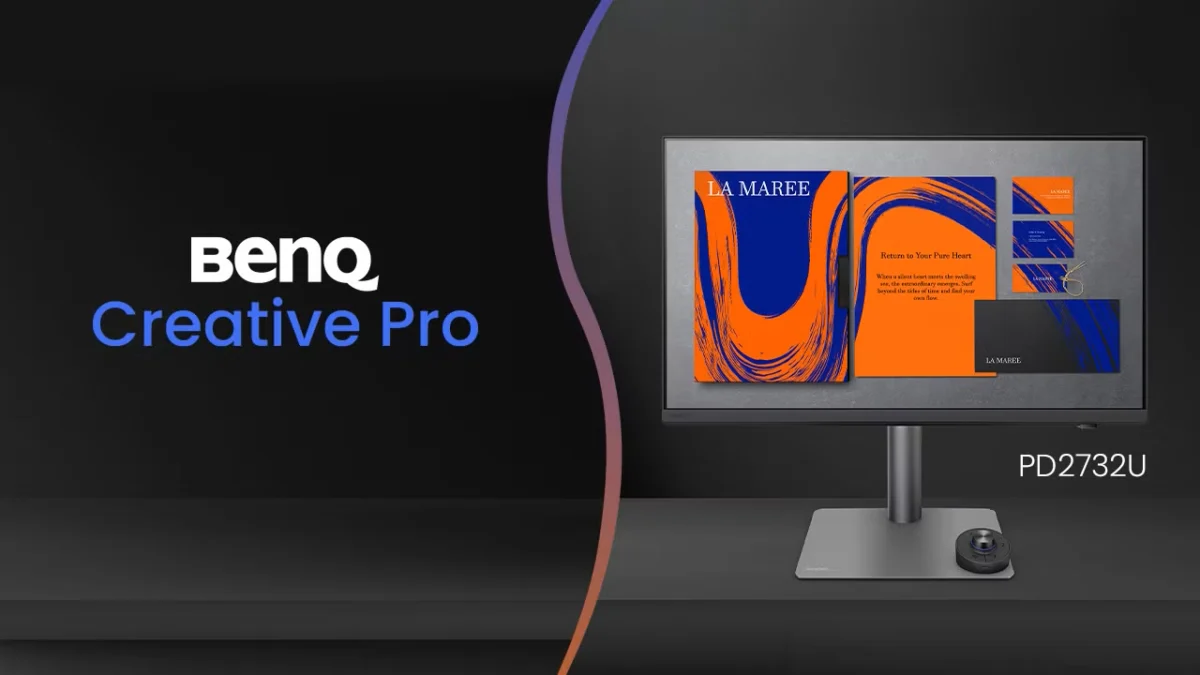
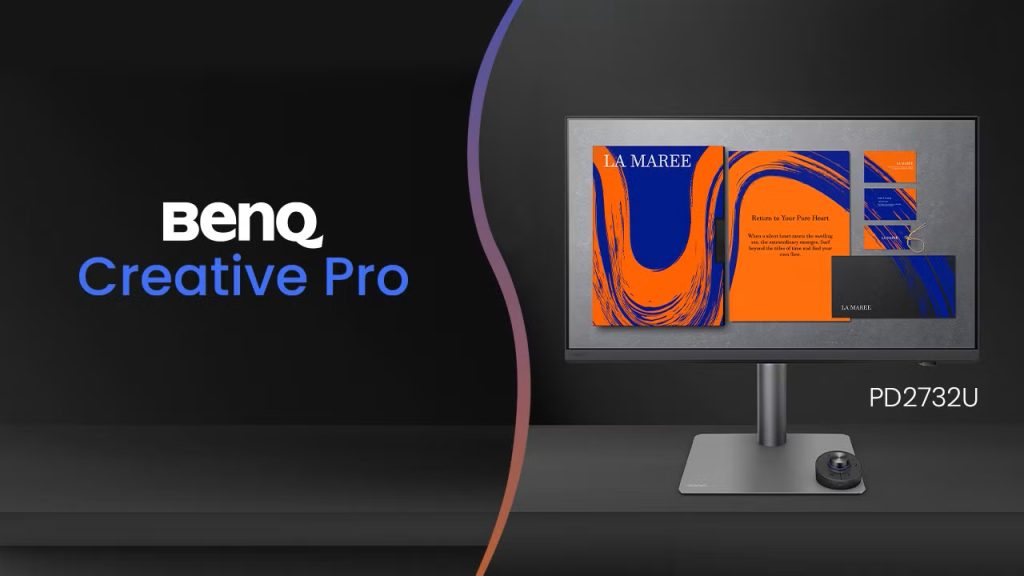
In an era where visual fidelity serves as the bedrock of digital creation, BenQ has once again signaled its commitment to the professional market. The company has officially unveiled its latest addition to the "Creative Pro" monitor portfolio: the PD2732U. A 27-inch 4K display engineered specifically for the rigors of graphic design, professional photography, video editing, and print workflows, this monitor seeks to bridge the gap between high-end performance and seamless, ergonomic integration.
With pre-orders now live at a competitive price point of $699, the PD2732U is positioning itself as a vital tool for those whose livelihoods depend on absolute color accuracy and efficient multi-device workflows.
Main Facts: A Technical Overview
At its core, the PD2732U is built for color-critical tasks. The 27-inch panel features a native 4K resolution, ensuring that every pixel is rendered with crisp detail, essential for high-resolution photo editing and 4K video timelines.
BenQ has prioritized color gamut coverage, a non-negotiable metric for modern creatives. The unit boasts an impressive 99% coverage of both Adobe RGB and DCI-P3, alongside 100% sRGB coverage. This ensures that whether a designer is prepping a file for a CMYK print run or color grading a cinematic project for digital distribution, the monitor provides the necessary color space representation.
Beyond the gamut, the panel is equipped with a 10-bit color depth, facilitating over a billion colors and smoother gradients, which is essential for preventing "banding" in complex visual compositions. With a 400-nit typical brightness and a 5ms GtG (gray-to-gray) response time, the display balances vibrant imagery with enough fluidity for smooth interaction. Perhaps most notably, the monitor utilizes a specialized "Nano Matte" coating, which mitigates glare and reflections—a frequent pain point in bright office or studio environments—without sacrificing the perceived sharpness of the 4K panel.
Chronology: The Evolution of BenQ’s Creative Series
BenQ’s journey into the professional monitor space has been defined by its proprietary AQColor technology. Over the past decade, the company has pivoted from general-purpose displays to highly specialized units.
- Initial R&D Phase: BenQ spent years refining their "AQColor" hardware-software pipeline, aiming to standardize color uniformity across their manufacturing facilities.
- Establishment of the PD Line: The original PD series was launched to cater to the specific needs of designers, introducing features like the hotkey puck and specialized CAD/CAM modes.
- The Move to Thunderbolt 4: In recent years, BenQ has transitioned its flagship models to support the Thunderbolt 4 standard, recognizing that modern professionals rely heavily on single-cable connectivity for power, data, and video.
- The July 2026 Launch: The announcement of the PD2732U represents the latest milestone in this timeline, integrating advanced Mac-specific software controls and the new "AQColor Pilot" suite, scheduled for a wider release in August 2026.
Supporting Data: Why Accuracy Matters
For the uninitiated, the term "Delta E < 2" may seem like marketing jargon, but in the world of professional imaging, it is the standard for color excellence. A Delta E value represents the difference between the color intended by the computer and the color displayed on the screen. A value of less than 2 indicates that the human eye cannot perceive any difference between the source color and the output, making the monitor "color-accurate" for professional use.
Every PD2732U unit is factory-calibrated, meaning the device arrives with a certificate of authenticity detailing its specific performance metrics. Furthermore, the monitor is both Calman Verified and Pantone Validated, including specific validation for "Pantone SkinTone." For photographers and videographers, this is a significant assurance that human skin tones—the most difficult colors to reproduce accurately—will appear natural and consistent across different viewing platforms.
Uniformity is another critical, yet often overlooked, metric. BenQ’s AQColor technology uses a series of high-precision apparatus to fine-tune the display’s color and brightness across hundreds of sub-regions. This ensures that a white background or a flat gray tone does not appear darker at the corners than it does in the center, a common defect in budget monitors that can lead to disastrous editing decisions.
Workflow Integration: Software and Connectivity
The PD2732U is designed to be the "command center" of a professional desk. The inclusion of a Thunderbolt 4 port is a game-changer for Mac and PC users alike. It allows a single cable to handle 4K video output, high-speed data transfer for external SSDs, and power delivery to keep a laptop charged, effectively decluttering the creative workspace.
The Software Ecosystem
BenQ is introducing the AQColor Pilot utility in early August. This software streamlines the calibration process, allowing users to update and manage the monitor’s internal look-up tables (LUTs) directly from their workstation. For those running multi-monitor setups, Display ColorTalk is a sophisticated utility that synchronizes color profiles across different screens, ensuring that a project looks identical whether it is on the main PD2732U or a secondary display.
Ecosystem Synergies
Recognizing the dominance of the Apple ecosystem among creative professionals, BenQ has baked in several "Mac-centric" features:
- M-book Mode: An emulation mode that adjusts the monitor’s color temperature and gamma to match the look of a MacBook’s built-in Retina display.
- iDevice Color Sync: This allows for a preview of how content will appear on iPhones and iPads, which is critical for mobile-first content creators.
- iKeyboard Control: A feature that allows users to adjust monitor brightness and volume using their existing Apple keyboard, removing the need to reach for physical monitor buttons or the OSD (On-Screen Display) menu.
For hardware-heavy workflows, the integrated Smart KVM (Keyboard, Video, Mouse) switch allows a single peripheral set to control two different computers, toggling between them with the wireless "Hotkey Puck." This device is a hallmark of the BenQ design language, offering a tactile, programmable dial that makes navigating menus or adjusting specific parameters significantly faster than traditional button presses.
Implications: A New Standard for the $700 Tier
The release of the PD2732U has significant implications for the monitor market. By offering professional-grade calibration, Thunderbolt 4 connectivity, and industry-standard certifications (Calman/Pantone) at the $699 price point, BenQ is putting pressure on both premium boutique brands and budget-tier manufacturers.
For the independent freelancer, this monitor represents a "prosumer" sweet spot. It provides the technical reliability required for high-stakes client work without the multi-thousand-dollar investment associated with reference-grade monitors used in high-end Hollywood post-production houses.
Moreover, the focus on "ecosystem integration" reflects a broader trend in the tech industry: hardware is no longer just about the panel; it is about the experience. By making the monitor behave like an extension of the Mac, BenQ is removing the friction that typically occurs when moving from a laptop screen to an external display.
Conclusion
As the lines between photography, video production, and graphic design continue to blur, professionals require hardware that is as versatile as their creative output. The BenQ PD2732U stands as a testament to this shift. With its rigorous color science, thoughtful connectivity, and dedicated focus on the Apple user experience, it is poised to become a staple in creative studios worldwide.
Whether you are a seasoned colorist or an emerging designer, the combination of 4K clarity, industry-standard color gamut coverage, and a streamlined, single-cable workflow makes the PD2732U a compelling candidate for your next hardware upgrade. As we look toward the remainder of 2026, BenQ’s latest release sets a high bar for what creators should expect from a mid-range professional display.