

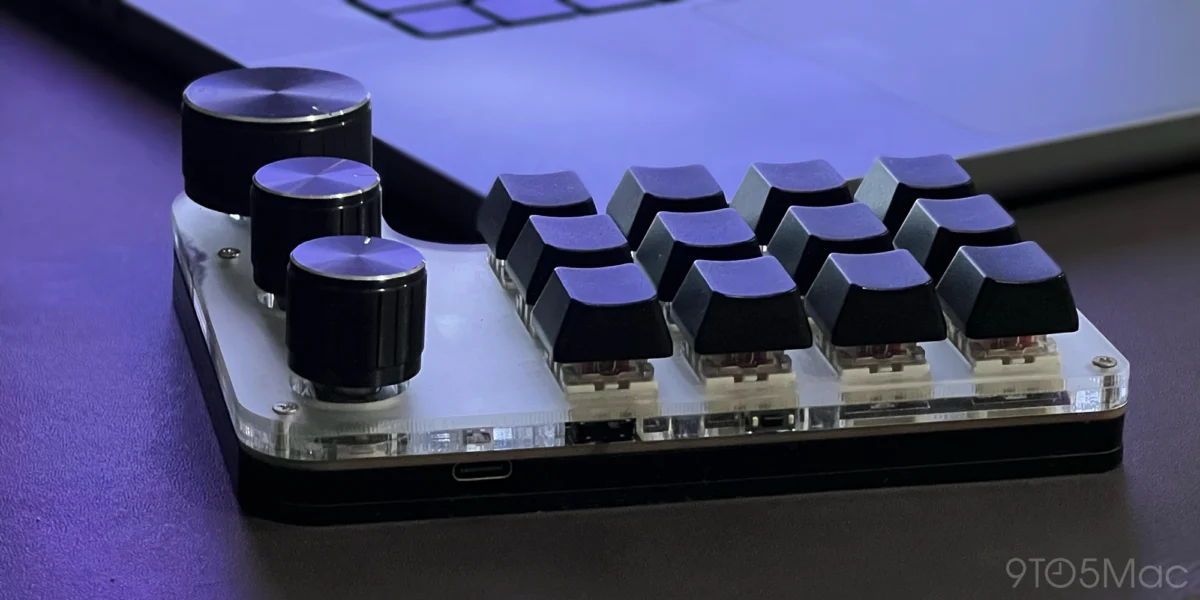
In the modern digital workspace, efficiency is not merely a goal—it is a currency. As professionals juggle increasingly complex software suites, the friction caused by navigating nested menus and repetitive interface clicks can significantly impede creative and administrative flow. For many, the solution lies in a specialized piece of hardware that has transitioned from a niche hobbyist curiosity to an essential professional tool: the programmable macro keypad.
By offloading complex command sequences and system triggers to a dedicated, customizable external device, users are finding that they can reclaim hours of lost time. This transition represents a shift in how we interact with our computers, moving away from the "mouse-first" approach toward a highly personalized, tactile, and automated ecosystem.
The Chronology of Optimization: From Text Expanders to Hardware Macros
The journey toward a fully optimized workstation usually begins in small, manageable steps. For many, the entry point into this productivity rabbit hole is native OS functionality.
Phase 1: The Foundation of Text Expansion
The first step for most power users involves simple text replacement. By utilizing macOS’s native "Text Replacement" feature, users can trigger long strings of data—email addresses, home addresses, phone numbers, or standard legal disclaimers—using short, mnemonic character sequences like "@@." While seemingly minor, this initial automation eliminates the cognitive load of repetitive typing.
Phase 2: Software-Driven Automation
Once comfortable with basic text triggers, the next logical evolution involves third-party automation software. Tools such as Keyboard Maestro allow users to map complex system actions to underutilized function keys. In this stage, users often begin mapping Fn+F1 through Fn+F6 to specific directory paths, such as "Downloads" or "Project Assets," effectively turning a three-click navigation task into a single-tap event.

During this phase, users frequently expand their repertoire to include application-specific triggers. For instance, plugging in a USB microphone might trigger a script that automatically launches audio-processing software like Shure PlusMOTIV or initiates a recording session in QuickTime.
Phase 3: The Hardware Pivot
The true shift occurs when the limits of a standard QWERTY keyboard are reached. The physical constraint of reaching for modifier keys—and the mental effort required to memorize dozens of unique shortcuts—eventually hits a ceiling. This is where the dedicated macro keypad enters the equation. Moving from software-based shortcuts to a physical, dedicated device allows for a "muscle memory" approach to work that software-only setups struggle to replicate.
The Anatomy of the Macro Keypad
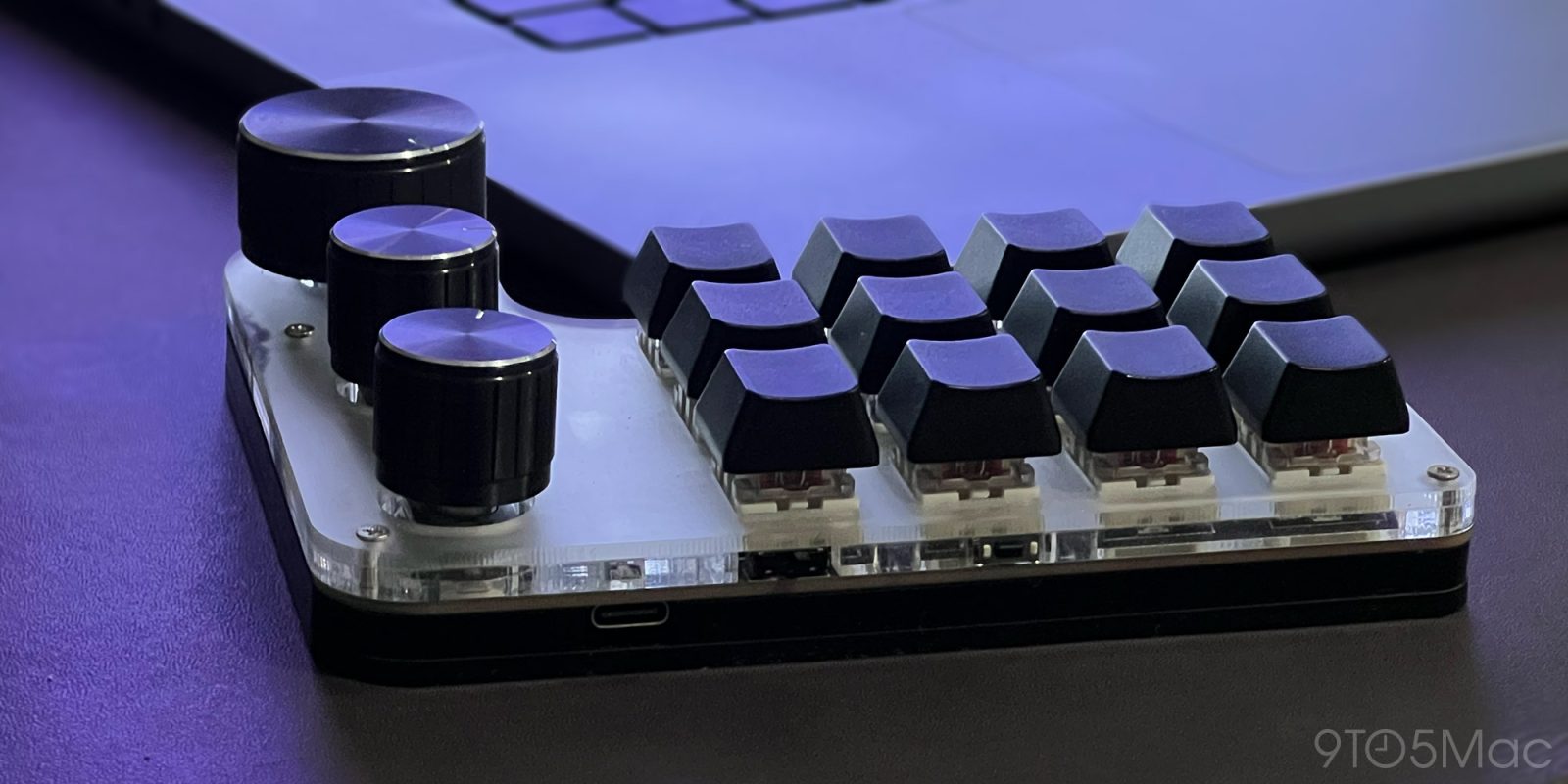
The typical macro keypad is a compact, highly customizable peripheral, often featuring between 6 and 24 keys and, crucially, a set of rotary encoders (knobs). These devices are not merely "extra keys"; they are input-agnostic controllers that act as a bridge between the user’s intent and the computer’s execution.
The Power of Layers
One of the most profound advantages of these devices is the implementation of "layers." A single 12-key pad can, through the use of toggle switches or modifier keys, act as three distinct keyboards.
- Layer 1 (System Control): Dedicated to OS-level tasks such as volume adjustment, display brightness, screen capture, and window management.
- Layer 2 (Application Specific): Tailored for a specific workflow, such as video editing or audio production, where keys are mapped to tools like "Ripple Delete," "Normalize," or "Export."
- Layer 3 (Workflow Utilities): Reserved for administrative tasks, such as clearing the clipboard, launching browser profiles, or running background maintenance scripts.
The inclusion of rotary encoders further enhances this capability. Unlike a button, which is binary (on/off), a knob allows for granular control. A knob can be mapped to scroll through a timeline, adjust the opacity of a layer, or fine-tune the decibel level of an audio track, providing a level of tactile feedback that a mouse simply cannot emulate.
Implications for Workflow and Cognitive Load
The adoption of macro keypads has significant implications for how professionals approach their daily tasks.
Reducing Cognitive Fatigue
When a user has to remember a complex three-key combination to perform a common action, the mental overhead is non-zero. Over the course of an eight-hour workday, performing hundreds of these mental "lookups" contributes to cognitive fatigue. By mapping these actions to a physical, labeled key, the action moves from the conscious to the subconscious. It becomes muscle memory.
Speed and Precision
In high-stakes creative environments—such as audio engineering with Adobe Audition or video editing with DaVinci Resolve—speed is critical. A macro keypad allows a professional to execute a sequence of five actions (e.g., select clip, apply compression, normalize, export, and save) in a fraction of the time it would take to navigate the GUI. This creates a "flow state," where the barrier between the creator’s vision and the software’s execution is lowered.
The "Broken" Experience
An interesting phenomenon reported by long-term users is the feeling that the computer is "broken" when they are forced to work on a machine without their macro setup. This illustrates the extent to which these devices become an extension of the user’s cognitive process. When the hardware is removed, the user is forced back into a manual, high-friction environment that feels inefficient by comparison.
Technical Integration and Customization
For those interested in adopting this hardware, it is important to note that the setup process can vary. While some devices are "plug-and-play," others require a bit of technical tinkering.

Software Bridges
On platforms like macOS, hardware-level integration often requires bridging software. Projects hosted on platforms like GitHub (such as the ch57x-keyboard-tool) are frequently used to communicate between the hardware and the OS. In many cases, users leverage AI tools like ChatGPT to write the custom scripts required to bridge the gap between their specific keypad firmware and the automation software (Keyboard Maestro or BetterTouchTool).
The Endless Rabbit Hole
The macro keypad market is a vast, open-ended ecosystem. There are options ranging from budget-friendly plastic units on Amazon to high-end, artisan-crafted aluminum housings with OLED displays for every key. This modularity means the hobby is, by nature, never truly "finished." Users can constantly iterate on their layouts, swap keycaps to match their workflow color-coding, or adjust knob sensitivity as their needs evolve.
Conclusion: The Future of Interaction
As we move toward a future where professional software becomes increasingly dense with features, the demand for custom input methods will only grow. The macro keypad represents a democratization of professional control; it allows the average user to build a custom interface that was, until recently, only possible in high-end broadcast studios or specialized design firms.
Whether you are a developer looking to trigger build scripts, a writer managing multiple platforms, or an editor cutting hours of footage, the investment in a programmable keypad is one of the most effective ways to optimize your professional life. The barrier to entry is low, the learning curve is surprisingly short, and the return on investment—in both time and mental energy—is immediate.
If your daily work involves repetitive tasks, it is worth considering whether you are truly using your computer to its full potential, or if you are simply spending your day navigating menus that should have been automated years ago. The hardware is ready; the only step remaining is to start mapping your own shortcut to success.











