

In the modern smart home, we often treat network connectivity as an ethereal utility—like water or electricity, it is expected to simply "work." When a stream buffers, a game lags, or a file transfer crawls to a halt, our collective instinct is to look toward the digital horizon. We reboot routers, toggle Wi-Fi bands, update firmware, and obsess over DNS settings. Yet, as a computer science student and long-time PC builder, I have found that the most persistent, maddening networking issues are rarely digital; they are physical.
If you have ever stared at a pile of Ethernet cables—the "junk drawer" of networking—you are likely harboring a silent saboteur. A simple $20 continuity tester can reveal that a staggering portion of your accumulated cables are functionally broken, despite appearing pristine to the naked eye.
The Physical Layer: The Foundation of Connectivity
In the OSI model—the conceptual framework that defines how networking protocols interact—the Physical Layer (Layer 1) is the absolute foundation. It concerns itself with the actual transmission of raw bitstreams over a physical medium. If this layer is compromised, no amount of software optimization or high-end router hardware can salvage the connection.
Ethernet cables, while seemingly durable, are sensitive instruments. Inside every RJ45-terminated cable are four twisted pairs of copper wiring. These wires are remarkably thin, and the integrity of the signal depends on their ability to maintain contact and avoid interference. When a cable is pinched behind a heavy desk, stepped on repeatedly, or forced into a sharp bend near the connector, the internal copper conductors can develop micro-fractures.

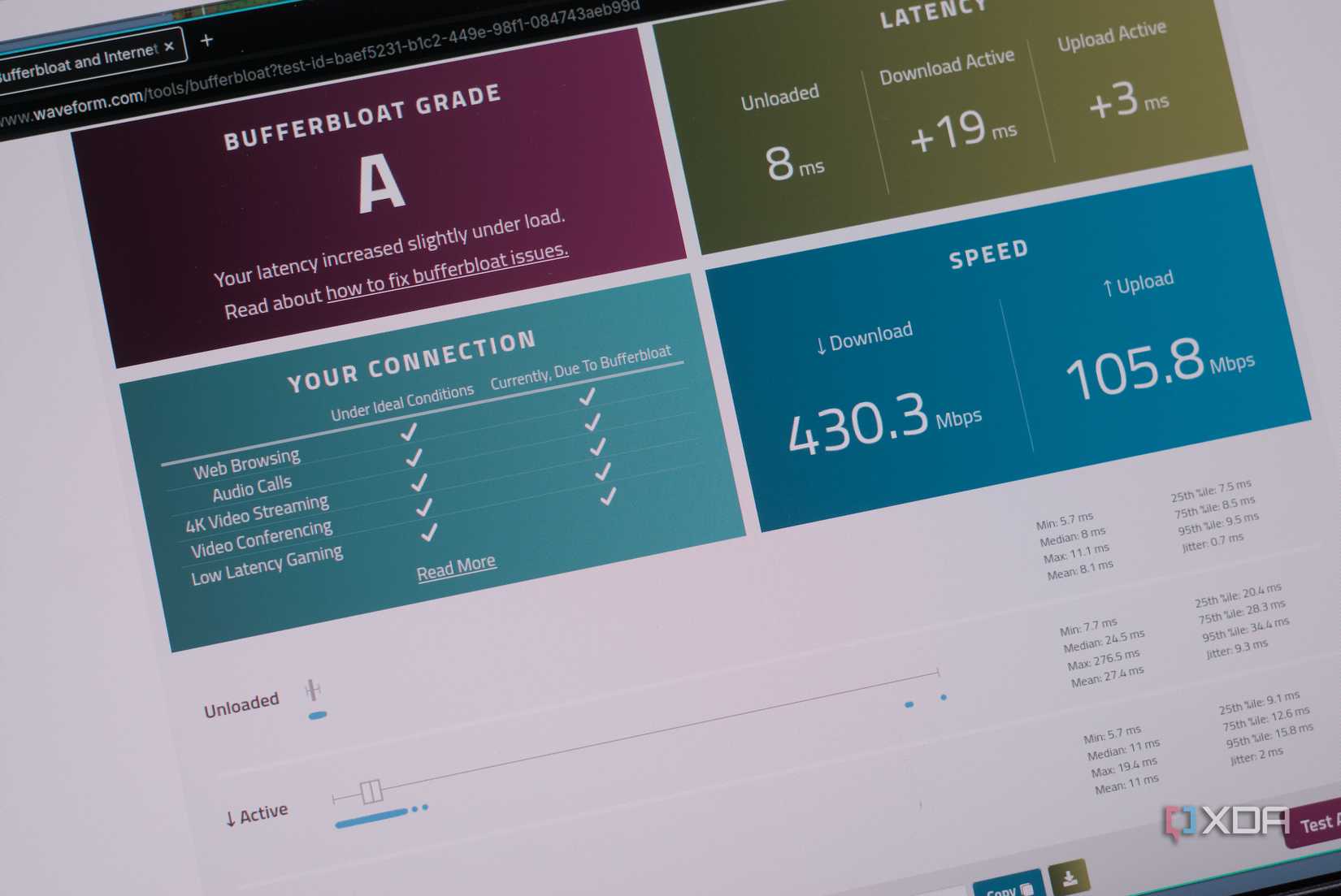
These fractures lead to the most frustrating category of networking errors: intermittent faults. You might experience random packet loss, fluctuating speeds, or connection drops that occur every few hours. These are not "hard" failures—the cable isn’t dead, it’s merely unreliable. Because these issues manifest as transient digital glitches, users rarely suspect the cable itself, leading to wasted hours troubleshooting perfectly functional ISP hardware.
A Chronology of the "Junk Drawer" Problem
The accumulation of unreliable cables is a slow, deceptive process. It typically follows a predictable lifecycle in most households:
- Phase 1: The Accumulation. Over the years, we acquire Ethernet cables bundled with routers, modems, smart TVs, and gaming consoles. We rarely discard them, tossing them into a bin or drawer for "future use."
- Phase 2: The Mixing. These cables are rarely labeled. A high-quality Cat6 cable is mixed with a cheap, thin Cat5 cable that came with a budget router five years ago.
- Phase 3: The Deployment. When a new device arrives, we grab the first cable we find. If it fits, we assume it works.
- Phase 4: The Silent Failure. The cable is installed in a permanent, hard-to-reach location—perhaps through a wall or behind a heavy entertainment unit. If the cable has an intermittent fault, the user blames the ISP or the device, unaware that the physical link is failing under load.
A few years ago, I decided to audit my own collection. After testing my "spare" pile, I found that roughly one-third of the cables failed a basic continuity test. Every single one of those cables had been in rotation at some point in my home, causing subtle, intermittent problems I had previously attributed to ISP instability or router overheating.
The Role of the Continuity Tester
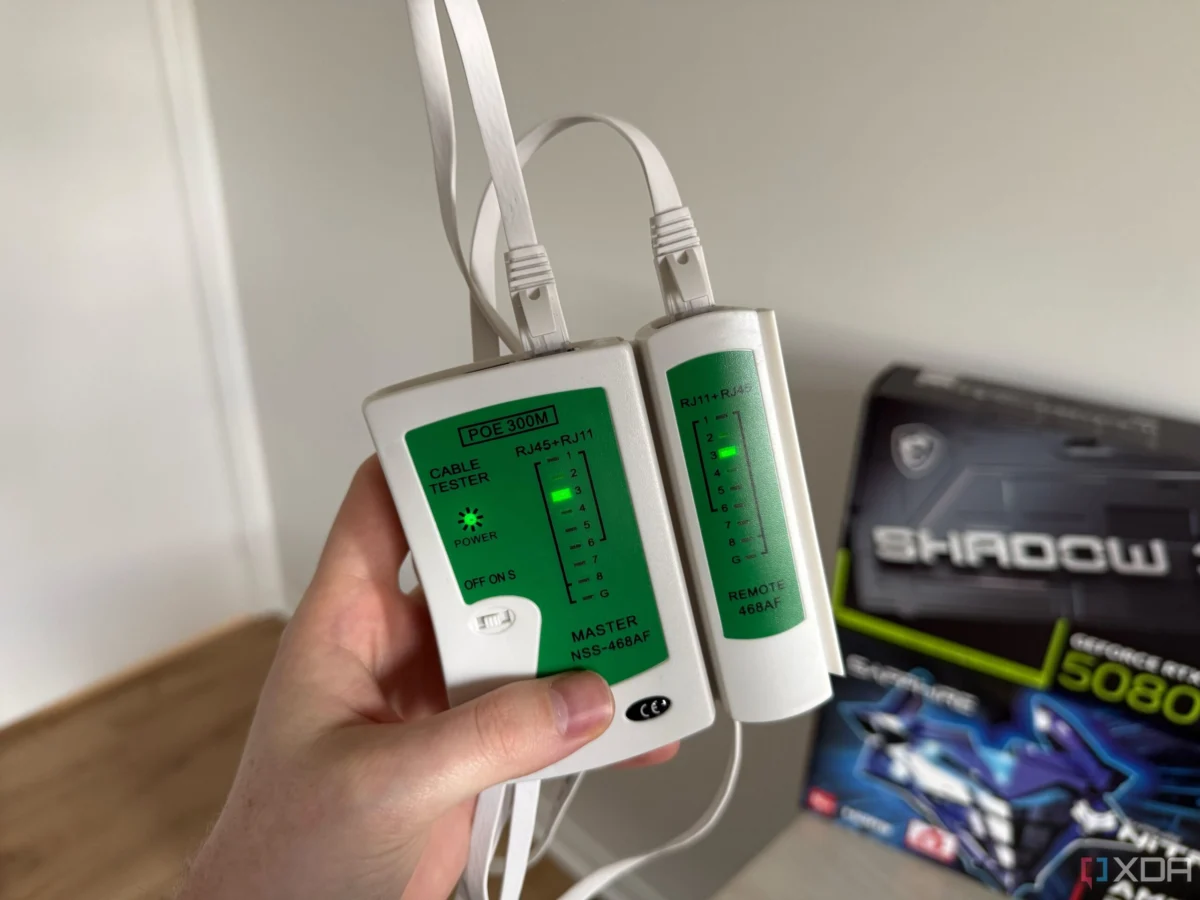
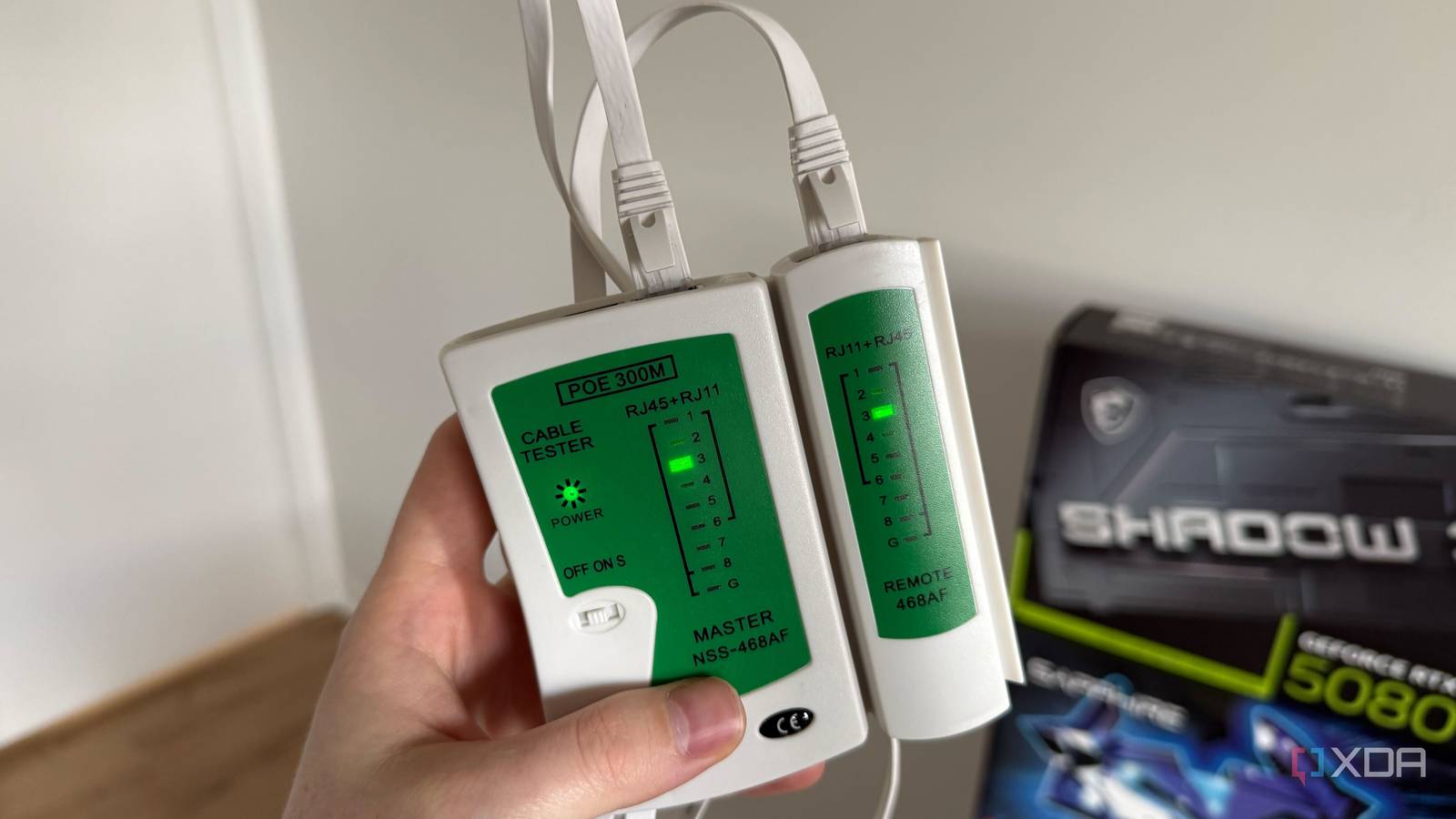
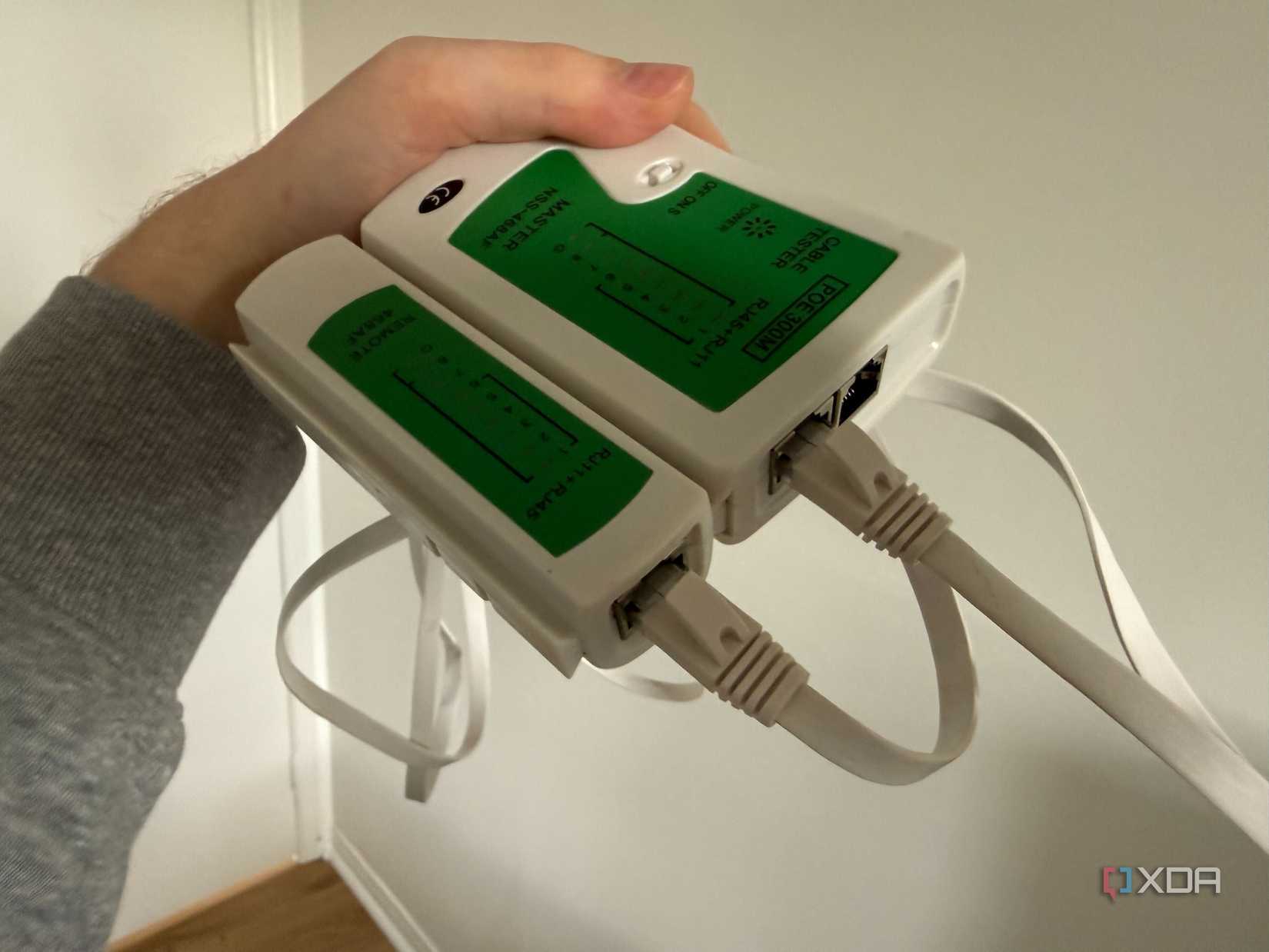
A continuity tester is the single most valuable tool in a home networker’s kit. For approximately $20, you can purchase a device that performs a simple, binary check: does the signal travel from point A to point B without interruption?
When you plug both ends of an Ethernet cable into a tester, it sends a small electrical current through each of the eight conductors. It then lights up an array of LEDs corresponding to those pins. If a pair is "open" (broken), "shorted" (touching another wire), or "crossed" (in the wrong pin order), the tester flags it immediately.
There is no ambiguity. Unlike a software diagnostic, which might report a "slow connection" due to a dozen different variables, a continuity tester provides a binary result: pass or fail. It removes the guesswork. If your cable passes, you can rule out the physical medium entirely and focus your troubleshooting on the digital layer.
Beyond Basic Continuity: Understanding the Limitations
While a $20 tester is essential, it is important to understand its limitations. A basic continuity tester is not a certification tool. It cannot:
- Verify Category Performance: It won’t tell you if a cable is actually rated for Cat6 or if it’s a substandard knock-off labeled as such.
- Measure Signal Degradation: Over long runs (approaching the 100-meter limit of Ethernet), cables can suffer from signal attenuation. A basic tester only checks if the circuit is complete, not if the signal quality is high enough to support Gigabit or 10Gbps speeds.
- Detect Crosstalk: High-frequency data transmission can "leak" between pairs. A cheap tester cannot detect the electromagnetic interference (EMI) issues that cause high-end networking hardware to throttle speeds.
Professional-grade certification tools, such as those from Fluke Networks, cost thousands of dollars and are designed for infrastructure installers. They test for Return Loss, NEXT (Near-End Crosstalk), and propagation delay. For the residential user, however, these tools are overkill. In a home, most Ethernet runs are under 30 feet. At these distances, physical continuity is almost always the primary point of failure.

Implications for the Modern Home Lab
The rise of the "home lab"—where users host their own servers, NAS (Network Attached Storage) devices, and smart home hubs—has made physical network integrity more important than ever. When you are streaming 4K media from a local NAS or backing up data to a server, packet loss caused by a frayed cable doesn’t just mean a slight lag; it means corrupt files and dropped streams.
Furthermore, the prevalence of "flat" Ethernet cables in modern consumer electronics is a significant issue. While they are convenient for running under carpets or around baseboards, they are notoriously fragile. The flat design offers little protection to the internal twisted pairs, making them highly susceptible to damage from foot traffic or tight corner bends. If you are using flat cables, you are statistically more likely to encounter the exact issues that a continuity tester is designed to catch.
Professional Best Practices
To maintain a rock-solid home network, consider these professional-level habits:
- Standardize Your Hardware: If possible, purchase bulk Cat6 cabling and crimp your own connectors, or buy high-quality, verified patch cables. Avoid using the "free" cables that come with ISPs’ routers, as these are often the bare minimum in terms of quality.
- Label Everything: It sounds tedious, but a label maker is a networker’s best friend. Knowing which end of a cable goes to which switch port saves hours of frustration.
- Audit Annually: Once a year, perform a quick audit of your cables. If a cable doesn’t pass a continuity test, cut the ends off and throw it away. This prevents the cable from accidentally finding its way back into your "working" pile.
- Avoid Sharp Bends: When running cable, respect the "bend radius." Ethernet cables should not be folded at sharp 90-degree angles, as this stresses the internal conductors and degrades performance over time.
Conclusion
The transition from a home user to a home networker is marked by the realization that you are responsible for the entire stack, from the fiber entering your house to the packet reaching your PC. By addressing the physical layer with a $20 investment in a continuity tester, you eliminate the most common source of "mysterious" network behavior.

Networking is a game of reliability. If you cannot trust the physical link, you cannot trust the data flowing through it. Stop blaming your ISP for intermittent drops and start looking at the copper in your walls and behind your desk. Your connection, and your sanity, will thank you.












No comments yet. Be the first to join the conversation!