

Less than three weeks after the release of the May Canary update, Google has accelerated its development cadence, unveiling Android Canary 2606. This rapid-fire deployment highlights a significant push within the Android engineering department to iterate on user-facing features and aesthetic refinements before they reach the broader Beta or Stable channels. While Canary builds are notoriously experimental—and often unstable—they serve as the primary laboratory for the future of the Android ecosystem.
The latest release, brought to light by prominent Android analyst Mishaal Rahman, introduces a suite of quality-of-life improvements, focusing heavily on personalization, accessibility, and interface polish.
The Main Facts: What’s New in 2606?
Android Canary 2606 is not a massive architectural overhaul, but rather a focused refinement update. It addresses three key areas of the user experience: the Material You theming engine, system-level shortcuts, and visual hierarchy on the lock screen.
1. Granular Theming Controls
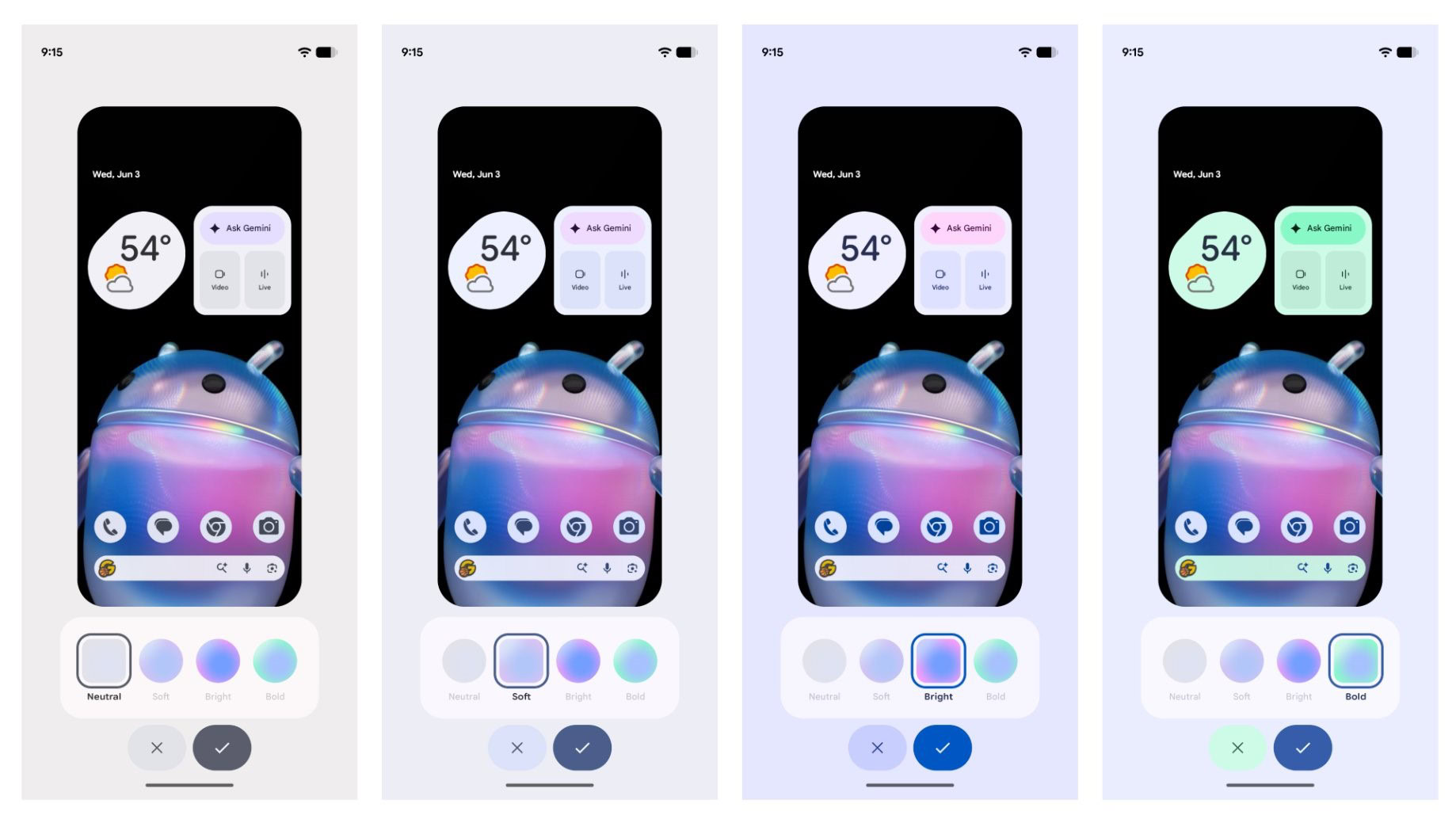
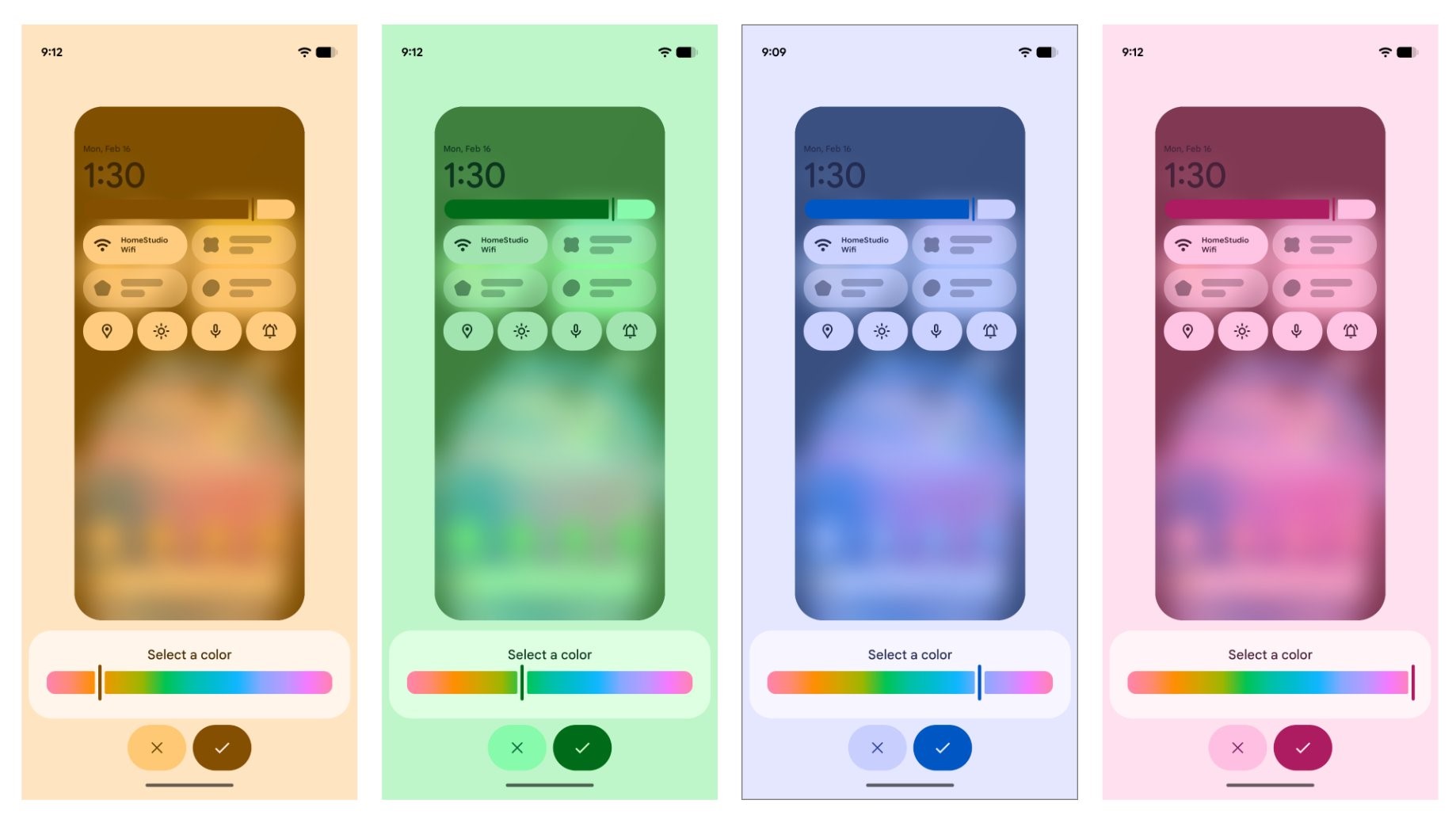
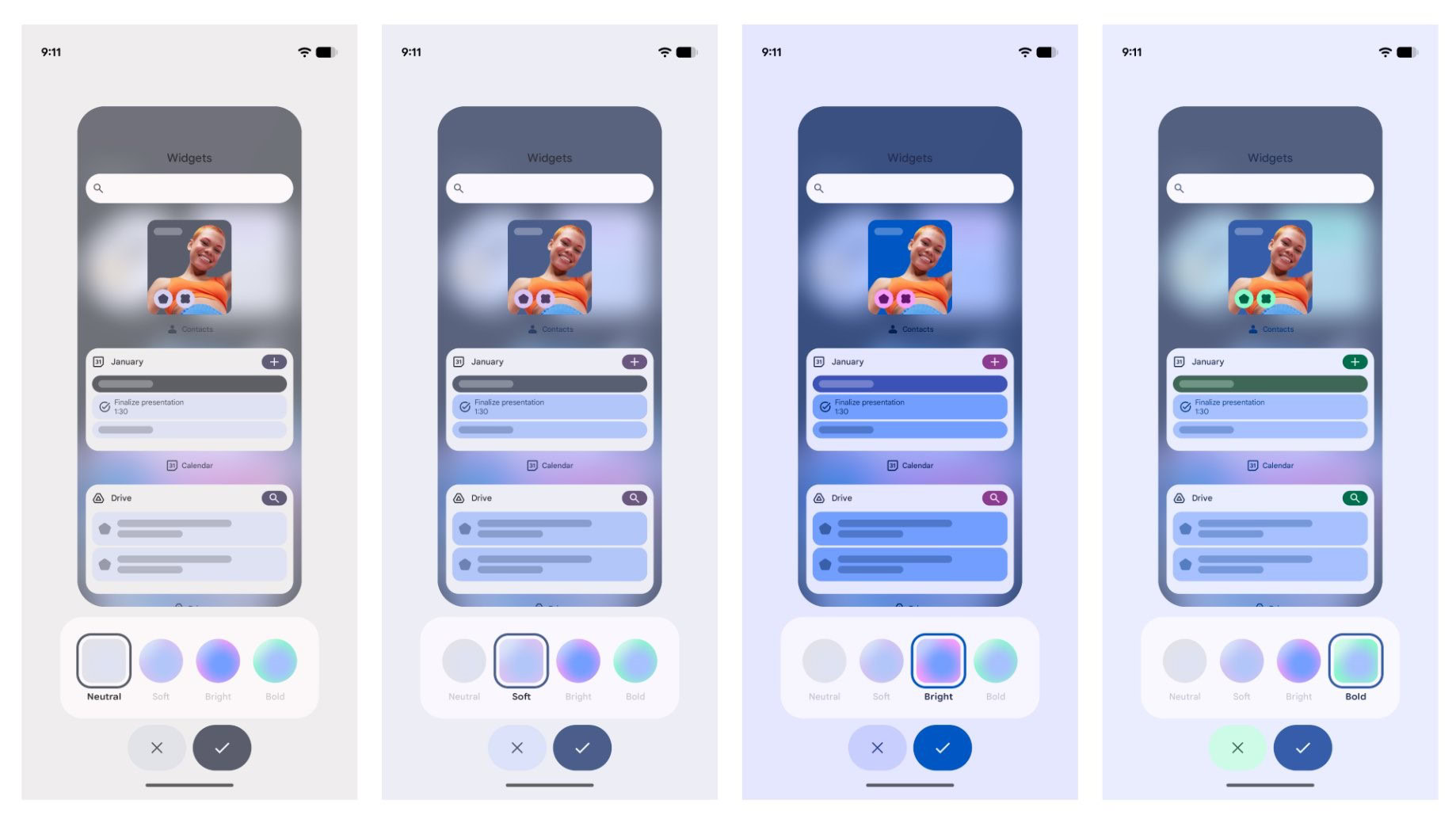
For years, Android’s "Material You" has relied on automated color extraction from wallpapers. While aesthetically pleasing, it often lacked manual precision. Canary 2606 introduces a new slider-based system that allows users to select a dominant color for their system theme with surgical precision. Complementing this is a new set of four "style buttons," which enable users to toggle between distinct, preset UI profiles instantly. This signals a shift toward giving power users more agency over their device’s visual identity.
2. Quick Settings for Input Methods
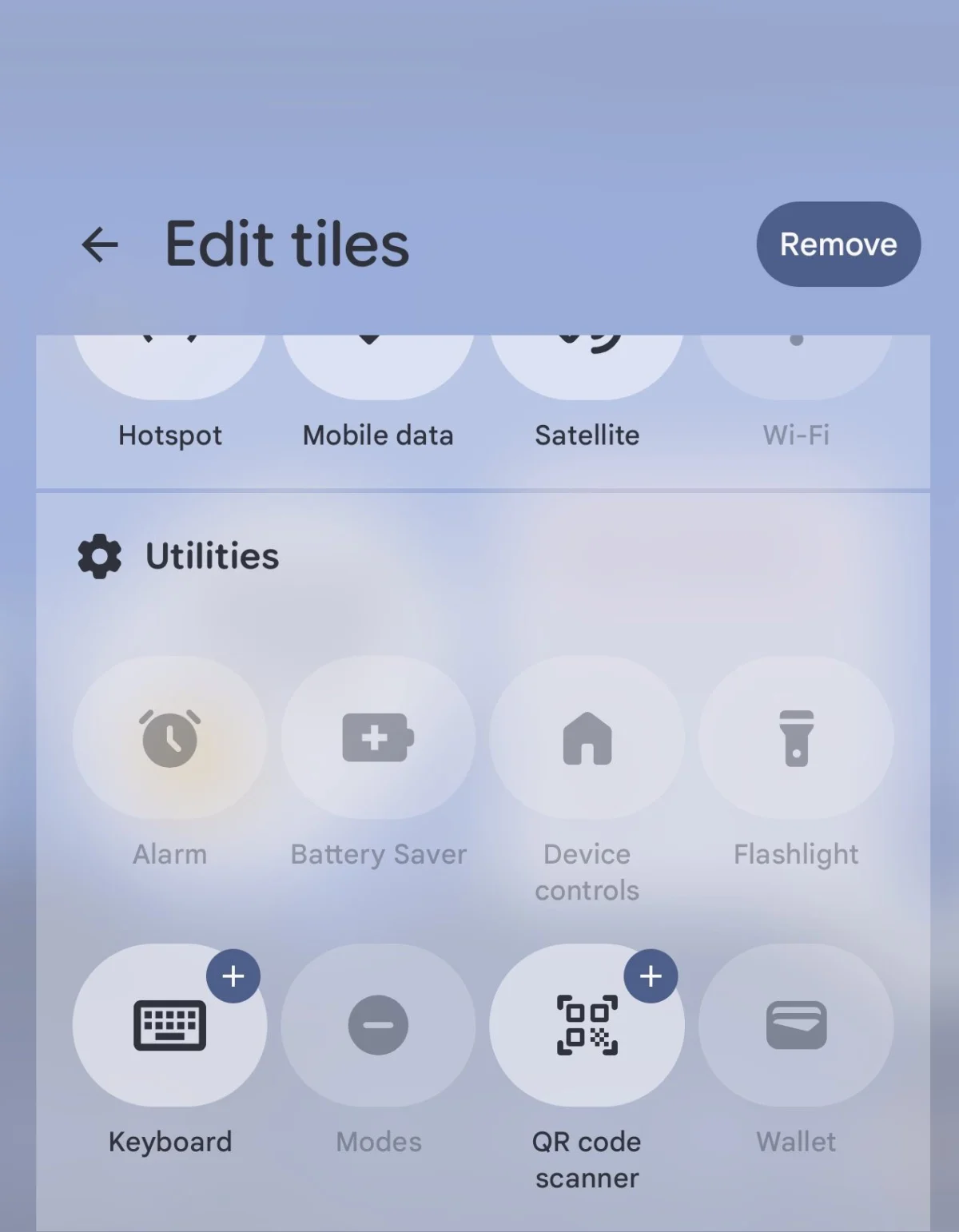
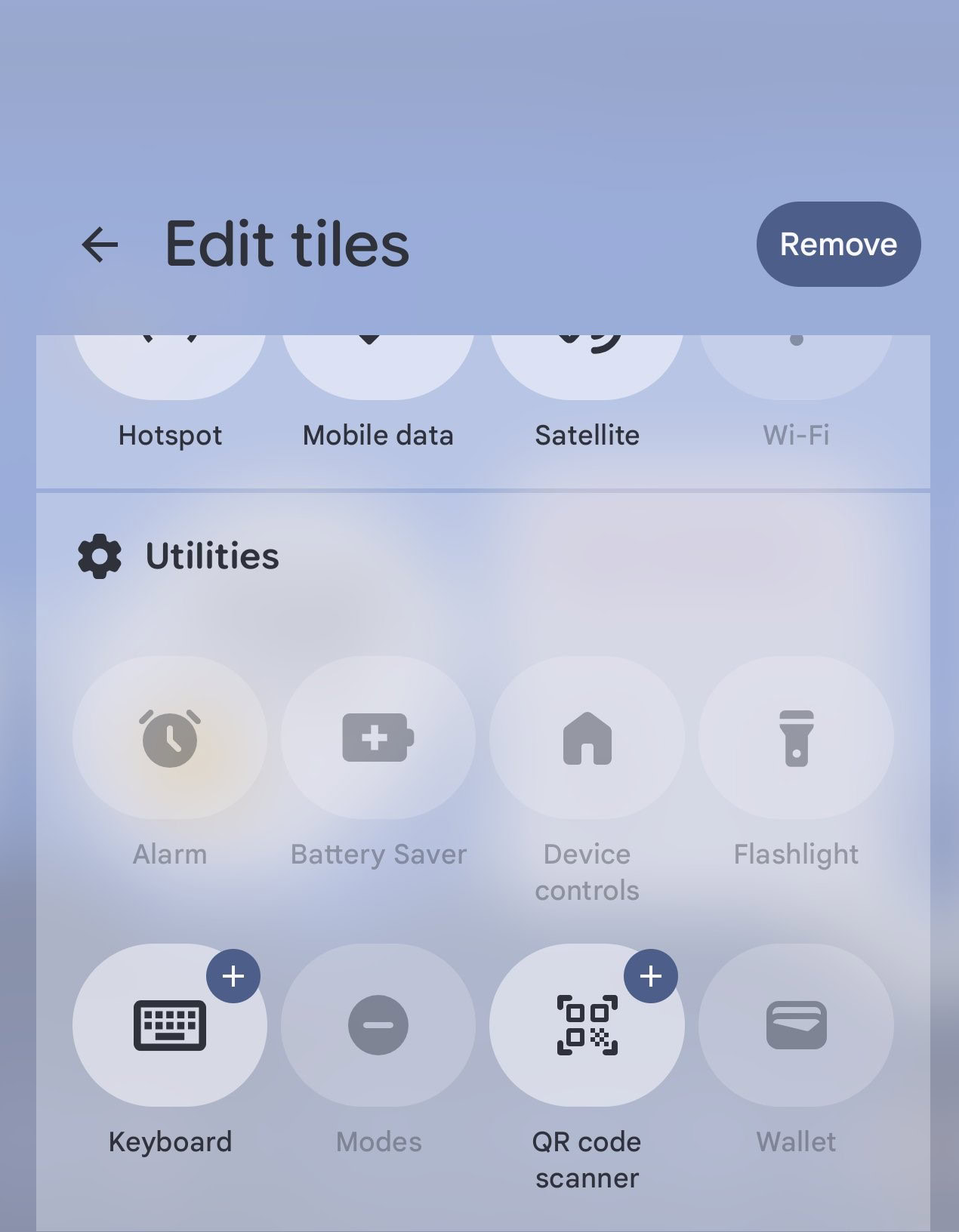
Perhaps the most functional addition in this build is a dedicated Quick Settings tile for keyboard management. Previously, switching between input methods required navigating deep into the "Languages & Input" settings. By moving this function to the shade, Google is acknowledging the increasing prevalence of users juggling multiple keyboards—such as specialized AI-powered assistants, language-specific keyboards, or gesture-based input tools.
3. Visual Polish: The Lock Screen Blur
A subtle, yet sophisticated, UI update involves the lock screen. Canary 2606 implements a refined background blur effect behind the fingerprint scanner and the bottom-row navigation buttons. This creates a clearer visual hierarchy, ensuring that critical touch targets are distinct from the background wallpaper, thereby enhancing both usability and modern design aesthetics.
Chronology: The Road to 2606
To understand the significance of Canary 2606, one must view it within the context of Google’s 2026 development cycle.
- Early May 2026: Google released the preceding Canary build (2605), which focused primarily on under-the-hood stability and kernel-level optimizations.
- Mid-May 2026: Feedback from the developer community indicated a desire for more robust visual customization tools, as the previous iteration felt somewhat stagnant in terms of UI innovation.
- Late June 2026: Android Canary 2606 drops. The speed of this release—coming less than 21 days after its predecessor—suggests that Google is prioritizing a "fast-fail, fast-fix" methodology to meet internal deadlines for the upcoming Q3/Q4 stable releases.
This rapid cadence is reflective of a broader trend in mobile OS development, where manufacturers are increasingly reliant on "rolling updates" rather than waiting for annual major version launches to roll out new features.
Supporting Data: Understanding the Canary Channel
For the uninitiated, the "Canary" channel is the earliest, most volatile stage of Android development. Unlike the Beta channel, which is usually feature-complete and focused on bug squashing, Canary builds are often "raw."
Technical Requirements and Risks
- Target Hardware: As with recent releases, support is limited to Pixel 6 and newer devices. This limitation ensures that the OS can leverage the latest Tensor-based security and processing modules.
- Installation: Deployment requires the Google Android Flash Tool. It is critical to note that this process is destructive; it wipes all local user data.
- The "Canary" Warning: These builds contain experimental code that may cause battery drain, system crashes, or app incompatibility. They are strictly intended for developers, enthusiasts, and those with a secondary "test" device.
The data provided by the developer community on platforms like Reddit and X suggests that while 2606 is generally stable, early adopters should be prepared for potential issues with third-party launchers and biometric authentication, which are common casualties in early-stage builds.
Official Responses and Developer Sentiment
Google has remained characteristically tight-lipped regarding the specific roadmap for these features. However, the influence of community feedback is evident. Mishaal Rahman’s reporting, which acts as a bridge between the Android source code and the public, has been instrumental in framing the conversation around these updates.
Developers are generally reacting positively to the inclusion of the new keyboard shortcut, viewing it as a move toward a more modular Android experience. The "theming slider" has also garnered praise for addressing the limitations of the automated Monet engine, which sometimes struggles with complex or multi-colored backgrounds.
Implications: The Future of Android UI
What do these changes suggest about the trajectory of Android?
A Shift Toward Modular Control
The introduction of the keyboard shortcut in Quick Settings is a subtle hint that Google is preparing to treat the Android interface as a collection of modular, swappable components. By allowing users to control their input environment from the shade, Google is effectively decentralizing the settings menu.
Aesthetic Maturity
The focus on background blurring and granular color control highlights that the Material You language is reaching a state of maturity. Rather than reinventing the visual style, Google is now focusing on "finesse"—the micro-interactions that make an operating system feel premium and responsive.
The Developer-Consumer Feedback Loop
The most important implication of Canary 2606 is the shortened development cycle. By pushing features to the public so quickly, Google is essentially crowd-sourcing its quality assurance. This creates a feedback loop where the company can observe how users interact with new UI elements in real-time, allowing them to refine or discard features before the stable branch is finalized.
Final Thoughts: Should You Install It?
Android Canary 2606 is a compelling update for those who want to be at the absolute forefront of mobile innovation. The ability to customize theme colors with a slider and the convenience of the new keyboard tile are genuine quality-of-life improvements.
However, the "cost" of entry remains high. If your primary device is your lifeline for work, banking, or communication, the risks associated with a wipe-and-flash installation are significant. For the average user, the best advice remains: wait. The features introduced in 2606 are clearly designed to be part of a future stable release, where they will be polished, optimized, and significantly less likely to cause a system failure.
For the enthusiast, however, the invitation is open. The Android landscape is shifting, and with each Canary release, the boundary between "system software" and "user preference" continues to blur. As we look toward the remainder of 2026, it is clear that Google is not just building an operating system—they are building a canvas for the user to define their own digital environment.
We will continue to monitor the progress of this build and report on any further hidden gems or functional shifts discovered within the code as more developers get their hands on the latest Canary image. Stay tuned to the latest developer forums and Android documentation to see how these experiments evolve into the standard Android experience.












No comments yet. Be the first to join the conversation!