Laily UPN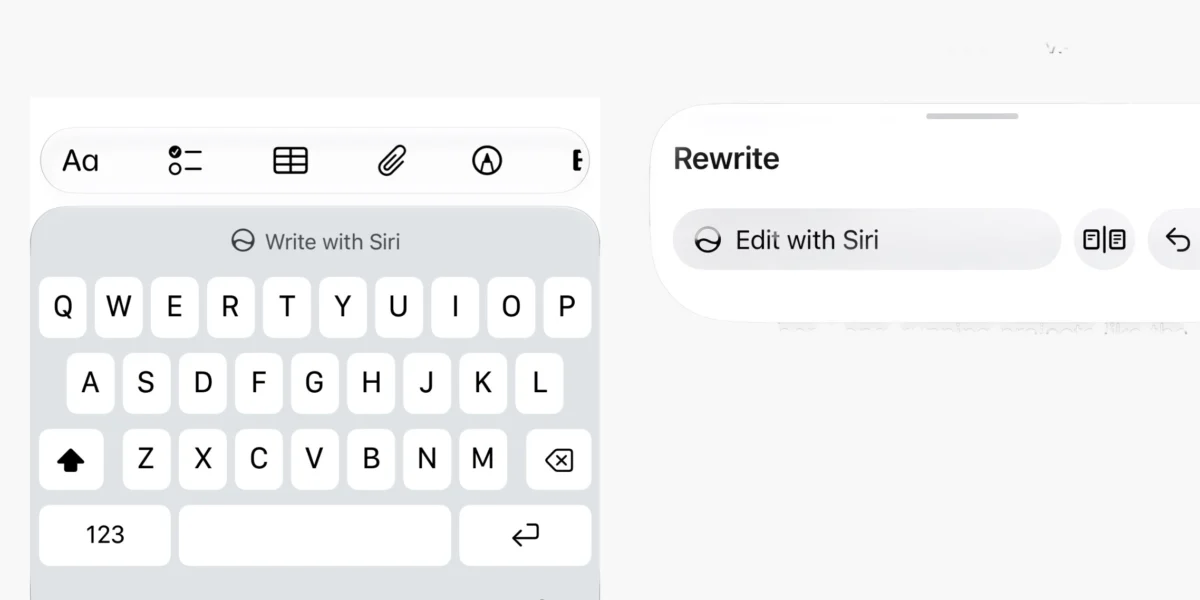
The landscape of mobile productivity is undergoing a seismic transformation as Apple continues to refine its vision for artificial intelligence. With the release of iOS 27 beta 2, the Cupertino-based tech giant has signaled the end of the experimental phase for its writing assistance features. In a move that prioritizes natural language over static, button-heavy interfaces, Apple has officially introduced "Write with Siri," a feature that completely replaces the "Writing Tools" suite first introduced during the initial iOS 18 Apple Intelligence rollout.
This transition marks a departure from traditional menu-based interaction, opting instead for a conversational, context-aware experience that leverages the full breadth of the Siri ecosystem. For power users and casual writers alike, the keyboard is no longer just a tool for input—it is now a gateway to an intelligent, generative engine that understands personal context as much as it understands syntax.
The Evolution of Writing Tools: A Chronology
To understand the magnitude of this update, one must look at the trajectory of Apple’s AI integration over the last several years.
The Foundation: The iOS 18 Era
When Apple first unveiled Apple Intelligence in iOS 18, the industry saw the debut of "Writing Tools." These were discrete, modular features designed to help users proofread, summarize, and rewrite text. Users interacted with these tools via a dedicated panel that featured specific, rigid buttons like "Friendly," "Professional," and "Concise." While effective, these tools were essentially "black boxes"—users provided input, and the AI provided a singular output, with little room for granular, iterative control.
The Transition: iOS 27 Beta 1
Following years of iterative updates, iOS 27 arrived with a promise of deeper system integration. In the first beta of this cycle, developers noticed that while the legacy Writing Tools remained, the underlying architecture was beginning to shift toward a more centralized model, hinting that Apple was preparing to unify its text-processing pipelines.

The Breakthrough: iOS 27 Beta 2
The release of beta 2 has finally dropped the curtain on the legacy system. The old, static panel has been decommissioned entirely. In its place sits "Write with Siri," a feature that treats text editing as a fluid conversation. This shift represents the transition from "AI as a button" to "AI as a collaborative partner."
Technical Deep-Dive: How ‘Write with Siri’ Functions
The new "Write with Siri" feature is not merely a cosmetic change; it is a fundamental architectural overhaul of how the iPhone handles text generation and refinement.
Interaction via the Dynamic Island
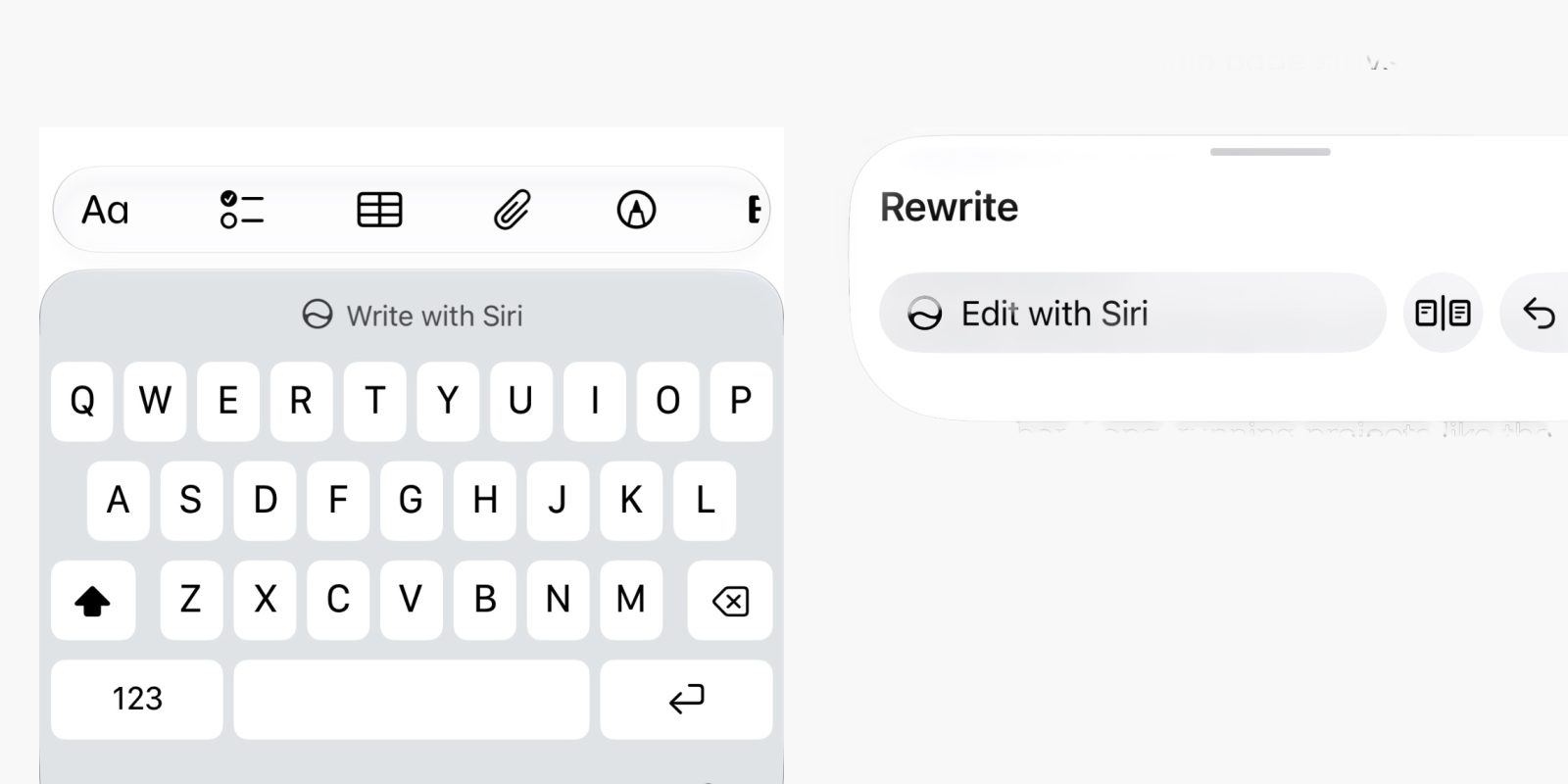
The most immediate change users will notice is the entry point. When a user highlights text or initiates a new composition, the keyboard now offers a prompt to engage Siri. Upon activation, an input field expands elegantly from the Dynamic Island. This design choice is strategic: it ensures that the interface remains unobtrusive while providing a clear, focused area for the user to issue natural language commands.
Unlike the previous iteration, which was confined to the text area, the Dynamic Island integration allows the AI interaction to remain persistent across different parts of the OS. If a user needs to cross-reference a date from their Calendar or an address from their Contacts while composing a draft, the interface remains active and ready to process that data.
Natural Language Request Processing
The "Write with Siri" engine is designed to parse intent rather than specific commands. A user no longer needs to hunt for a "Rewrite" button. Instead, a simple prompt—such as "Make this sound more urgent but keep the deadline clear" or "Expand this email and add a polite closing"—is sufficient.
Because this feature is tightly coupled with Apple’s Private Cloud Compute and on-device models, it can incorporate information from the user’s personal context. For example, if a user asks the AI to "draft an invite to my team meeting," the system pulls the time, location, and attendee list directly from the user’s personal calendar without requiring the user to copy and paste data into the text field.
Comparison: Legacy Writing Tools vs. The New System
| Feature | Legacy Writing Tools (iOS 18–26) | Write with Siri (iOS 27+) |
|---|---|---|
| Input Method | Static buttons (Friendly, Professional, etc.) | Natural language conversational prompts |
| Context | Isolated to current text document | System-wide access (Calendar, Mail, Contacts) |
| UI Placement | Pop-up menu above keyboard | Dynamic Island interaction layer |
| Iterative Refinement | Limited (Re-generate) | Fluid (Follow-up prompts and "Edit with Siri") |
| Feedback Loop | Minimal | Visual "before and after" snapshot comparison |
Supporting Data and User Experience Implications
The shift to "Write with Siri" addresses one of the most common criticisms of early AI tools: the lack of control during the editing process.
The Review and Snapshot System
One of the most significant enhancements in this update is the new "Review" panel. When Siri completes a document rewrite, it does not simply overwrite the existing content. Instead, it presents a split-screen or overlay view that allows the user to see a "before and after" snapshot of the text.
This is crucial for trust. By highlighting changes, the system allows the user to accept, reject, or further refine specific sections. If a user is unsatisfied, they don’t need to start over; they can simply tap "Edit with Siri" to provide a follow-up instruction, such as "Change the tone of the second paragraph, but leave the first paragraph as it is."
The "Undo" Architecture
With the increased complexity of AI-generated text, the risk of "hallucinations" or tone-deaf rewrites is ever-present. The new system includes persistent undo buttons that are accessible throughout the entire interaction. This empowers users to experiment with more creative writing styles, knowing that reverting to the original version is a single tap away.

Official Stance and Development Philosophy
While Apple has not yet issued a formal press release detailing the "depreciation" of the old tools, documentation provided to developers in the iOS 27 beta 2 release notes makes the company’s stance clear: Conversational intelligence is the future of the interface.
Apple’s philosophy, as evidenced by this move, is to reduce the "cognitive load" on the user. By moving away from complex menu trees and toward natural language, Apple is attempting to bridge the gap between human intent and machine execution. For the end user, this means that the device feels less like a computer and more like an assistant that understands the nuance of the user’s communication style.
Implications for the Future of Productivity
The rollout of "Write with Siri" has profound implications for both the tech industry and the way we work.
1. The Death of the "Menu"
We are witnessing the slow sunset of the traditional software menu. If Apple’s experiment with "Write with Siri" proves successful, we can expect to see similar conversational interfaces migrate to other parts of the OS—perhaps even into system settings or photo editing suites. The goal is to move the user toward an "intent-based" computing model.
2. Context as a Competitive Advantage
By allowing Siri to access personal context during the writing process, Apple is doubling down on its privacy-first AI strategy. While other generative AI platforms require users to manually input data, Apple’s integration allows the system to synthesize information securely. This creates a "walled garden" of productivity that is difficult for third-party apps to replicate without similar system-level access.

3. Impact on Third-Party Developers
For developers of writing apps (such as Bear, Ulysses, or Microsoft Word for iOS), this update presents a challenge. As Apple integrates sophisticated, system-wide AI tools directly into the text component layer, third-party apps must find ways to provide value that exceeds what the system provides by default. Expect a new wave of API requests from Apple, allowing developers to hook their own specialized models into the "Write with Siri" interface.
4. Accessibility and Inclusion
Natural language processing is a massive win for accessibility. Users who struggle with traditional UI layouts, fine motor control, or complex multi-step menus will benefit significantly from a system that reacts to plain English commands. This democratization of high-level editing tools is arguably one of the most impactful aspects of the iOS 27 update.
Conclusion: A New Era of Interaction
The transition from the legacy "Writing Tools" to "Write with Siri" in iOS 27 beta 2 is a watershed moment for Apple’s mobile strategy. It represents a bold commitment to the idea that the best interface is no interface at all—only the conversation between the user and the machine.
As beta testing continues, the refinement of this feature will likely dictate how millions of users interact with their devices on a daily basis. While some users may miss the simplicity of the "Professional" or "Friendly" buttons, the sheer power of having an AI that understands personal context and allows for iterative, conversational editing is an upgrade that sets a new industry standard.
For now, the message from Apple is clear: the keyboard is no longer just for typing. It is for collaborating. And with "Write with Siri," the collaboration has never felt more natural.

 Raul Delapena Setiawan
 Asep Darmawan