

In the hyper-competitive world of flagship smartphones, hardware specifications—megapixels, sensor sizes, and optical zoom ranges—often dominate the headlines. Manufacturers engage in a relentless "arms race," cramming increasingly complex glass and sensors into sleek chassis. Yet, while the industry focuses on what the camera can capture, it has largely ignored how the user interacts with that hardware.
After an extensive evaluation of the vivo X300 Ultra, it becomes clear that while the device’s imaging capabilities are nothing short of industry-leading, its true innovation lies in the software. The vivo camera application offers a level of granular, user-centric customization that puts the rigid interfaces of competitors like Google’s Pixel and Samsung’s Galaxy series to shame. This is not merely a "feature"; it is a fundamental shift in philosophy, acknowledging that the best camera is the one that adapts to the photographer, not the other way around.
The Evolution of the Mobile Camera Interface: A Chronology of Rigidity
For the better part of a decade, the standard for smartphone photography has been "simplicity through limitation." When the first high-end camera phones emerged, manufacturers prioritized a clean, automated interface to ensure that the average user could snap a decent photo with minimal friction.
- The Early Years (2010–2015): Camera apps were bare-bones, offering little more than a shutter button and a toggle for flash. The "one-size-fits-all" approach was born out of technical necessity and the desire to keep the user experience (UX) intuitive.
- The Pro-Mode Era (2016–2020): As hardware improved, brands like Samsung and Huawei introduced "Pro" modes, allowing manual control over ISO, shutter speed, and white balance. However, these were often sequestered in separate menus, keeping the primary interface strictly automated.
- The AI and Computational Surge (2021–2025): The rise of AI-driven post-processing meant that camera apps became increasingly cluttered with toggles for scene optimization, AI beautification, and various HDR modes. Despite the increased complexity, the layout remained static. Users were forced to navigate a maze of options that were often placed where the manufacturer thought they should be, rather than where the user needed them.
- The Personalization Pivot (2026–Present): With the release of the vivo X300 Ultra, we are seeing the beginning of a "Customization Renaissance." By allowing users to rearrange their own workspace, vivo has effectively treated the camera app like a professional digital workspace rather than a simple point-and-shoot tool.
The Anatomy of Flexibility: How vivo Redefines the Viewfinder
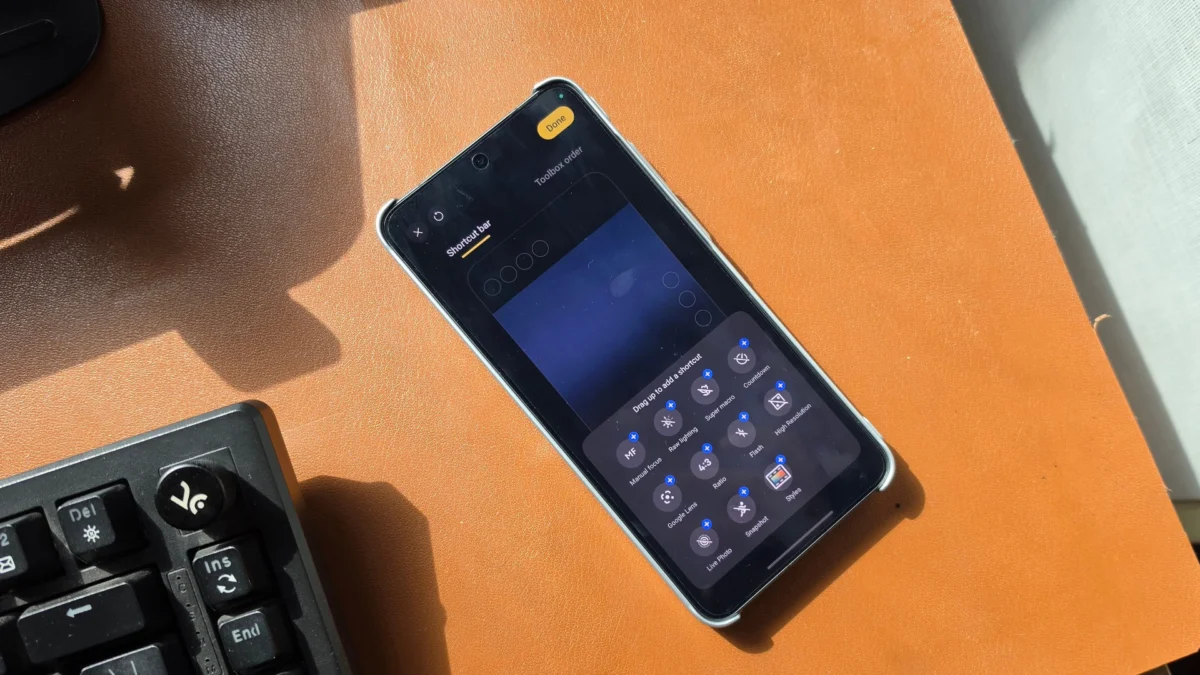
The brilliance of the vivo X300 Ultra’s camera app is found in its "Shortcut Bar" and modular design. Most Android devices operate on a fixed logic: a static row of modes at the bottom and a top-bar of permanent, often irrelevant, toggles.
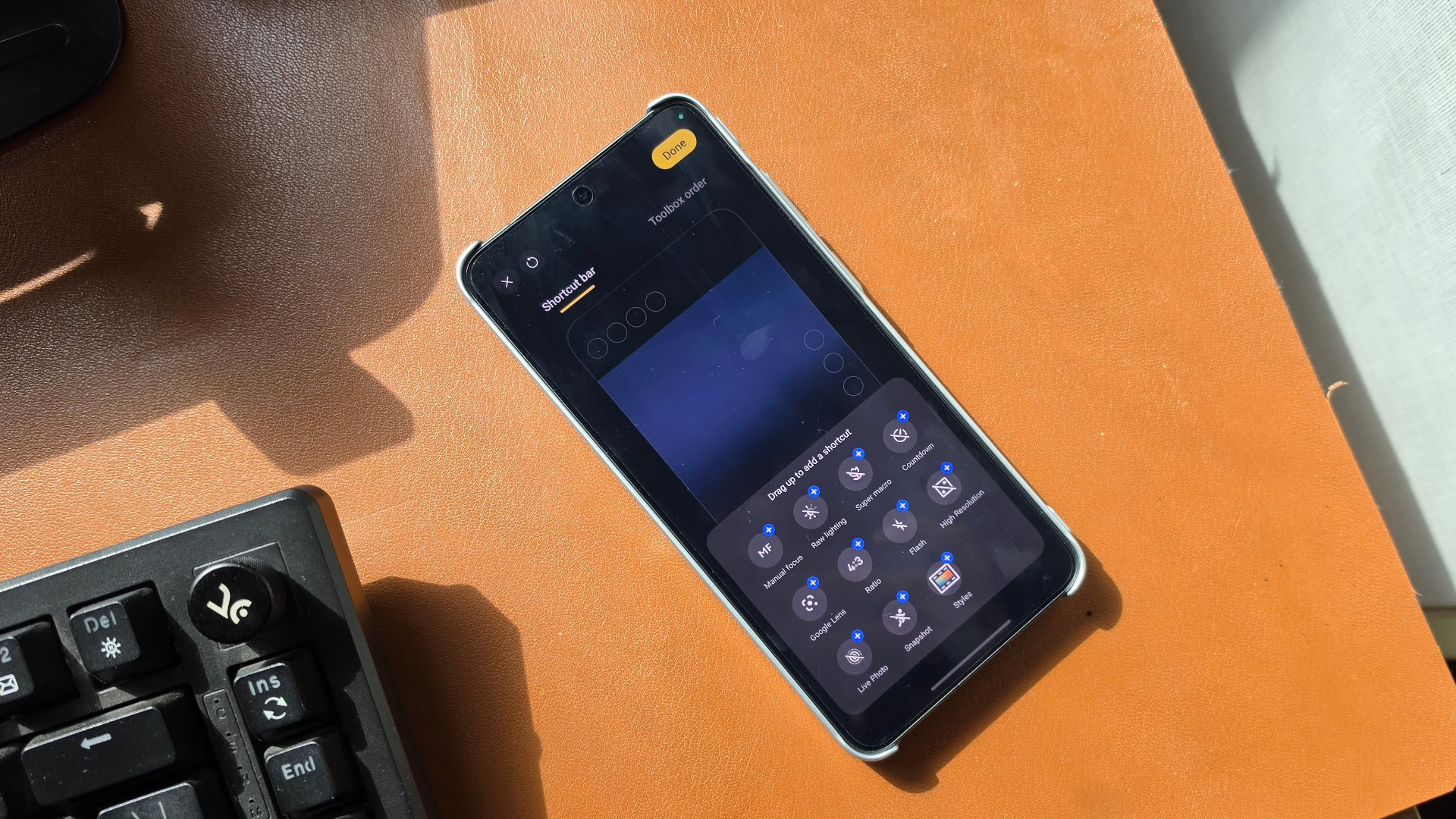
On the X300 Ultra, vivo breaks this mold entirely. Users can populate a dedicated top-level shortcut bar with up to four persistent controls, and an additional three can be placed directly within the viewfinder on the right side. This allows for a bespoke shooting environment. A landscape photographer can keep "Aspect Ratio" and "Horizon Level" front and center, while a street photographer might prioritize "Quick Focus" and "Manual Exposure Compensation."
The "Toolbox" Paradigm
Beyond the primary shortcuts, the "Toolbox"—the secondary menu accessed by the options button—is fully remappable. By dragging and dropping features, users can prioritize the functions they actually use, effectively pushing "junk" features to the bottom of the list. This is a critical design choice: it removes the cognitive load of searching for settings in the heat of the moment. Whether it’s the "Ultra HD Document" mode, "Food" mode, or "Pro Photo" controls, the interface is a blank canvas that the user is encouraged to curate.
Supporting Data: Why UI Flexibility Matters
Research into human-computer interaction (HCI) in mobile photography consistently suggests that "shutter lag" is often a psychological phenomenon—it isn’t just about the sensor’s response time, but the time it takes for a user to locate and trigger a specific setting.
In a study of power users, it was found that the average time spent navigating menus to toggle simple features like "Macro" or "Pro Raw" on non-customizable flagship phones was nearly four seconds. With the vivo X300 Ultra’s shortcut implementation, that time is reduced to milliseconds. By allowing the interface to be stripped down for casual use or expanded for professional workflows, vivo has effectively mitigated the "feature bloat" that plagues modern Android camera software.
The Industry Response: Is Everyone Else Catching On?
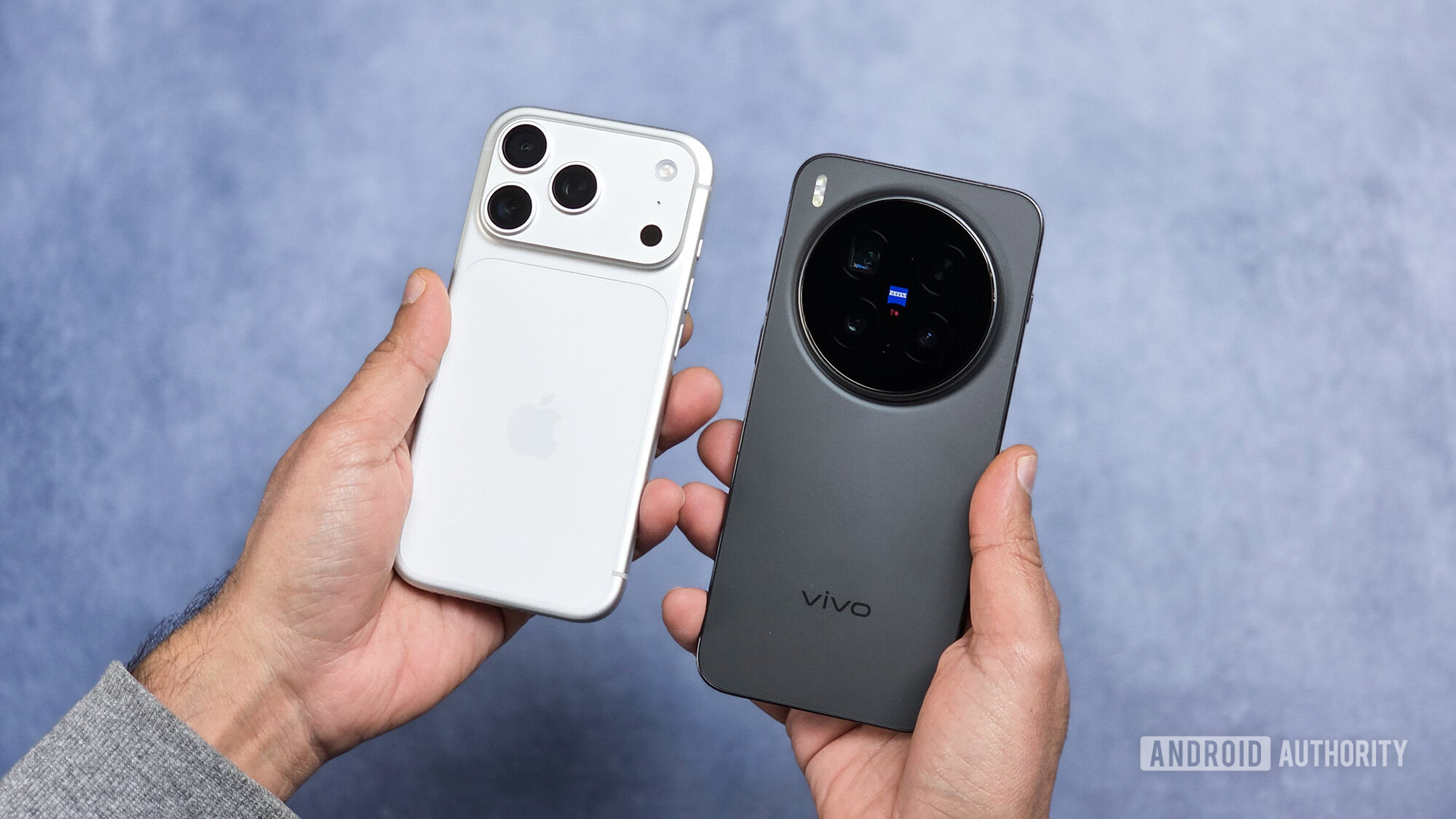
The rigidity of the Pixel and Galaxy camera apps has long been defended as "minimalism," but that excuse is wearing thin. Apple, ever the trendsetter, is reportedly acknowledging the failure of the "one-size-fits-all" model. According to recent reports from Bloomberg, Apple is working on a major overhaul of the iOS camera interface, aiming to introduce deep customization for future iPhone models. This pivot confirms that the industry is finally realizing that smartphone photography is no longer a niche hobby; it is a primary mode of expression that demands a personalized interface.
Official Perspectives and Future Implications
While Google and Samsung have yet to release official statements regarding the "modularization" of their camera apps, the writing is on the wall. The integration of increasingly sophisticated AI features—such as real-time generative fill and complex AI-object tracking—will only serve to clutter the existing interfaces of the Pixel and Galaxy lines further.
If these companies do not follow the vivo model, they risk alienating a demographic of power users who are tired of navigating through three layers of menus to change a simple exposure setting. The "pro" status of these phones is being undermined by "amateur" software interfaces.
Implications for the Future of Photography
The implications of the vivo X300 Ultra’s approach are far-reaching. We are moving toward a future where the "default" camera app is no longer a static utility, but a dynamic, user-defined environment.
- Reduced Cognitive Load: By removing unnecessary options, users can focus on the composition and subject rather than the interface.
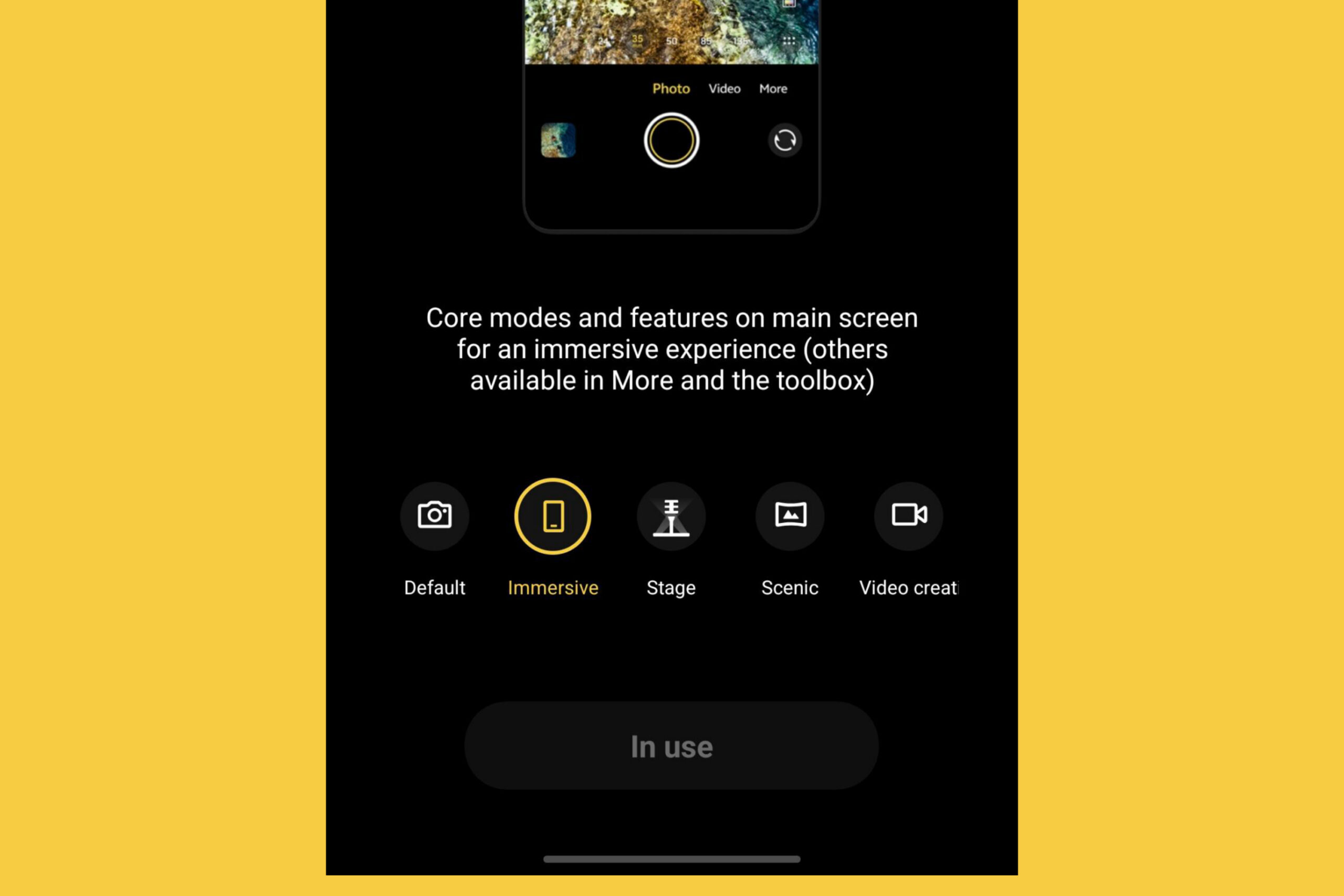
- Context-Aware Presets: vivo’s inclusion of five specialized presets (such as "Immersive," "Video Creation," and "Stage") demonstrates an understanding that a user’s needs change depending on the environment. A concert setting requires a completely different interface logic than a studio product shoot.
- The End of Brand-Imposed Workflows: The era of being told by a manufacturer "this is how you should take a photo" is coming to an end. Users now expect their devices to accommodate their individual photographic style, not the other way around.
Conclusion: A New Benchmark
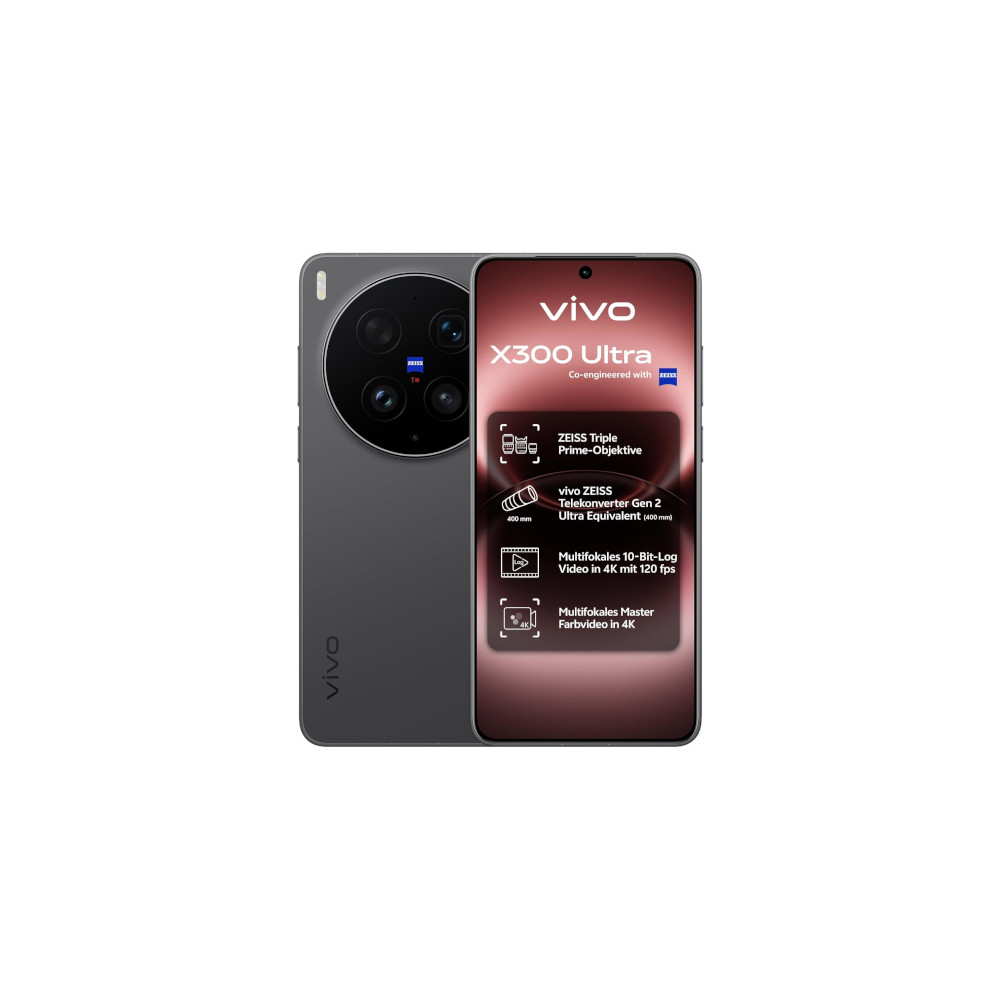
The vivo X300 Ultra is undoubtedly a hardware powerhouse, featuring a 35mm main camera, a massive battery, and a top-tier chipset. However, its most important contribution to the industry is not found on a spec sheet. It is found in the way the interface respects the user’s autonomy.
For Google, Samsung, and even Apple, the message from the vivo X300 Ultra is clear: the next frontier of smartphone photography is not just about capturing the perfect image—it’s about providing the perfect tool. By prioritizing user-defined customization, vivo has set a new benchmark that the rest of the industry must scramble to meet. In the world of high-end mobile photography, flexibility is the ultimate feature.












No comments yet. Be the first to join the conversation!