


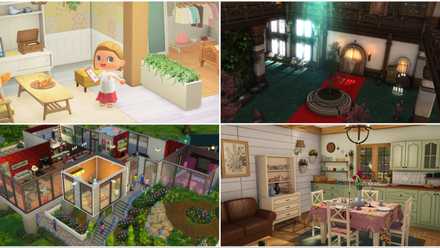
The burgeoning life simulation genre is abuzz with anticipation for Paralives, a title poised to redefine the boundaries of in-game home construction. While The Sims 4 has long held dominion, Paralives is emerging as a formidable contender, boasting a suite of innovative build tools that empower players to translate their architectural visions into reality with unparalleled depth and flexibility. This article delves into ten of Paralives’ most impactful features, exploring how they elevate the creative potential of home building beyond anything seen before in the genre.
The allure of life simulation games often lies in the ability to craft not just a digital life, but a digital home. For years, The Sims franchise has been the undisputed king of this domain, allowing players to design, decorate, and inhabit virtual dwellings. However, the landscape is shifting, and Paralives is stepping into the spotlight with a build mode that promises to be a game-changer. Beyond merely replicating existing mechanics, Paralives introduces groundbreaking tools that foster a level of creativity and personalization previously unattainable. From organic, flowing structures to intricate custom details, its build mode is set to become a benchmark for the genre.
This exploration will highlight ten key features that distinguish Paralives’ build mode, showcasing how each element contributes to a more dynamic, intuitive, and artistically fulfilling building experience.

H2: Curved Walls: Breaking Free from Geometric Constraints
H3: Embracing Organic Design and Architectural Nuance
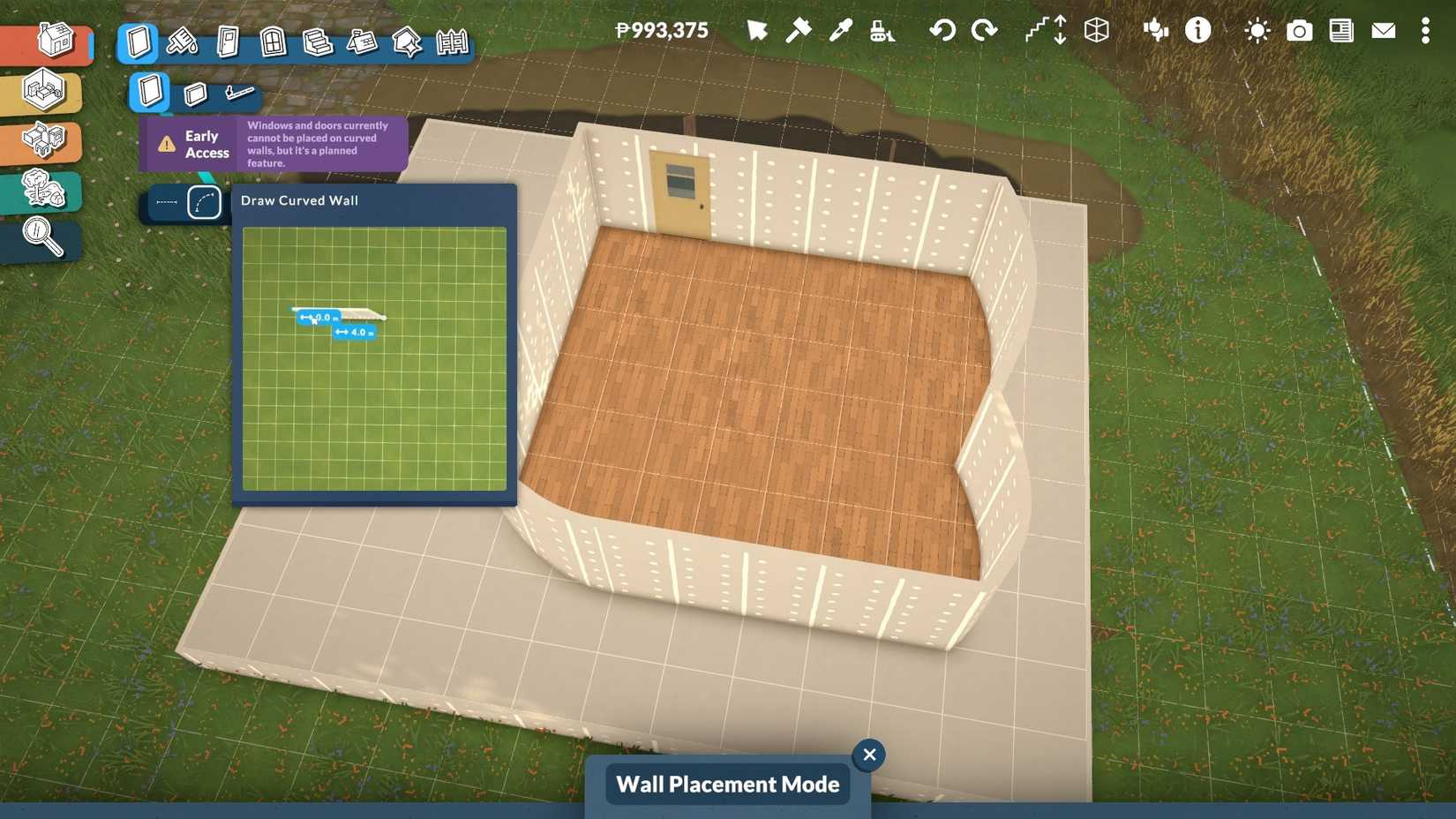
One of the most immediate and striking departures from traditional life simulation building is Paralives’ implementation of curved walls. For too long, players have been confined to the rigid, rectilinear framework of square rooms and straight corridors. Paralives shatters this limitation, allowing for the creation of soft, flowing architectural forms that lend themselves to a vast array of design styles.
The introduction of curved walls is not merely an aesthetic enhancement; it’s a fundamental shift in how players can approach spatial design. This feature enables the construction of circular rooms, rounded extensions, and organic, flowing layouts that feel more natural and sophisticated. Imagine crafting a sun-drenched conservatory with a perfectly curved glass roof, or a cozy, circular reading nook bathed in natural light. The possibilities are expansive, moving beyond the functional to the truly imaginative.
The ease with which these curved walls can be manipulated is equally impressive. Players can simply place and drag, intuitively shaping the contours of their buildings. This user-friendly approach ensures that even complex organic shapes are accessible to builders of all skill levels. Furthermore, the developers have acknowledged the inherent challenge of roofing curved structures – a common stumbling block in other games – and have indicated plans to incorporate robust roofing solutions for these unique forms. While window options for curved walls are still on the development roadmap, their eventual integration will further unlock the potential of this revolutionary feature.

H2: Grab and Drag: The Ultimate Customization Tool
H3: Unprecedented Control Over Object Scale and Placement
Perhaps the most lauded and transformative tool in Paralives’ arsenal is the "Grab and Drag" functionality, which offers unprecedented control over the size and scale of virtually every in-game object. This feature moves beyond the pre-set dimensions of furniture and decor, granting players the power to customize items to their exact specifications.
Instead of being limited to a few predefined sizes for a couch or a counter, players can simply click and drag to resize these items. This single feature has profound implications for building. It simplifies the process of creating custom furniture arrangements, allowing a single counter piece to be stretched to form an entire kitchen island, or a bed to be shrunk for a dollhouse. This eliminates the tedious need to place multiple identical objects, streamlining the building process and encouraging more thoughtful arrangement.
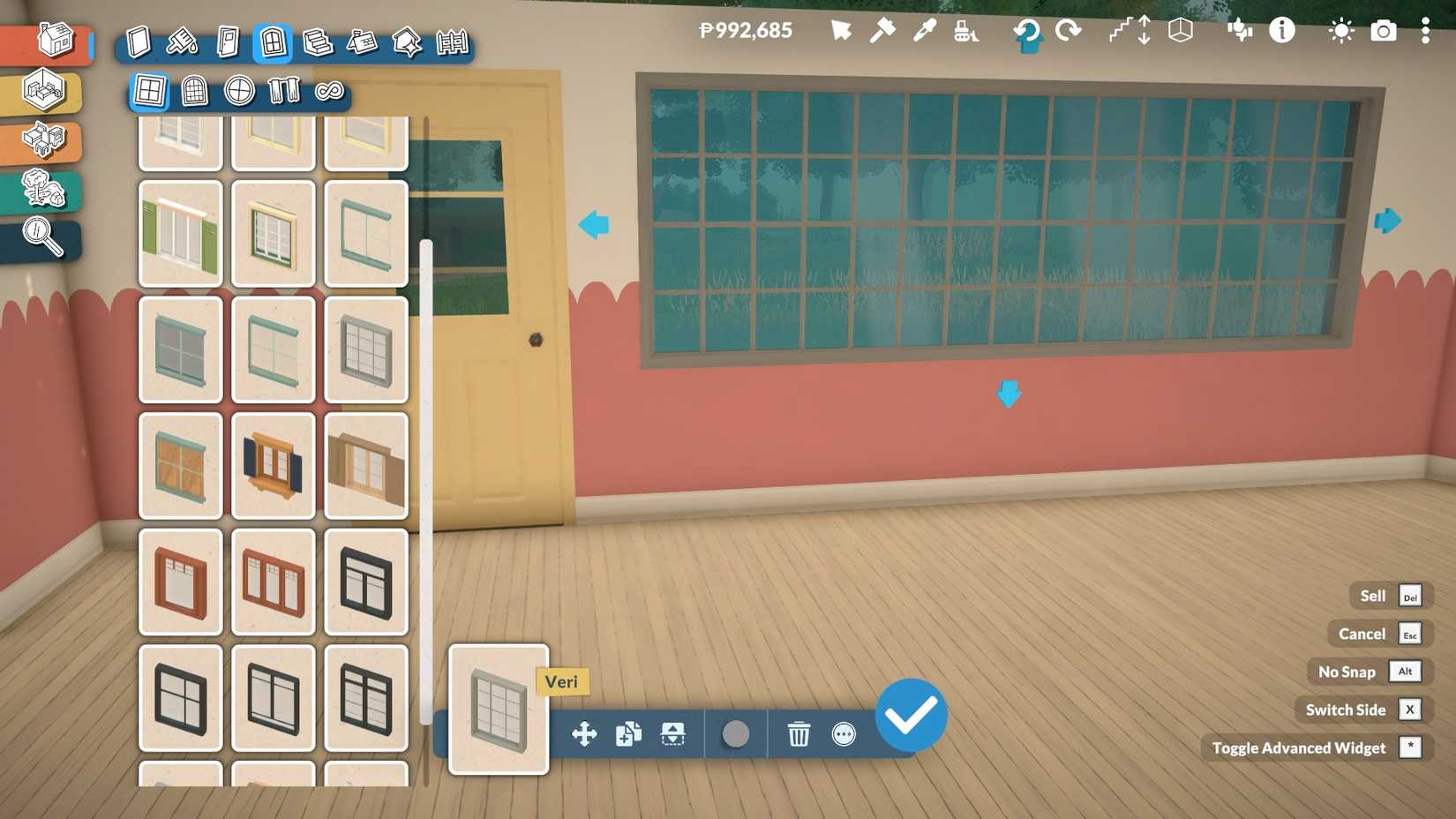
The impact of Grab and Drag extends far beyond mere convenience. It unlocks a new dimension of creative expression. Windows can be elongated to create grand panoramic views or minimized for a more intimate feel. Beds can be customized to fit unique room layouts. Even decorative elements like rugs and staircases can be adjusted in size. This granular control over object scale means that players are no longer constrained by the designers’ predetermined sizes; they become the ultimate arbiters of their virtual environment. The potential for unique, personalized builds is virtually limitless, with the only constraint being the player’s imagination.
H2: Color Wheel: Unleashing a Spectrum of Design Possibilities
H3: Beyond Hue: Mastering Material and Texture Customization
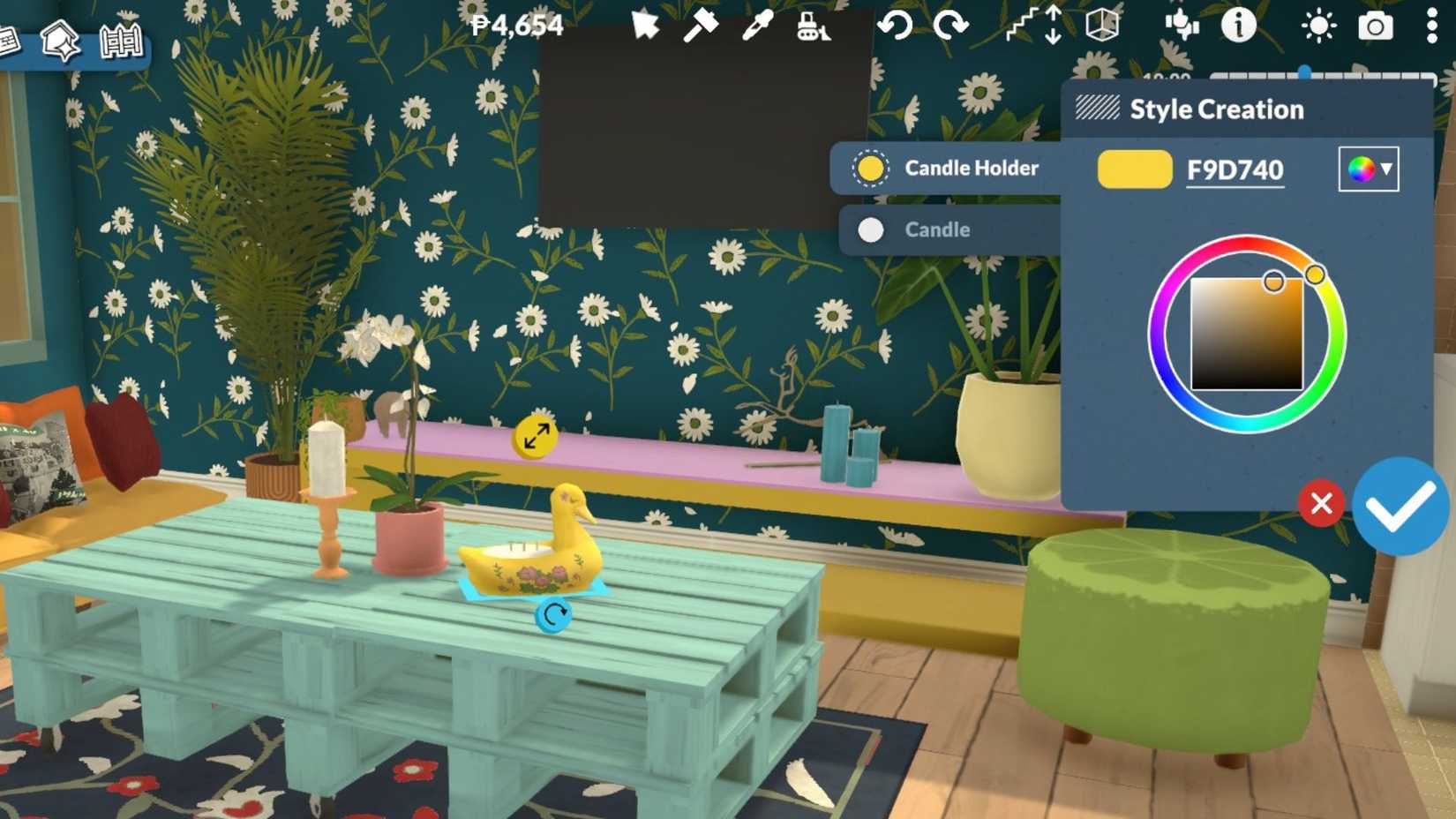
The inclusion of a comprehensive color wheel in Paralives’ build mode is a significant upgrade, offering a level of chromatic control that many players have long desired. However, this feature extends beyond simply selecting colors; it allows for the modification of materials and textures on a granular level.
This means that a single furniture item can be transformed entirely. A wooden chair can be rendered in metallic chrome, a fabric sofa can be reimagined with a leather texture, or a glass tabletop can be given a stone finish. This ability to alter not only the color but also the surface properties of objects opens up a universe of aesthetic possibilities. Players can meticulously match color palettes, create visually striking contrasts, or replicate real-world design trends with remarkable accuracy.
The color wheel is particularly revolutionary for players who engage in color-coded challenges, such as legacy challenges, or those who simply aim for perfectly coordinated rooms. It allows for a level of thematic consistency and personal expression that is deeply satisfying. The power to dictate every shade, hue, and texture transforms the in-game catalog into a dynamic palette, limited only by the player’s vision.
H2: The Separator Tool: Defining Spaces with Precision
H3: Versatile Applications for Room Division and Terrain Manipulation
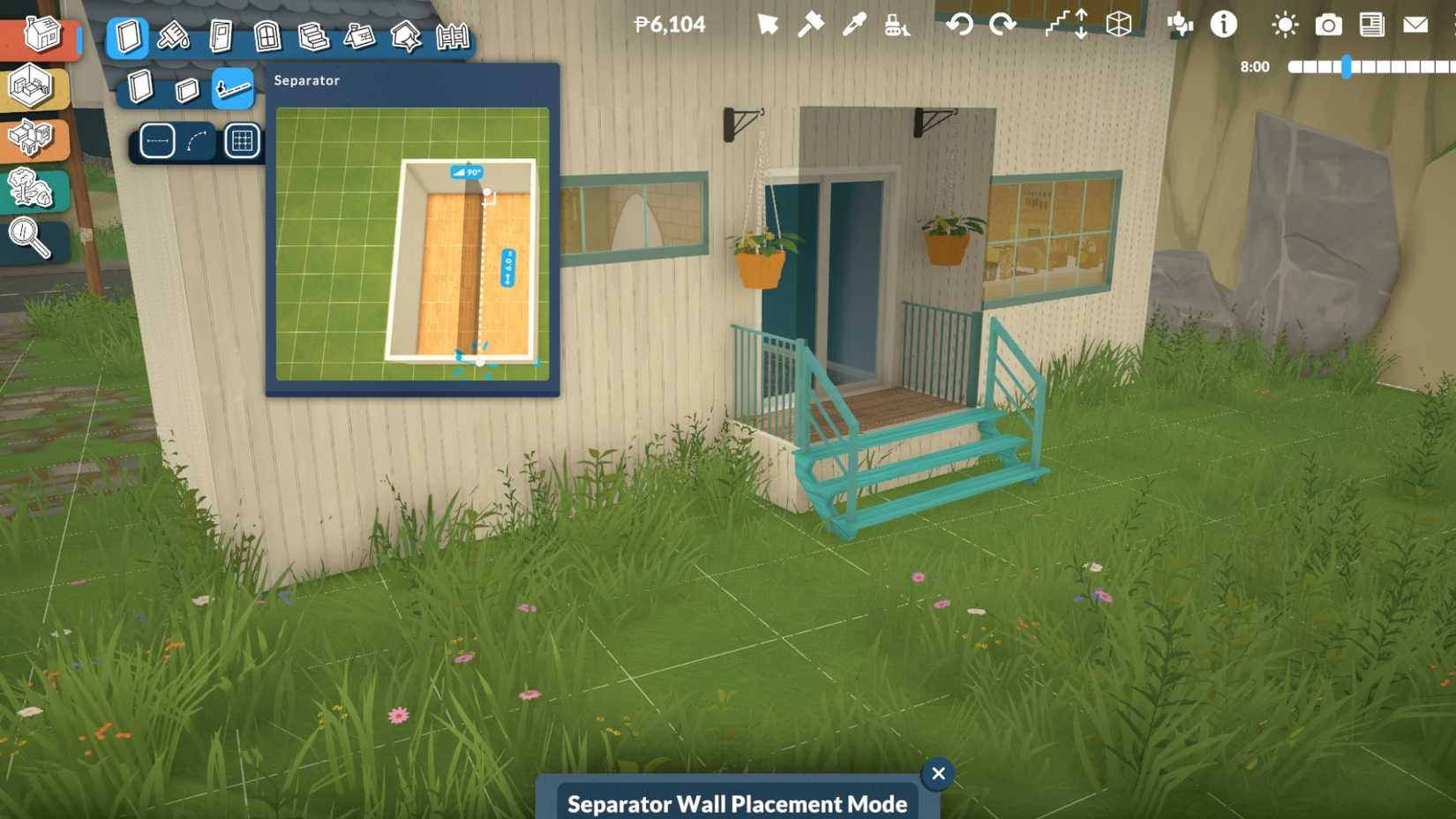
Paralives introduces a clever and highly versatile tool known as the "Separator." This feature serves multiple crucial functions, simplifying complex building tasks and enabling more nuanced environmental design. Its primary purpose is to divide rooms without the need for a physical wall, offering a sophisticated solution for creating distinct zones within a larger space.
This allows players to implement varied flooring types within a single room, creating visual interest and defining functional areas. For instance, a living area could seamlessly transition from a plush carpet to a sleek tile without the need for intrusive walls. Beyond interior design, the Separator tool proves invaluable for exterior landscaping and architectural elements. It can be used to construct platforms, patios, and verandas, allowing players to create multi-level outdoor spaces or raised garden beds.
The ability to create smaller, defined sections within larger spaces and then manipulate their elevation opens up a world of design possibilities. This is particularly useful for crafting elements like Japanese engawa, sunken conversation pits, or elevated fire pit areas, adding architectural depth and character to outdoor living spaces.
H2: 3D Plants in Terrain Paint: Cultivating Realistic and Vibrant Landscapes
H3: Dynamic Gardening and Naturalistic Environment Creation
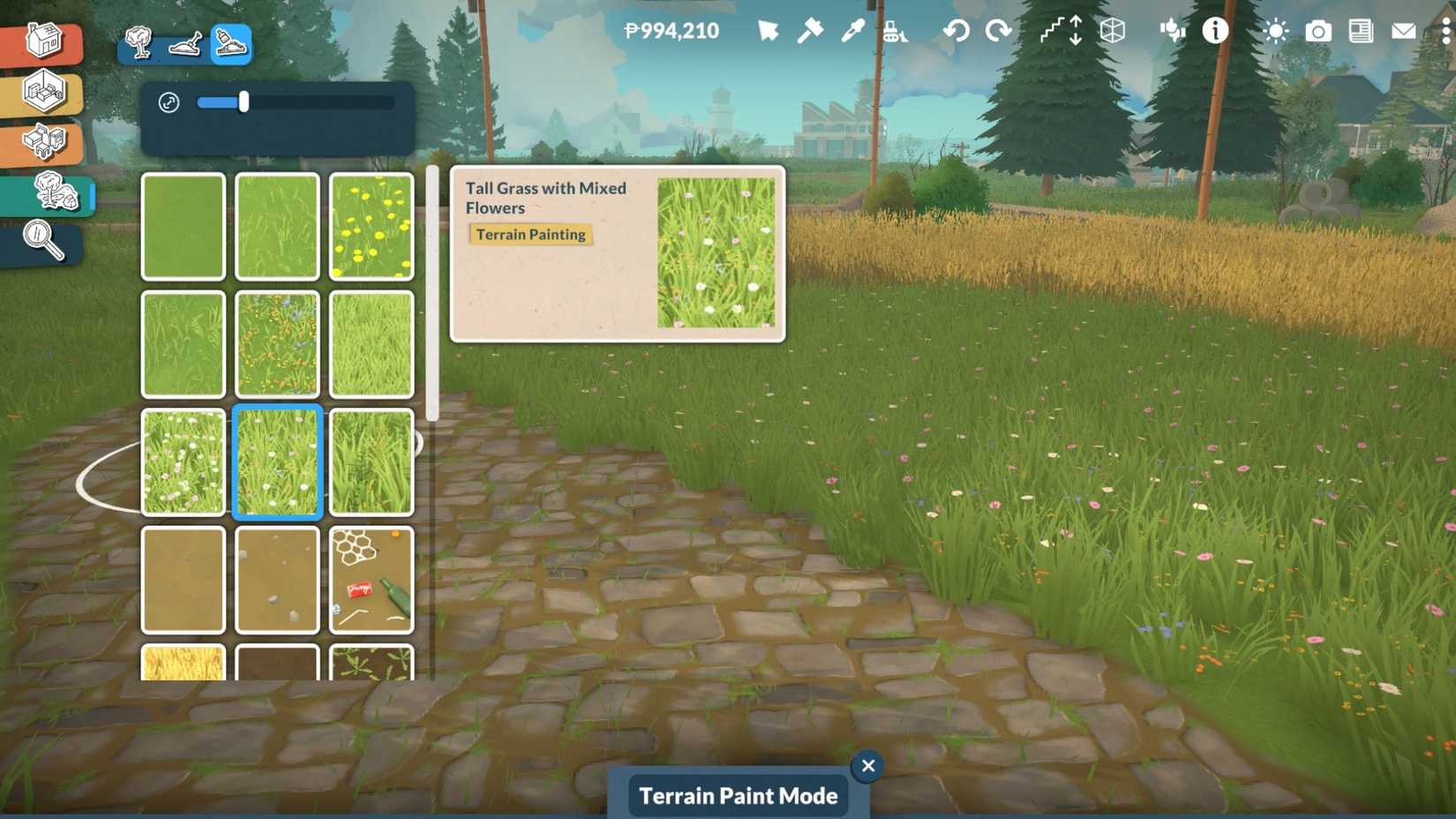
The terrain and landscaping tools in Paralives are designed to bring outdoor spaces to life with an unprecedented level of realism and artistic control. The Terrain Paint tool, in particular, allows players to sculpt and embellish their lots with a variety of natural elements.
The inclusion of 3D grass and flower options allows for the creation of lush, vibrant gardens and meadows in mere moments. This moves beyond flat, static textures, offering a more immersive and visually appealing landscape. Furthermore, the integration of the color wheel means that players can customize the hues of these placeable plants and flowers, enabling the creation of truly unique and dreamlike floral displays.
Beyond flora, the terrain tools also accommodate the placement of rocks, adding a rustic and naturalistic touch to builds. The ability to rotate all items in Paralives in any direction is especially beneficial here, allowing for the creation of intricate and believable rock formations. This feature transforms the process of landscaping from a mere afterthought to an integral part of the creative building experience, allowing players to craft serene gardens, rugged outcrops, or anything in between.
H2: Upload Custom Images: Personalizing Spaces with Unique Decor
H3: Bringing Personal Memories and Artistic Visions to Virtual Walls
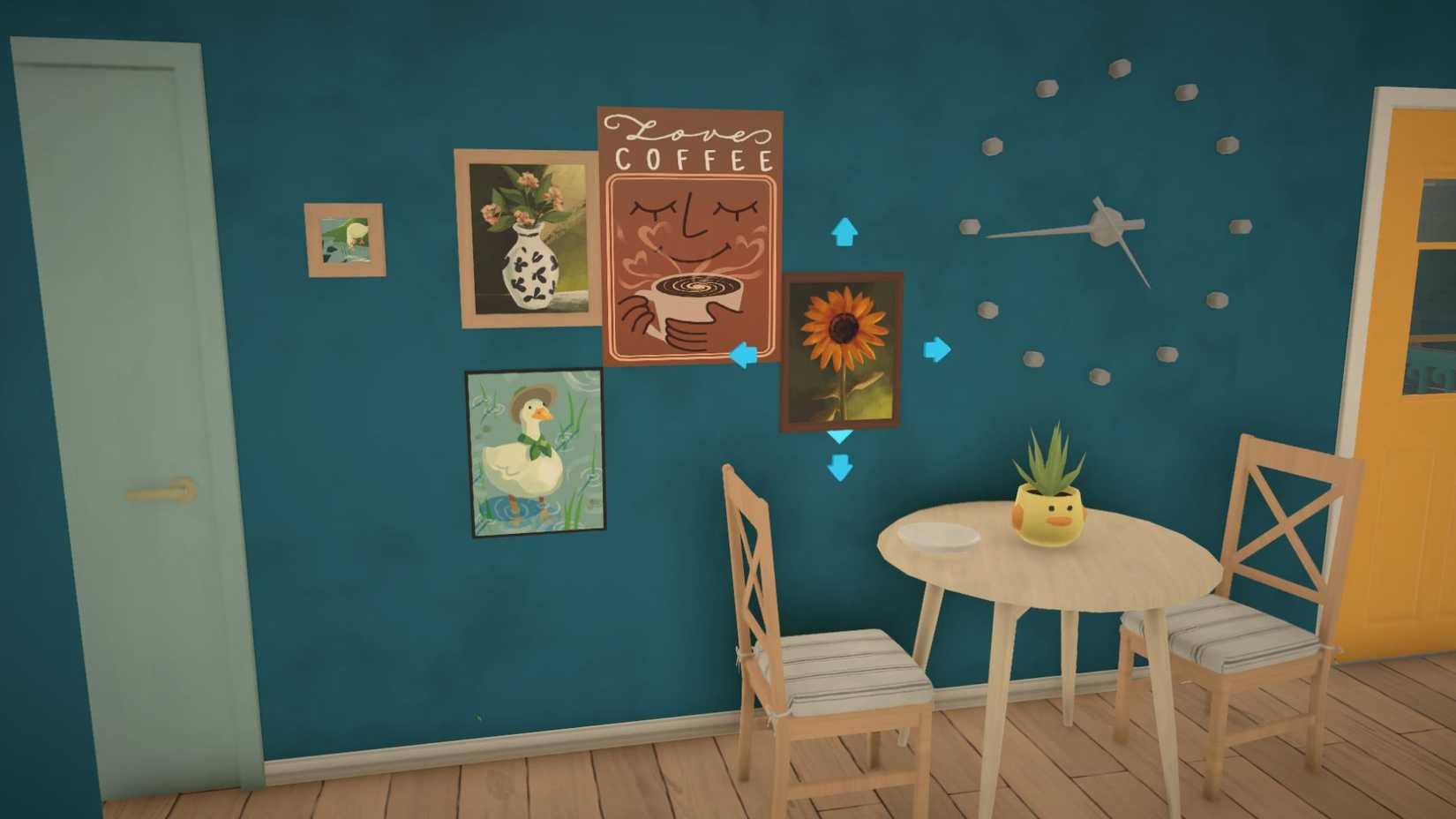
A truly groundbreaking feature that elevates personalization to an entirely new level is the ability to upload custom images into Paralives. This allows players to transform their virtual homes into deeply personal spaces by adorning the walls with their own photographs, artwork, or any other digital image.
This feature directly addresses the limitation of being confined to a pre-selected catalog of wall art. Instead of relying on the same few paintings or posters, players can now upload their own images to create unique decorative pieces. Whether it’s a cherished family photograph, a piece of digital art, or even a meme, the possibilities for wall decor are now boundless.
The process of uploading and using custom images is designed to be intuitive and straightforward. Players can select the desired size for their artwork in Buy Mode, place a frame or poster on the wall, and then select the option to "Add Image." This prompts them to upload a file from their computer, seamlessly integrating their personal touch into the game. This feature not only enhances personalization but also allows for a richer storytelling experience, as the walls can now truly reflect the personalities and histories of the Parafolk who inhabit them.
H2: Architectural Details: The Finer Points of Authentic Design
H3: Adding Depth and Realism with Customizable Embellishments
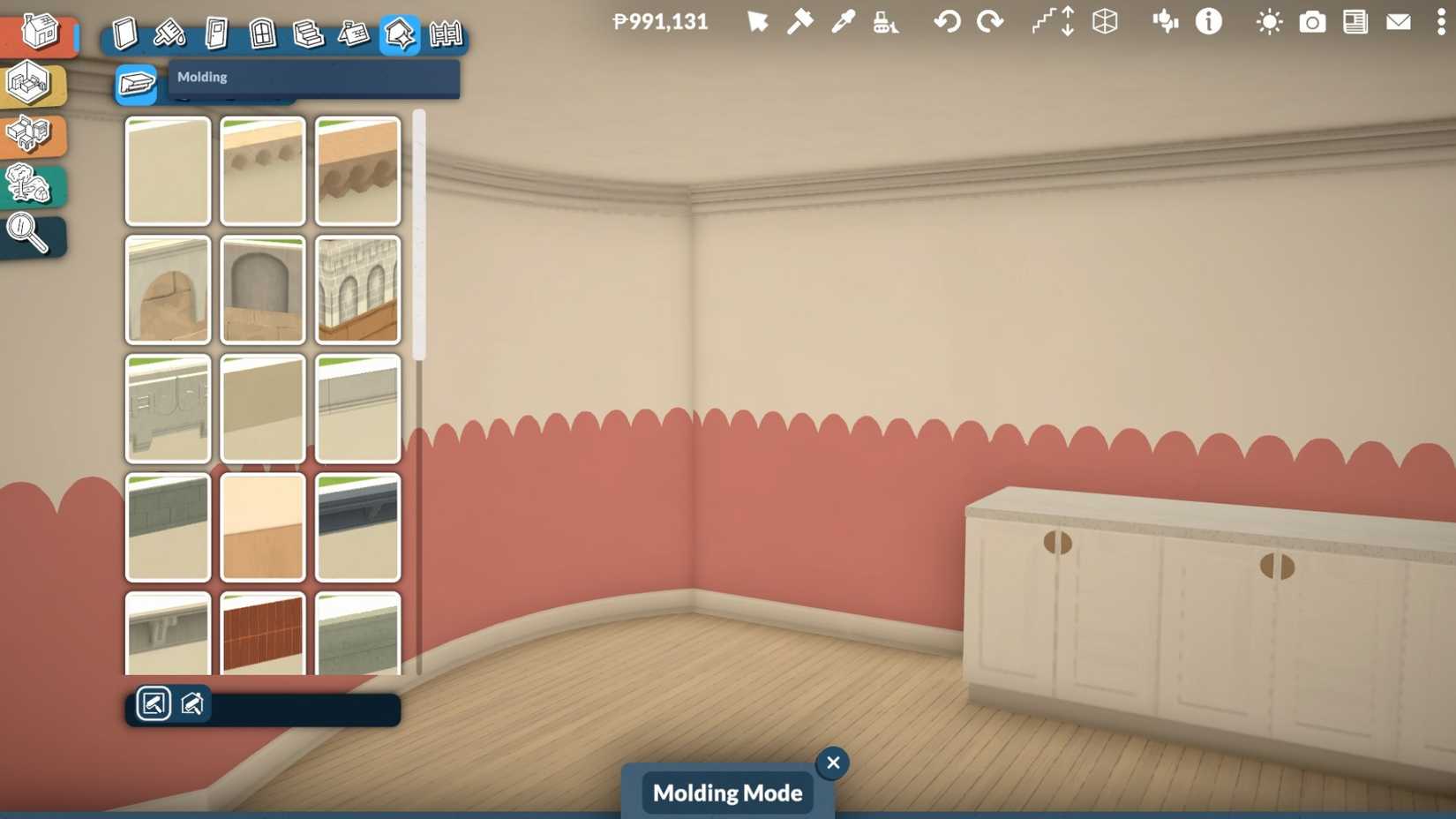
The difference between a functional structure and a truly captivating home often lies in the subtle architectural details. Paralives recognizes this, dedicating an entire section of its build mode to "Architectural Details." This collection of tools allows players to add a layer of authenticity and sophistication to their builds, drawing inspiration from real-world architecture.
This category includes a wide array of elements such as molding, window shutters, columns, window bars, and decals. These seemingly small additions can have a profound impact on the overall aesthetic of a house. For instance, the addition of intricate molding can lend a classic, elegant feel, while shutters can provide a rustic or traditional charm. Window bars can evoke a sense of historical accuracy or a more secure, fortified appearance.
The inclusion of these details is not just about aesthetic enhancement; it’s about representation and diversity. By providing tools to recreate common architectural features found in homes across the globe, Paralives empowers players to faithfully represent diverse housing styles and cultural aesthetics. This fosters a sense of inclusivity and allows for the creation of builds that are not only visually appealing but also culturally resonant. The ability to meticulously customize these elements ensures that players have the freedom to craft unique and innovative homes that stand out.
H2: Gridless Building: Unleashing Placement Freedom
H3: Toggling Constraints for Enhanced Creative Control
The concept of building on a grid has been a staple of life simulation games for decades, providing a structured framework for placing objects. However, this grid-based system can also be a significant limitation, often requiring the use of cheats like "moveobjects" in The Sims 4 to achieve more organic placements. Paralives offers a more elegant solution by introducing gridless building as a toggleable option.
This feature allows players to switch the grid on and off at will. When the grid is active, it provides the familiar snapping functionality, ensuring that objects are neatly aligned and organized. This is particularly useful for larger furniture items like tables and chairs, where precise alignment is often desired. However, when the grid is deactivated, players gain complete freedom to place objects anywhere they choose, without being constrained by predefined slots.
This gridless option is invaluable for detailed work, such as placing foliage, wall decorations, and small clutter items. It allows for more natural and nuanced arrangements that might be difficult to achieve on a strict grid. The ability to fluidly switch between grid-based and freeform placement provides the best of both worlds: the order and ease of grid snapping when needed, and the boundless creative freedom of gridless placement for more artistic endeavors. This flexibility significantly enhances the building experience, empowering players to achieve a higher level of detail and naturalism in their creations.
H2: Layout Lines: Ensuring Perfect Alignment and Symmetry
H3: Achieving Precision in Object Placement
While gridless building offers ultimate freedom, ensuring that elements like windows and doors align perfectly can become a challenge. Paralives addresses this potential frustration with its intuitive "Layout Lines" feature. As players place windows and doors, visual guides appear, indicating precise alignment points with other windows on the same level, or even on adjacent floors.
This system is a godsend for builders who strive for symmetry and clean lines. It eliminates the guesswork and potential for misalignment that can plague freeform placement. The layout lines provide clear indicators, making it significantly easier to create aesthetically pleasing and professionally designed facades.
While these lines offer guidance, they do not impose rigid restrictions. Players can choose to follow them for perfect alignment or ignore them entirely to achieve a more avant-garde or deliberately asymmetrical look. The beauty of this feature lies in its subtlety; it offers assistance without dictating design. By making precise alignment more accessible, layout lines empower players to focus their creative energy on other aspects of their build, such as object sizing and color customization, knowing that the fundamental structural elements will be harmoniously arranged.
H2: Abundant Clutter: Transforming Houses into Lived-In Homes
H3: The Art of Detail: Bringing Personality and Realism Through Small Items
In the realm of life simulation, "clutter" is not a negative term; it’s an essential element for creating believable and engaging environments. Paralives understands the profound impact of small decorative items in making a house feel like a home. The game is poised to offer an extensive collection of clutter items, designed to add personality, realism, and a sense of lived-in character to every build.
Clutter items, such as books, trinkets, plants, and personal effects, are instrumental in showcasing the individuality and lifestyles of the Parafolk. They tell stories, hinting at hobbies, professions, and personal tastes. A meticulously organized desk might suggest a studious Parafolk, while a collection of mismatched mugs on the counter could speak to a more relaxed and bohemian personality.
Moreover, clutter plays a vital role in filling empty spaces, preventing builds from feeling sterile or unfinished. It adds visual interest and depth, making a house feel more dynamic and inviting. The true genius of Paralives’ approach to clutter lies in its customizability. Each clutter item can be individually resized and recolored using the aforementioned color wheel and grab-and-drag tools. This means that the potential for creative expression through clutter is virtually limitless, allowing players to craft truly unique and personalized environments that reflect the distinct personalities of their virtual inhabitants.
Conclusion: A New Era of Virtual Home Design
Paralives’ build mode is not merely an incremental improvement; it represents a significant leap forward in the capabilities of life simulation games. By offering a comprehensive suite of intuitive yet powerful tools – from curved walls and gridless building to granular object customization and an abundance of detailed clutter – the game empowers players to express their creativity without compromise.
The emphasis on user-friendly design ensures that these advanced features are accessible to builders of all experience levels, while the sheer depth of customization options caters to the most ambitious architects and interior designers. As Paralives prepares for its release, its build mode stands as a testament to the developers’ commitment to fostering player imagination, promising an unparalleled experience in virtual home construction that is set to redefine the genre for years to come. The future of digital home building is here, and it’s more creative, flexible, and personal than ever before.












No comments yet. Be the first to join the conversation!