Rifan Muazin
In the pursuit of the "ultimate" computing experience, many laptop users dream of the holy grail: a device that remains thin, portable, and battery-efficient for daily tasks, but transforms into a desktop-grade gaming powerhouse the moment it hits a desk. Enter the external graphics processing unit (eGPU). While the technology has seen a resurgence with the advent of Thunderbolt 5 and specialized kits from companies like Razer and Framework, the reality of the ecosystem remains a tangled web of performance bottlenecks, high costs, and hardware incompatibility.
For the average consumer looking to upgrade their gaming experience, the verdict remains stark: building a basic, dedicated gaming PC is almost always the more sensible—and often cheaper—investment.
The Core Problem: Bandwidth and Bottlenecks
To understand why eGPUs struggle to match the performance of a desktop, one must first understand the "highway" upon which data travels. A modern high-end graphics card in a standard desktop PC sits in a PCIe 4.0 x16 slot. This interface allows for massive, bidirectional communication between the CPU and the GPU, essential for pushing high-fidelity frames to your monitor.
When you use an eGPU, that connection is routed through a Thunderbolt or USB4 cable. Even at the theoretical maximum of Thunderbolt 4 (40 Gbps), the available bandwidth is a fraction of what a native PCIe x16 slot provides. Specifically, Intel’s Thunderbolt 4 specification allocates only 32 Gbps for data traffic.
The Data Traffic Jam
Crucially, not all graphical data needs to travel across that cable constantly. Once textures and shaders are loaded into the GPU’s VRAM, they stay there. The bandwidth constraint becomes most apparent when the game needs to stream new assets rapidly or send finished frames back to the laptop’s internal display.
Testing from industry experts at Notebookcheck and PC Gamer highlights the severity of this limitation. In tests involving the RTX 2080 Ti, performance deficits ranged from 7% to 32% compared to desktop benchmarks. While these losses can be mitigated slightly when using an external monitor—bypassing the need to send frames back through the cable to the laptop’s screen—the performance ceiling remains noticeably lower.
Furthermore, as you scale up to modern, high-end silicon like the RTX 4090, the returns diminish sharply. The faster the card, the more it is choked by the Thunderbolt bottleneck, creating a situation where the GPU spends more time waiting for data than it does rendering frames.
A Chronology of the eGPU Ecosystem
The journey of the eGPU has been marked by bursts of innovation followed by long periods of stagnation.
- 2016-2017: The Thunderbolt 3 Boom: The widespread adoption of Thunderbolt 3 offered the first real hope for mainstream eGPU support. Companies like Razer launched the "Core" series, promising a "plug-and-play" future.
- 2020: The Apple Silicon Pivot: Apple’s transition to M-series chips in 2020 dealt a massive blow to the eGPU community. With the move to ARM architecture, Apple effectively dropped support for external GPUs. To this day, macOS provides no native support for graphics acceleration via eGPUs.
- 2024-2025: The Resurgence of Standards: Recognizing the lingering demand, manufacturers have pivoted. In mid-2025, Razer revitalized its line with a Thunderbolt 5-compatible dock. Simultaneously, the modular laptop pioneer Framework announced a dedicated eGPU kit for its Laptop 16, signaling a shift toward more specialized, high-bandwidth solutions like OCuLink.
Supporting Data: The Reality of Performance Loss
The debate between Thunderbolt and emerging alternatives like OCuLink is central to the future of mobile computing.
- Thunderbolt 4 (40 Gbps): The industry standard for convenience, but plagued by overhead and latency. In head-to-head testing, high-end cards like the RTX 4070 Ti showed consistent stuttering and lower 1% low frame rates compared to desktop configurations.
- Thunderbolt 5 (80 Gbps): A significant leap in potential, yet hardware adoption remains sparse. It is currently relegated to high-end mobile workstations and niche gaming laptops, making it an inaccessible solution for the majority of the market.
- OCuLink (Up to 128 Gbps): By running raw PCIe over a cable, OCuLink bypasses the protocol overhead that throttles Thunderbolt. Framework’s implementation for the Laptop 16 provides an eight-lane PCIe connection, significantly narrowing the performance gap between laptop and desktop. However, this comes at the cost of the "one-cable" dream; OCuLink does not provide the same power delivery or plug-and-play ease of use as Thunderbolt.
Official Responses and Industry Stance
The industry response to the eGPU "problem" has been one of calculated fragmentation.
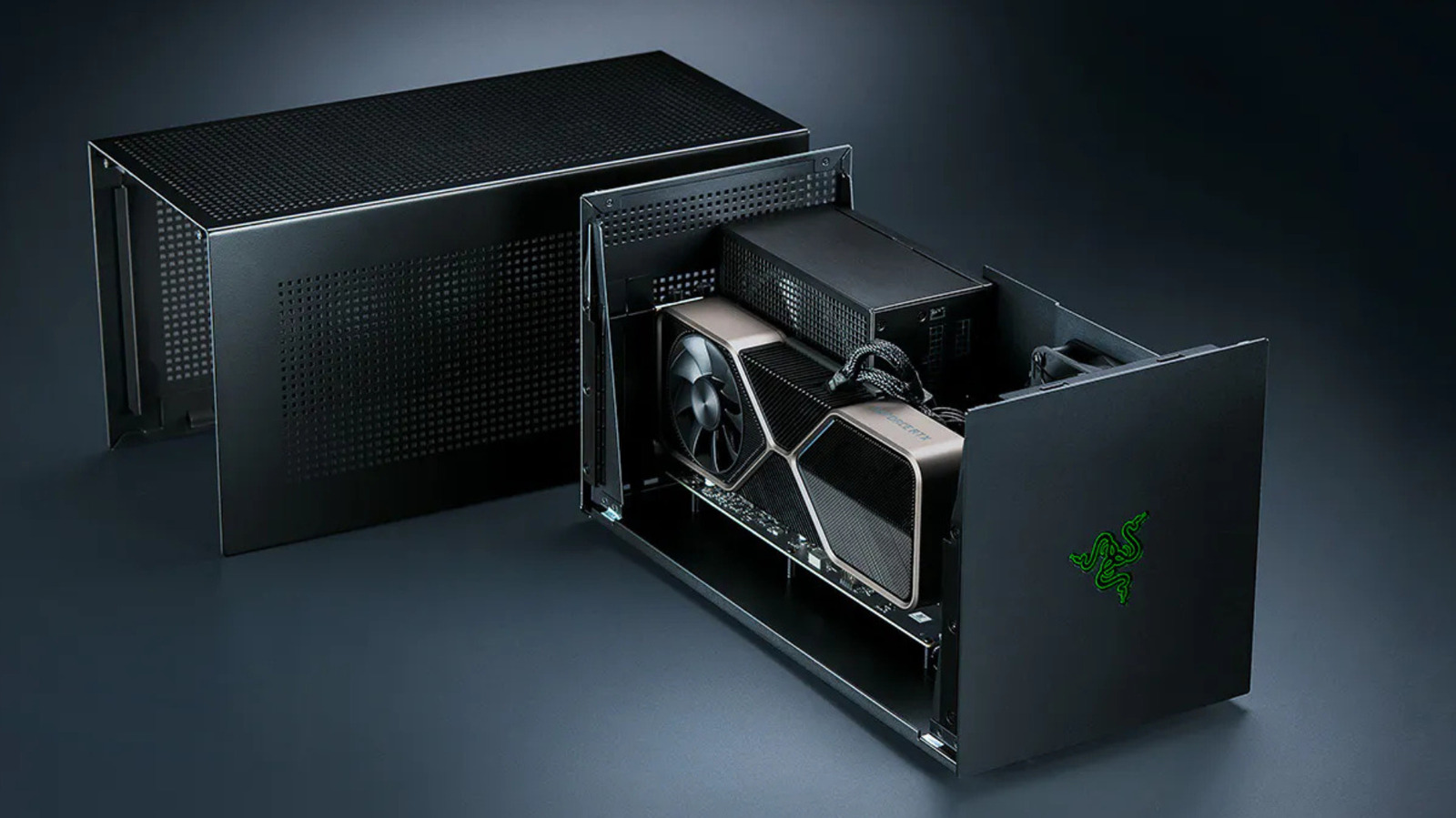
Razer, a key player in the space, continues to iterate on the enclosure form factor. Their latest offerings focus on high-bandwidth throughput and modularity, yet they acknowledge the price-to-performance reality. By selling the Thunderbolt 5 dock and the enclosure as separate, modular pieces, they cater to enthusiasts who are willing to pay a premium for the flexibility of an eGPU setup.
Conversely, Apple’s stance remains one of total exclusion for gaming. While the tinygrad project recently introduced TinyGPU—a driver extension that allows AMD and Nvidia cards to function over Thunderbolt on macOS—it is explicitly limited to AI and machine learning workloads. There is no official path for gamers, and for the foreseeable future, Apple users are effectively barred from the eGPU gaming ecosystem.
Implications: Is the eGPU Still Worth It?
The implications for the consumer are clear: the eGPU is a niche product for a specific type of user.
The Cost-Benefit Calculation
When you factor in the cost of an enclosure (often $300–$400), the necessary ATX power supply, the external GPU itself, and the potential need for an external monitor, the total expenditure often rivals the cost of a dedicated mid-range gaming PC.
The Hidden Costs:
- Diminishing Returns: A top-tier GPU in an eGPU enclosure will perform like a mid-range GPU in a desktop. You are essentially paying "high-end" prices for "mid-tier" performance.
- Compatibility Fragility: Drivers, BIOS updates, and OS compatibility can turn a simple plug-and-play session into a troubleshooting nightmare.
- The "Locked-In" Limitation: Most laptops are not built to handle the heat or the power draw of an sustained gaming session, meaning that even with an eGPU, the laptop’s internal CPU may become a bottleneck, leading to thermal throttling.
The Verdict
If your priority is gaming performance, the math is indisputable. A dedicated gaming PC provides a stable, high-bandwidth environment that maximizes the value of your hardware. eGPUs remain a fascinating, albeit flawed, exercise in engineering. They are an excellent solution for someone who already owns a powerful laptop and has a specific, non-gaming need for high-end graphical processing, or for the enthusiast who values the aesthetic of a single-cable desk setup above raw efficiency.
For everyone else, the advice remains the same: skip the enclosure, save the money, and build the rig. Your frame rates—and your patience—will thank you.



 Nana Wu