Iffa Jayyana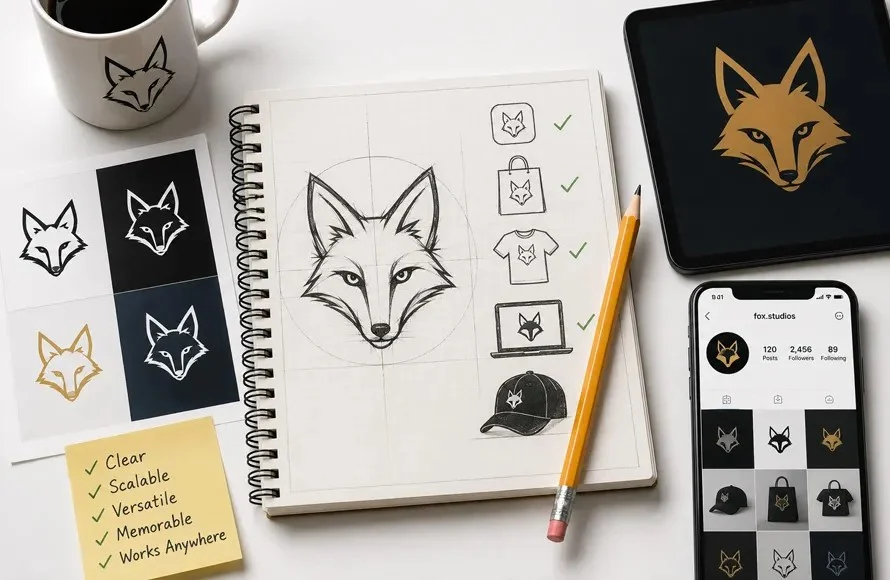
In the rapidly evolving digital landscape of 2026, the demand for high-quality, professional, and authentic visual communication has reached an all-time high. As businesses scramble to differentiate themselves in a crowded marketplace, the role of the logo designer has shifted from a mere graphic creator to a strategic partner in brand architecture. Whether you are an aspiring designer, a small business owner looking to DIY your branding, or a creative professional honing your craft, understanding the fundamental pillars of logo design is essential for long-term success.
This guide explores the essential methodologies, technical requirements, and strategic insights necessary to master custom logo design as we look toward 2027 and beyond.

1. The Core Objective: Defining the "Why" Before the "What"
The most common pitfall for beginners is the premature rush toward aesthetics. Many novice designers dive directly into selecting color palettes or choosing trendy fonts without establishing a core design strategy.
A logo is fundamentally a visual shorthand—a lightning-fast communication tool that must convey a company’s ethos, trust factor, and market position within three seconds of exposure. Consider the iconic status of the Nike "Swoosh" or the Apple "Bitten Fruit." These marks do not explicitly state what the companies sell; instead, they communicate personality.

Strategic Questions to Ask:
- Emotional Resonance: What specific feeling should the audience experience when they view the mark?
- The Message: What is the singular, most important takeaway the viewer should have?
- Market Context: How does this visual language contrast with or complement the existing competition?
By answering these questions before opening any software, you ensure that your design choices are rooted in brand identity rather than personal preference.
2. Technical Foundations: The Absolute Necessity of Vector Design
In the professional design sphere, there is no room for error regarding file scalability. A logo is a versatile asset that must look just as sharp on a business card as it does on a massive stadium billboard.

Raster vs. Vector
- Raster Graphics (JPEG/PNG): Composed of fixed pixels. Scaling these results in "pixelation" and loss of clarity.
- Vector Graphics (SVG/AI/EPS): Composed of mathematical paths. These images can be scaled infinitely without any loss of quality.
Every professional project must be built in a vector-based environment. Tools like Adobe Illustrator remain the industry standard, though Figma has gained significant traction for its collaborative features and efficiency. If your output is not a vector, you are not providing a professional-grade deliverable.
3. The Philosophy of Simplicity: Less is More
Complexity is the enemy of memorability. Beginners often feel the need to include every detail of a business’s operation into one icon. This results in "visual noise" that is difficult to reproduce, print, or remember.

The One-Inch Test: A hallmark of a successful logo is its ability to remain legible when reduced to a one-inch square. If your design loses its form at this size, it is too complex. Strip away gradients, excessive lines, and intricate shadows until the silhouette is unmistakable. Simple, bold designs are not only more professional—they are more versatile for embroidery, engraving, and social media avatars.
4. Chromatic Strategy: Using Color with Intent
Color is the most potent psychological trigger in design. Understanding the emotional weight of color is vital:

- Blue: Trust, security, and professionalism (common in tech and banking).
- Red: Urgency, excitement, and energy.
- Green: Growth, health, and financial stability.
- Yellow: Optimism and attention.
Pro-Tip: Always design in black and white first. If the logo does not work in grayscale, no amount of color will save it. Use resources like the Adobe Color Wheel to ensure your palette remains balanced and accessible.
5. Typography: The Silent Communicator
Fonts are not just labels; they are tone-setters. A sharp, high-contrast serif font speaks to tradition and authority, while a geometric sans-serif suggests modernity and efficiency.

The Licensing Trap: Beginners frequently fall into the trap of using "cool" free fonts found online without verifying commercial usage rights. Always ensure your fonts are licensed for business use to avoid legal repercussions for your clients. Limit your logo to a maximum of two fonts to maintain visual cohesion.
6. The Analog Advantage: Why Sketching Still Reigns
Despite the dominance of digital tools, the most innovative ideas are born on paper. Sketching is a low-friction way to generate dozens of concepts in the time it takes to build one digital file. It allows for pure experimentation, forcing you to focus on the shape and the "hook" of the logo rather than the technical settings of software. Once a solid concept emerges on paper, you can transition to your digital tool of choice to refine the geometry.

7. The Role of AI: A Tool, Not a Replacement
As we move through 2026 and toward 2027, Artificial Intelligence is undeniably changing the graphic design landscape. Tools like Adobe Firefly and various generative platforms can produce rapid conceptual sketches.
However, AI currently lacks the nuance of human brand strategy. It cannot interview a client, understand their long-term business goals, or make the subjective aesthetic decisions that resonate with a specific target demographic. Use AI to brainstorm, build inspiration boards, or explore color variations, but rely on your own critical thinking to finalize the brand identity.

8. Navigating Logo Types: Selecting the Right Format
Not every business needs the same type of mark. Understanding the categories is essential:
- Wordmarks: The company name (e.g., Google).
- Lettermarks: Initials (e.g., HBO).
- Pictorial Marks: A direct icon (e.g., Twitter/X).
- Combination Marks: Text and icon (e.g., Adidas).
Choosing the right format depends on the brand name’s length, the industry, and the desired level of brand recognition.

9. Testing: The Real-World Crucible
Before finalizing, you must simulate how the logo will live in the wild.
- Context Mockups: Use tools like Mockup World or Freepik to place your design on business cards, storefronts, and apparel.
- Accessibility Testing: Ensure the logo is legible for users with color blindness. Tools like the Coblis simulator are essential for inclusive design.
- Background Flexibility: Ensure the logo maintains its impact on both light and dark backgrounds.
10. Building a Professional "Swipe File"
Studying the greats is the fastest way to develop your design eye. Maintain a "swipe file"—a collection of logos you admire—and analyze them. Why does that spacing work? Why is that typeface effective?

Crucial Warning: Inspiration is meant to be studied, not stolen. Recreating another designer’s work is a violation of ethics and law. Your goal is to identify the principles of success and apply them to your own original, authentic concepts.
Summary of Essential Logo Design Tools
| Tool | Purpose | Skill Level |
|---|---|---|
| Adobe Illustrator | The gold standard for vector design | Intermediate to Advanced |
| Figma | Excellent for collaborative workflows | Beginner to Intermediate |
| Canva | Useful for basic, quick mockups | Beginner |
| Adobe Color | Essential for palette development | All levels |
| Coblis | Critical for accessibility testing | All levels |
The Path Forward
The field of custom logo design in 2026 is defined by a blend of timeless principles and emerging technology. While the software may evolve and AI will undoubtedly play a larger role in the workflow, the foundation remains constant: clear communication, deliberate design, and a deep understanding of the brand you are representing. By internalizing these 10 tips, you are not just learning to draw shapes—you are learning to build the visual identity of the future.


 Sagoh
Sagoh
 Lina Irawan