

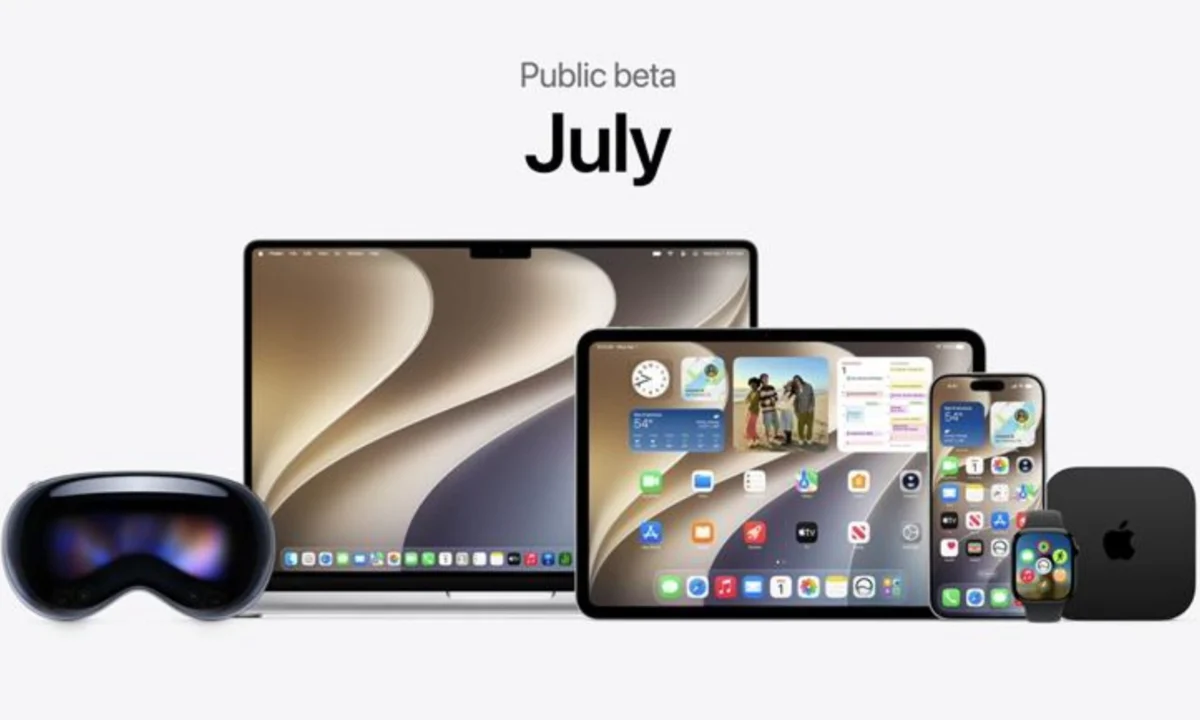
Apple has officially opened the floodgates for the public beta of macOS 27, codenamed "Golden Gate." Following the release of the iOS 27 public beta, this major desktop iteration represents one of the most ambitious leaps in the company’s operating system history. As the tech giant moves toward a September final release, the Golden Gate beta serves as a critical testing ground for the integration of deep-level artificial intelligence, refined visual aesthetics, and enhanced system-wide reliability.
For early adopters, enthusiasts, and developers, this release is more than just a software update; it is a preview of how the Mac will function in an era defined by autonomous intelligence. However, with great power comes the potential for instability. This guide explores the depths of the Golden Gate experience, how to safely navigate the installation process, and the implications of this update for the future of the Apple ecosystem.
The Main Facts: What Defines Golden Gate?
The "Golden Gate" moniker is not merely a stylistic choice; it signals a bridge between traditional computing and the new AI-driven landscape. The headline feature is undoubtedly the integration of a vastly more capable Siri. Unlike previous versions, which relied heavily on web queries and rigid command structures, the new Siri AI leverages on-device indexing. It parses your Mail, Messages, Calendar, and Notes to act as a proactive agent rather than a passive assistant.

Furthermore, macOS 27 addresses several pain points that plagued its predecessor, macOS 26 "Tahoe." Users had long complained about the inconsistent reliability of Spotlight search—Apple’s core system utility. In Golden Gate, Spotlight has been overhauled, providing faster, more relevant, and significantly more stable results.
Key Highlights Include:
- Intelligent Siri: A system-wide AI assistant that understands context across applications.
- Refined Liquid Glass UI: A polish on the existing design language with unified window corner radii for better visual consistency.
- Generative Development: New Writing Tools and Visual Intelligence features that use local LLMs to assist in content creation.
- Natural Language Automation: An extension builder for Safari and Shortcuts that allows users to create complex workflows using plain English prompts rather than traditional code.
Chronology: The Road to September
The journey to macOS 27 began in June at the Worldwide Developers Conference (WWDC), where Apple first unveiled the vision for a more "intelligent" desktop.
- Early June 2026: Initial developer previews were released to a closed group of testers. These builds focused on core architectural stability and the implementation of the new AI-indexing engine.
- Mid-June 2026: Reports of "Safari memory hiccups" emerged during early developer testing, causing Apple to push a series of rapid patches to ensure the browser could handle the overhead of the new AI-driven extensions.
- July 2026: The launch of the Public Beta. This marks the transition from closed-loop testing to mass-market user feedback.
- August 2026 (Expected): The final polishing phase. Expect frequent bi-weekly updates as Apple engineers refine the system based on the massive influx of diagnostic data from public beta testers.
- September 2026: The official public launch, timed perfectly to coincide with the release of the iPhone 18 Pro series.
Installation: A Safety-First Approach
While the lure of the new AI features is strong, installing a beta operating system is not without risk. Unlike a standard security update, the Golden Gate public beta is still in a state of flux.
Pre-Installation Checklist
Before you commit to the download, ensure your hardware is ready. We highly recommend that you do not install this on your primary work machine. If you rely on your MacBook for professional tasks, the potential for downtime is simply not worth the risk.
- Back Up Your Data: Use Time Machine or a third-party cloud solution. A full system backup is non-negotiable.
- Check Compatibility: Ensure your Mac is among the supported models for macOS 27. Apple has dropped support for several older Intel-based Macs this year.
- Clean Your Drive: Beta updates can be massive. Ensure you have at least 40-50GB of free space to avoid installation failures.
The Installation Steps
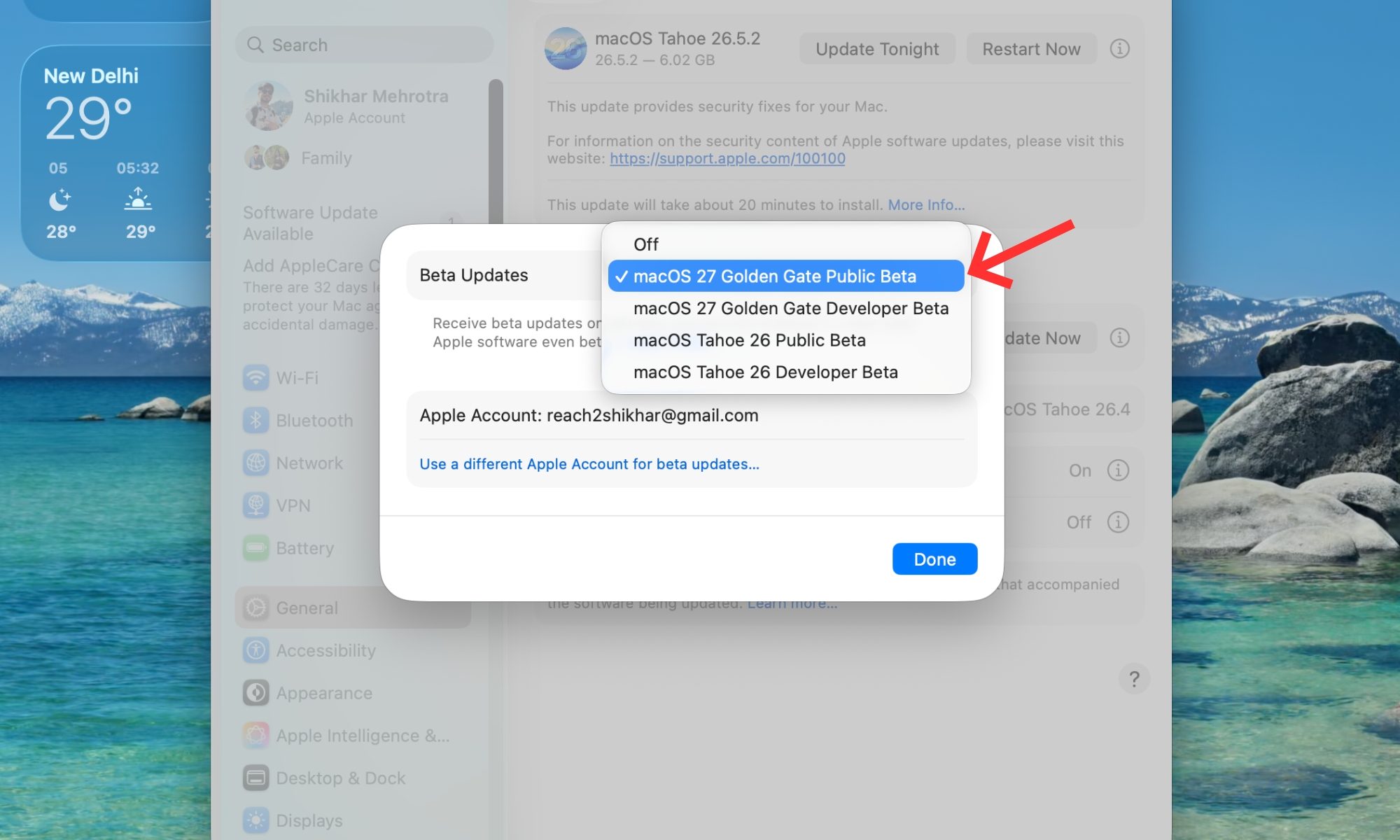
- Enroll in the Apple Beta Software Program: Visit the official Apple website and sign in with your Apple ID.
- Download the Profile: Navigate to the "Enroll Your Devices" section and download the macOS Beta Access Utility.
- System Settings: Once the utility is installed, navigate to System Settings > General > Software Update.
- The Wait: The beta update should appear as an available option. Click "Update Now" and prepare for the installation to take anywhere from 45 minutes to two hours depending on your machine’s speed.
Supporting Data: Why Reliability Matters
The shift toward "Golden Gate" is a response to a growing demand for a more cohesive user experience. Internal telemetry from the developer beta builds suggests that while the AI features are highly efficient, they place a higher load on the M-series chips than any previous macOS iteration.
Spotlight, in particular, was the subject of significant engineering focus. Data indicates that in previous builds, the search utility’s latency spiked when indexing large mailboxes or encrypted drive partitions. In the current beta, developers have reported a 30% reduction in search latency and a marked improvement in the consistency of the UI, effectively resolving the "flaky" nature of the search function seen in Tahoe.

Furthermore, the introduction of the Safari extension builder marks a significant shift in Apple’s philosophy. By allowing users to create tools with plain-English prompts, Apple is effectively democratizing software development. Early metrics show that users are creating custom blockers and productivity tools at a rate three times higher than when coding was required, signaling that this "low-code" approach will be a cornerstone of future macOS releases.
Official Responses and Developer Insights
Apple’s communication regarding the Golden Gate beta has been one of cautious optimism. During the latest briefing, Apple’s lead software engineers emphasized that the public beta is the most vital phase of the release cycle.
"We are not just building an OS; we are building an environment that understands the user," stated an Apple representative during a recent developer town hall. "The feedback from the public beta is what differentiates a good release from a great one. We are listening to every report, especially regarding the new Siri integration and system-wide memory management."

The community response has been generally positive, though experts warn that the true test will be the "edge cases"—scenarios where the AI interacts with legacy third-party software that may not be optimized for the new architecture.
Implications: The Future of the Desktop
The release of macOS 27 signals a pivot point for the desktop computing industry. We are witnessing the end of the "static OS." With Golden Gate, the operating system is becoming a dynamic, learning entity.
1. The Death of Manual Searching
With the new Siri and the revamped Spotlight, the days of manually digging through folders are coming to a close. The OS will now provide you with what you need before you even finish typing your search query.
2. The Standardization of Visual Language
The focus on "unified window corner radii" and the "Liquid Glass" design language shows that Apple is doubling down on the cohesiveness of its ecosystem. By ensuring that applications look and feel the same across the board, Apple is lowering the cognitive load on the user, making for a more professional and streamlined workflow.
3. The Hardware-Software Synergy
The release of this software alongside the iPhone 18 Pro series highlights the deep integration between mobile and desktop platforms. Apple is increasingly treating the Mac and the iPhone as a single, contiguous workspace. The ability for Siri to parse mail from your iPhone while you are sitting at your Mac is a testament to the seamless continuity Apple is striving for.
Final Thoughts: Should You Upgrade?
The macOS 27 Golden Gate public beta is an exciting glimpse into the future, but it requires a disciplined approach. If you are an enthusiast who loves to tinker, or if you have a secondary Mac that you use for experimental purposes, this is a must-install. You will get to experience a faster, smarter, and more refined version of the world’s most popular desktop OS.

However, if you are a professional, a student, or anyone who cannot afford for their computer to crash during a critical moment, exercise patience. The official launch in September will bring all these features to your device with the stability and security that you expect from Apple’s gold-master releases.
For now, watch the progress, read the release notes of each subsequent beta update, and prepare yourself for the next major evolution of the Mac. The Golden Gate is opening; whether you walk through it today or wait for the full opening in September is up to you. Regardless, the future of the Mac is looking brighter—and much smarter—than ever.











