Nana Muazin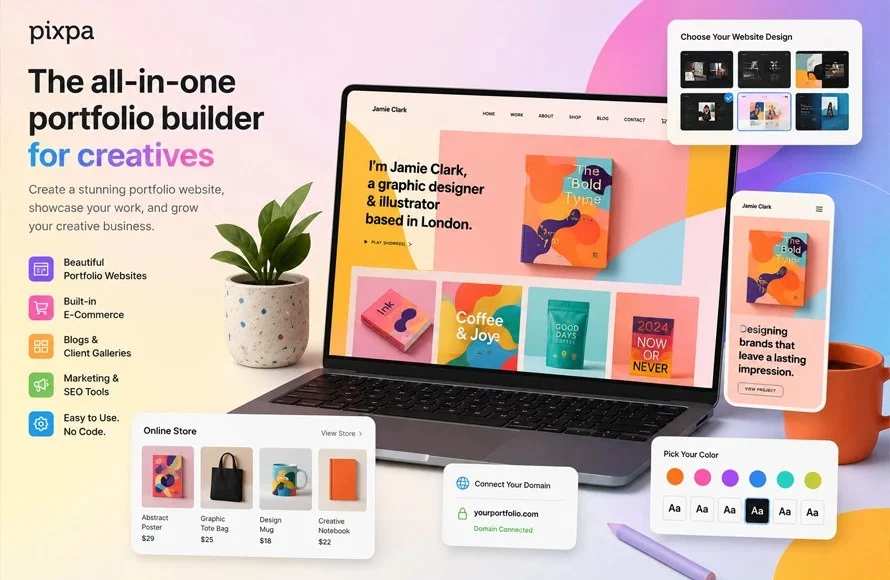
In the competitive landscape of digital design, your portfolio is more than just a gallery—it is your most powerful professional asset. As we move through 2026, the barrier between "raw talent" and "professional presentation" has effectively vanished, thanks to a new generation of portfolio-building platforms. Whether you are a student launching your first project or a seasoned creative director refreshing your brand, choosing the right tool is the defining factor in how potential clients and recruiters perceive your work.
This guide provides a comprehensive analysis of the top 10 portfolio builders for graphic designers this year, evaluating them on functionality, AI integration, pricing, and strategic professional utility.
1. The Landscape of Digital Presentation: Core Facts
For a graphic designer, a portfolio must do three things: load quickly, display visuals in high fidelity, and provide a seamless user experience (UX) for the visitor. In 2026, the market has bifurcated into two main categories: Community-Centric Platforms (like Behance and Dribbble) and Personal Website Builders (like Squarespace, Wix, and Pixpa).

While social-driven platforms are essential for networking and discovery, a personal website remains the gold standard for professionalism. Industry consensus suggests that the most successful designers employ a "hybrid strategy," using community platforms for visibility and a custom-domain website for long-form client interactions.
2. Chronology of Portfolio Evolution
The evolution of the portfolio reflects the shift in how we consume visual media.
- The Early 2000s: Portfolios were static HTML sites requiring manual coding.
- The 2010s: The rise of Adobe Portfolio and Squarespace brought templated design to the masses, prioritizing "no-code" accessibility.
- The 2020s: We saw the integration of drag-and-drop builders with e-commerce, enabling designers to act as storefronts.
- The 2026 Era: AI-driven layout suggestions, automated image optimization, and real-time project analytics define the current standard. Today, a portfolio is not just a repository of images; it is a dynamic, data-responsive business tool.
3. Top 10 Portfolio Builders for 2026
Canva: The Beginner’s Launchpad
Canva has transformed from a simple graphic design tool into a surprisingly robust portfolio host. Its strength lies in its speed. If you need a landing page for a single project or a rapid prototype of your skills, Canva’s drag-and-drop interface is unmatched.

- Pros: Low learning curve, extensive template library, free hosting.
- Cons: Limited customization; lacks advanced SEO and deep integration for large-scale professional sites.
Behance: The Industry Standard for Exposure
Owned by Adobe, Behance is less of a "website builder" and more of a global exhibition. It is where recruiters go to find talent.
- Pros: Massive built-in audience, seamless Adobe CC integration.
- Cons: No custom domain support (unless using Adobe Portfolio), high competition for attention.
Adobe Portfolio: The Integrated Choice
If you are already paying for Creative Cloud, this is a "no-brainer." It syncs directly with your Behance projects, meaning you update your work once and it propagates across your social and web presence.
- Pros: Free with CC, professional look, custom domain integration.
- Cons: Dependent on a recurring Creative Cloud subscription.
Wix: The Customization Powerhouse
Wix offers perhaps the most flexibility on the market. With its advanced AI builder, you can input your style preferences and receive a fully functional, high-end site structure in seconds.

- Pros: Massive design freedom, excellent app market, strong e-commerce.
- Cons: Can be overwhelming for those who prefer "plug-and-play" simplicity.
Squarespace: The Aesthetic Authority
Squarespace is the gold standard for high-end, image-focused design. Its templates are curated to look like professional galleries out of the box, requiring very little technical tweaking.
- Pros: Unrivaled aesthetic quality, stable performance, excellent mobile responsiveness.
- Cons: Higher price point, steeper learning curve for advanced layouts.
Format: For the Purist
Format is built specifically for visual artists. It strips away the clutter of "business sites" to focus exclusively on the imagery.
- Pros: Clean design, built-in client proofing tools.
- Cons: Less suitable for those needing complex blog or store integrations.
Dribbble: The Micro-Portfolio
Dribbble is for the "short-form" designer. It is designed to showcase shots and process snippets rather than deep case studies.

- Pros: High visibility for UI/UX and branding designers, strong community feedback.
- Cons: Not ideal for long-form case studies or resume-heavy sites.
Pixpa: The Budget-Friendly Professional
Pixpa hits the "sweet spot." It is more robust than a free builder but more affordable than the high-end enterprise options. It includes client galleries and e-commerce tools, making it a favorite for freelancers.
- Pros: Cost-effective, all-in-one features (store, gallery, blog).
- Cons: Smaller community base compared to Behance.
Carbonmade: The No-Frills Gallery
For students or those with a small, curated selection of work, Carbonmade offers a fast, simple, and visually clean interface.
- Pros: Extremely fast setup, focus on project thumbnails.
- Cons: Minimalistic feature set; not meant for scaling.
Cargo: The Experimental Studio
Cargo is a favorite among art directors and experimental designers. It allows for grid-based, freeform designs that defy the "corporate template" look.

- Pros: High creative freedom, perfect for niche/artistic portfolios.
- Cons: Can feel "cluttered" if not managed with a design-led approach.
4. Supporting Data and AI Implications
As of 2026, AI is no longer a gimmick—it is a functional requirement. According to recent surveys, over 65% of hiring managers prefer portfolios that show a clear "process" over those that only show final outputs. AI-driven tools now assist in:
- Automated Curation: Suggesting which pieces in your archive have the highest engagement potential.
- Adaptive Copywriting: Helping generate professional, concise descriptions for your projects.
- Layout Optimization: Analyzing screen sizes in real-time to adjust layouts for mobile-first users.
However, industry experts caution that while AI can assist in the construction of the site, it cannot replicate the curation of a human designer. A common mistake in 2026 is allowing AI to dictate the portfolio content, leading to generic, "soulless" presentations.
5. Strategic Implications for Your Career
The decision of which platform to use carries long-term weight for your professional identity.

Mobile-First Reality
Over 70% of initial portfolio views occur on mobile devices. Regardless of the builder you choose, you must preview your site on a phone. If your text is too small or your images stack in a way that obscures your message, you will lose the recruiter’s interest in seconds.
The Maintenance Cycle
The biggest trap designers fall into is "set it and forget it." A portfolio should be treated as a living document. Even the best builders are useless if they display work from three years ago. Set a recurring calendar reminder every quarter to audit your site. Remove weaker projects and replace them with your latest work.
The Hybrid Strategy: A Professional Recommendation
To maximize your reach, do not rely on a single platform.

- Tier 1 (Visibility): Maintain an active, updated presence on Behance or Dribbble to leverage their community algorithms and gain traffic from potential employers.
- Tier 2 (The Hub): Maintain a personal website (via Squarespace, Wix, or Pixpa) as your "home base." This is where you direct your leads, show off your full case studies, and provide contact information.
6. Frequently Asked Questions
Is a free plan enough for a professional designer?
While free plans are great for starting out, they often lack a custom domain (e.g., yourname.wix.com vs yourname.com). A custom domain is a small investment that signals professional maturity to potential clients.
Do I need to know how to code?
Not in 2026. Platforms like Canva and Squarespace are specifically built to remove the need for coding. However, having a basic understanding of CSS can give you an edge on platforms like Cargo.
How many projects should I show?
Quality over quantity is the golden rule. Aim for 8–15 high-quality, diverse projects that demonstrate the range of your capabilities.

How do I handle SEO?
Platforms like Wix and Squarespace have built-in SEO tools. Ensure you use descriptive alt-text for all your images—not only for accessibility but to help search engines index your work correctly.
Conclusion
The best portfolio builder for you in 2026 is the one that minimizes the friction between your work and your audience. Whether you prioritize the community engagement of Behance, the artistic freedom of Cargo, or the all-in-one business features of Pixpa, remember that the technology is secondary to the quality of the content. Invest the time in high-quality project photography, write thoughtful case studies, and keep your site fresh. Your portfolio is your silent salesperson; make sure it is working as hard as you are.

 Nana
Nana
 Basiran