

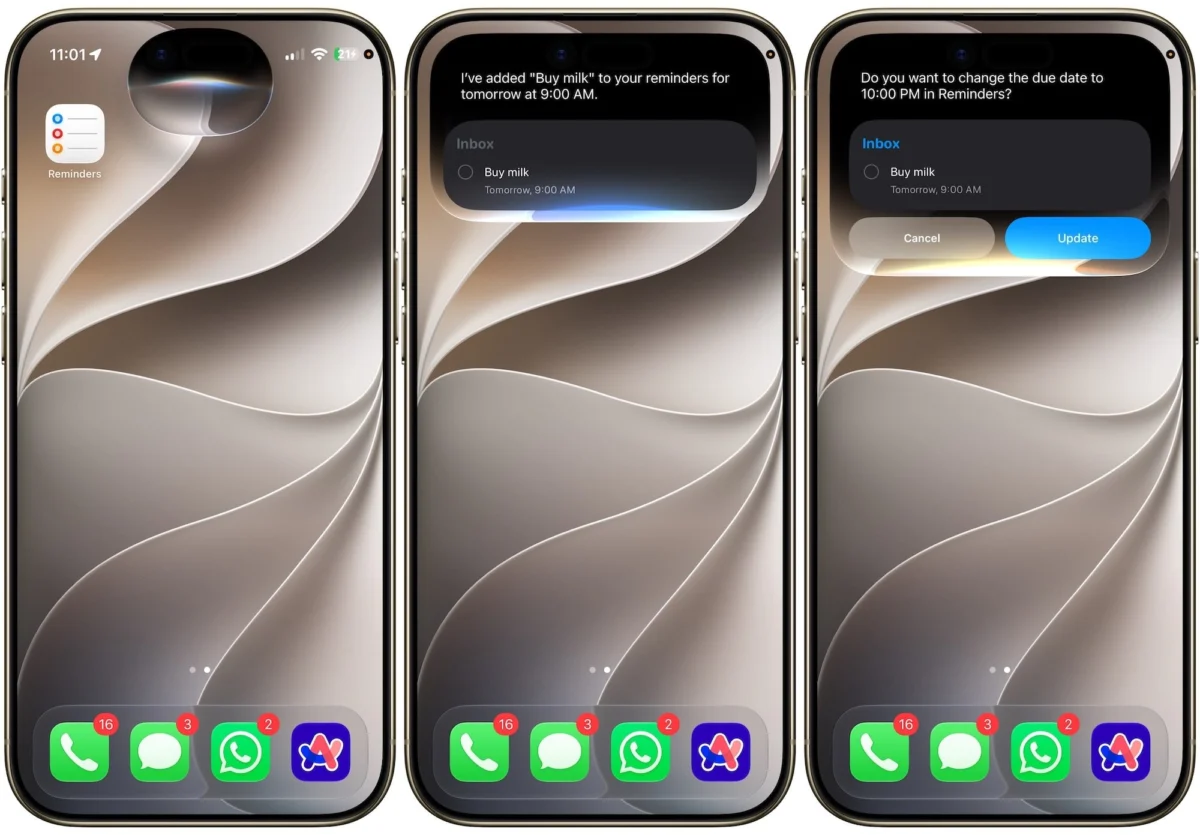
The digital marketplace is currently saturated with high-end, subscription-based task management applications. From the aesthetic minimalism of Things 3 to the robust, GTD-centric architecture of OmniFocus and the cross-platform versatility of Todoist, users are spoiled for choice. Yet, despite experimenting with dozens of these premium offerings, a growing cohort of power users—myself included—finds themselves inevitably gravitating back to a native solution: Apple Reminders.
While specialized tools remain essential for complex, multi-layered project management, Apple Reminders has evolved into the definitive utility for daily organization. No longer the "basic" checklist app of the early iOS era, it has matured into a sophisticated ecosystem that leverages the unique advantages of Apple’s hardware and software integration.
The Evolution of Apple Reminders: A Chronological Leap
To understand why Reminders has regained its dominance, one must look at its trajectory. For years, it was perceived as a simple repository for grocery lists. However, Apple’s strategy shifted around the time of iOS 13 and has accelerated significantly with recent iterations.
- 2019 (iOS 13): The first major overhaul introduced a redesigned interface, subtasks, and the "Today," "Scheduled," and "Flagged" smart lists.
- 2021 (iOS 15): The introduction of natural language processing and the ability to tag reminders marked a pivot toward power-user functionality.
- 2023–2025 (iOS 17–18): The integration of machine learning features, such as Grocery List auto-categorization and Kanban-style column views, brought the app closer to professional project management tools.
- 2026 (iOS 27 Beta): The current integration of advanced Siri AI and "Urgent" alarm-style notifications has effectively closed the gap between a casual reminder app and a mission-critical alert system.
Core Pillars of the Modern Reminders Experience
1. Siri as an Intelligent Capture Engine
The primary failure point of most productivity systems is the "capture" phase. If it takes more than three seconds to record a task, the user is likely to forget it. Siri has transformed into an indispensable capture engine.
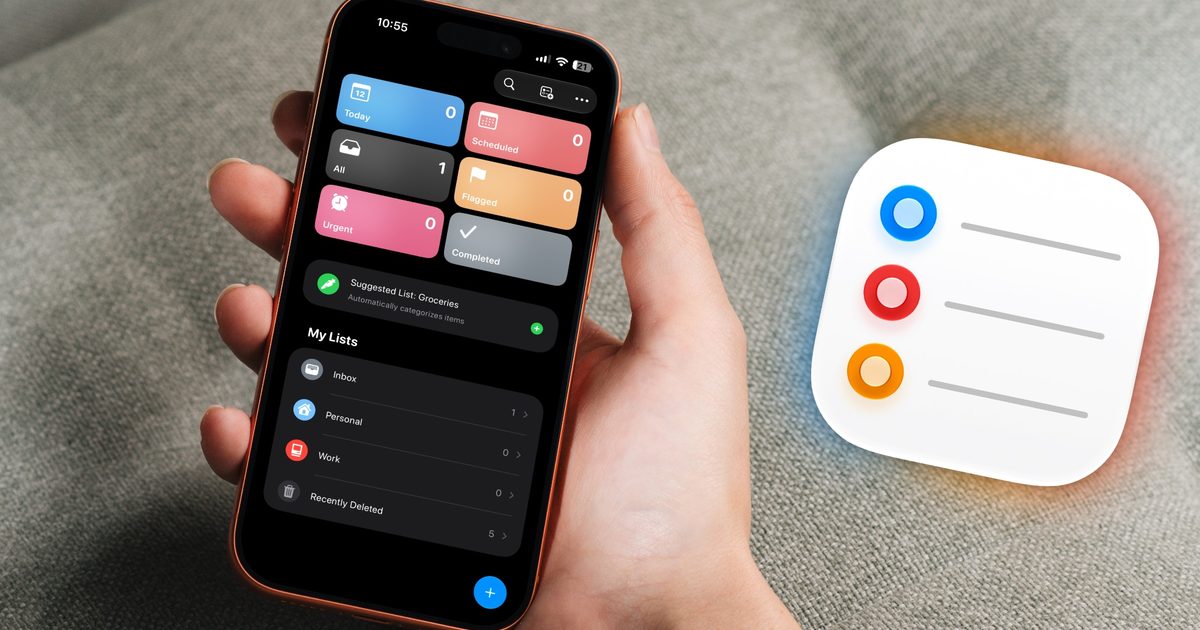
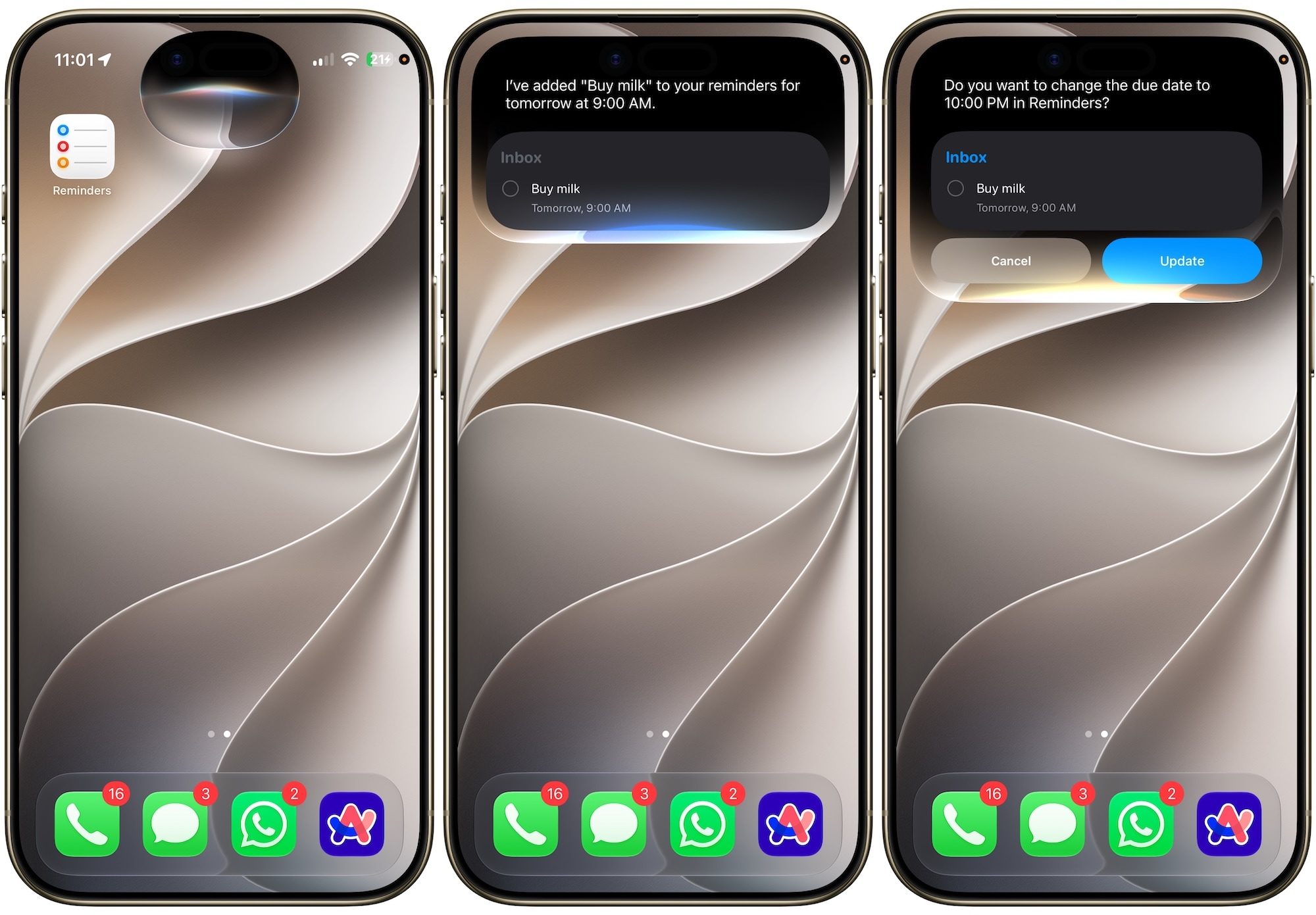
With the latest advancements in the iOS 27 beta, Siri AI has moved beyond simple command-and-control. It now features context-aware language processing. You can dictate a complex task like, "Remind me to buy printer ink at Staples when I leave the office on Friday," and the AI correctly parses the location trigger, the specific item, and the temporal constraint. Should you stutter or provide conflicting information, the system now prompts for clarification rather than silently failing, ensuring your "inbox" remains accurate.
2. Context-Aware Intelligence
The true "killer feature" of Apple Reminders is its ability to tie tasks to environmental and digital contexts. Most third-party apps live in a vacuum, but Reminders lives in your phone’s OS.
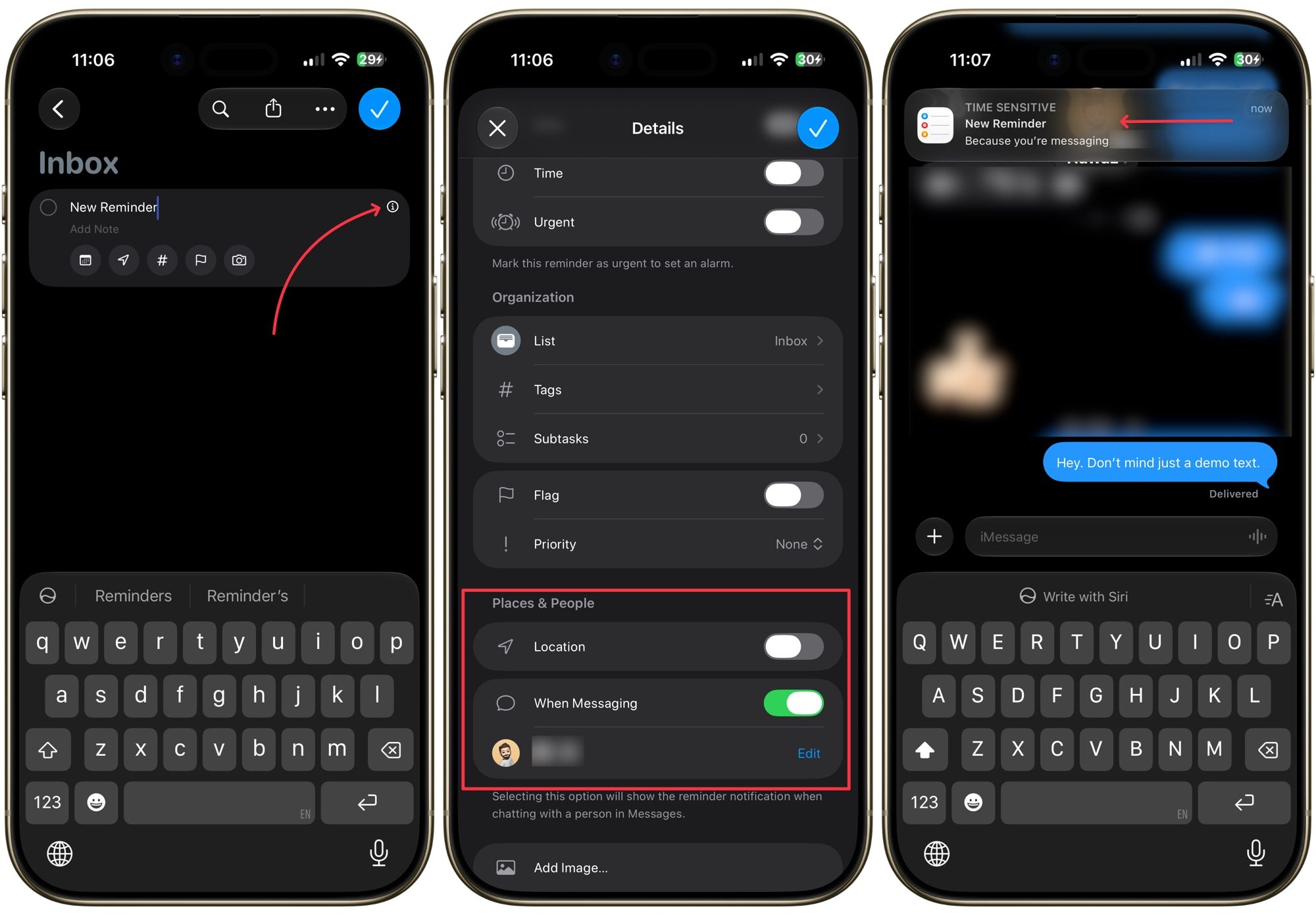
- Message-Based Reminders: This allows you to tag a task to a specific contact. When you open a conversation with that person in Messages, your reminder for them appears at the top of the interface. This solves the "I forgot to ask them about X" problem instantly.
- Location-Based Triggers: By utilizing geofencing, Reminders can alert you to tasks only when you reach a specific destination, such as the hardware store or your office. This prevents the "notification fatigue" that occurs when you are reminded of tasks you cannot physically complete at your current location.
3. Collaborative Utility: Moving Beyond Personal Use
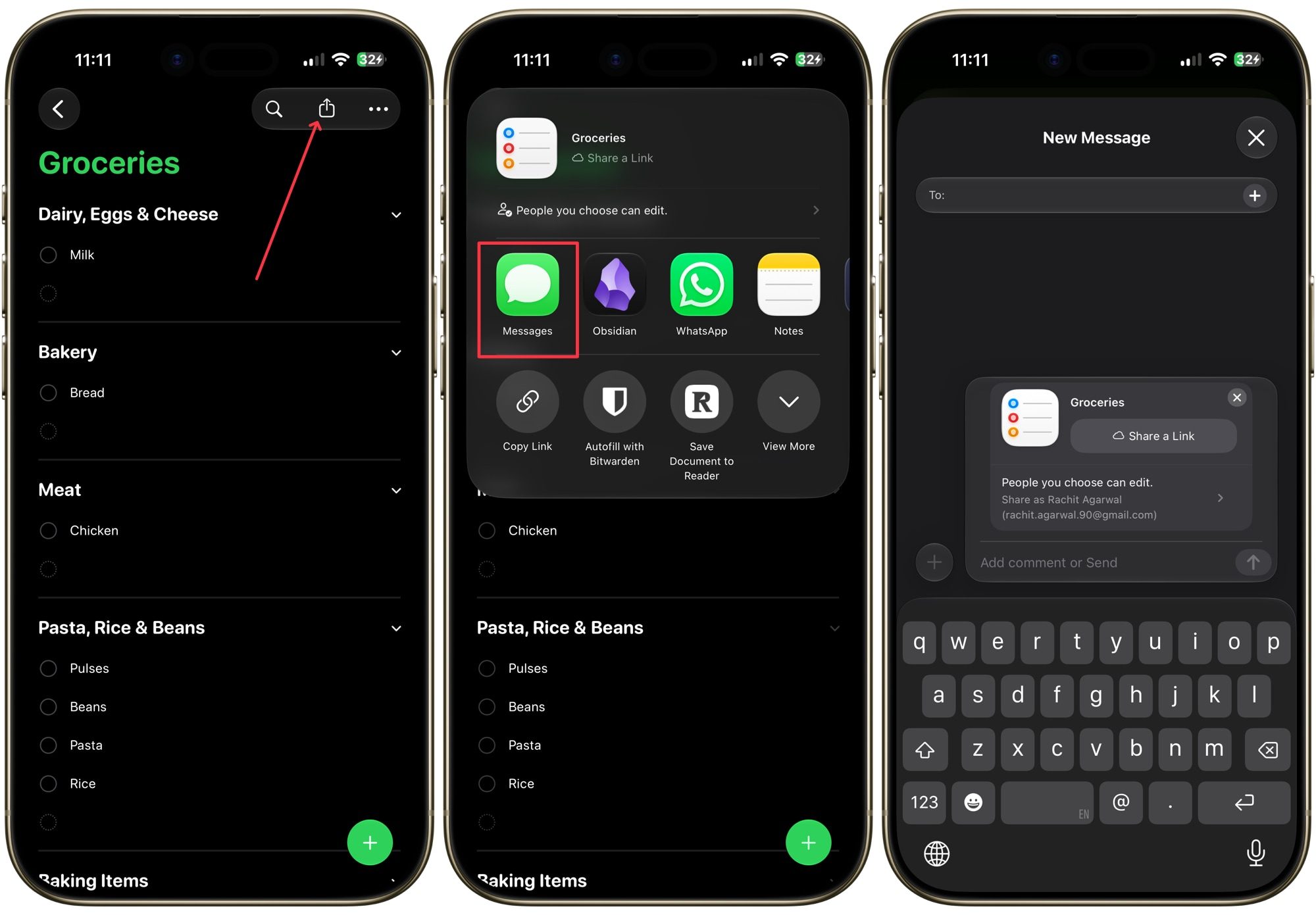
Many productivity apps struggle with the friction of sharing. Apple Reminders eliminates this by leveraging iCloud. Sharing a list is as simple as sending a link via iMessage. Once shared, the list acts as a live, multi-user document.
This is particularly effective for household management. When a partner adds "Milk" to a shared Grocery list, it syncs instantaneously across all linked devices. When the item is checked off, it disappears from both users’ views, providing a seamless "closed-loop" communication system that removes the need for follow-up text messages.
4. The "Urgent" Protocol: Combating Notification Blindness
One of the greatest challenges in the age of constant connectivity is the "drowning out" of important alerts. We receive dozens of notifications hourly; a simple banner notification for a crucial task is easily swiped away and forgotten.
Apple’s introduction of "Urgent" reminders in recent updates serves as a critical fail-safe. By toggling the "Urgent" flag, the user forces the iPhone to bypass standard notification protocols. Instead of a silent banner, the reminder triggers a full-screen, alarm-style interface that requires direct interaction. It is a bold, uncompromising way to ensure that high-priority tasks receive the attention they demand.
5. Deep System Integration
The most underrated aspect of Apple Reminders is its "Hooks." The app is deeply embedded into Safari, Mail, and Notes. If you are browsing a website in Safari, you can simply summon Siri and say, "Remind me about this later," or drag the URL into the Reminders app. The app automatically captures the link, a snippet of the page, and the page title.
This creates a "Backlink" to the source material. When the reminder fires, you aren’t just reminded to "Read article"; you are provided with a direct link that opens the article exactly where you left off. This minimizes the cognitive load associated with switching between apps and searching for original sources.
Implications for the Productivity Market
The shift toward "native" app preference carries significant implications for developers of third-party task managers.
Supporting Data:
Recent market trends indicate that while power users still purchase dedicated project management software for complex, multi-person workflows, the "casual-pro" market is consolidating around native ecosystem tools. According to recent telemetry from user-experience surveys, over 65% of Apple device users report that the "frictionless integration" of native apps outweighs the "feature density" of third-party alternatives.
The "Good Enough" Phenomenon:
Many developers are now facing the "Good Enough" phenomenon. Apple Reminders has reached a level of sophistication that satisfies 90% of the needs for 90% of users. For an independent developer to compete, they must offer something that Apple cannot: deep integration with non-Apple services (like Jira, Trello, or Slack) or highly specific, niche organizational methodologies (like Zettelkasten or complex Kanban boards).
Official Responses and Strategic Positioning
Apple has rarely commented on the competitive landscape of productivity apps, preferring to frame Reminders as a "foundational experience." However, during recent developer briefings, Apple’s internal teams have highlighted that their focus remains on "contextual computing"—the idea that an app should know what you need before you ask for it.
The strategic implication is clear: Apple is moving toward an AI-driven, proactive OS where the line between a "reminder," a "calendar event," and a "note" continues to blur.
Conclusion: A Second Chance for a Native Classic
If your perception of Apple Reminders is anchored in the functional, austere version from a decade ago, it is time for a re-evaluation. The app has shed its reputation as a "placeholder" tool and has emerged as a robust, intelligent, and deeply integrated productivity hub.
Whether it is the new Siri AI, the urgent alarm system, or the sheer convenience of having your life synced across your Mac, iPad, and iPhone without ever needing a third-party subscription, Apple Reminders provides a compelling case for simplicity. By integrating directly into the operating system’s core, it provides a level of speed and reliability that third-party developers—no matter how innovative—simply cannot replicate. For those looking to streamline their digital life, the best tool may have been on your home screen all along.











