

Microsoft is doubling down on its commitment to user-centric design in Windows 11. After years of feedback requesting more granular control over the desktop interface, the tech giant has officially begun rolling out a suite of highly anticipated customization features. For long-time Windows power users who felt restricted by the locked-down nature of the Windows 11 taskbar and the rigid structure of the Start menu, these changes represent a significant victory for user agency.
The latest update, arriving via the Windows Insider Program’s Experimental Channel in Build 26300.8493, reintroduces functionality that was once a staple of the Windows experience but was conspicuously absent during the initial release of Windows 11.
Main Facts: What Is Changing?
The core of this update focuses on two primary areas: the repositioning of the taskbar and the modularization of the Start menu.
The Return of the Movable Taskbar
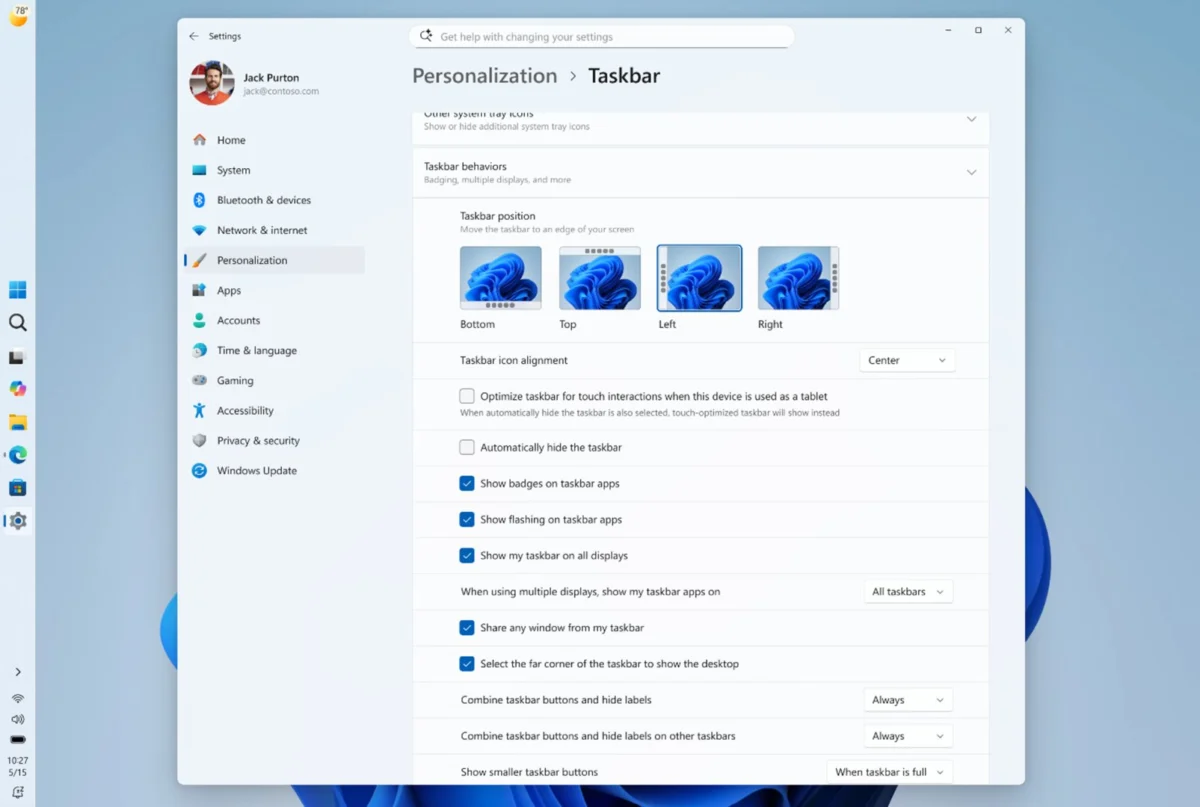
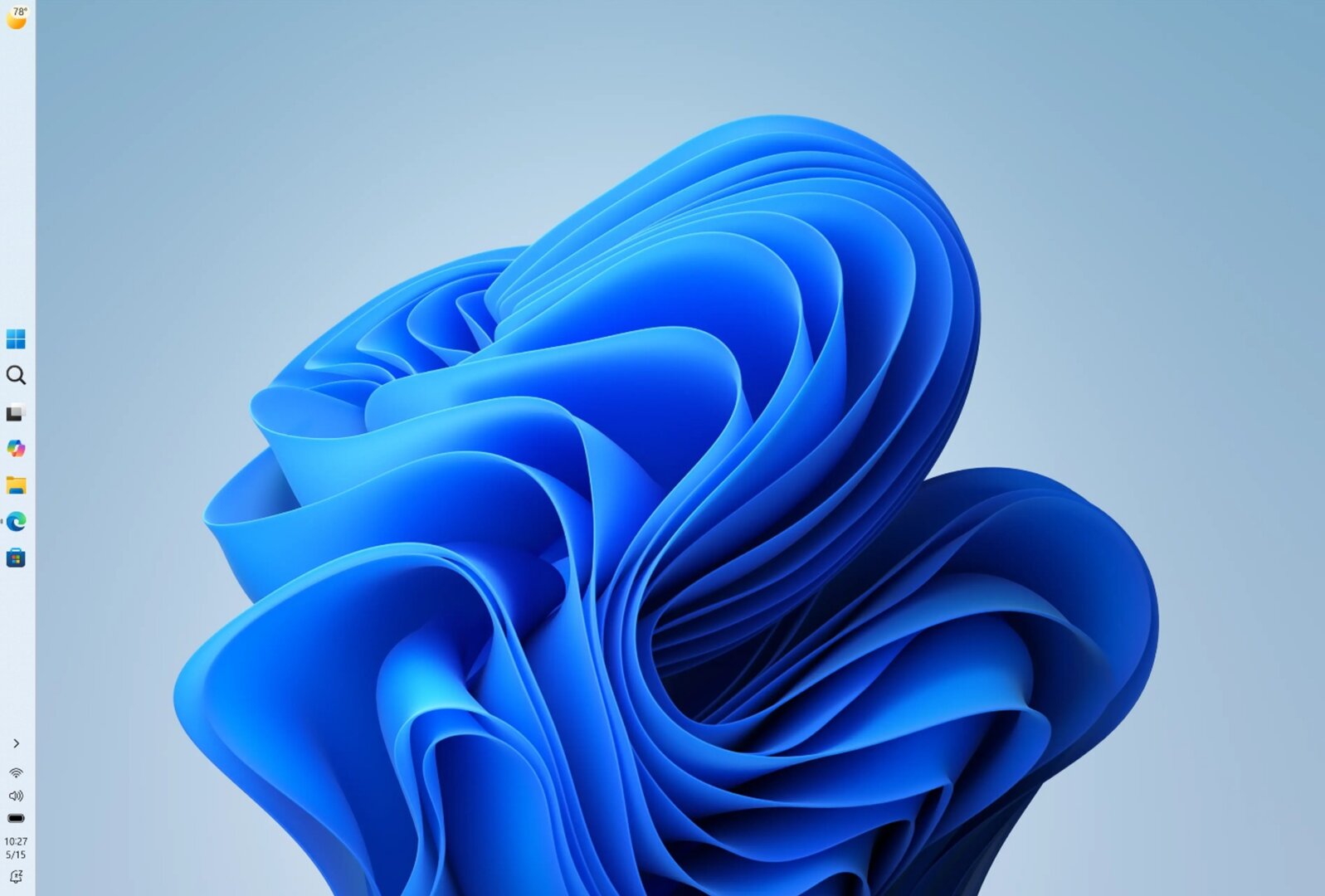
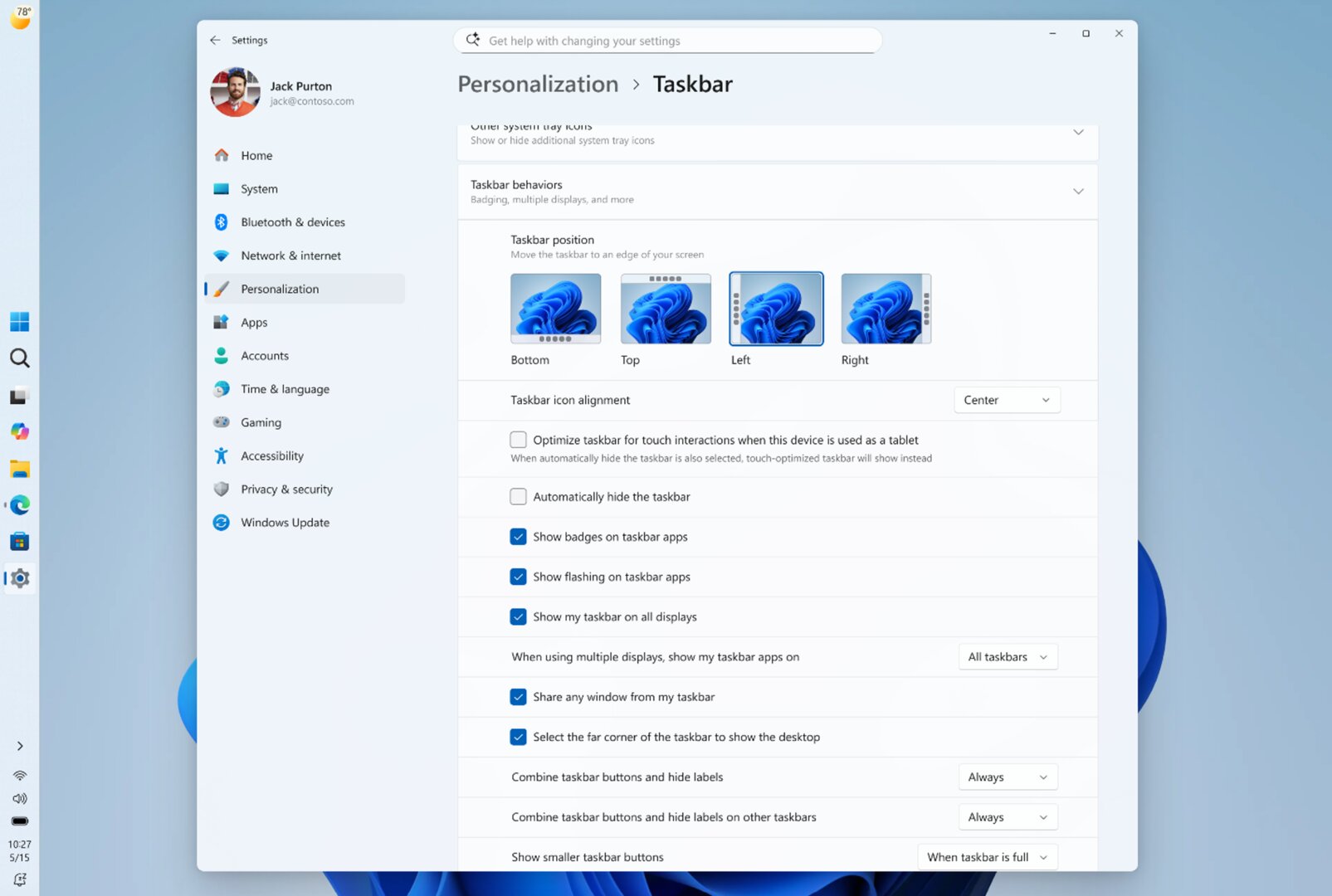
For decades, Windows users have been accustomed to placing their taskbar on any side of the screen—left, right, top, or bottom. Windows 11 initially removed this flexibility, forcing the taskbar to remain anchored at the bottom. Microsoft is now reversing this policy. In the latest build, users can snap the taskbar to any of the four sides of their monitor.
Key features accompanying this change include:
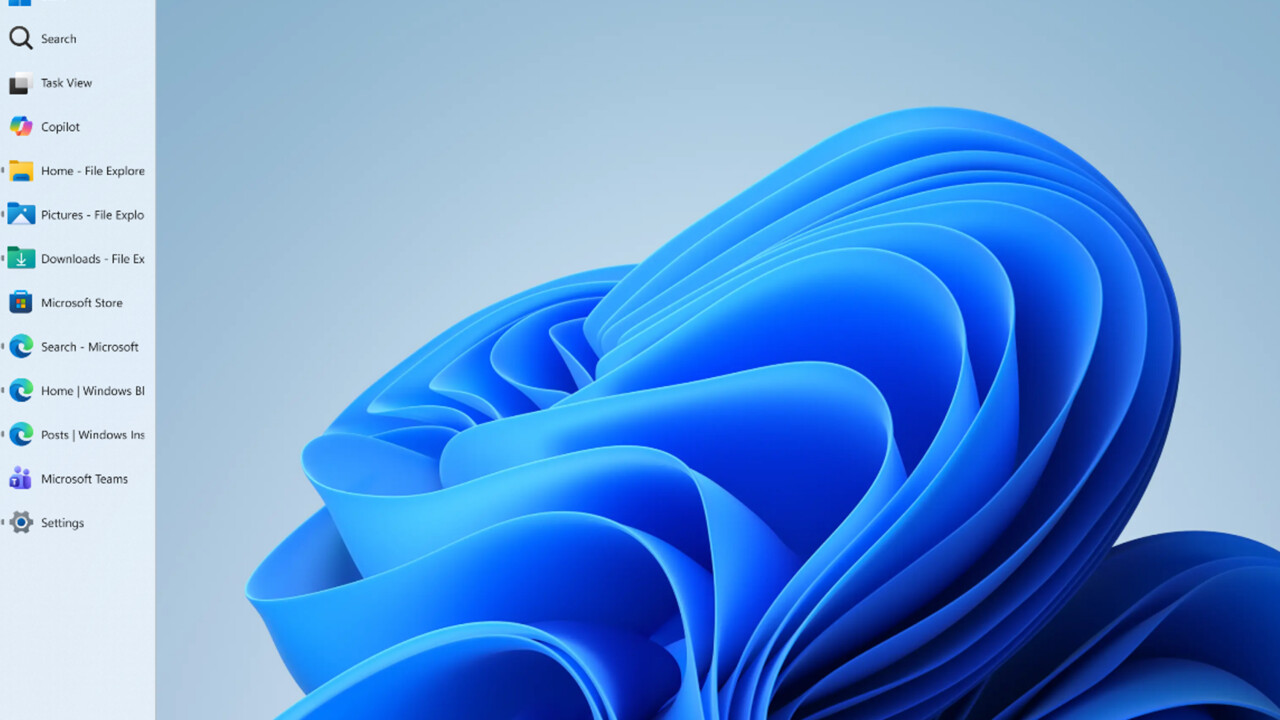
- Dynamic Alignment: When the taskbar is moved to the vertical orientation (left or right), users can choose to display text labels next to icons, allowing for a more information-dense layout.
- Enhanced Multi-Tasking: Microsoft has introduced a "Never Combine" mode for vertical taskbars. This allows multiple instances of applications—such as multiple browser windows or Word documents—to appear as individual entries with distinct titles rather than grouped icons.
- Responsive Menus: The Start menu and Search flyouts now dynamically adjust their opening direction based on the taskbar’s new position, ensuring that the interface feels intuitive regardless of the user’s setup.
A Modular Start Menu
The Start menu, which underwent a significant overhaul in late 2025, is becoming more modular. Users now have the power to toggle specific sections of the menu. If you prefer a cleaner look, you can disable the "Recommended" items section entirely, or hide pinned apps if you rely solely on search. Furthermore, for privacy-conscious users, there is now an option to hide the user profile picture and name, a feature specifically designed to aid professionals who frequently share their screens during presentations.
A Chronological Perspective: From Limitation to Flexibility
The journey to this point has been a turbulent one for Microsoft’s design team. When Windows 11 launched, the simplified interface was praised by some for its modern aesthetic but criticized by power users for its lack of functional depth.
- 2021–2022 (The Initial Launch): Microsoft adopted a "cleaner" approach, removing many classic taskbar features, including the ability to move the taskbar or change its size. This sparked widespread community backlash.
- 2023–2024 (The Feedback Loop): Throughout this period, Microsoft began slowly re-introducing features like taskbar overflow and improved drag-and-drop functionality, though deep customization remained locked.
- Fall 2025 (The Start Menu Pivot): Microsoft introduced the first significant redesign of the Start menu, allowing for more granular control over recommended content and pinned apps.
- May 2026 (The Current Milestone): With Build 26300.8493, Microsoft has effectively addressed the most persistent complaints regarding taskbar positioning, marking a clear pivot back toward the "Windows as a platform for everyone" philosophy.
Supporting Data and Technical Implementation
The implementation of these features within the Windows Insider Program is not merely a cosmetic tweak; it represents a deep restructuring of how the Windows Shell handles UI components.
Under the Hood: Enabling the Features
While the features are currently rolling out to the Experimental Channel, they are already present in the system code for other users. Tech enthusiasts and community investigators, such as the well-known Windows observer "phantomofearth," have confirmed that these features can be unlocked manually using tools like ViVeTool. By toggling specific "Feature IDs," power users can bypass the staged rollout, demonstrating that the foundation for these changes has been part of the underlying architecture for some time.
Configuration Settings
Microsoft has integrated these changes directly into the Settings > Personalization > Taskbar menu. The new "Taskbar Behaviors" section serves as the command center for these adjustments. For those who prefer a smaller footprint, the "Small Taskbar Buttons" setting can be set to "Always," effectively halving the vertical height of the bar and reclaiming valuable screen real estate—a feature particularly popular among laptop users with smaller displays.
Official Responses and Strategic Intent
In recent communications, Microsoft executives have emphasized that the "runderneuerung" (renewal) of Windows 11 is an ongoing process rather than a static product. The goal, according to official blog posts, is to make the operating system feel "more personal."
This shift in strategy is likely a reaction to the evolving needs of the modern workforce. As hybrid work becomes the standard, the definition of a "productive desktop" has expanded. Microsoft is moving away from the idea that there is one "perfect" way to use Windows, choosing instead to provide a toolkit that allows users to shape their environment to suit their specific workflows.
Furthermore, the company is refining its AI integration. The "Copilot" button, which had been criticized for its omnipresence, is now being restricted to contexts where it provides actual utility, rather than simply taking up space in the taskbar. This indicates a more measured approach to AI, prioritizing user screen space over aggressive feature promotion.
Implications: What This Means for the Future of Windows
The implications of these changes are far-reaching.
1. Reclaiming the Power User Demographic
For years, there was a fear that Microsoft was "Mac-ifying" Windows—removing options in favor of a simplified, locked-down user experience. By re-implementing the movable taskbar, Microsoft is signaling to power users, IT professionals, and developers that they have not been forgotten.
2. Privacy and Professionalism
The ability to toggle personal information in the Start menu is a direct response to the "screen-sharing era." As digital meetings become the primary way of collaborating, the ability to sanitize one’s UI for a presentation is a practical, professional-grade feature that adds tangible value to the OS.
3. The Challenge of "Feature Bloat"
While customization is generally viewed as a positive, Microsoft faces a delicate balancing act. As more options are added, the settings menu risks becoming cluttered. The company must ensure that while the power is there for those who want it, the default experience remains intuitive for casual users. The current approach of hiding advanced configuration behind clear, logical sub-menus seems to be the right compromise.
4. A Template for Future Updates
This update sets a precedent. It shows that Microsoft is willing to listen to the Windows Insider community and walk back design decisions that proved unpopular. This creates a feedback loop that benefits the entire ecosystem: users get the features they want, and Microsoft gets to refine its product based on real-world usage data rather than theoretical design concepts.
Conclusion
The latest updates to Windows 11 are more than just a list of new features; they are a sign of a maturing operating system. By restoring the ability to position the taskbar and providing deeper control over the Start menu, Microsoft is acknowledging that the "best" way to use a computer is the way that works best for the individual user. As these features move from the Experimental Channel to the general release in the coming months, they will likely be remembered as the moment Windows 11 finally found its balance between modern design and functional power.










No comments yet. Be the first to join the conversation!