Muslim
When assembling a Network-Attached Storage (NAS) system, the physical dimensions—specifically the number of hard drive bays and NVMe slots—are almost always the primary consideration. It is a logical starting point; after all, if you cannot fit the drives required for your data, the system fails its core purpose. However, a common pitfall among enthusiasts and newcomers alike is the systematic undervaluing of Random Access Memory (RAM).
In an era where high-performance DDR4 and DDR5 modules are subject to significant price volatility, many builders treat RAM as an area where they can cut corners. Yet, if your goal is to build a robust, enterprise-grade storage workstation, particularly one running ZFS-based operating systems like TrueNAS, skimping on memory is a decision that will haunt your performance metrics and system stability.
The Architecture of ZFS and the RAM Bottleneck
At the heart of the modern home lab is ZFS (Zettabyte File System). Praised for its RAID provisions, self-healing capabilities, and Copy-on-Write (CoW) design, ZFS is the gold standard for data integrity. However, this power comes at a cost: it is exceptionally memory-hungry.
The Adaptive Replacement Cache (ARC)
ZFS operates on the philosophy that "RAM is for caching." One of its most potent features is the Adaptive Replacement Cache (ARC). Rather than relying on the comparatively glacial speeds of mechanical HDDs to retrieve frequently accessed data, ZFS intelligently copies those data blocks into system RAM. This ensures that subsequent read operations occur at the speed of memory rather than the speed of a spinning disk platter.
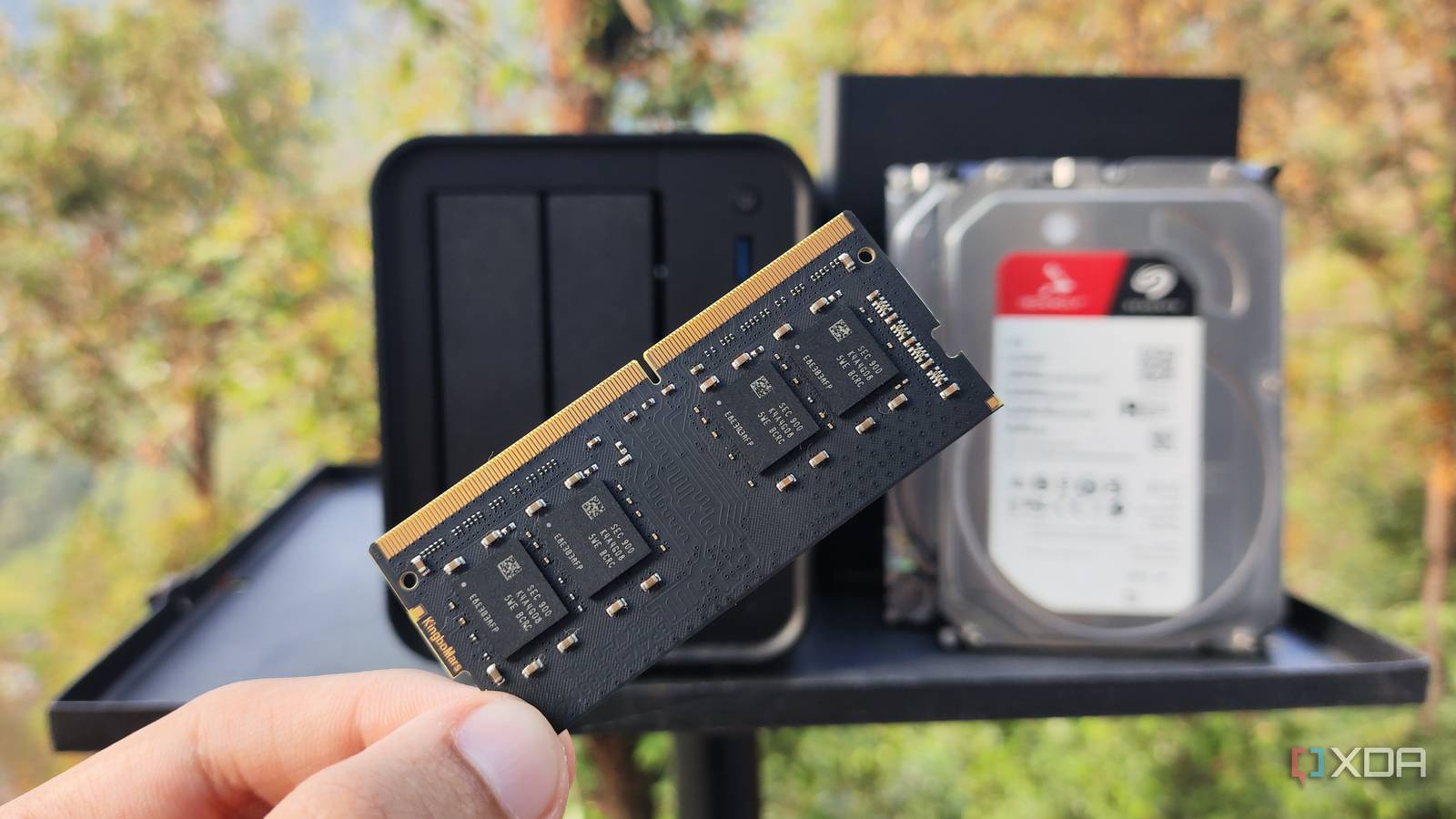
The downside is that this caching mechanism is aggressive. By default, most ZFS-based distributions allocate up to 50% of available system memory for the ARC. On a workstation with 64GB of RAM, this is negligible. On a budget build with 4GB of RAM, however, the file system is starved almost immediately. While you can technically run ZFS on low-memory hardware, performance will inevitably degrade as the ARC reaches its capacity, forcing the system to revert to the slower storage drives.
Chronology of a NAS Build: From Basic Storage to Multi-Service Powerhouse
The evolution of a home server usually follows a predictable trajectory. It begins as a simple file repository, but quickly shifts into a multi-purpose powerhouse.
Phase 1: The Repository (Months 1–3)
Initially, the NAS is used purely for backup. Here, low RAM may suffice because the server is rarely accessed, and the data is largely static. The system is idling, and the primary bottleneck is simply the network interface speed.
Phase 2: The Service Expansion (Months 4–8)
As users discover the utility of self-hosted software, the "Repository" phase ends. Users begin deploying containers and virtual machines. Applications like Jellyfin (media streaming), Immich (photo management), Paperless-ngx (document archiving), and Nextcloud (cloud storage) are installed. Suddenly, the NAS is no longer just holding files; it is actively processing requests, transcoding media, and managing database indexes.

Phase 3: The Virtualization Era (Months 9+)
The final stage is the "Home Lab" phase, where users begin running dedicated virtual machines (VMs) for development, security testing, or specific OS environments. At this point, the RAM requirements skyrocket. If your NAS only has 4GB or 8GB of memory, the system will start thrashing—constantly swapping data to disk—leading to the dreaded "system crawl."
Supporting Data: Why 4GB is No Longer the Baseline
In modern computing, 4GB of RAM is effectively the bare minimum for an operating system to remain responsive, let alone manage a complex file system like ZFS.
Empirical tests on systems like the Aiffro K100—a popular mini-PC/NAS hybrid—reveal the struggle of under-provisioned hardware. When running TrueNAS SCALE with a moderate workload of containers, the CPU utilization may hover at a manageable 50%, but memory usage often climbs past 70% almost instantly. Once you cross the 80% threshold, system stability becomes precarious.
The Deduplication Myth
A common topic of debate is ZFS deduplication—the process of eliminating duplicate copies of data to save space. While theoretically beneficial for environments with multiple similar virtual machines, it is notoriously resource-intensive. Deduplication requires storing a "dedup table" in RAM.
If this table exceeds the available memory, the system is forced to look up hashes on the primary storage drives. If those drives are HDDs, latency can spike to levels that render the entire system unusable. For the average home labber, the storage space saved by deduplication rarely outweighs the performance penalties and the massive RAM overhead required to run it effectively. A good rule of thumb: if you are not an enterprise IT professional with a specific use case, avoid enabling deduplication.
Implications for System Stability and Longevity
The implications of ignoring RAM requirements are twofold: system performance and data integrity.
Performance Degradation
When a NAS runs out of RAM, the kernel initiates "paging," where it moves data from high-speed memory to the much slower storage medium. On a NAS, this means your file system operations are suddenly throttled by the speed of your hard drives. The "snappy" feeling of your self-hosted apps will vanish, and file transfers will slow to a crawl.
The Risk to Data
While ZFS is designed to be resilient, a system that is constantly under memory pressure is prone to kernel panics or "Out of Memory" (OOM) killer events. If the system crashes during a write operation due to memory starvation, you run the risk of losing data or, in worst-case scenarios, corrupting the storage pool.
Best Practices for Hardware Provisioning
Given the current hardware landscape, here is the professional recommendation for memory configuration based on your usage profile:
- The Budget Entry (Basic File Server): If you are running a lightweight Linux distribution without ZFS, 8GB of RAM is acceptable.
- The ZFS Standard (Home NAS): For users running TrueNAS or similar ZFS-based systems with standard storage pools, 16GB is the recommended floor. This provides enough overhead for the ARC to function properly without starving your containers.
- The Workstation/Lab (Virtualization Enthusiast): If you are running multiple VMs, heavy media transcoding, and large-scale data archival, 32GB to 64GB is the target. This ensures that the ARC has ample room to cache data, while leaving plenty of "headroom" for applications to run without contention.
Official Perspectives and Industry Standards
iXsystems, the developers behind TrueNAS, have long emphasized that memory is the most significant factor in ZFS performance. While they offer hardware that starts at lower configurations, their enterprise-grade units are almost exclusively built with large ECC (Error Correction Code) memory pools.
ECC memory, in particular, is a critical consideration for those serious about data integrity. It detects and corrects single-bit memory errors, which—if left unchecked—could result in silent data corruption. While standard desktop RAM is fine for casual use, those building a "forever" archive should prioritize motherboards and CPUs that support ECC memory.
Conclusion: Balancing Costs and Capabilities
The goal of a NAS build is to create a reliable, high-performance environment for your data. While it is tempting to dump your budget into high-capacity hard drives or the latest high-speed NVMe cache, the hidden backbone of your system is the RAM.
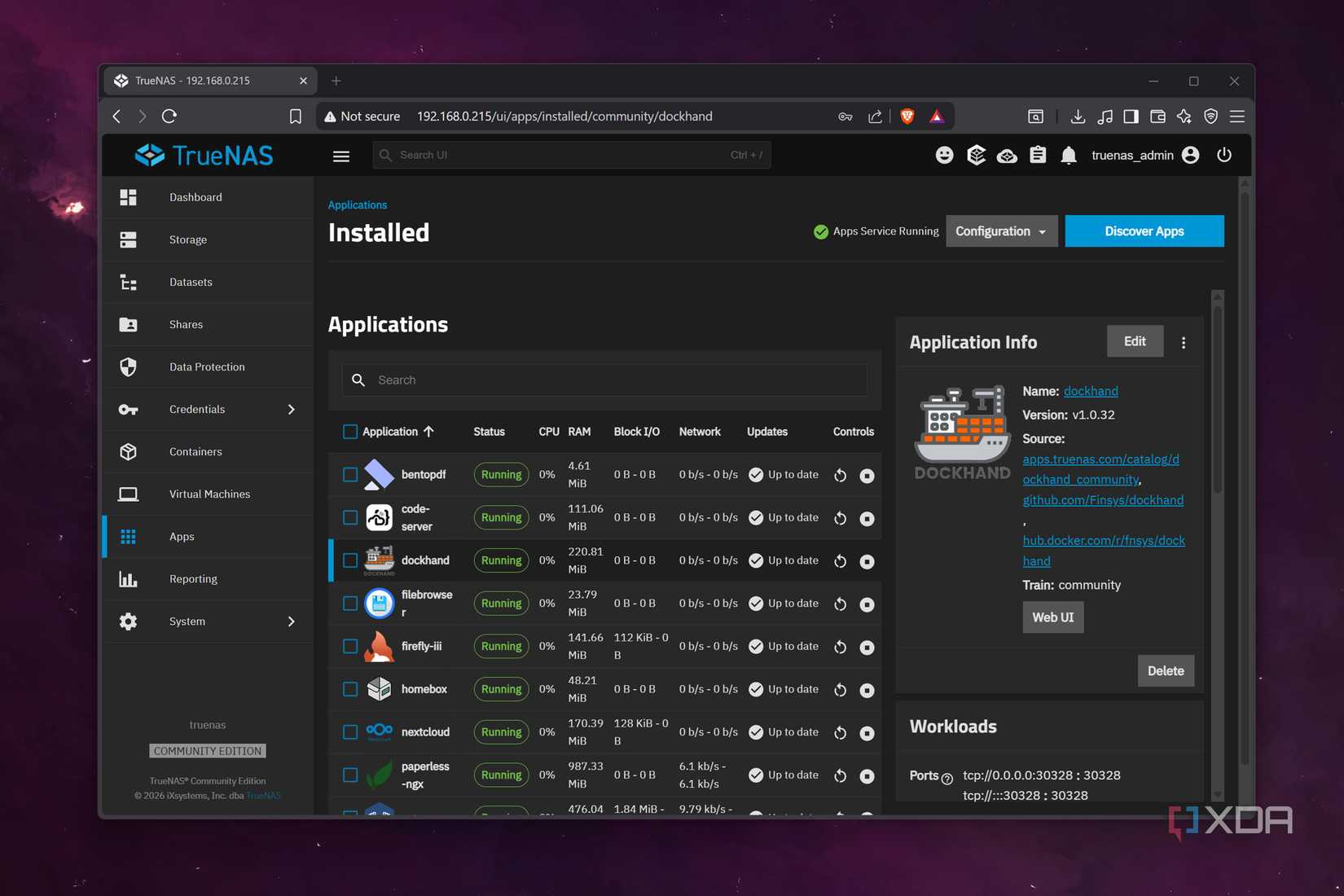
Do not let the "memory apocalypse" or current market prices discourage you from investing in sufficient capacity. A NAS with 16GB of RAM and mid-range hard drives will almost always outperform a NAS with 4GB of RAM and enterprise-grade storage drives. By planning for memory expansion from the start, you ensure that your storage server remains a responsive, stable, and vital part of your digital infrastructure for years to come.
Remember: You are building a server, not just a folder. Build it for the workload you want, not just the file storage you currently have.

 Raul Delapena Setiawan
 Asep Darmawan