Layla Zulfa
In an era where the average professional spends upwards of eight to ten hours a day tethered to a digital display, the physical toll of screen time has become a silent epidemic. From chronic dry eyes to the late-afternoon onset of digital fatigue, modern computing is as taxing on the visual system as it is productive for our workflows. Recognizing this, Microsoft is rolling out a sophisticated new accessibility feature in the latest Windows 11 Insider Preview (Build 29617.1000) that aims to mitigate the intensity of high-resolution, high-brightness displays: the "Screen Tint" mode.
Unlike previous attempts to manage display output, this feature offers a nuanced, customizable approach to screen health, providing a granular level of control that goes beyond the standard "Night Light" settings users have relied upon for years.
The Evolution of Visual Accessibility: A New Layer of Control
For years, Windows users have relied on the "Night Light" feature—a tool designed specifically to adjust the color temperature of the screen by shifting it toward warmer, amber tones to reduce blue light exposure. While effective, Night Light is primarily a physiological tool, designed to help the body’s circadian rhythms adjust as the sun sets.
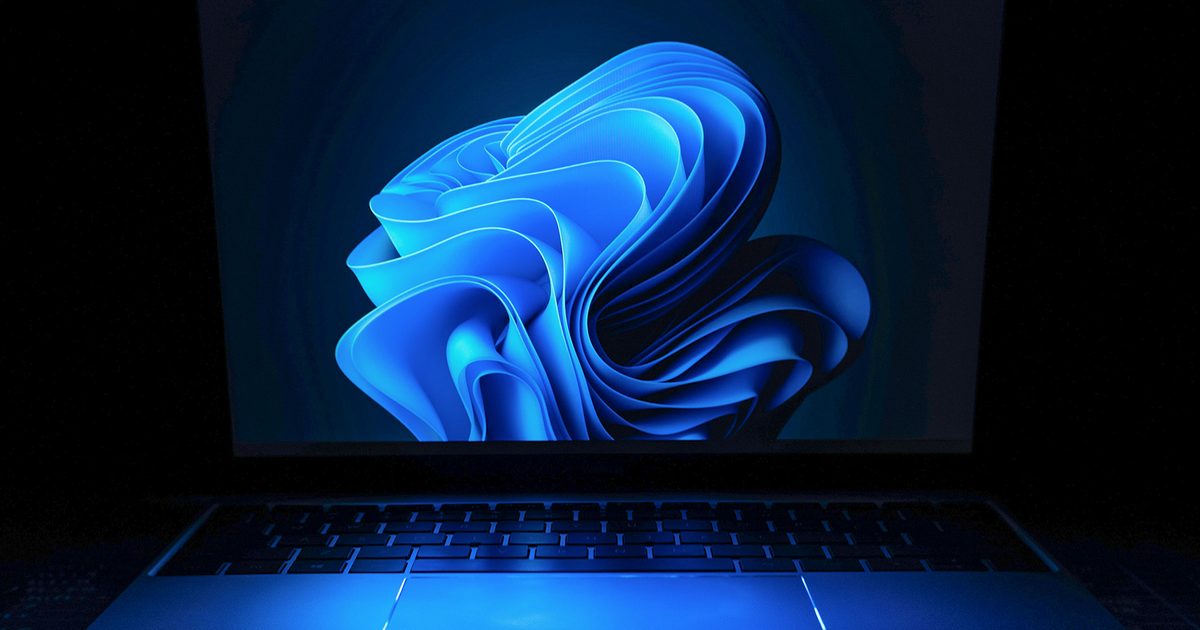
The new "Screen Tint" feature is fundamentally different. Instead of altering color temperature, it functions as a digital overlay—a translucent filter that sits atop your entire user interface. This approach is rooted in the principles of visual accessibility, often utilized by individuals with photophobia (light sensitivity) or those who experience cognitive visual strain. By applying a tint—ranging from soft pastels to deeper hues—the system effectively lowers the perceived contrast and intensity of the screen without compromising the actual color accuracy of the underlying content.
Chronology: How the Feature Reached the Insider Build
The journey toward this feature has been a quiet one, rooted in feedback from the Windows Insider community.
- Early 2025: Initial reports surfaced in Microsoft’s telemetry and user feedback channels regarding "white screen fatigue," particularly among users utilizing ultra-bright OLED or high-nit IPS panels in office environments.
- Q1 2026: Development teams began internal testing of overlay-based accessibility tools, experimenting with high-level software filters that could operate without significantly impacting GPU overhead.
- June 2026 (Preview Build 29617.1000): Microsoft officially pushed the feature to the Dev Channel, allowing testers to integrate Screen Tint into their daily workflows.
- Present Day: As the feature matures in the Insider program, Microsoft is currently gathering data on how users balance the tint intensity against their color-sensitive tasks, such as photo editing or graphic design.
How Screen Tint Works: A Technical Breakdown
The implementation of Screen Tint is found within the familiar Windows 11 Settings architecture. By navigating to Settings > Accessibility > Vision, users can toggle the feature on and off with a single click.
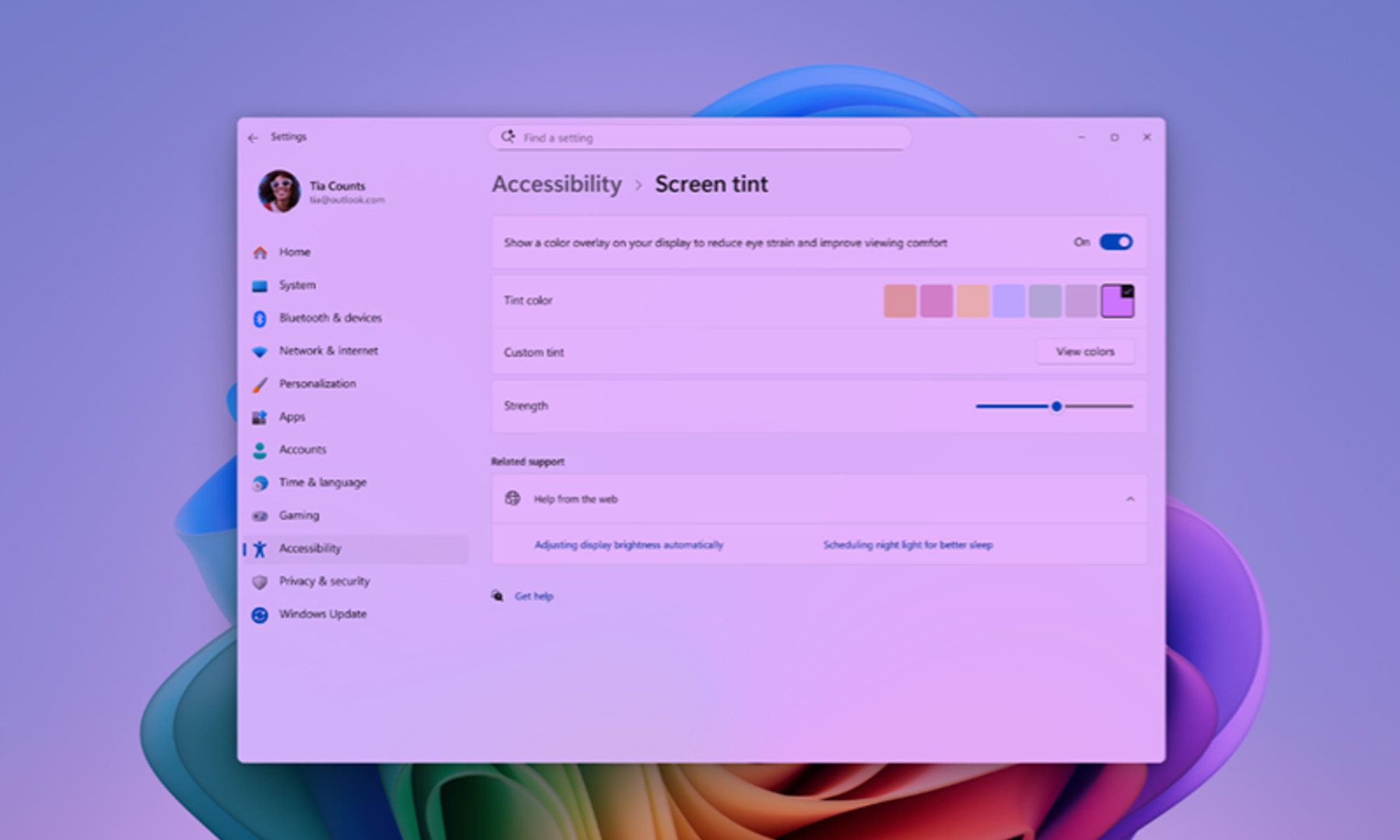
Once activated, the tool offers two primary modes of operation:
- Preset Selection: The system provides six curated color presets—cool blues, warm ambers, soft greens, and neutral grays—each calibrated to reduce specific types of visual harshness.
- Custom Intensity: A dedicated slider allows for real-time adjustment of the tint’s opacity. Users can dial in the exact level of "softness" they require, making the adjustment nearly imperceptible or significantly pronounced, depending on the ambient lighting conditions of their workspace.
The Trade-off: Understanding Constraints
It is important to note that Screen Tint is not a universal additive. In its current iteration, enabling Screen Tint automatically disables Windows’ legacy "Color Filters." This is a technical limitation intended to prevent the potential for visual artifacts or color-profile conflicts. Consequently, power users who rely on color-blindness correction filters will need to choose between the existing color-correction accessibility suite and the new, comfort-focused Screen Tint.
Supporting Data: Why "Screen Fatigue" is a Growing Crisis
The need for such a feature is supported by an increasing body of research into Computer Vision Syndrome (CVS). According to data from the American Optometric Association, more than 90% of individuals who use computers for at least three hours a day experience some form of digital eye strain.

The primary culprits are:
- High Contrast Ratios: Modern displays, designed to pop with vibrant, high-contrast visuals, can force the eye to work harder to focus, especially when reading black text on a pure white background.
- Blue Light Saturation: While debated in its impact on sleep, blue light remains a known factor in visual flicker perception.
- Ambient Lighting Mismatch: The disparity between the brightness of a screen and the ambient lighting in a room is one of the leading causes of headache and fatigue.
Screen Tint addresses the "contrast problem" directly. By applying a tinted layer, the effective contrast ratio of the display is softened, allowing the eye muscles to relax more naturally rather than constantly adjusting to the "harshness" of a high-nit display.
Official Responses and Internal Vision
Microsoft has positioned this as part of a broader "Human-Centric Computing" initiative. In the release notes for Build 29617.1000, the company stated:

"We are committed to ensuring that every user, regardless of their visual needs, can remain productive and comfortable throughout their day. Screen Tint is a direct response to the community’s request for more granular control over how they view their digital workspace. We believe that by providing the tools to soften the digital experience, we can make the transition from task to task less taxing on the eyes."
Microsoft’s accessibility team has emphasized that while this feature is currently categorized as an accessibility tool, they expect it to see widespread adoption among gamers and late-night office workers who have no formal visual impairments but desire a more comfortable viewing experience.
The Implications for Workflow and Gaming
The integration of such a feature could have profound implications for different segments of the Windows user base.
For the Professional
In a corporate environment, the ability to "tint" a document or a spreadsheet during a marathon session of data entry could lead to fewer mid-afternoon breaks and reduced instances of tension-related headaches. By standardizing the "warmth" of the display, users can match their screen to the ambient warmth of their office lamps, creating a cohesive, less jarring visual environment.
For the Gamer
For the gaming community, the implementation is particularly interesting. Many competitive players currently use third-party software (such as Reshade or GPU-driver overlays) to adjust saturation and tint to make enemies stand out more clearly or to reduce the harshness of high-brightness HDR scenes. Having a native, low-latency, and system-level tinting tool could simplify this process, potentially replacing cumbersome third-party software that often triggers anti-cheat warnings.
Future Outlook: What’s Next?
While Screen Tint is currently limited to the Windows Insider program, its reception suggests it will become a permanent fixture in the next major Windows 11 feature update. Looking forward, there is potential for this feature to evolve even further:
- Context-Aware Tinting: Future iterations could potentially leverage AI to automatically adjust the tint based on the time of day, the specific application being used (e.g., warmer for reading, neutral for design), and even the sensor data from the user’s webcam to detect ambient light levels in the room.
- Integration with Focus Sessions: Imagine a "Focus Mode" in Windows that not only mutes notifications but also automatically adjusts the Screen Tint to a "calm" setting, helping the user enter a flow state more efficiently.
Conclusion
Windows 11’s "Screen Tint" is a quintessential example of how small, seemingly simple accessibility additions can have a disproportionate impact on the daily quality of life for millions of users. By acknowledging the reality of our digital habits—the long hours, the bright screens, and the inevitable fatigue—Microsoft is demonstrating a commitment to the user experience that transcends mere performance benchmarks.
As we wait for the wider rollout, the message for those struggling with tired eyes is clear: relief may soon be just a few clicks away in the settings menu. While the update also includes essential improvements like better Bluetooth recovery and refinements to the controversial "Recall" feature, it is the humble Screen Tint that stands out as a compassionate, practical, and long-overdue addition to the modern operating system.
For the heavy user, the professional, and the gamer, this is more than just an accessibility toggle; it is a fundamental shift toward making the screen a partner in our well-being rather than an adversary to our comfort. As the digital landscape continues to expand, tools that prioritize the human element—the simple, biological need for visual comfort—will remain the most vital updates of all.

 Asro
Asro
 Ali Ikhwan