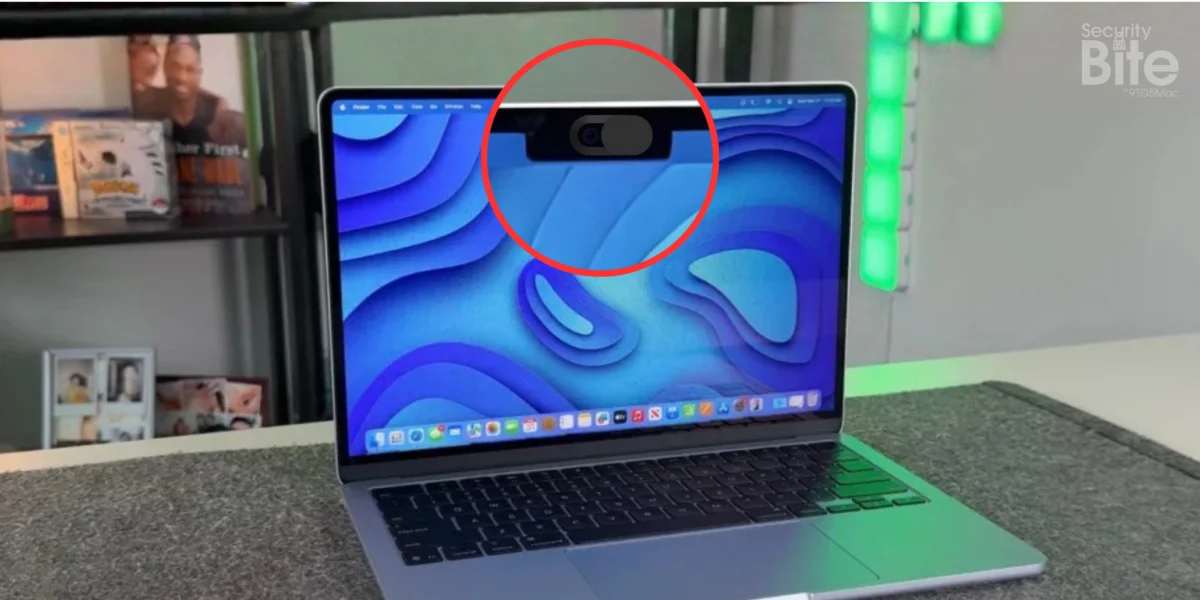
For over a decade, a small, sliding plastic accessory has become a staple of the modern office environment. From the sleek aluminum bezels of corporate MacBooks to the sticker-covered lids of college students, the "webcam cover" is a ubiquitous symbol of digital privacy. During the 2010s, as headlines about state-sponsored surveillance and sophisticated malware outbreaks proliferated, the physical webcam shutter became the low-tech, high-certainty solution to a high-tech anxiety.
However, as we navigate the mid-2020s, the reality of hardware engineering has shifted. Apple’s modern design philosophy—characterized by razor-thin displays and exacting tolerances—has rendered these privacy shields not only redundant but potentially destructive. In this deep dive, we examine why the webcam cover has transitioned from a security best practice to a hardware liability.
The Evolution of the Green Light Indicator
To understand why webcam covers are no longer necessary, one must understand how the hardware that powers the FaceTime camera has evolved. The primary driver of the "hackers-watching-you" fear was the possibility of a remote actor gaining access to the camera sensor without the user’s knowledge.
The 2008 Architectural Shift
In the early days of personal computing, the webcam’s green indicator light was managed via software. If a piece of malware could gain root access to the system, it could theoretically manipulate the camera’s driver, activating the sensor while keeping the LED light powered down. A 2013 research paper from Johns Hopkins University famously highlighted this vulnerability, proving that Macs produced prior to 2008 could be coerced into spying on users without a visual cue.

Apple took this research—and the broader implications for user privacy—to heart. Starting in late 2008, Apple redesigned the internal architecture of the MacBook’s camera module. They implemented a hardware-level interlock: the camera sensor and the green LED indicator were wired to the exact same physical circuit.
This means that electricity literally cannot reach the camera sensor without simultaneously flowing through the LED. There is no software path to bypass this; if the camera is drawing power, the light must be on. In the years since this redesign, there has not been a single confirmed case of malware capable of circumventing this hardware barrier. The logic is simple: you cannot hack a circuit that does not exist.
The Engineering Reality: Why Tolerances Matter
While the security argument for webcam covers has evaporated, the physical risks to your device have increased significantly. Modern MacBooks, including the M4-series MacBook Air and Pro, represent the pinnacle of industrial design. Their displays are engineering marvels, utilizing thin-film transistor (TFT) technology and high-density liquid crystal or OLED panels, all housed within an incredibly slim aluminum enclosure.
The "Paper-Thin" Warning
Apple’s official stance on screen protection is clear: do not close your MacBook with anything covering the display that exceeds the thickness of a standard sheet of paper (approximately 0.1mm).
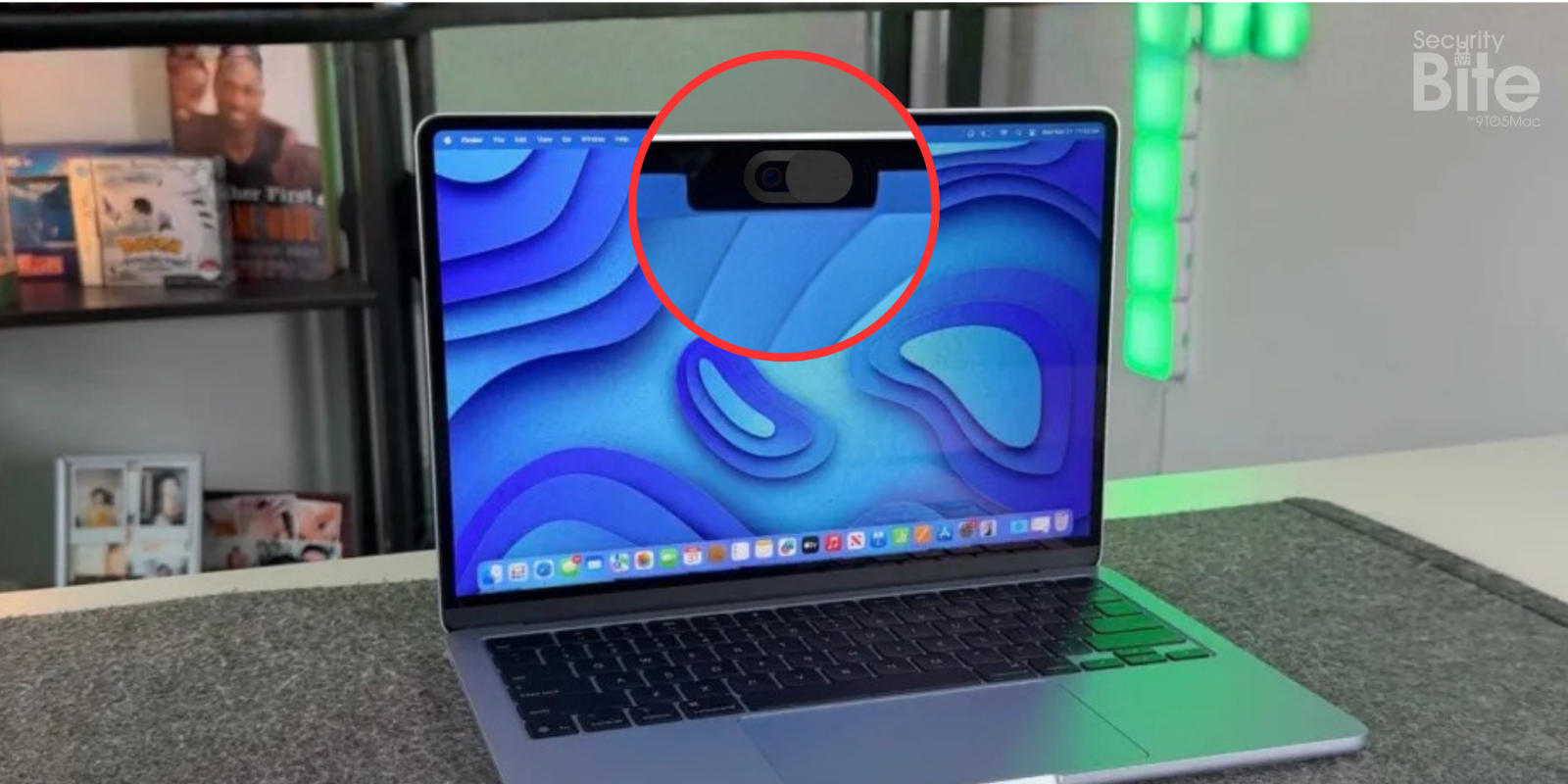
When you attach a plastic or metal sliding webcam cover to the top bezel, you are introducing a foreign object into an environment designed with microscopic tolerances. When the lid is closed, the display assembly is pulled flush against the top case. A webcam cover creates a "point of pressure." Even if the cover is only a few millimeters thick, it creates a concentrated force on the fragile glass of the Retina display.
Over time, this pressure leads to several common issues:
- Cracked Displays: The most severe outcome. Because the glass is brittle, the pressure from the cover can cause localized stress fractures that spiderweb across the panel.
- Display Coating Delamination: The pressure can force the cover’s adhesive or the plastic itself into the anti-reflective coating, causing permanent, unsightly marks.
- Sensor Interference: Modern MacBooks house ambient light sensors and True Tone sensors in the same bezel. A bulky cover can obstruct these sensors, causing the display to flicker, fail to adjust its color temperature, or incorrectly manage auto-brightness.
Beyond Physical Covers: Modern Privacy Tools
If the physical risk of damaging a multi-thousand-dollar laptop outweighs the non-existent risk of "stealth" camera activation, how should a privacy-conscious user protect themselves?
The answer lies in the robust software-based security architecture of macOS.

OverSight and macOS Privacy Controls
Apple has introduced granular "Privacy & Security" settings that require explicit user authorization before any application—even a trusted one—can access the camera. When a new app requests access, the user is prompted with a system-level alert.
Furthermore, tools like OverSight, developed by renowned security researcher Patrick Wardle, offer an additional layer of visibility. OverSight monitors the system for any process that attempts to initialize the camera or microphone. If an application attempts to "wake" the hardware, the user receives an immediate, undeniable notification. This is significantly more effective than a sliding piece of plastic, as it provides actionable data about which process is requesting access, rather than simply blocking the view.
Implications for Corporate and Personal Use
For the average user, the takeaway is clear: stop using webcam covers. The threat model they were designed to address—unauthorized, invisible camera access—has been mitigated by hardware-level design.
For IT administrators, the implication is one of cost and maintenance. Organizations that manage thousands of fleet devices are finding that webcam covers are a leading cause of preventable screen repairs. Encouraging users to remove these covers is not just a policy recommendation; it is an exercise in asset management. By relying on modern Mobile Device Management (MDM) platforms—such as those offered by Mosyle—administrators can enforce security policies that are far more effective than a piece of plastic.

Summary of Findings
- Hardware Security: Since 2008, the green LED on a MacBook is physically tied to the camera sensor. If the camera is on, the light is on.
- Physical Damage: Sliding covers exceed the 0.1mm clearance limit of modern MacBook lids, leading to cracked screens and damaged anti-reflective coatings.
- Sensor Obstruction: Covers can interfere with the MacBook’s ambient light and True Tone sensors, degrading the overall user experience.
- Better Alternatives: Utilize the native macOS Privacy & Security dashboard and third-party monitoring tools like OverSight to maintain visibility over system processes.
Conclusion: A Shift in Perspective
The webcam cover was a product of a specific time in tech history—a time when our hardware was less secure and our trust in software was at an all-time low. Today, the "Security Bite" is simple: trust the engineering of your device over the aesthetic comfort of a plastic slider. By removing the cover, you extend the life of your display, maintain the integrity of your sensors, and embrace the robust, hardware-hardened security that Apple has built into the modern Mac.
Your privacy is important, but it shouldn’t come at the cost of a shattered screen. Take the cover off, keep your software updated, and rest easy knowing that the green light is the only sentinel you need.
Security Bite is 9to5Mac’s weekly deep dive into the world of Apple security. Each week, Arin Waichulis unpacks new threats, privacy concerns, vulnerabilities, and more, shaping an ecosystem of over 2 billion devices.