
In the competitive world of digital art, the ability to craft immersive, high-fidelity environments is a highly sought-after skill. Whether for concept art, game development, or cinematic matte painting, the challenge lies in balancing technical complexity with artistic intent. Freelance sci-fi and fantasy artist Calder Moore, known for his signature moody and evocative landscapes, has broken down his workflow to demystify the creation of complex, large-scale 3D scenes.
This guide outlines the professional pipeline for creating compelling environments, utilizing industry-standard tools including Cinema 4D, ZBrush, Octane Render, and Photoshop. By emphasizing efficient geometry, strategic displacement, and a structured task-management approach, artists can transform daunting projects into a series of manageable, high-quality milestones.
The Philosophy of Workflow: Efficiency Meets Artistry
Before a single polygon is manipulated, professional environment artists must build a strong foundation. For Moore, this begins with the assembly of a "visual palette"—a curated collection of reference imagery that defines the architecture, lighting, atmospheric mood, and overall composition of the intended piece.
The Power of Pre-Preparation
A common pitfall for emerging artists is the tendency to get sidetracked by technical hurdles during the creative phase. To mitigate this, Moore advocates for pre-preparing assets. By building a library of custom foliage scatter systems and modular material shaders in advance, artists can bypass repetitive technical tasks. This "library-first" mentality allows the creator to remain in the "flow state" longer, focusing on the artistic narrative of the scene rather than the minutiae of asset creation.
Breaking Down the Daunting
One of the most effective strategies for complex 3D production is the "deconstruction of tasks." A scene involving a sprawling, ruined landscape can feel overwhelming. By breaking the project into micro-tasks—such as "model base tower," "apply fracture noise," "sculpt ground planes," and "distribute foliage"—the workload becomes psychologically manageable. This systematic approach ensures that progress is constant and that the artist remains focused on the immediate objective.
Chronology of a Masterpiece: From Sketch to Final Render
The creation of a high-end 3D scene is a linear process that demands precision at every stage. Moore’s workflow follows a specific 14-step trajectory that ensures visual consistency and technical integrity.
1. Conceptualization and Thumbnails
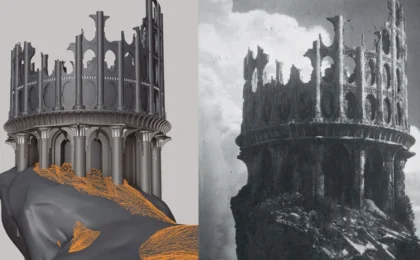
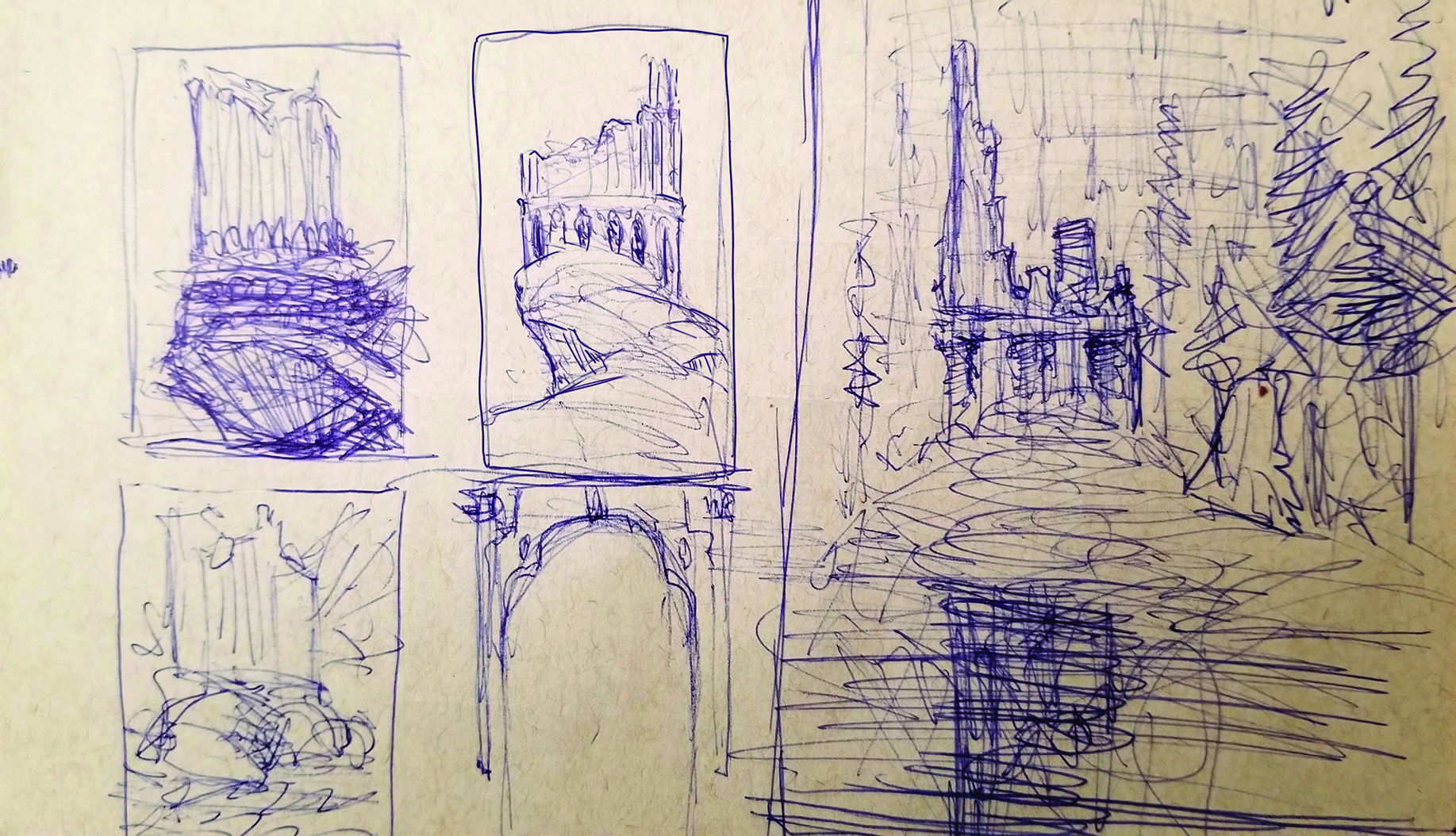
Everything begins with a rough sketch. Thumbnails are essential for testing compositions and flow. For Moore’s latest project, the goal was to evoke a sense of "lonely, forgotten ancient power." A thumbnail allows the artist to iterate on the silhouette and scale before committing to the heavy lifting of 3D modeling.
2. Blocking and Camera Lock
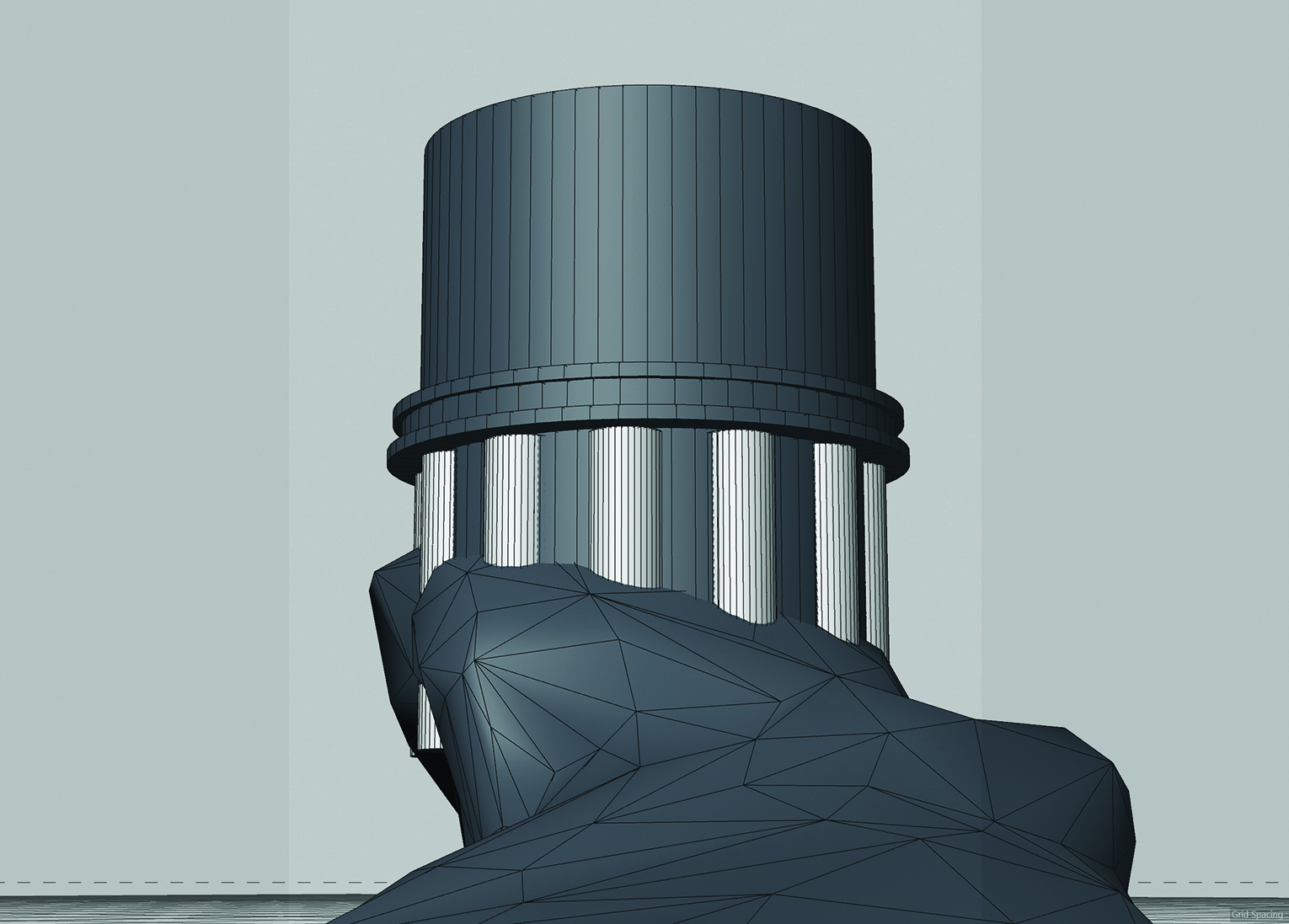
Once the composition is determined, the artist moves into Cinema 4D. At this stage, the focus is on "blocking"—using primitive geometry and basic sculpting tools to establish the layout. Crucially, the camera position must be locked early. This acts as a fixed anchor, allowing the artist to refine the scene specifically for the final perspective, avoiding wasted time on details that will never be visible in the final frame.
3. Structural Modeling and Destruction
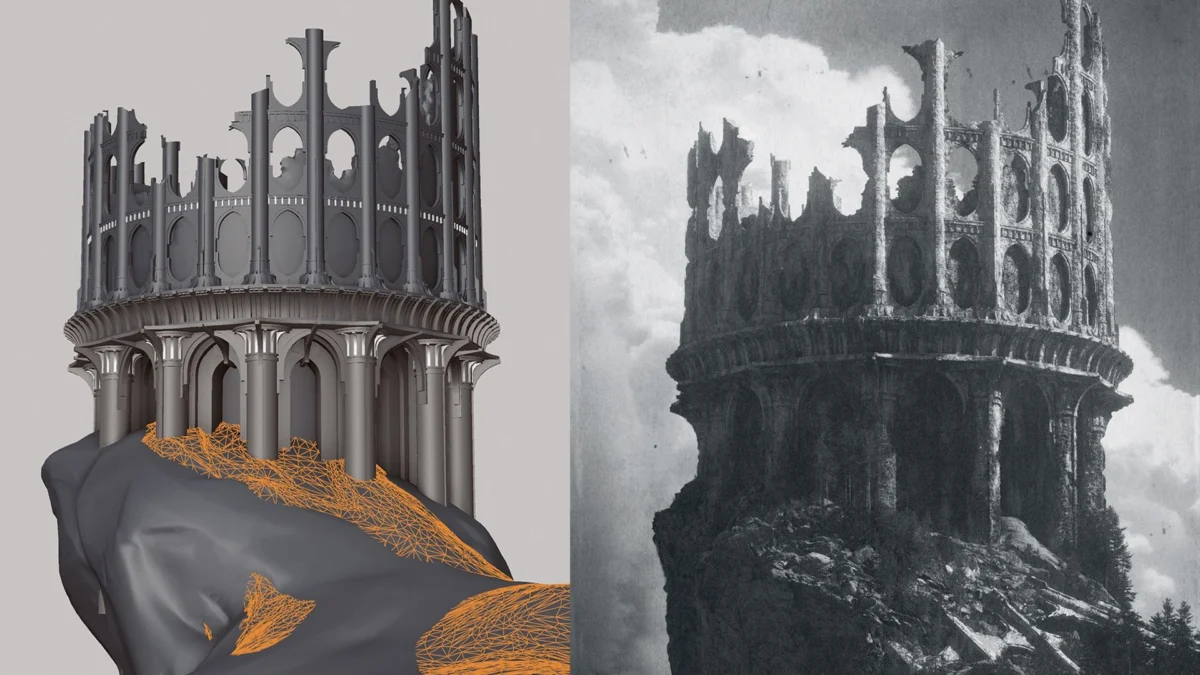
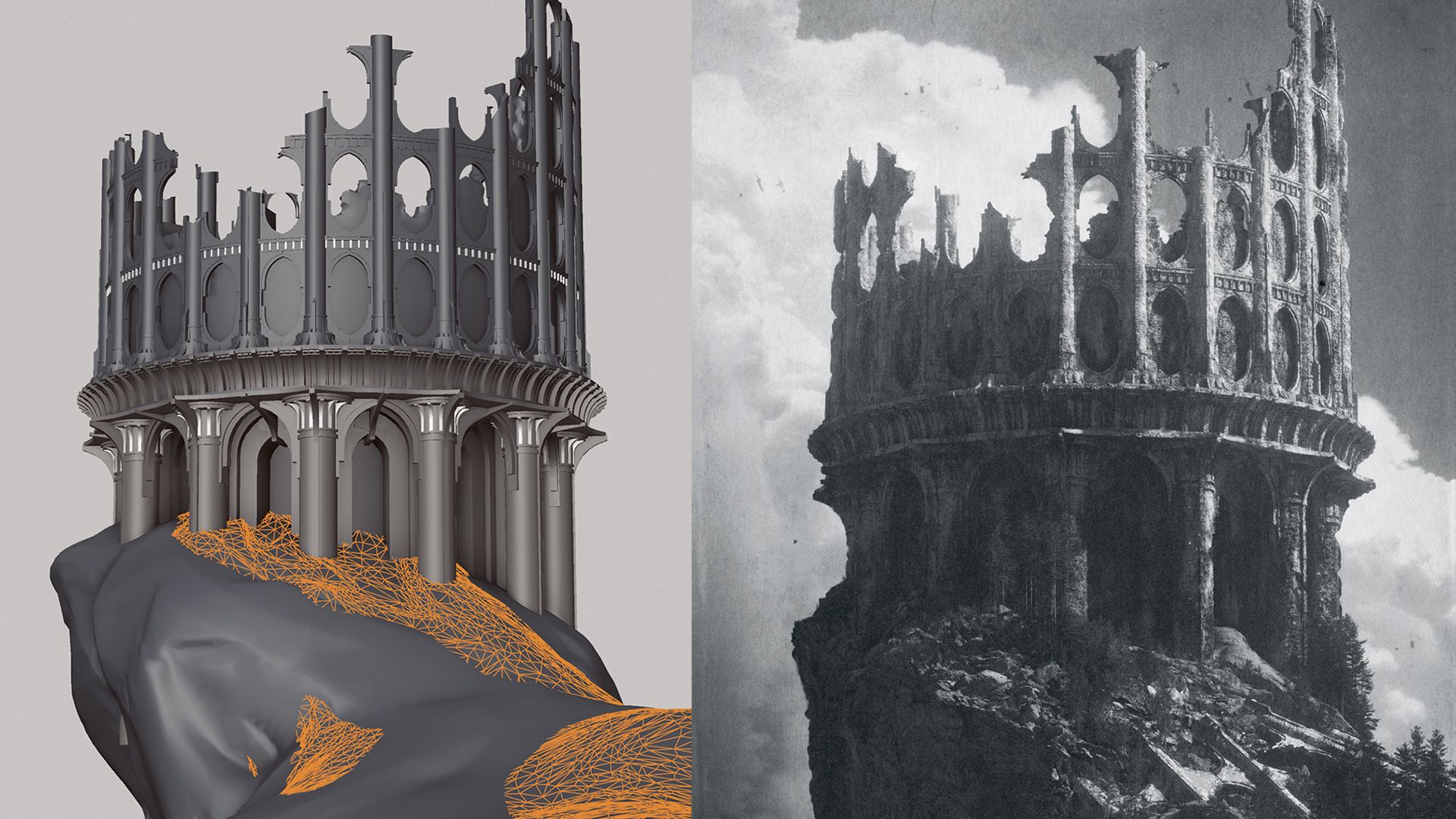
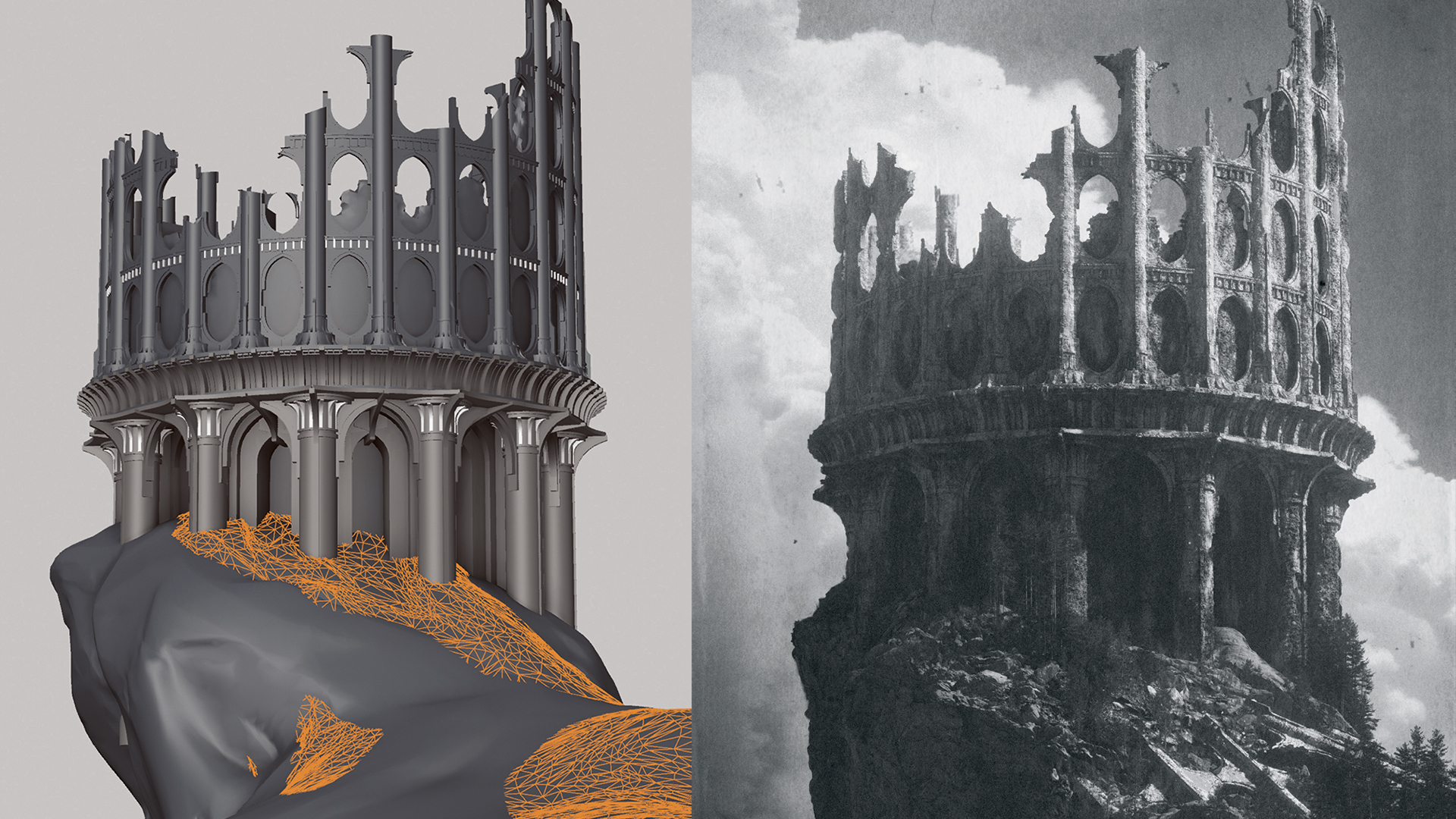
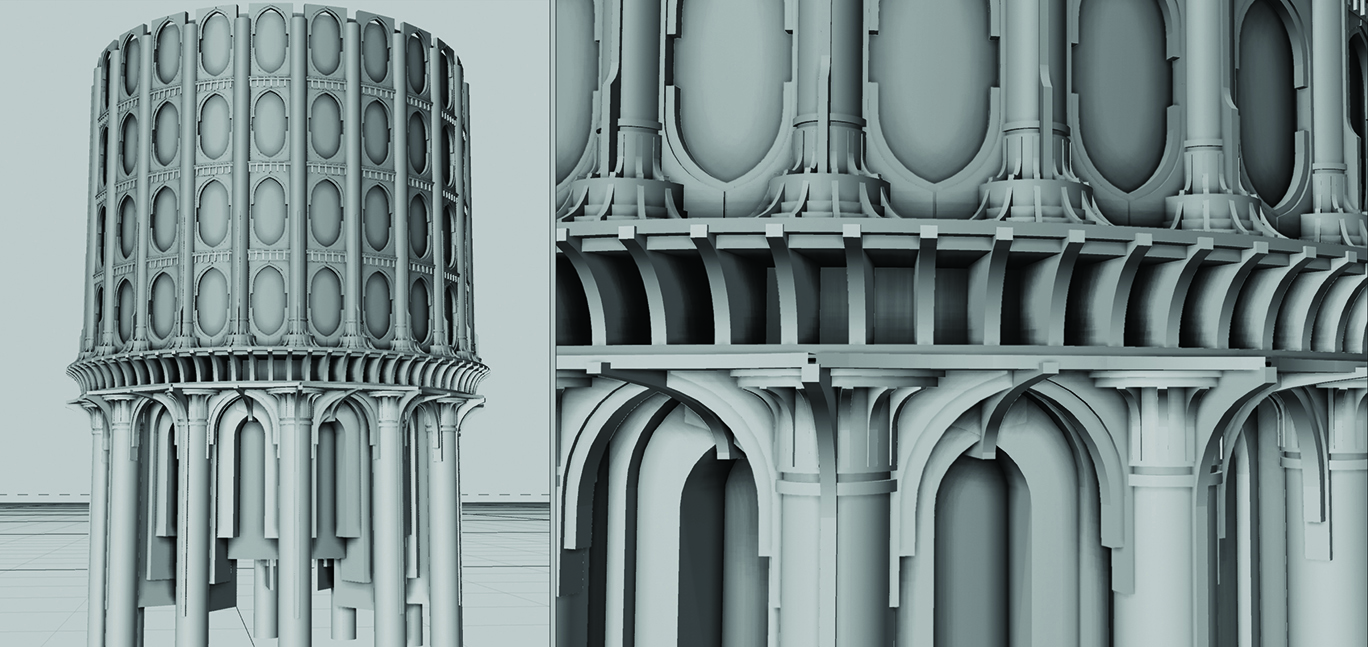
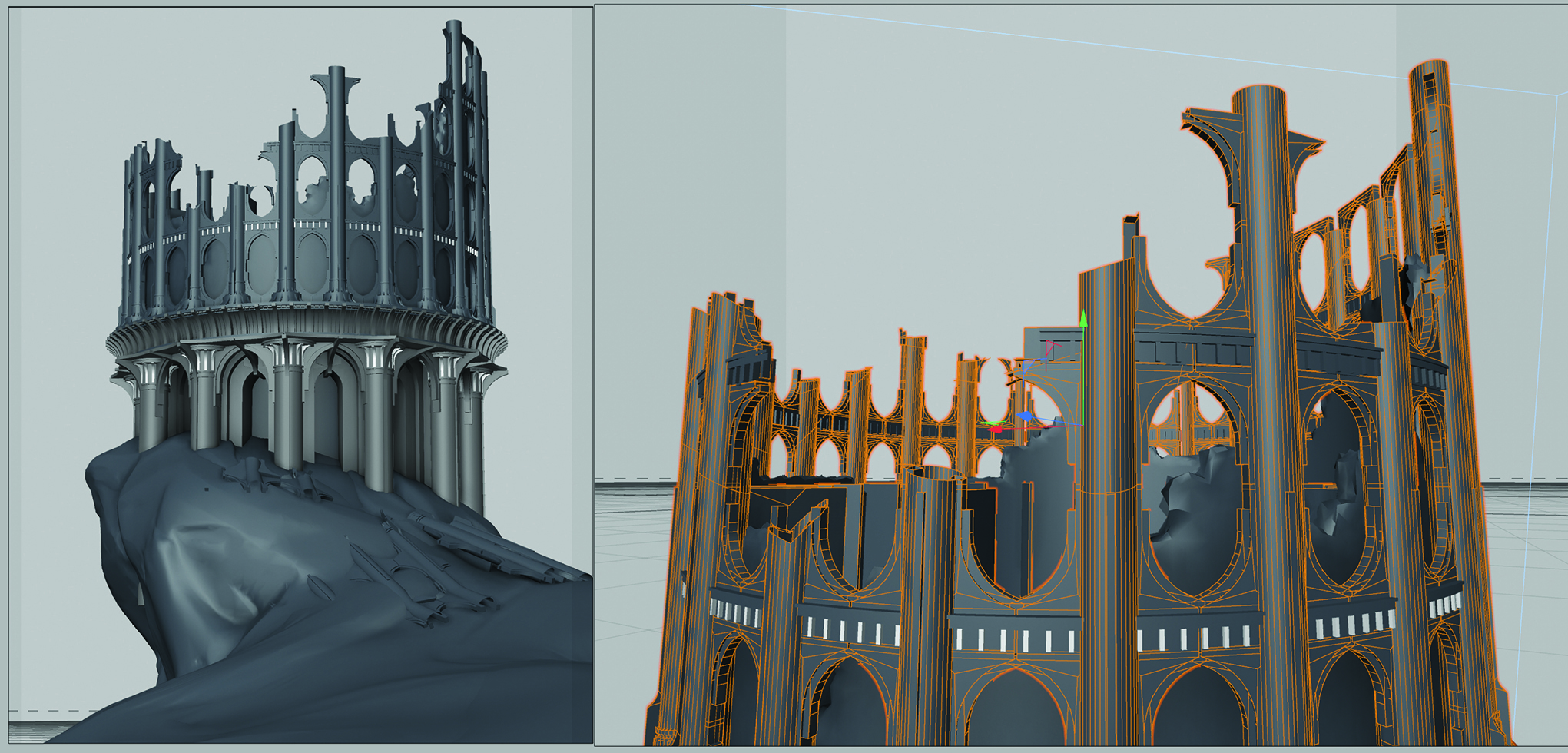
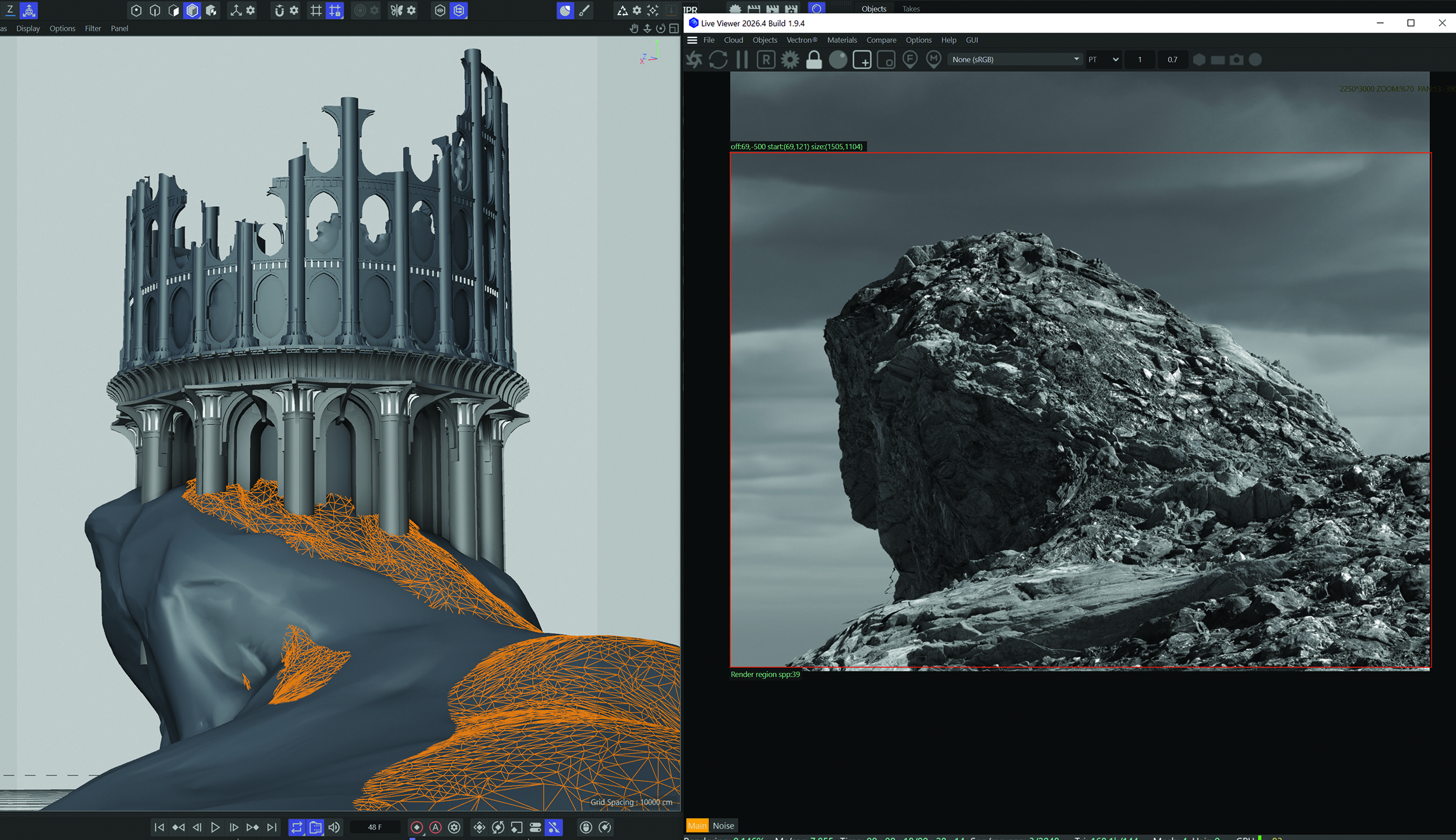
The tower is the focal point of the scene. Rather than modeling every stone, Moore utilizes displacement textures on basic geometry. By employing symmetry for archways and radial cloners for pillars, the structure is built rapidly. Once built, the "destruction" phase begins. Using the knife tool and Voronoi fracture, the artist introduces natural-looking damage. By selectively deleting portions of the geometry, the tower is transformed from a pristine structure into a ruined relic, following the initial sketch’s guide.
4. Terrain Sculpting and Material Layering
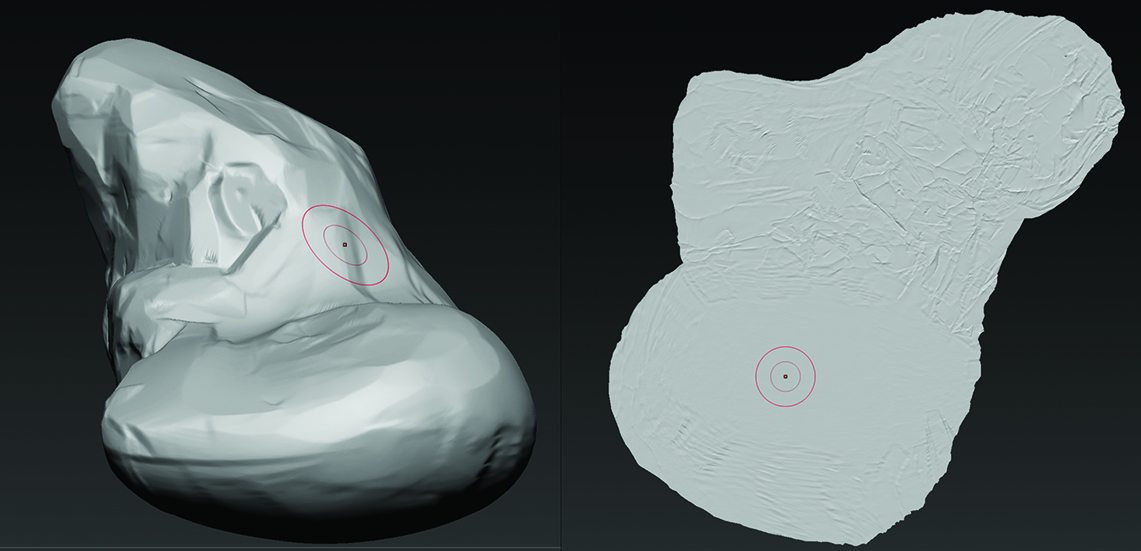
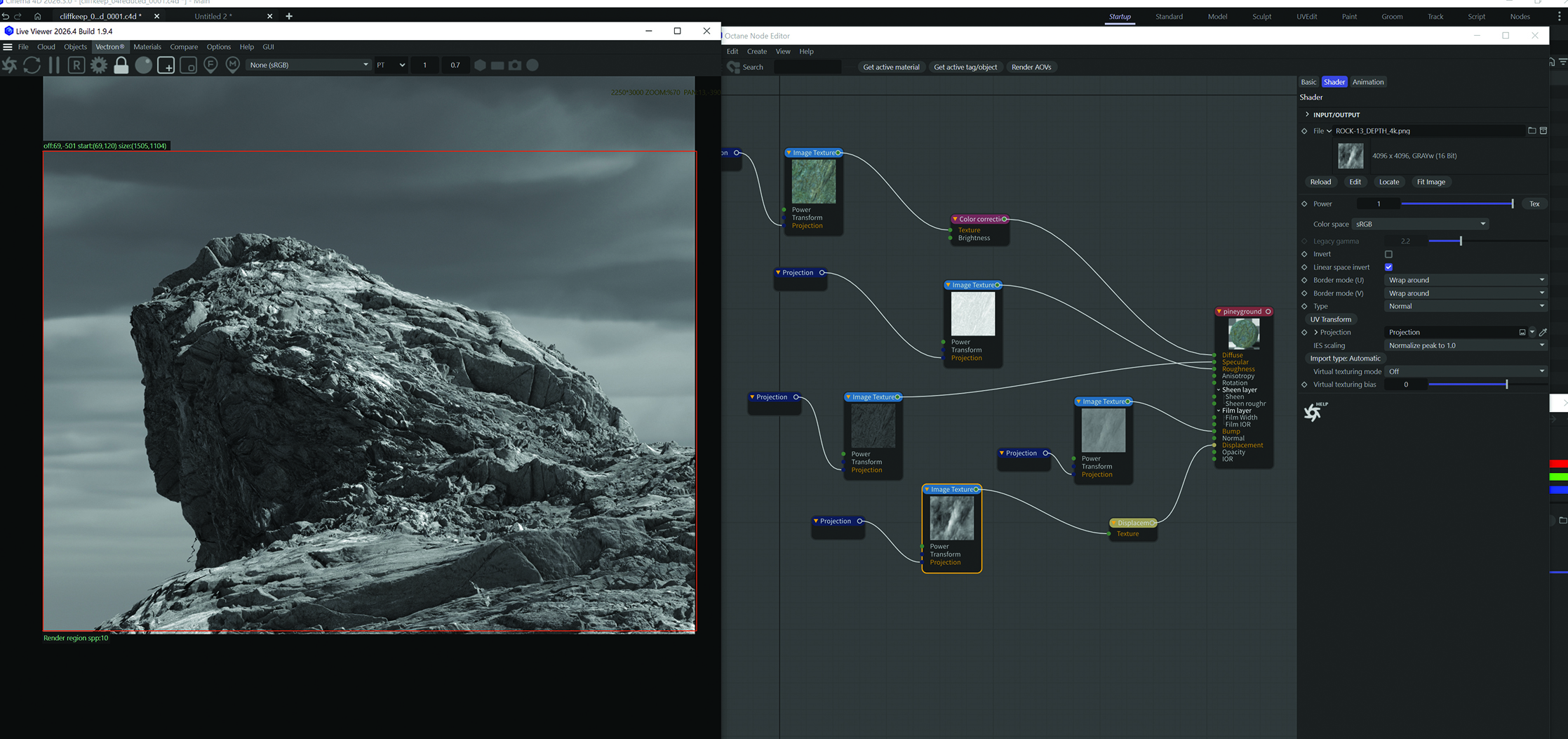
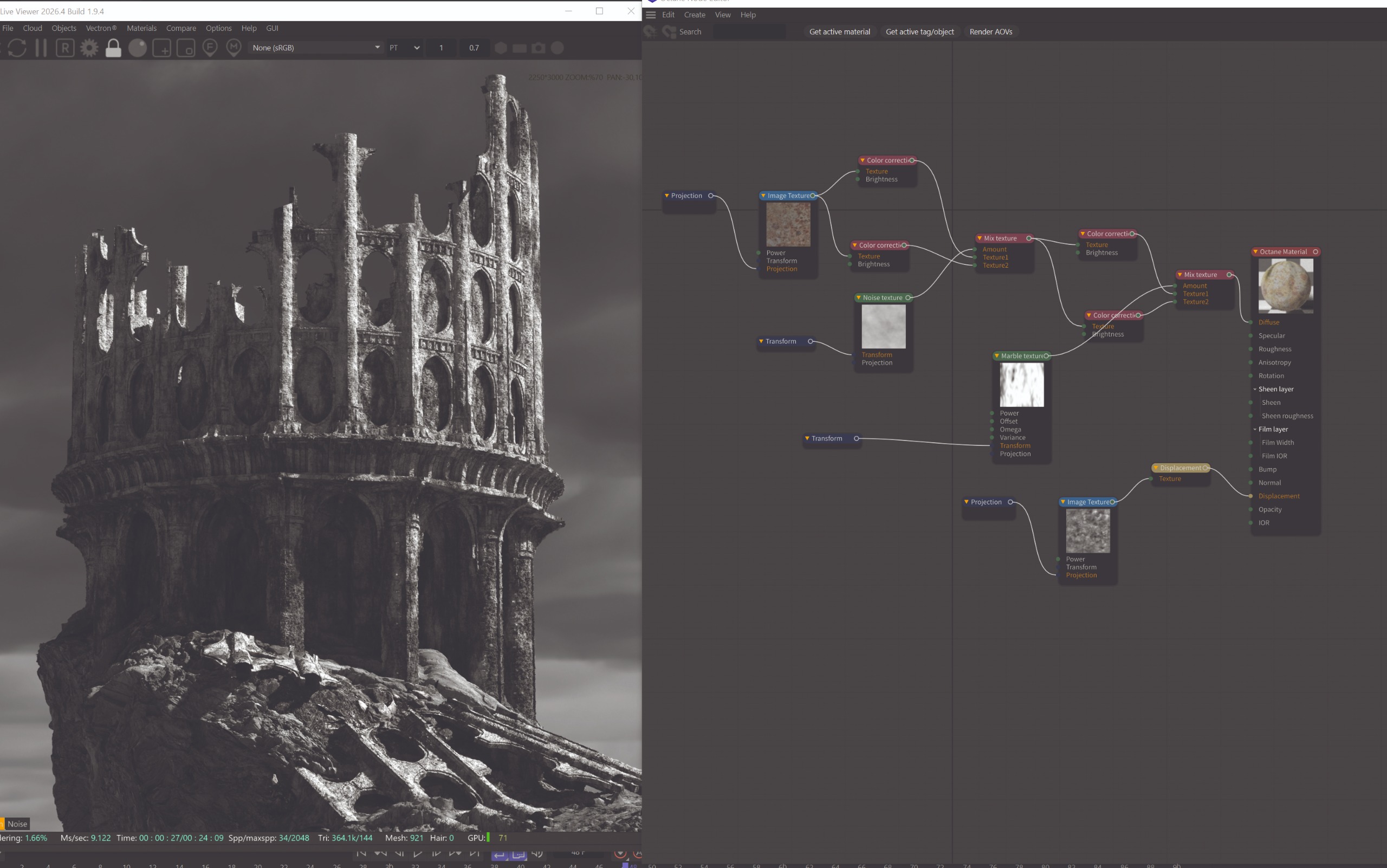
The terrain is where the environment begins to feel grounded. By exporting the base terrain to ZBrush, the artist can perform higher-level sculpting to create more organic, natural forms. The key to realism in this phase is the integration of displacement maps. By using tileable, high-resolution photoscanned rock materials, the artist can inject immense detail into the terrain without significantly increasing the polygon count.
5. Lighting, Atmosphere, and Foliage
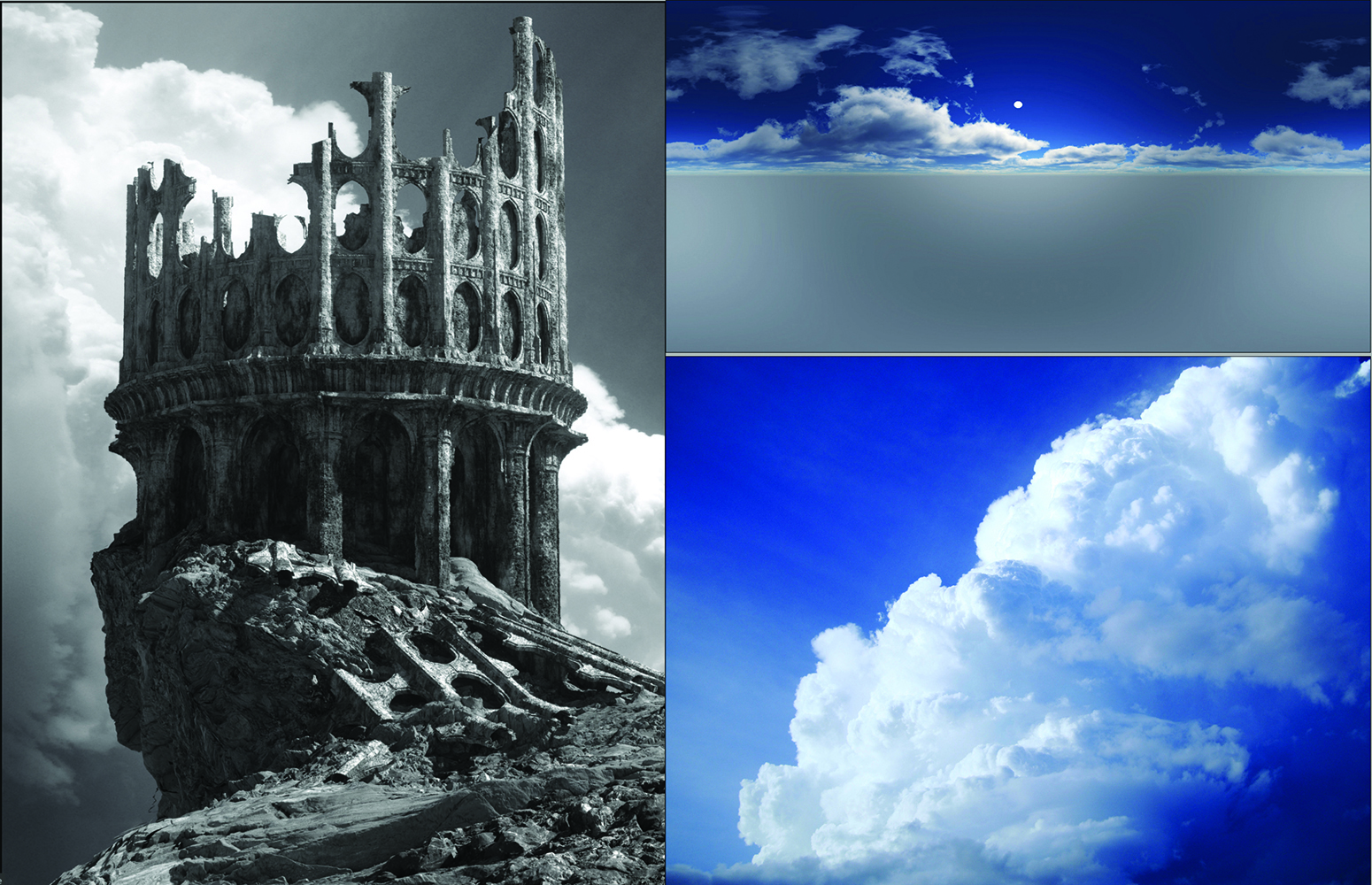
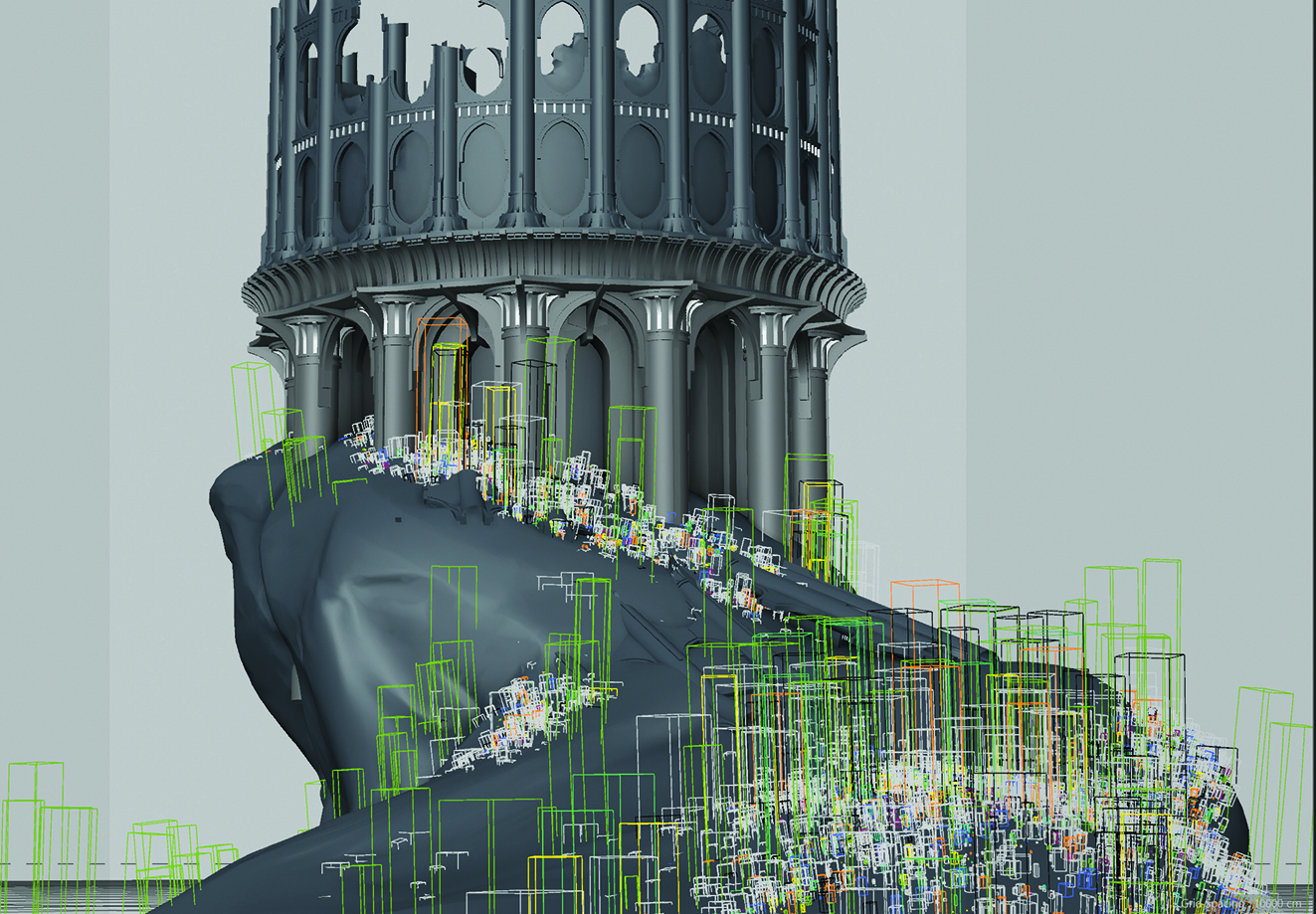
Lighting is the narrative heart of any scene. Moore uses High Dynamic Range (HDR) images to establish a base lighting scheme, iteratively adjusting the contrast between light and shadow to guide the viewer’s eye. Following this, the scene is populated with vegetation. Using an "Octane Scatter" system, the artist applies vertex maps to the terrain to dictate exactly where pine trees, shrubs, and grass should grow, creating a natural distribution that enhances the scene’s realism.
6. The "Old Photo" Aesthetic
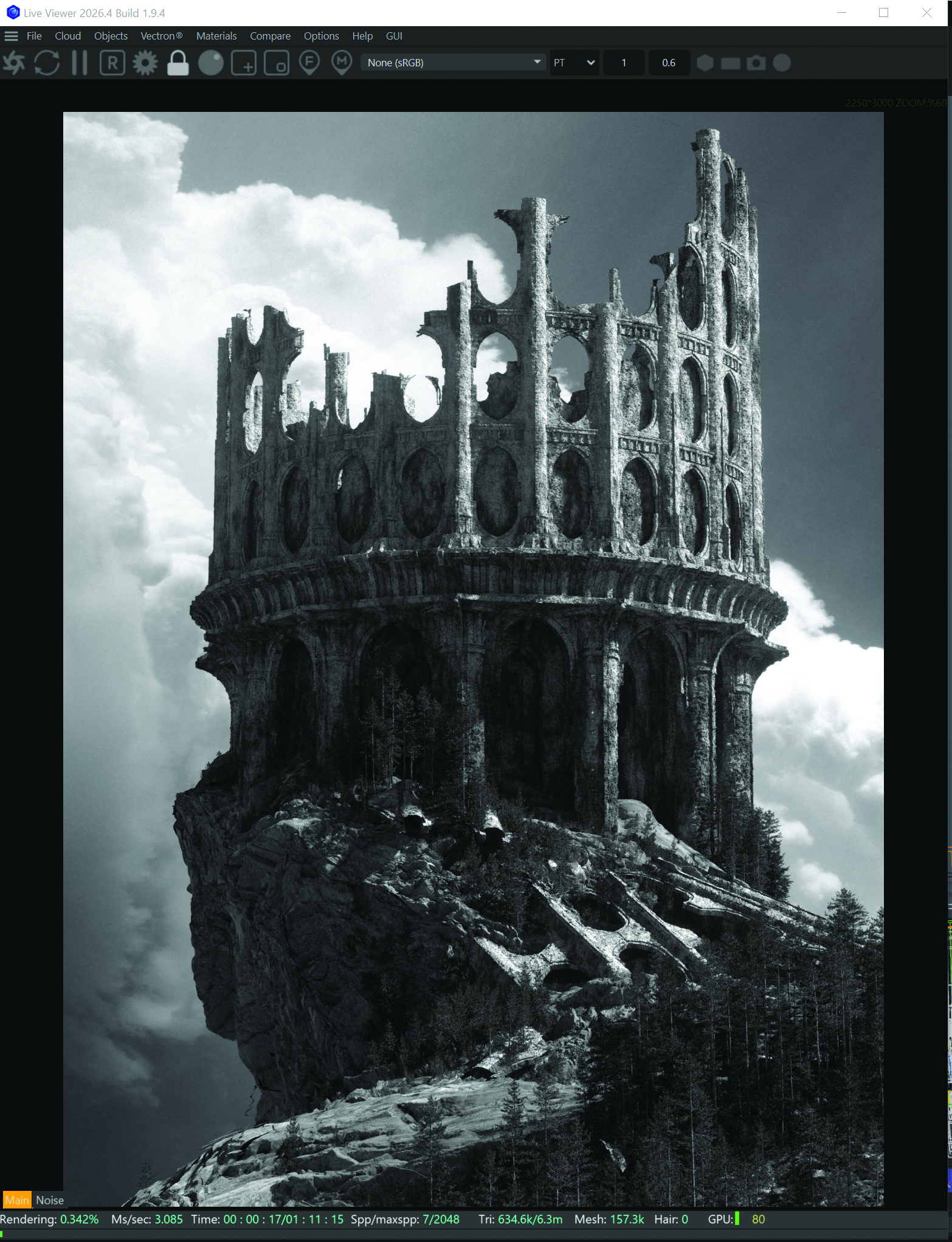
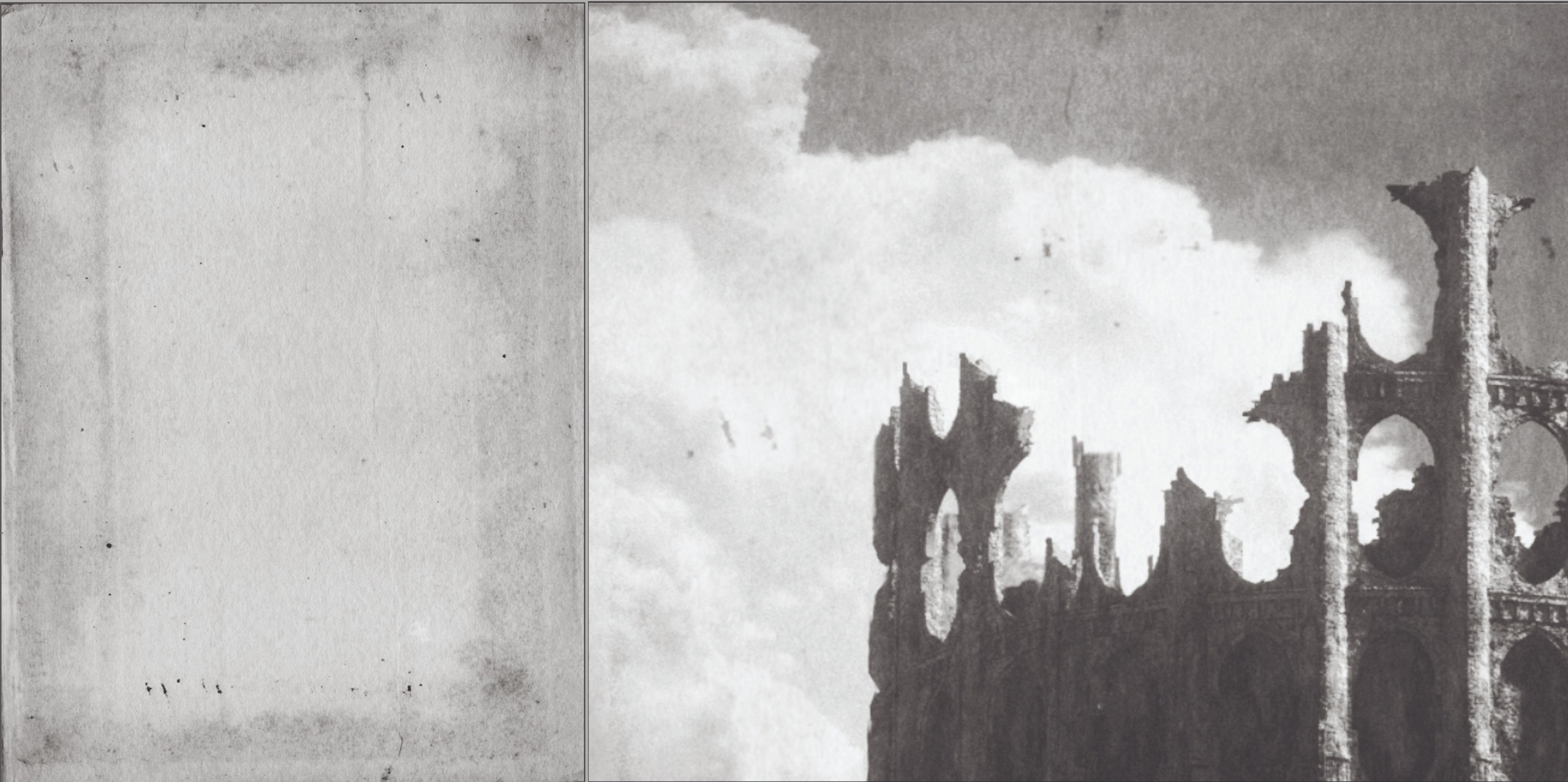
A fascinating aspect of this workflow is the decision to embrace a desaturated, greyscale palette. Initially, the scene was intended to be full-color, but during the lighting phase, Moore turned down the saturation to check values. The result was so compelling—reinforcing the theme of an ancient, forgotten world—that he chose to keep it as a stylistic constraint.
Technical Optimization and Post-Processing
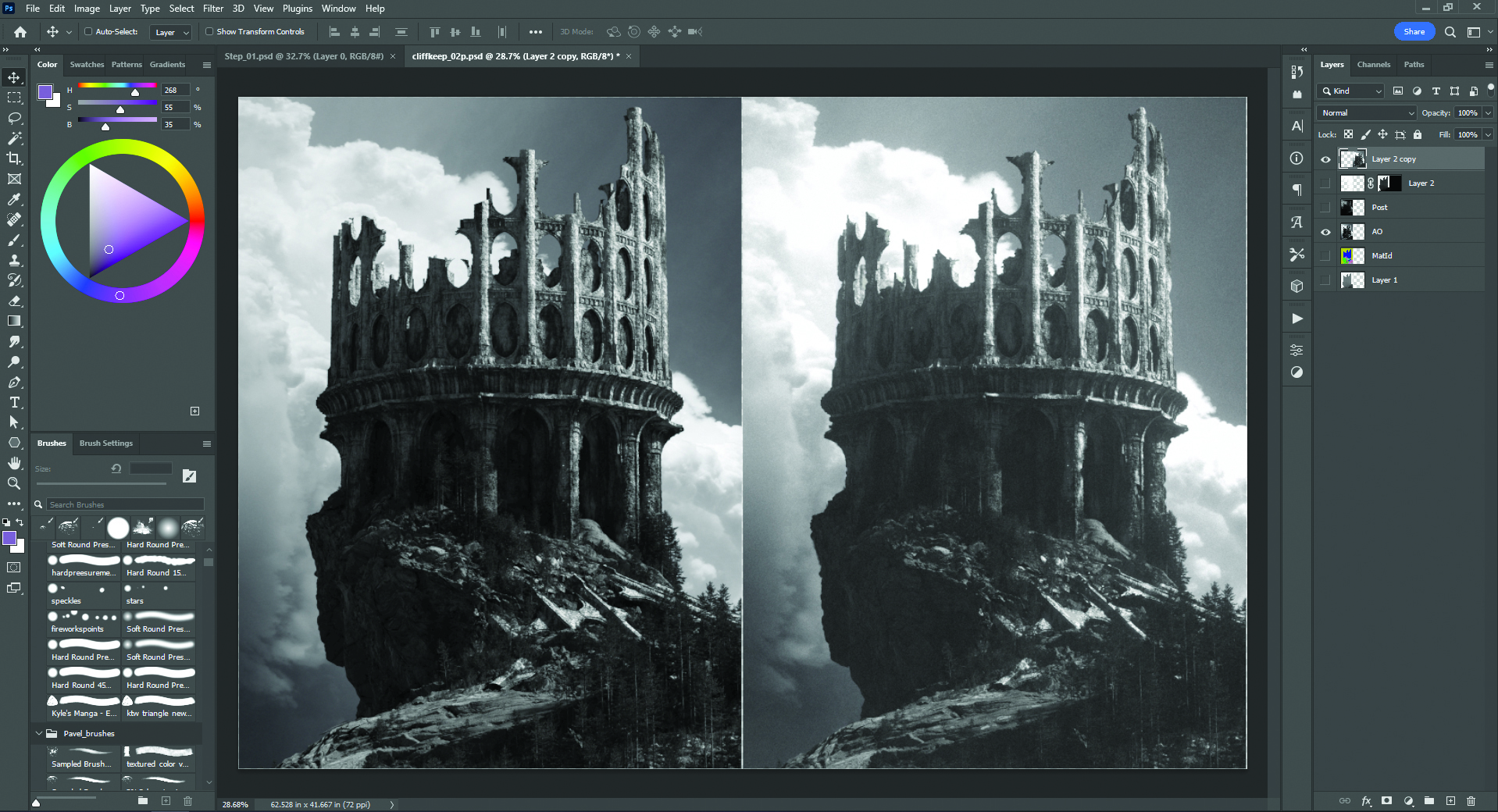
The final render is rarely the final image. Professional 3D workflows rely heavily on post-processing in Photoshop to bridge the gap between "rendered output" and "finished art."
Render Passes
To maintain control, Moore renders out multiple passes:
- Z-Depth: Used for controlling atmospheric haze and depth-of-field.
- Bloom: Essential for adding a realistic glow to light sources and atmospheric edges.
- Object ID: Allows for precise, non-destructive selection and masking in Photoshop.
Digital Painting and Finishing
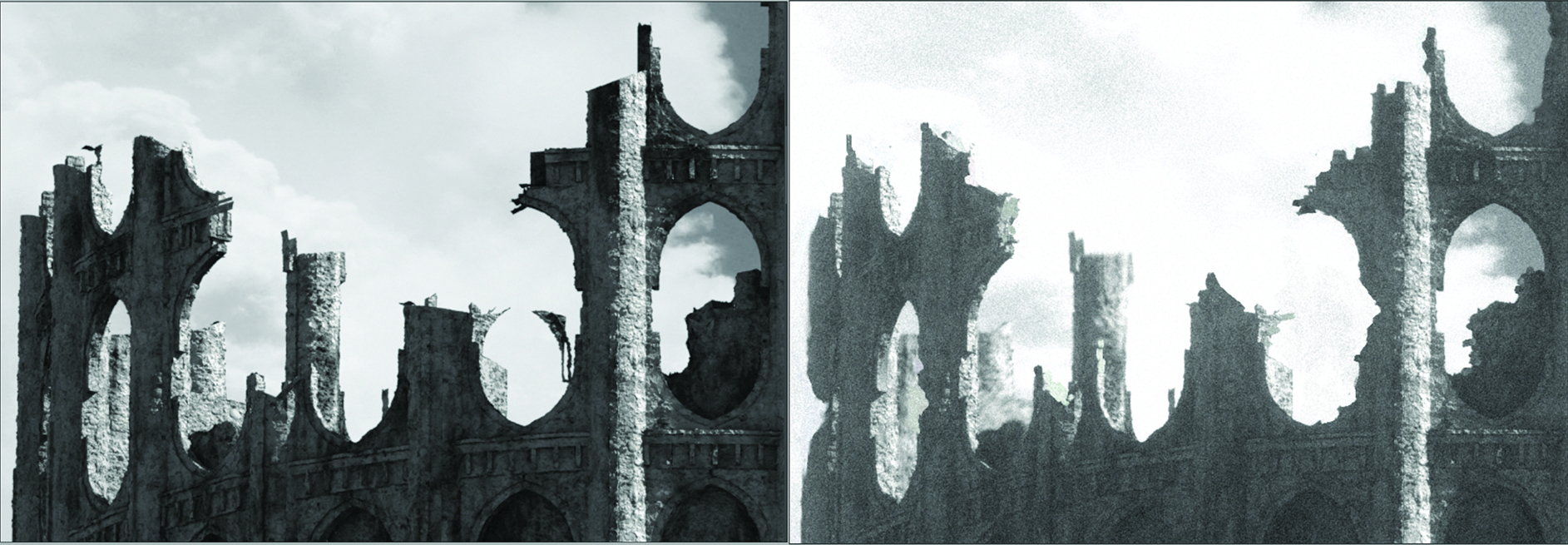
In Photoshop, the artist performs "paintover" work. This involves manually smoothing out displacement artifacts, adding subtle details that the geometry couldn’t capture, and applying a blur to the background elements to improve the foreground’s readability. The final step involves adding grain and paper textures to eliminate the "perfect" look of raw 3D, giving the image a tangible, analog quality.
Implications for the Future of 3D Art
The methodology presented by Moore highlights a shift in the digital art landscape. As software like Cinema 4D and tools like ZBrush become more integrated, the barrier to entry for creating cinematic-quality environments is lowering. However, the requirement for high-level artistic judgment—such as the ability to recognize when a scene works better in greyscale or how to manage complex foliage scatter systems—remains a human-centric skill.
The professional implications are clear: the future of environment art lies in the marriage of procedural efficiency and traditional artistic sensibilities. Artists who can manage their time through structured task lists, while simultaneously maintaining a high level of aesthetic control through smart, non-destructive workflows, will define the next generation of visual storytelling.

Supporting Data: Recommended Hardware for 3D Modeling
To support such complex workflows, artists require hardware that balances processing power with color accuracy.

| Hardware Component | Importance | Recommended Spec |
|---|---|---|
| GPU | High | NVIDIA RTX 3080/4080 (for Octane/Redshift) |
| RAM | High | 64GB or higher for complex scatter systems |
| Display | High | Color-calibrated IPS monitor (100% sRGB) |
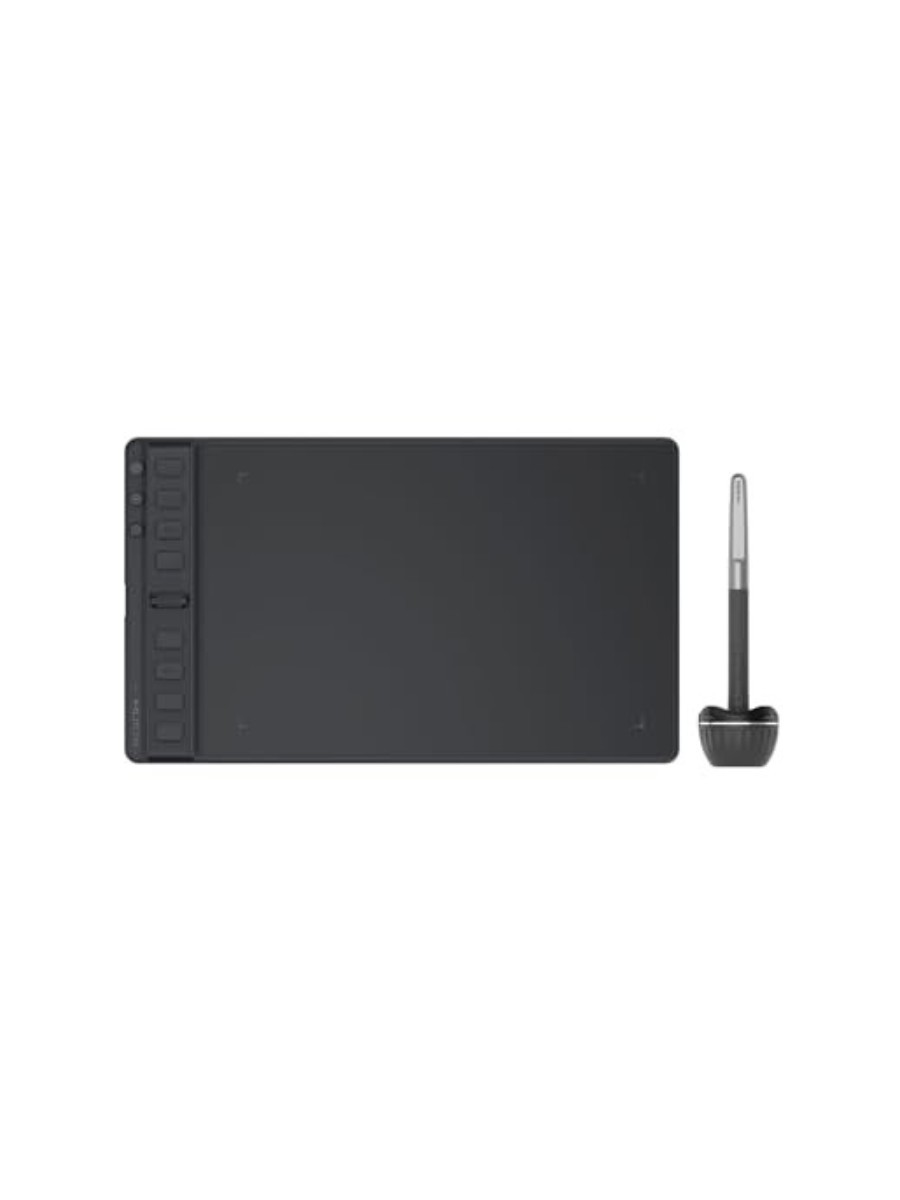
| Input | Medium | Pressure-sensitive tablet (e.g., XPPen or Wacom) |
For those looking to upgrade, current market trends show a shift toward mid-to-high-tier pen displays, such as the XPPen Artist Pro series, which offer the precision required for sculpting and digital painting without the premium cost of legacy high-end devices.
Conclusion
Creating a detailed, evocative 3D environment is a marathon, not a sprint. By prioritizing the "thumbnail-to-post-processing" pipeline, maintaining a library of modular assets, and embracing the iterative nature of the creative process, artists can achieve results that once required entire studio departments. As the industry continues to evolve, the tools will become more powerful, but the core principles—composition, light, and the disciplined management of one’s creative vision—will remain the true drivers of professional success.