

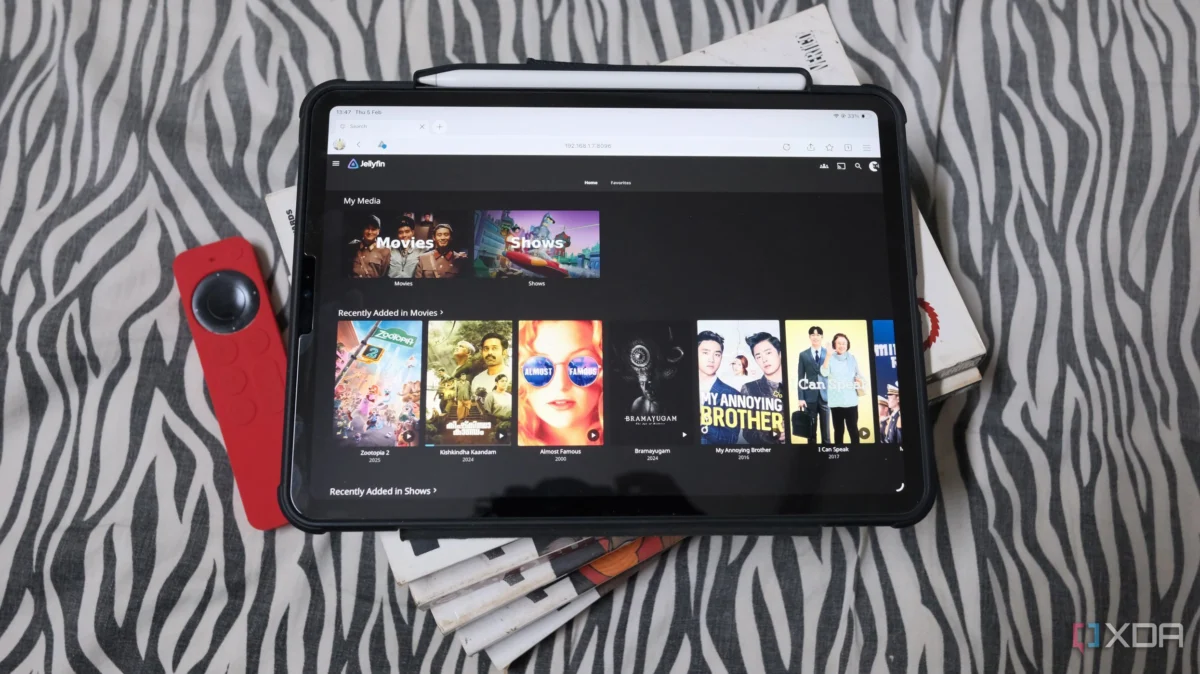
For many self-hosting enthusiasts, the journey begins with a spare laptop, a Raspberry Pi, or a compact mini-PC tucked away in a corner, wirelessly connected to the home network. It’s convenient, it’s tidy, and for a while, it works perfectly. But as your library grows and your services expand—moving from simple file storage to robust Jellyfin or Plex media streaming—the limitations of Wi-Fi start to manifest.
When your 4K stream buffers or your automated backups fail, the immediate instinct is to blame the network speed. However, in the world of home server administration, "speed" is often a red herring. The real culprit behind the vast majority of server-related headaches is not a lack of bandwidth, but a lack of reliability. Hardwiring your home server via Ethernet isn’t about hitting higher throughput numbers; it’s about establishing a foundation of consistency that Wi-Fi simply cannot guarantee.
The Myth of the Bottleneck: Why Speed Isn’t Your Problem
There is a pervasive belief among home lab beginners that Ethernet is necessary because Wi-Fi is "too slow." In reality, modern Wi-Fi 6 (802.11ax) standards are more than capable of handling the demands of a high-end home server.

Decoding the Bandwidth Requirements
Consider the most demanding use case for a standard home server: streaming 4K HDR media. A high-bitrate 4K Remux file typically requires a sustained throughput of 60 to 80 Mbps. Even with overhead, this is well within the capabilities of a stable 5GHz Wi-Fi connection, which can theoretically reach speeds in the multi-gigabit range.
If you are running a single stream, even a mediocre Wi-Fi connection is effectively "fast enough." The bottleneck rarely occurs because the pipe is too small; it occurs because the pipe is leaking. When you rely on wireless signals, you are competing with every other device in your home—smart fridges, voice assistants, mobile phones, and neighbors’ networks—all fighting for the same limited radio frequency airtime.
When Throughput Actually Matters
Ethernet is not a magic wand for speed, but it is a tool for predictability. While Wi-Fi is perfect for devices that move—like your smartphone or tablet—a server is a static entity. By tethering it to your router or a dedicated network switch, you remove the variability of wireless interference. The only time raw throughput becomes the primary concern is when you are performing massive, sustained file transfers, such as moving a 50GB project file or performing a full system-wide backup to a NAS. In those specific scenarios, a wired connection provides the sustained, non-fluctuating speed required to keep your workflow efficient.

The Invisible Enemy: Connection Instability
If speed isn’t the problem, what is? The answer lies in the subtle, often invisible nature of wireless packet loss.
The "Quiet" Failure of Wireless
Wi-Fi doesn’t usually go from "perfect" to "disconnected" instantly. Instead, it experiences micro-fluctuations. These are small bursts of latency, packet retransmissions, and brief disconnections that a user watching a YouTube video on a phone might never notice. However, a server is a different beast.
A home server is rarely just "streaming." It is managing a complex ecosystem of background tasks:

- Automated Backups: Syncing data from your desktop to your NAS.
- Media Indexing: Jellyfin or Plex scanning your folders for metadata updates.
- Smart Home Polling: Home Assistant constantly querying zigbee or Wi-Fi-based sensors.
- Container Maintenance: Docker containers performing health checks and updating.
A single millisecond of packet loss can derail a backup job, cause a smart-home automation to trigger incorrectly, or result in that frustrating "Server Unavailable" message just as you hit play on a movie. Ethernet removes these variables entirely, providing a dedicated "lane" for your server’s traffic that remains unaffected by the household’s heavy wireless usage.
Latency Jitter: The Silent Stream Killer
In technical circles, we often talk about latency—the time it takes for a data packet to travel from your server to your playback device. But there is a more sinister phenomenon known as "jitter."
Jitter is the variance in latency over time. On a stable, wired connection, the time it takes for a data packet to move from your server to your television is consistent. On Wi-Fi, this time fluctuates constantly as the router negotiates signals, switches channels to avoid interference, and handles the "chattiness" of other connected devices.

When you are streaming a high-bitrate video, the player needs a steady stream of data to fill its buffer. If the latency spikes (jitter), the buffer empties faster than it can be replenished. Even if the average speed is high, those sudden, inconsistent delays result in buffering, stuttering, and frame drops. By moving to Ethernet, you flatten the latency curve, ensuring that your media streams start instantly and remain smooth throughout the duration of the playback.
Advanced Management: The Perks Nobody Tells You
Beyond the performance benefits, hardwiring your server unlocks network management features that are practically impossible to maintain reliably over Wi-Fi.
The Power of Wake-on-LAN (WoL)
One of the most efficient ways to manage a home server is to keep it powered down or in a low-power "sleep" state when it isn’t in use. This is particularly important for those using full desktop hardware as a server, which can draw significant wattage when idling.

Wake-on-LAN allows you to "ping" your server from another device—or even remotely from outside your home—to wake it up on demand. However, this feature is notoriously finicky over Wi-Fi. Many wireless network interface cards (NICs) disconnect from the access point when the system goes to sleep, effectively cutting the server off from the "Magic Packet" required to wake it up. A wired connection keeps the NIC alive and listening at the hardware level, making WoL a reliable, one-click reality rather than a troubleshooting nightmare.
Simplifying Network Topology
From an administrative standpoint, a wired server is easier to manage. You can assign static IPs or DHCP reservations with confidence, knowing the server isn’t jumping between bands or reconnecting to a different mesh node. When you are troubleshooting a network issue, having one device physically connected to the switch allows you to isolate the problem. If the wired server is unreachable, you know exactly where the fault lies (the cable or the switch) rather than having to wonder if the issue is a firmware bug in the router’s 5GHz radio or a piece of furniture blocking the signal.
A Chronology of Connectivity: From Trial to Trust
The transition from wireless to wired is a rite of passage for most home lab enthusiasts.
- The "It Works" Phase: You set up your first media server on Wi-Fi. Everything works, and you feel a sense of accomplishment.
- The "Growing Pains" Phase: You add more users, start hosting more services, and the occasional buffering or "connection lost" error begins to occur. You blame the ISP or the server software.
- The "Troubleshooting" Phase: You spend hours optimizing your Wi-Fi settings, changing channels, and buying expensive mesh routers, only to find the problems persist.
- The "Wired" Revelation: You finally run a Cat6 cable, even if it means running it along the baseboards or through a ceiling crawlspace. Suddenly, the issues disappear. The server becomes "boring"—which is exactly what you want a server to be.
Implications for Your Home Network
The goal of a home server is to act as the backbone of your digital life. It should be a utility, like electricity or water—always there, always reliable. When you hardwire your server, you aren’t just improving your Netflix experience; you are insulating your entire home network from unnecessary complexity.
While it is true that not every device needs an Ethernet connection, your server is the exception. If your server is merely a hobbyist project for occasional use, Wi-Fi might suffice. But if you have reached the point where your server is running 24/7, serving media to multiple rooms, or managing the automation of your home, the physical cable is the most cost-effective upgrade you can make.
Don’t wait for a hardware failure or a frustrating weekend of troubleshooting to make the move. Treat your server with the professional respect it deserves. By opting for a wired connection, you are choosing stability over convenience, and in the long run, that is the best decision you can make for your home infrastructure. As the adage goes in IT: "If it’s stationary, wire it. If it moves, give it Wi-Fi."












No comments yet. Be the first to join the conversation!