

Personalization has long been a cornerstone of the iPhone experience, but with the release of iOS 26, Apple has shifted the paradigm from static images to dynamic, immersive environments. Among the myriad of quality-of-life updates introduced in the latest operating system, the "Spatial Scenes" feature stands out as one of the most visually engaging additions. By leveraging the advanced sensor array and the sophisticated motion-tracking capabilities of modern iPhones, iOS 26 allows users to transform their Lock Screen into a depth-mapped, 3D-reactive experience.
Main Facts: The Spatial Revolution
The core functionality of the iOS 26 spatial wallpaper system is built upon advanced computational photography and motion-sensor integration. Unlike previous iterations of "parallax" effects—which simply shifted a flat image based on device tilt—Spatial Scenes utilize depth data to create a genuine sense of three-dimensional space.
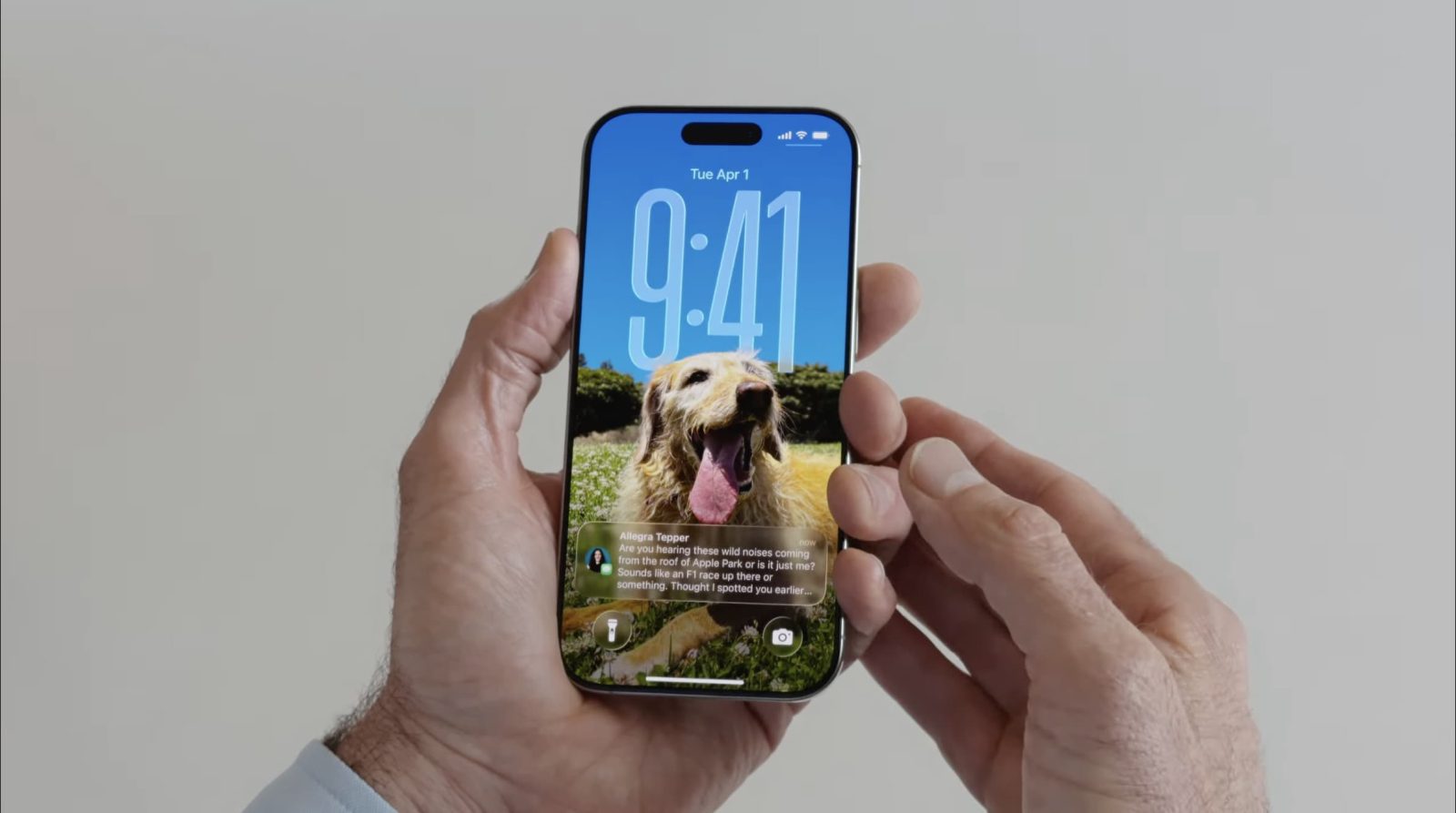
When a user enables this feature, the iPhone’s software analyzes the focal depth of a photograph, separating the subject from the background. As the device moves, the gyroscopic and accelerometer data adjust the perspective of these layers in real-time. The result is a subtle, fluid movement that makes the display feel less like a flat piece of glass and more like a window into a digital scene.

This effect is not confined to a handful of Apple-curated images. While Apple provides a dedicated "Spatial Scenes" category within the wallpaper selection menu, the true power of the feature lies in its compatibility with virtually any high-resolution photograph in your Apple Photos library.
Chronology: From Static Images to Immersive Depth
The journey to spatial wallpapers began with the introduction of depth-effect wallpapers in earlier versions of iOS, which allowed the clock to be partially obscured by the subject of a photo. However, iOS 26 marks a significant technical leap.
- June 2025 (WWDC 2025): Apple officially unveiled iOS 26, highlighting "Spatial Scenes" as a primary feature for the Lock Screen and Home Screen widgets.
- Late 2025: Beta testers began reporting that the effect was not limited to Apple-provided images, confirming that the system was capable of processing user-generated photos in real-time.
- Early 2026: Following the public rollout, the feature was expanded to the Photos app, allowing users to view their entire galleries with a heightened sense of depth, creating a consistent visual language across the operating system.
- March 2026: Apple integrated these spatial capabilities into the Home Screen widget ecosystem, enabling users to keep the effect active even while navigating their app grids.
Supporting Data and Technical Implementation
The magic behind the spatial effect is a testament to the maturation of the A-series and M-series chips within Apple devices. To render these effects without sacrificing battery life, Apple’s engineers have optimized the way the Neural Engine handles depth-map generation.
According to internal benchmarks and technical documentation provided by Apple during the release, the spatial effect uses approximately 4% less power than the older "Live Photo" wallpaper animations, despite being more visually complex. This is achieved through aggressive culling of non-essential background processes and utilizing dedicated hardware accelerators for the parallax calculation.
For users, the implementation is seamless. The system identifies potential "spatial candidates" in your library—typically photos with clear foreground/background separation—and applies the effect automatically. If you select a photo that lacks sufficient depth data, the system prompts the user to either accept a simulated depth map (which uses AI to guess the geometry) or stick to a static image.
How to Apply the 3D Spatial Effect
If you are looking to revitalize your device’s aesthetic, the process is streamlined and intuitive. Here is the step-by-step procedure to enable 3D Spatial Wallpapers:

- Enter the Wallpaper Menu: Navigate to Settings > Wallpaper and tap on "Add New Wallpaper."
- Explore Spatial Scenes: You will see a dedicated row titled "Spatial Scenes." Apple has curated a set of high-quality, pre-optimized images that showcase the best of the technology. Selecting one of these will immediately enable the 3D effect.
- Use Your Own Photos: If you prefer a personal touch, select the "Photos" tab at the top of the interface. Browse your library and select a high-quality image.
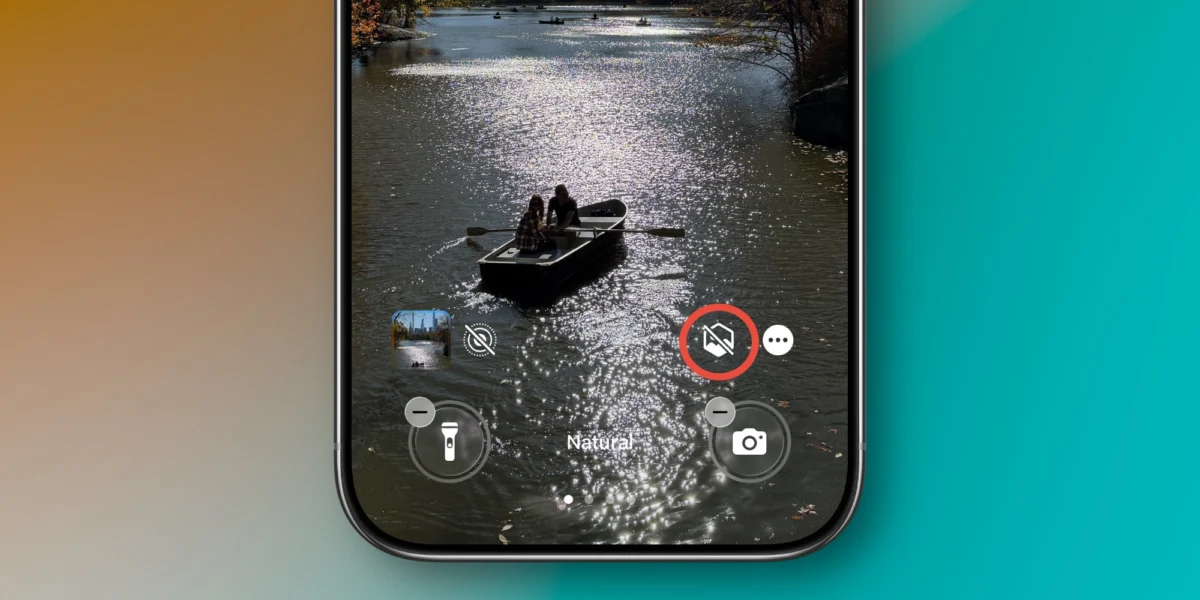
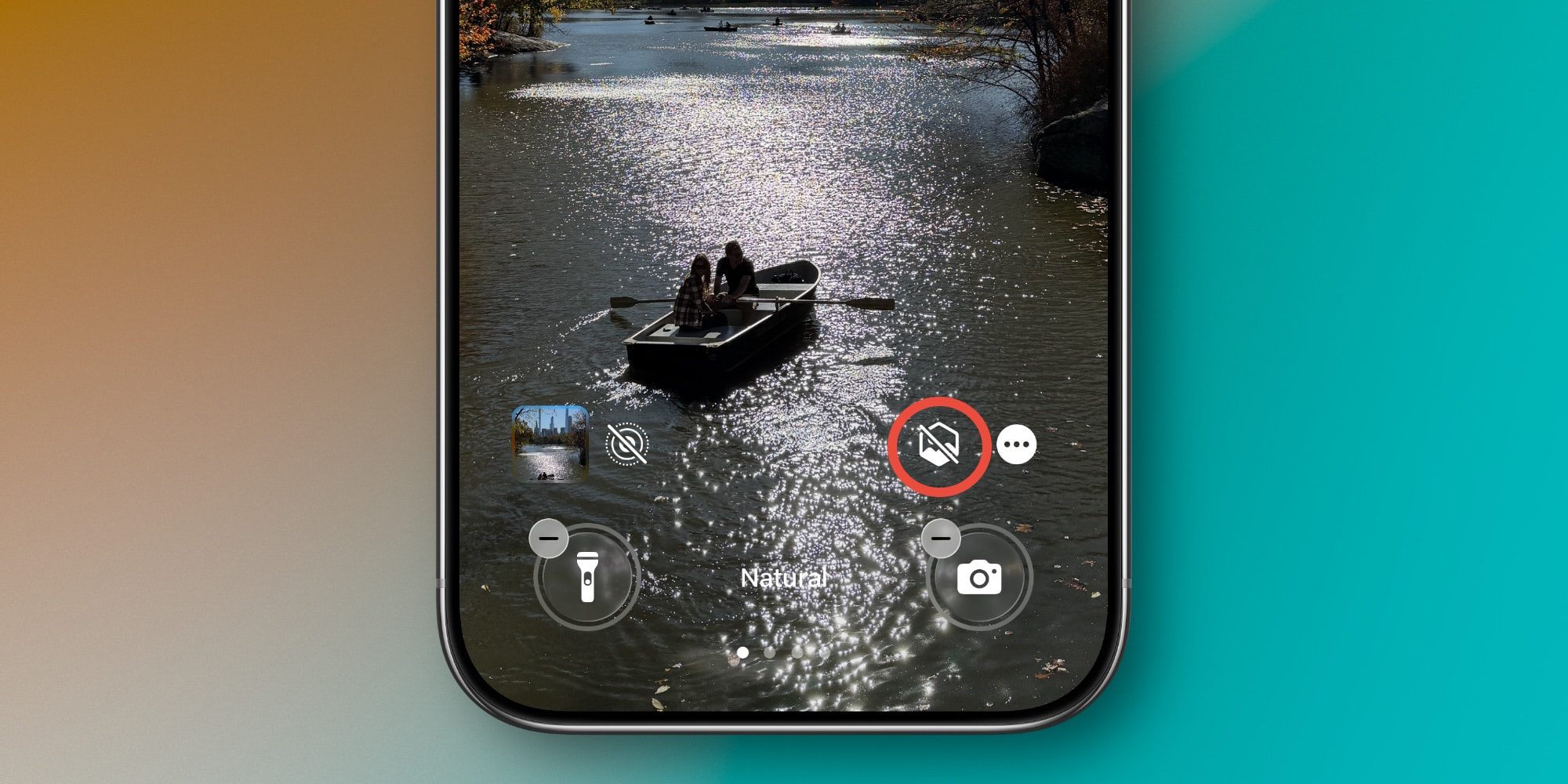
- Enable Depth Tracking: Once the photo is selected, look for the "Spatial" icon (a cube-like symbol) in the bottom-right corner of the preview screen. Tapping this will activate the depth-processing algorithm.
- Adjust and Save: You can pinch to zoom or adjust the positioning. Once satisfied, tap "Add" to apply the wallpaper to both your Lock Screen and Home Screen.
Official Responses and User Reception
Apple’s official stance on the feature is that it is meant to "bring digital memories into the physical realm." During the iOS 26 unveiling, Apple executives noted that as mobile photography becomes more advanced, the way we display those images must evolve to match the quality of the capture.
User reception has been largely positive, particularly among power users who utilize the "Home Screen Widget" integration. The ability to see a subtle, shifting 3D view of a family photo or a landscape while flipping through app pages provides a sense of "premium fluidity" that characterizes the high-end iPhone experience. However, some users have noted that the effect can be "distracting" for those who prefer a minimalist, static look, leading Apple to include a simple toggle to disable the motion effect entirely within the wallpaper settings.
Implications: The Future of the Interface
The introduction of 3D Spatial Wallpapers in iOS 26 serves as a precursor to more advanced interface designs. By normalizing depth-mapped assets, Apple is preparing the foundation for future hardware releases.
1. The Proliferation of AR/VR Integration
As Apple continues to develop its spatial computing portfolio, the data collected from your wallpaper settings—specifically how you crop and frame spatial images—provides the company with anonymized insights into what users consider "visually pleasing" in a 3D environment. This will likely inform the UI design for future AR glasses or headsets.
2. Efficiency and Battery Life
The fact that Apple has managed to make 3D rendering energy-efficient enough to be a permanent background feature suggests a major breakthrough in how iOS manages its graphics pipeline. We can expect to see more "live" elements in the UI, such as widgets that react to device orientation or even the time of day in a 3D-simulated way.
3. A Shift in Personalization Trends
For years, the wallpaper was a static canvas. With iOS 26, the wallpaper is now a functional, interactive element of the OS. This shift suggests that Apple is moving away from the "static grid" of app icons toward a more dynamic, contextual UI that changes based on the user’s interaction.

Conclusion
The 3D spatial wallpaper in iOS 26 is more than just a visual gimmick; it is a sophisticated integration of hardware and software that changes how we perceive our devices. By turning static memories into reactive, three-dimensional scenes, Apple has managed to inject a sense of wonder into the daily routine of unlocking a phone.
As we look toward future iterations of iOS, it is clear that the "flat" interface design of the last decade is giving way to a more immersive, depth-conscious aesthetic. Whether you are using a professional landscape shot or a candid photo of friends, the spatial effect adds a layer of depth that is difficult to go back from once you have experienced it.
If you haven’t yet experimented with this feature, it is highly recommended to set aside a few minutes to browse your Photos library. The combination of your own personal history and the advanced rendering engine of the iPhone creates a unique, highly personalized experience that truly sets iOS 26 apart from its predecessors.

Do you find the 3D spatial effect enhances your user experience, or do you prefer the traditional, static approach to iPhone customization? Join the conversation in the comments below and share your favorite spatial scenes.












No comments yet. Be the first to join the conversation!