

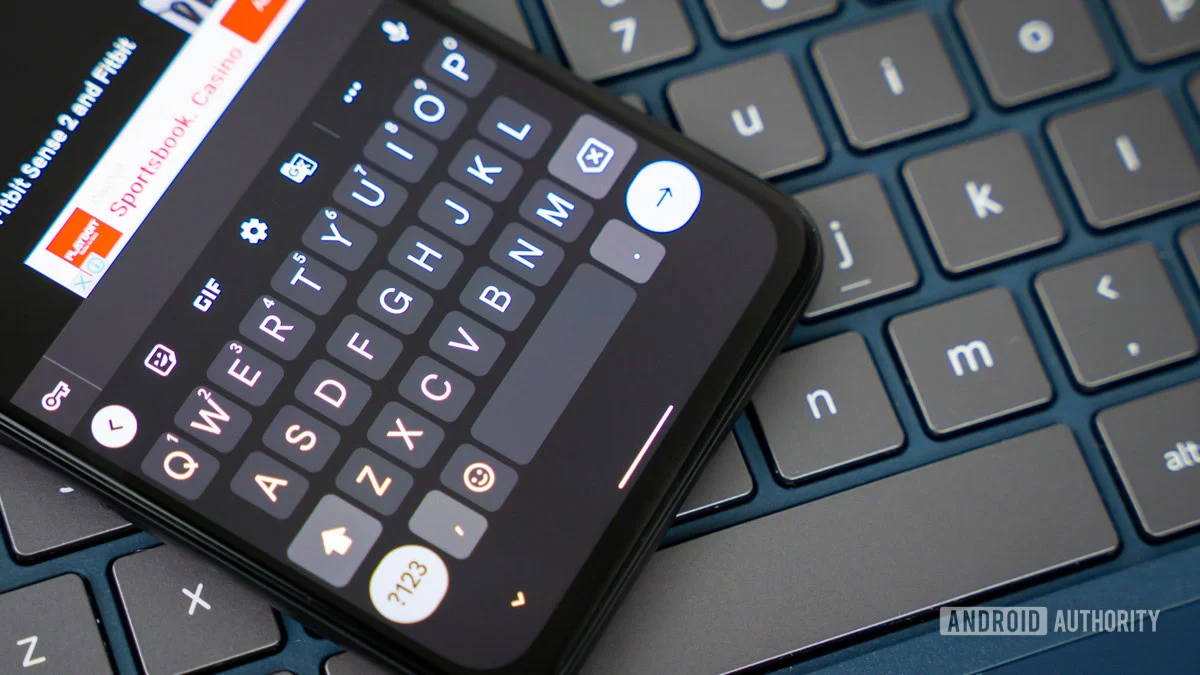
Google’s Gboard, the ubiquitous keyboard application powering millions of Android devices worldwide, is on the cusp of receiving a series of updates that range from groundbreaking accessibility tools to long-requested quality-of-life refinements. Recent investigative insights into the app’s internal code suggest that Google is moving toward a more customizable typing experience, prioritizing user agency over rigid automation.
While much of the recent discourse surrounding Google’s mobile ecosystem has focused on the integration of generative AI, these latest developments in Gboard signal a return to core functional improvements. By addressing the nuances of how we interact with our digital interfaces, Google is demonstrating that even the smallest adjustments to a keyboard’s behavior can have profound effects on user satisfaction and efficiency.
The Core Developments: A Two-Pronged Approach
Recent teardowns conducted by the Android Authority team have unearthed two distinct, yet equally significant, developments within the Gboard framework.
First, and perhaps most transformative for the accessibility community, is a feature designed to translate sign language captured by a phone’s camera into written text. This represents a monumental leap forward in making digital communication inclusive for the deaf and hard-of-hearing communities.
Second, the team discovered a more granular "Auto-space after suggestions" toggle. While seemingly modest in scope, this feature directly addresses a common friction point in the user experience: the tendency of modern keyboards to force automated formatting choices upon the user. By allowing individuals to toggle the automatic insertion of spaces after selecting a word from the suggestion strip, Google is acknowledging that the "one-size-fits-all" approach to autocorrect is becoming increasingly outdated.
Chronology: The Evolution of Gboard’s Feature Set
To understand the significance of these potential updates, one must look at the trajectory of Gboard over the past several years. Initially released as a replacement for the default Android Keyboard, Gboard rapidly evolved into a powerhouse of predictive text, multilingual support, and seamless integration with Google Search and Translate.
The Era of Automation
In its early iterations, Gboard’s primary mission was speed. The introduction of "Glide Typing" (swiping between letters) and aggressive autocorrect algorithms were designed to minimize the physical effort of typing on small glass screens. For years, the "auto-space" feature was marketed as a productivity boon—an automatic shortcut that saved users from having to tap the spacebar millions of times per year.
The Shift Toward Customization
As users became more adept at mobile communication, the limitations of these rigid automation rules became apparent. The "auto-space" function, once hailed as a convenience, began to draw ire from power users. When a user selects a word from the suggestion bar only to immediately add a punctuation mark or attach a suffix, the forced space becomes a source of annoyance, requiring an extra backspace to correct.
Throughout 2024 and 2025, feedback loops across platforms like Reddit and the Google Play Store highlighted a growing demand for "control-oriented" settings. Google’s recent code activity suggests the company is finally listening to this feedback. The discovery of the "Auto-space after suggestions" toggle in early 2026 marks the culmination of this shift, moving Gboard from a "helpful" assistant to a "controllable" tool.
Supporting Data: Why Small Changes Matter
The decision to implement a toggle for auto-spacing is supported by principles of Human-Computer Interaction (HCI). Research into "Keyboard Fatigue" and "User Agency" suggests that when software takes an action without user consent—even if that action is usually "correct"—it creates a cognitive load.
The Friction of Forced Automation
When a user selects a word, their intention is specific. If the keyboard forces a space, the user’s mental model of the interface is interrupted. They must then perform a corrective action (hitting backspace), which consumes time and focus. By providing a toggle, Google is shifting the burden of choice to the user.
Accessibility Metrics
The sign language translation feature is supported by an even more critical body of data. According to the World Health Organization, over 5% of the world’s population experiences disabling hearing loss. For these individuals, text-based communication is the primary mode of interaction, yet sign language—their native tongue—is structurally different from written language. By leveraging the camera to bridge the gap between gestural communication and digital text, Google is not just adding a feature; they are opening a bridge for millions of users to participate more fully in the digital economy.
Official Responses and Strategic Context
While Google has not released a formal press statement regarding the specific "Auto-space" toggle, the company’s broader strategy under the "Android Authority" banner and other development circles suggests a move toward "Open-Platform Customization."
Google’s silence on unreleased features is standard operating procedure, intended to protect their development roadmap. However, the presence of these code strings in current builds indicates that the features are in the active testing phase.
"We are constantly iterating on Gboard to make it faster, more accurate, and more inclusive," a spokesperson for the Android development team has previously noted in general terms. This mantra of "constant iteration" is exactly what we are seeing here. The move is likely part of a broader effort to modernize the Android UI layer, ensuring that even stock apps feel as refined as third-party keyboard alternatives like SwiftKey or Gboard’s open-source competitors.
Implications: A New Standard for Mobile Keyboards
The implications of these developments are twofold: one for the individual user and one for the industry at large.
Implications for the Individual
For the average user, the "Auto-space" toggle will result in a more personalized typing experience. Users who prefer "clean" typing without forced formatting can simply disable the feature. Those who appreciate the speed of automatic spacing can leave it enabled. It is a win-win scenario that honors the diversity of human input habits.
The accessibility feature, however, holds deeper societal implications. Should the sign-to-text functionality reach a level of high-fidelity performance, it could fundamentally change how deaf individuals interact with customer support, government services, and casual social interactions. It elevates the phone from a passive device to an active communication translator.
Implications for the Industry
Google’s willingness to introduce these settings suggests a trend toward "Pro-Mode" settings in consumer apps. As mobile operating systems mature, users are demanding more granular control over how their software behaves. By providing a "deep-settings" menu for a fundamental tool like a keyboard, Google is setting a precedent that other app developers will likely be forced to follow.
Furthermore, the integration of complex camera-based AI for sign language translation puts pressure on competitors to match this level of accessibility. Apple, for instance, has long touted its accessibility features; Google’s move here ensures that the Android ecosystem remains a frontrunner in inclusive design.
Final Thoughts: The Road Ahead
An APK teardown, by nature, is a look into a potential future. While these features are currently visible in the code, there is always the possibility that they may be altered, delayed, or removed before a stable public release.
However, the logic behind these additions is sound. In a world where the keyboard is the primary interface for our digital lives, every millisecond saved and every barrier to communication removed is a victory for the user. Google is moving away from a "we know best" approach to a more collaborative, customizable design philosophy.
As we look toward the future of Gboard, one thing is clear: the keyboard is no longer just a place to tap out letters. It is becoming a sophisticated, AI-driven conduit for human expression. Whether it’s through the simple, welcome control of a spacing toggle or the life-changing potential of sign language translation, Google is ensuring that Gboard remains an essential, evolving piece of the modern mobile experience.
For those who rely on their devices for work, play, and connection, these small but significant updates are a reminder that even the most established software can still find new ways to improve. We will continue to monitor the development of these features closely as they move from the hidden corners of the APK toward the screens of millions of users worldwide.











